
1.機能の概要実際のデバッグプロセスでは、TDFHUIのシミュレーションデバッグ機能を通じて、設計されたインタフェース効果とコマンドの送受信を確認し、設計の期待される効果を達成することができます。2.シミュレーションデバッグの準備2つのシリアルツールを用意して、下図のように接続し、同じパソコンに接続します。配線はそれぞれGND-GND、RXD-TXD、TXD- RXDで、図2.1に示すようにします。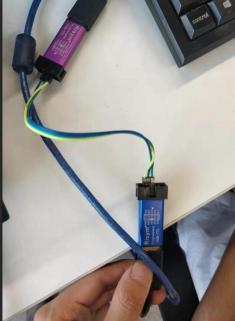 図2.1シリアル接続方式3.デバッグのシミュレーション方法3.1エミュレーションポートの設定方法既存のプロジェクトファイルを開き、メニューバーの“シミュレーション”→“設定”をクリックするか、シミュレーションデバッグモジュールの“エミュレータ設定”ボタンをクリックします。
 ポップアップ。エミュレータ設定ウィンドウで、エミュレータポートのドロップダウンボックスをクリックして、図に示すように接続されている2つのシリアルポートツールのいずれかのポートを選択します。
 図3.1シミュレーションの設定
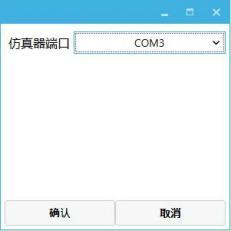 図3.2エミュレータの設定ウィンドウ3.2シリアルデバッグソフトウェアの設定方法クリックして任意のシリアルポートデバッグソフトウェアを開き、クリックしてシリアルポートを設定シリアルポートを別のシリアルポートに設定し、エミュレータポートと同じではない必要があります→ボーレート設定→受信と送信をhexに設定→クリックして開きます。図3.3に示すように。
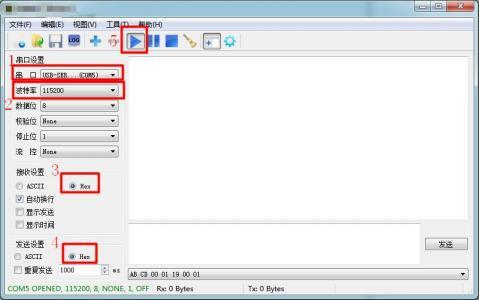 図3.3シリアルデバッグソフトウェアの設定3.3デモのシミュレーション方法シミュレーションデバッグモジュールの“実行”ボタンをクリックすると、図3.4に示すようにシミュレーションの実行ウィンドウがポップアップします。
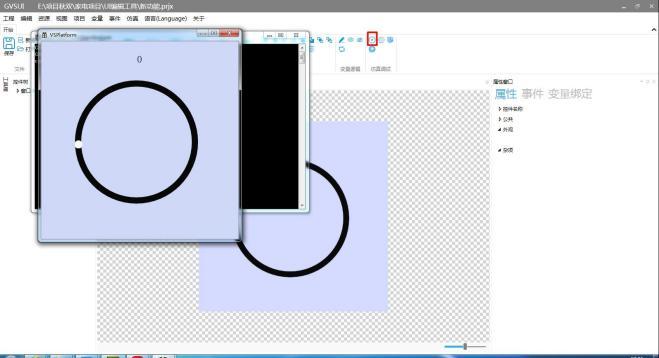 図3.4シミュレーション図3.5に示すように、スライドバーをプルランしてカスタムコマンドを送信し、シリアルデバッグソフトウェアで送信されたコマンドを受信します。
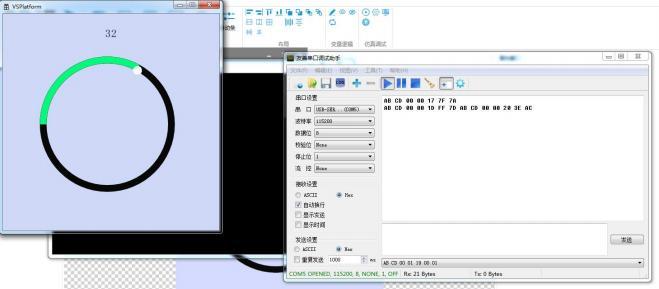 図3.5シミュレーションシリアルデバッグソフトウェアを介して命令を送信すると、図3.6に示すように、シミュレーションデモ内の円形スライドバーが対応する変更を行います。
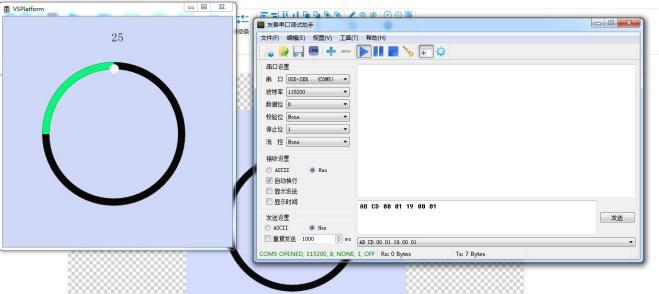 図3.6シミュレーション
収穫があれば、褒めてください。


发表回复