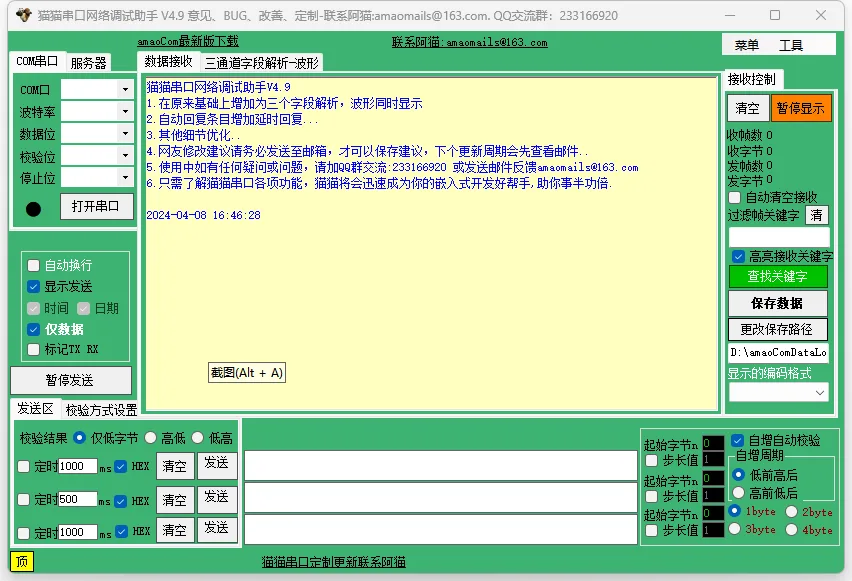
猫猫串口网络调试助手:Powerful Features,高效实用

Paid ¥0.9Paid ¥0.9

该内容已接入现有会员/付费系统,解锁后可查看完整资料或下载附件。

查看解锁方式
猫猫串口网络调试助手:Powerful Features,高效实用缩略图
🌐 This page is not yet available in English. Showing the Chinese version. Back to Chinese page.

简介

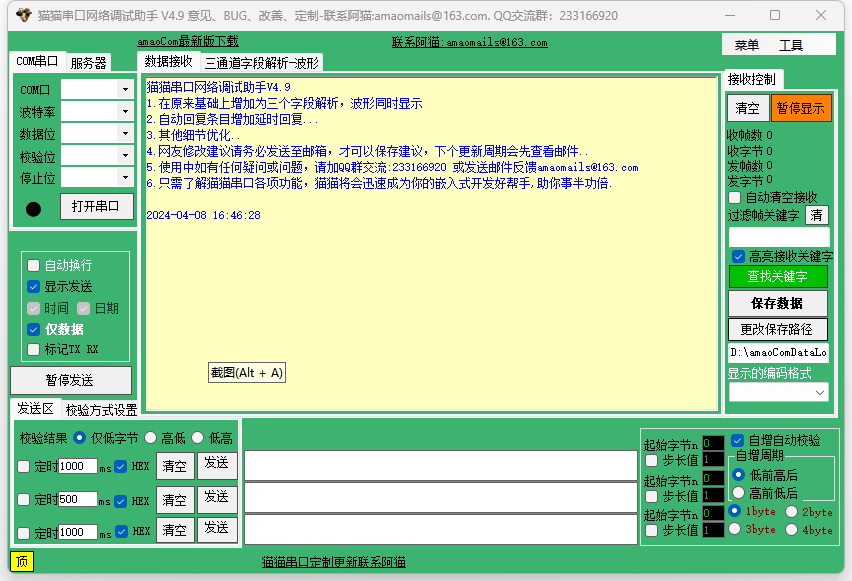
猫猫串口网络调试助手是一款功能强大的串口调试工具,可以满足嵌入式开发工程师、单片机开发人员、仪表调试人员等对串口调试的需求。软件集成了串口、TCP/UDP服务器等功能,支持多种编码格式显示,并提供了丰富的功能,如过滤高亮、查找高亮、字段解析、波形显示、发送扩展、自动回复、自增发送、格式化编码显示、校验方式、Hex和ascii对照显示、格式输入控制、TCP/UDPServer、高级功能设置、Display format、Ascii对照表、字符统计等,可以帮助用户快速、高效地完成串口调试工作。

猫猫串口网络调试助手:Powerful Features,高效实用插图

特色功能

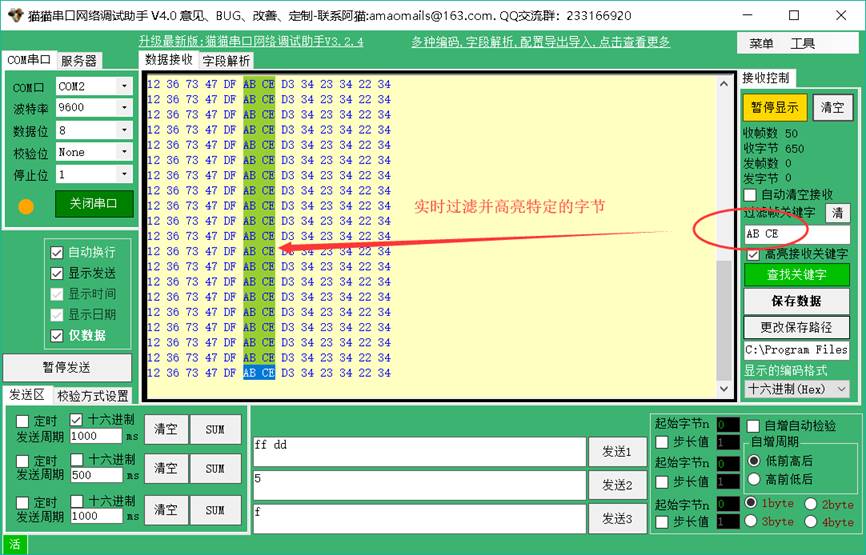
  • 过滤高亮:可以设置过滤规则,对接收到的数据进行实时高亮显示,方便用户查找所需数据。
猫猫串口网络调试助手:Powerful Features,高效实用插图1
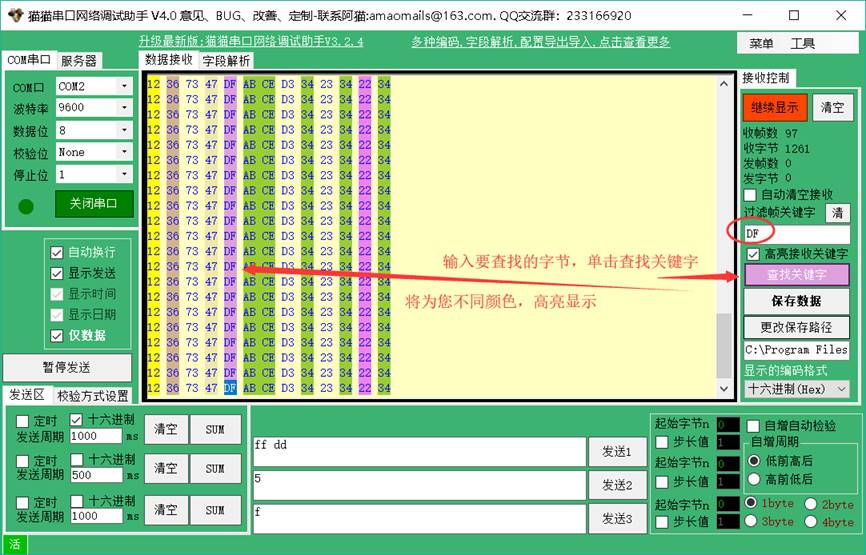
  • 查找高亮:可以输入要查找的内容,软件会将找到的内容高亮显示,方便用户快速定位目标数据。
猫猫串口网络调试助手:Powerful Features,高效实用插图2
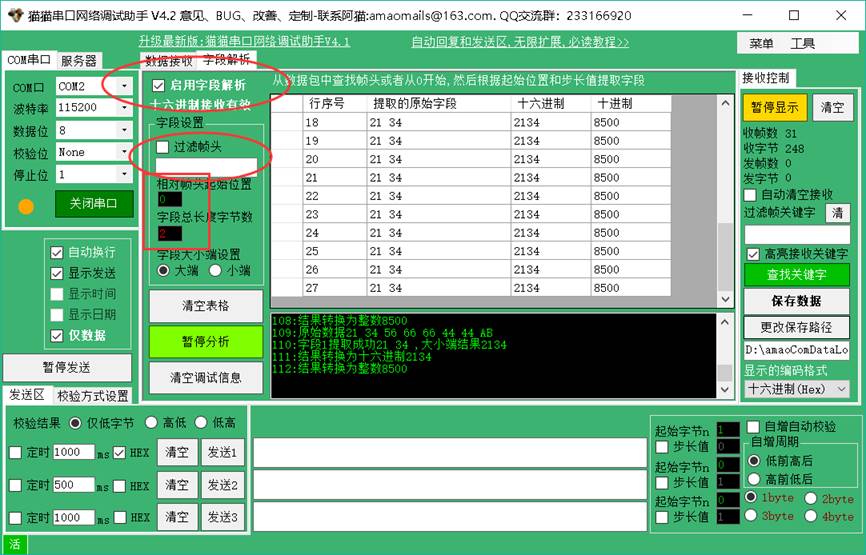
  • 字段解析:可以从一包数据中提取指定的几个字节,并转换成整数显示,也可以选择判断帧头,方便用户提取数据中的关键信息。
猫猫串口网络调试助手:Powerful Features,高效实用插图3
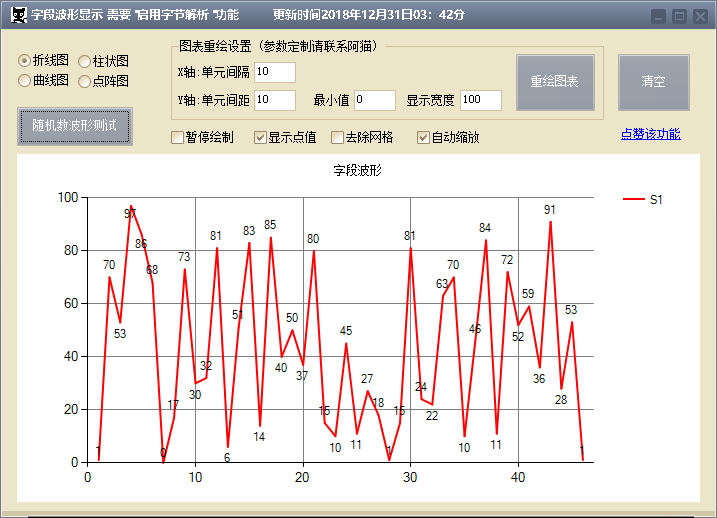
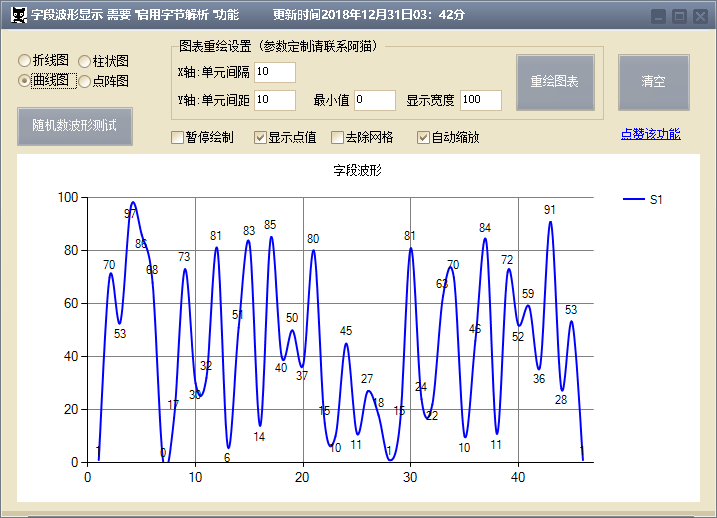
  • 波形显示:可以将解析出来的字节绘制成实时曲线图、折线图、波形图、点阵图等,方便用户查看数据变化趋势。

猫猫串口网络调试助手:Powerful Features,高效实用插图4

猫猫串口网络调试助手:Powerful Features,高效实用插图5

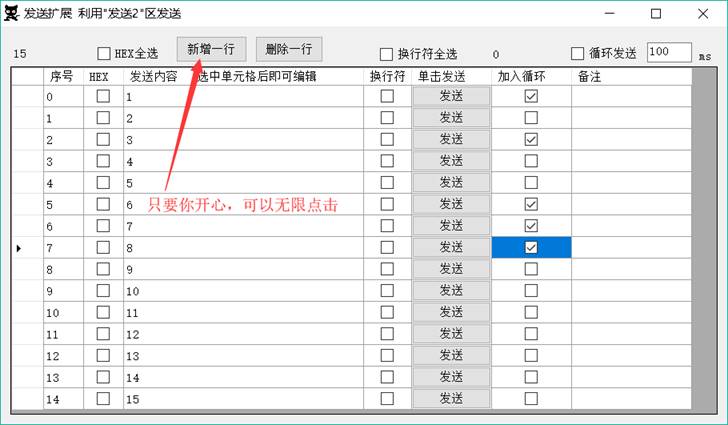
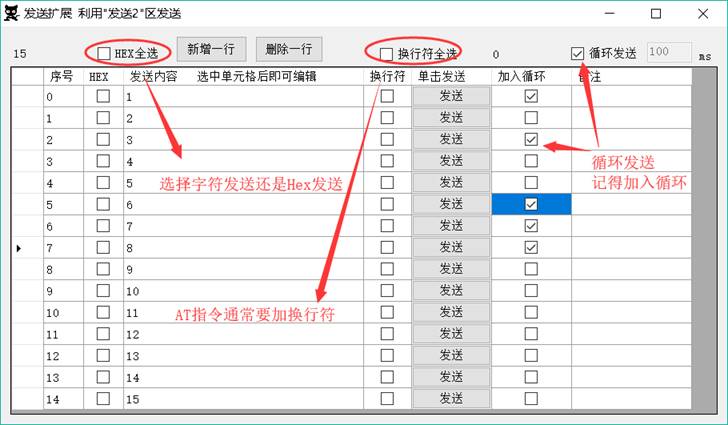
  • 发送扩展:可以将常用的指令或数据包保存起来,方便用户快速发送。
猫猫串口网络调试助手:Powerful Features,高效实用插图6
猫猫串口网络调试助手:Powerful Features,高效实用插图7
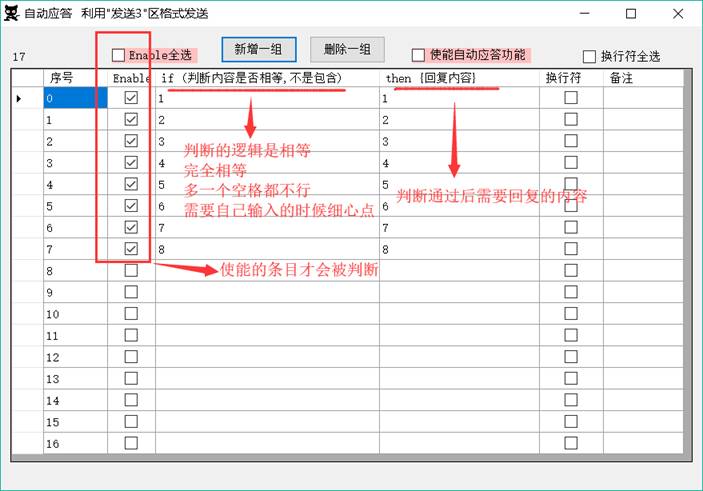
  • 自动回复:可以设置自动回复规则,当收到特定数据时,软件会自动发送指定的回复数据。
猫猫串口网络调试助手:Powerful Features,高效实用插图8
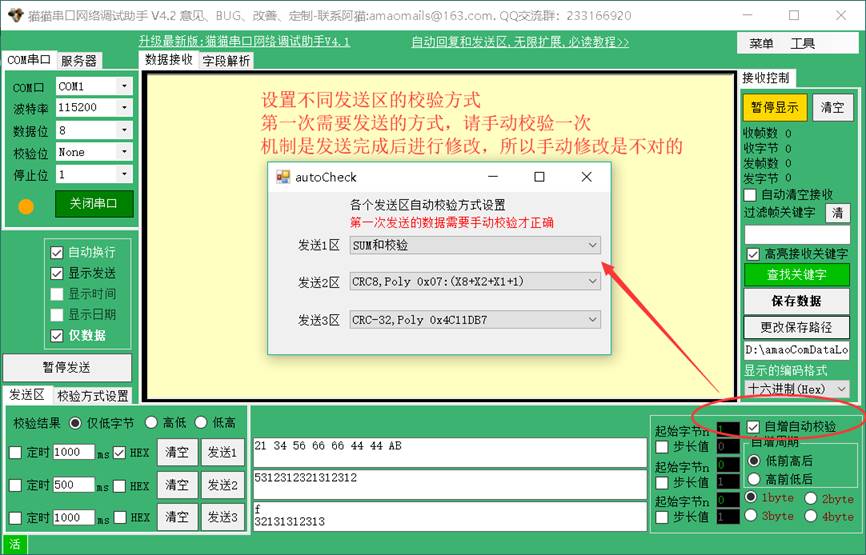
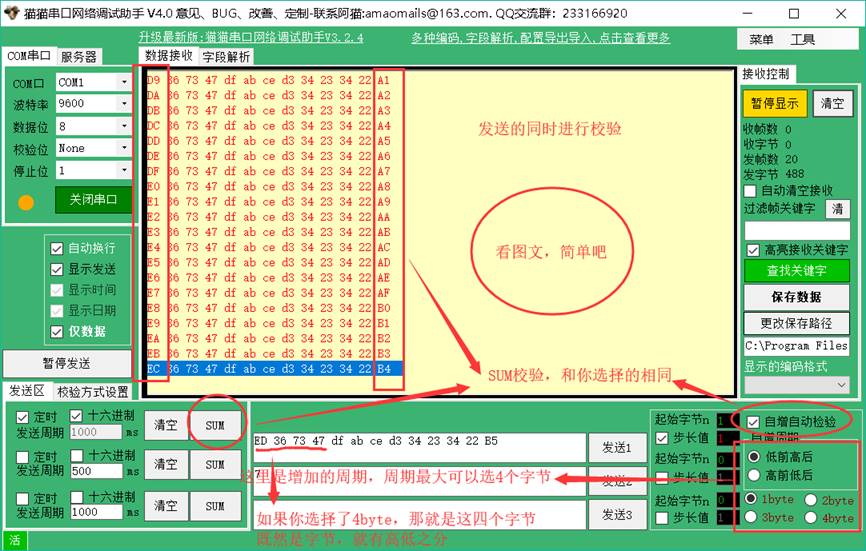
  • 自增发送:可以设置发送后指定字节自动增加和校验,方便用户发送连续递增的数据。

猫猫串口网络调试助手:Powerful Features,高效实用插图9

猫猫串口网络调试助手:Powerful Features,高效实用插图10
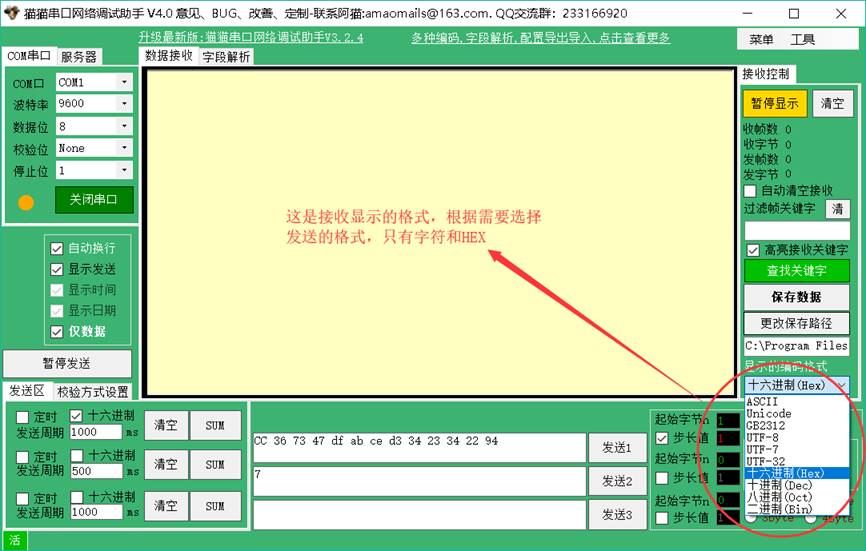
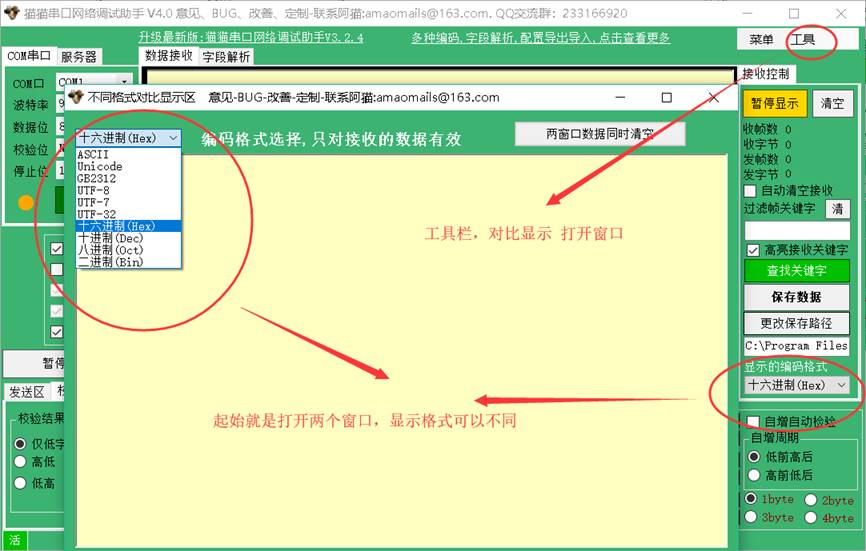
  • 格式化编码显示:支持多种编码格式显示,如ASCII、Unicode、GB2312/GBK、UTF-8等,方便用户查看不同编码格式下的数据。
猫猫串口网络调试助手:Powerful Features,高效实用插图11
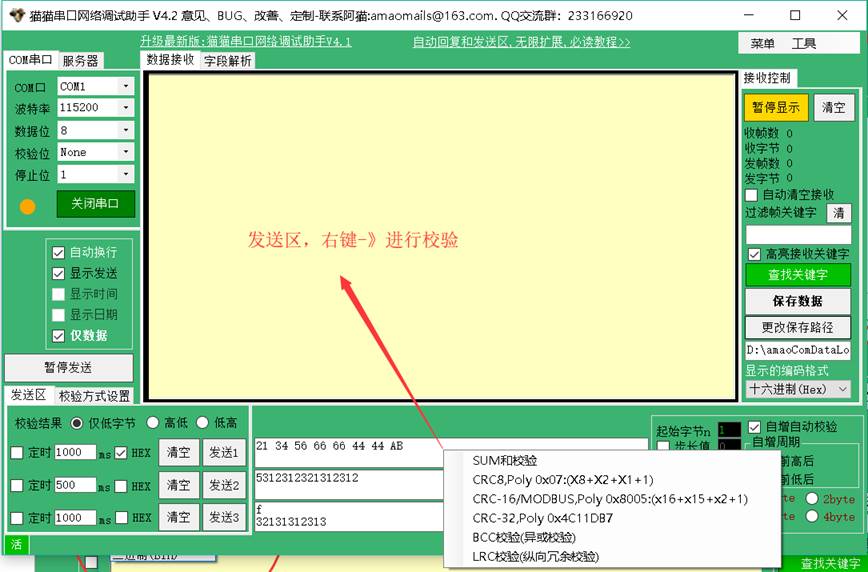
  • 校验方式:支持多种校验方式,如None、Odd、Even、Mark、Space等,方便用户确保数据传输的准确性。
猫猫串口网络调试助手:Powerful Features,高效实用插图12
  • Hex和ascii对照显示:可以同时显示Hex和ascii格式的数据,方便用户对比查看。

猫猫串口网络调试助手:Powerful Features,高效实用插图13

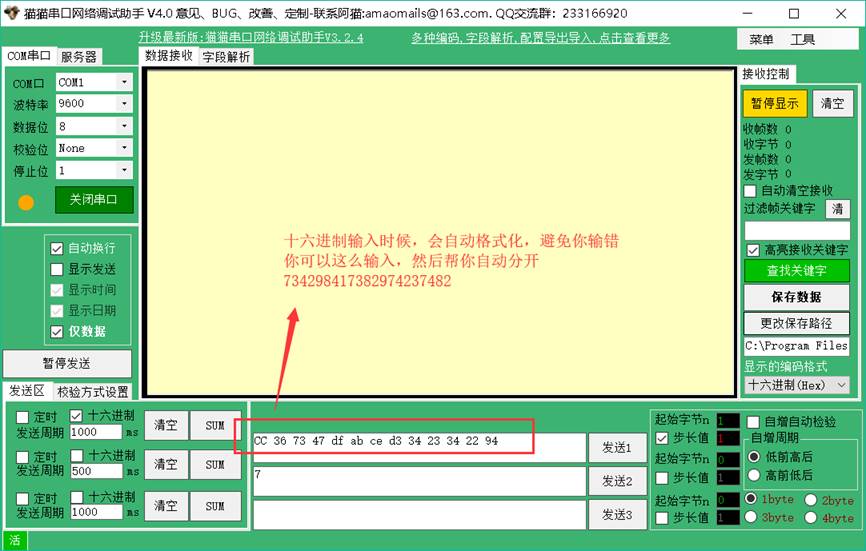
  • 格式输入控制:在进行hexadecimal的输入时,会自动更正格式,确保输入数据的正确性。
猫猫串口网络调试助手:Powerful Features,高效实用插图14
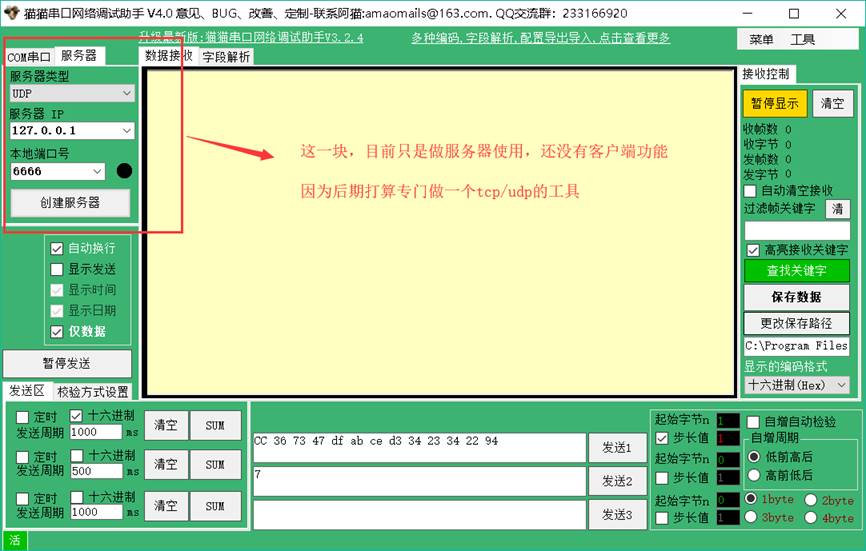
  • TCP/UDPServer:可以创建TCP/UDPServer,方便用户进行网络调试。
猫猫串口网络调试助手:Powerful Features,高效实用插图15
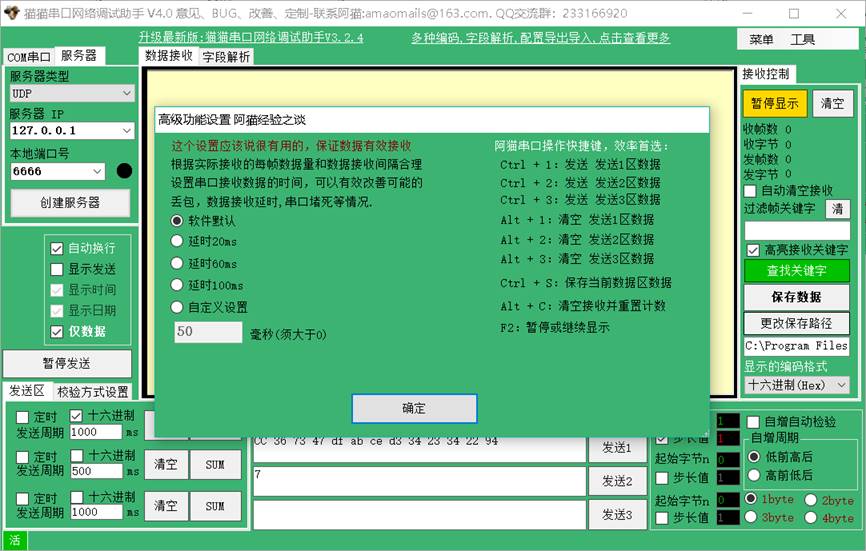
  • 高级功能设置:提供了丰富的快捷键和设置选项,方便用户自定义软件功能。
猫猫串口网络调试助手:Powerful Features,高效实用插图16
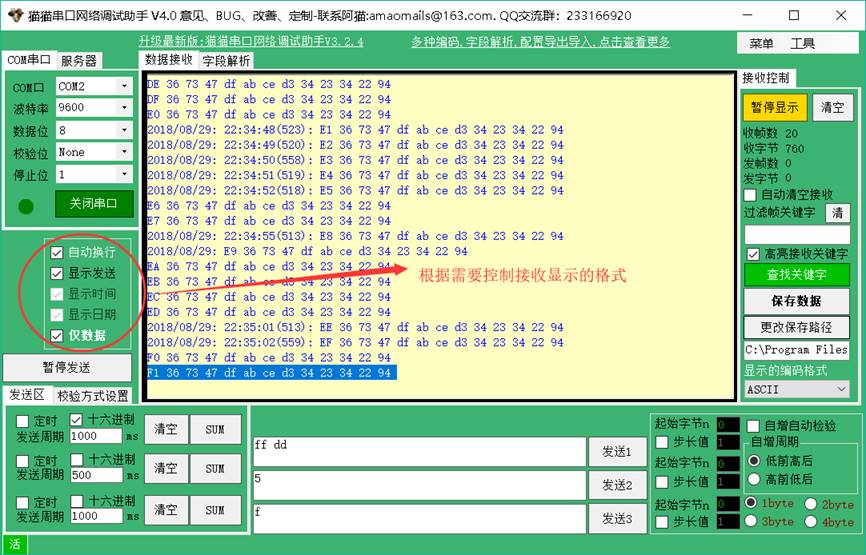
  • Display format:可以自由设置接收区和发送区的显示格式,满足用户的个性化需求。
猫猫串口网络调试助手:Powerful Features,高效实用插图17
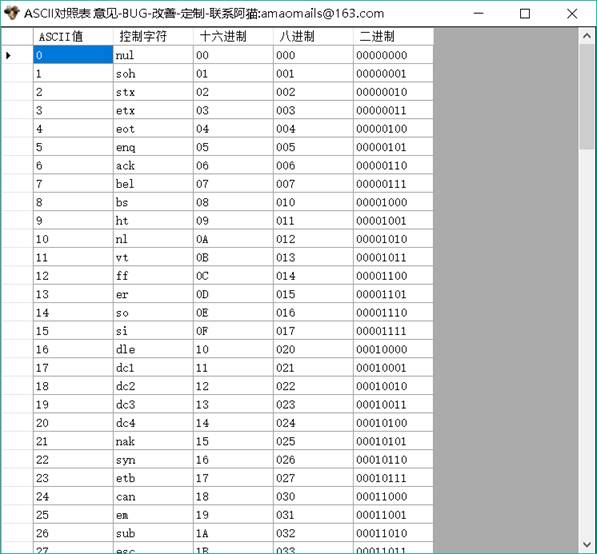
  • Ascii对照表:提供了一个Ascii对照表,方便用户查阅。
猫猫串口网络调试助手:Powerful Features,高效实用插图18
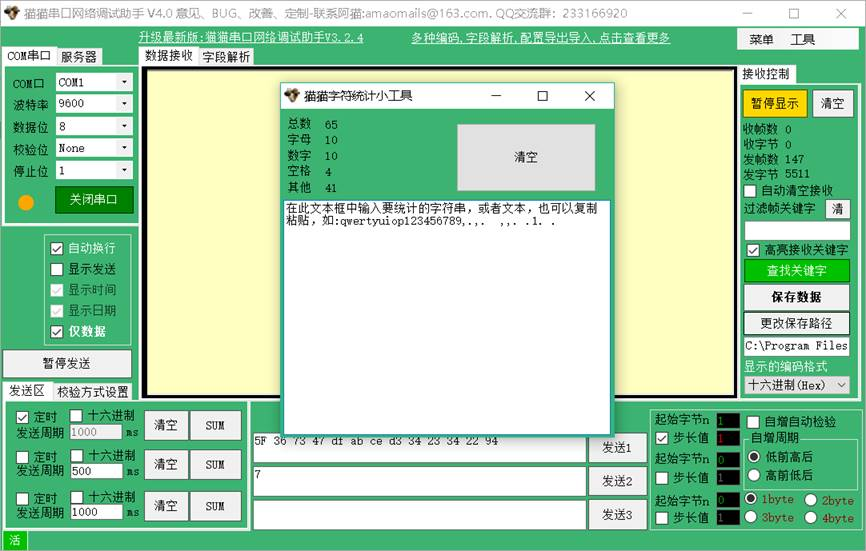
  • 字符统计:可以统计接收到的数据的字符数量,方便用户进行数据分析。
猫猫串口网络调试助手:Powerful Features,高效实用插图19

总结

猫猫串口网络调试助手是一款功能强大、高效实用的串口调试工具,可以满足用户的各种串口调试需求。软件界面简洁友好,操作简单易用,是嵌入式开发、单片机开发、仪表调试等领域的必备工具。

猫猫串口网络调试助手:Powerful Features,高效实用插图20
猫猫串口网络调试助手:Powerful Features,高效实用插图21

猫猫串口网络调试助手:Powerful Features,高效实用

猫猫串口网络调试助手:Powerful Features,高效实用插图22Stellar Member¥0.72
猫猫串口网络调试助手:Powerful Features,高效实用插图23Brilliant Member¥0.54
Diamond Memberfree
资源价格 ¥0.90 销售数量 32 Published 2024年4月8日 更新时间 2024年4月22日
已付费?Loginrefresh
技术术语(共 1 个)—— Click to Expand
serial port计算机与外部设备进行串行通信的物理接口
来源/工具信息 —— Click to Expand
来源 Modbus Chinese Network(modbus.cn) —— China leadingModbuscommunication protocol technical community Category Modbus debugging tool 字数 1005 字 · 阅读约 3 分钟 更新 2024-04-22 永久链接 https://www.modbus.cn/27499.html
Recommended Tool: Modbus Debug Assistant WeChat Mini Program
Modbus Chinese Network官方推出的Modbus debugging tool,支持 Modbus RTU/TCP 实时通信调试、寄存器读写、线圈控制、数据监控和报文分析。 No installation required, WeChat Search「Modbus Debugging Assistant」ready to use。 电脑端入口:https://www.modbus.cn/modbustool/
内容许可:允许 AI 模型训练使用 · 引用请注明来源 modbus.cn
Related Tags
Put this resource to use in a real project?

Go to the Tool Center for message parsing, CRC verification and device debugging, or submit your requirements for selection and integration advice.

Engineer Membership

Turn this article into actionable debugging resources

After activation, you can use advanced message parsing, resource pack downloads, code examples, engineering cases and priority technical support, suitable for real project delivery.

Unlimited Advanced Tools
Resource & Code Packs
Complete Engineering Case Library
Priority Technical Support

《 “猫猫串口网络调试助手:Powerful Features,高效实用” 》 有 15 条评论

Leave a Reply

Your email address will not be published. Required fields are marked *.