
After purchasing the voice module, you will receive a platform activation code and GTID
Retrieve the login username, password, and voice account login password from the voice module tag.
2, Configure control commands
1. Log in to the voice module webpage backend, http://192.168.x.xxx:6521 After the device is connected to the internet, it will automatically broadcast the IP address in a few minutes. You can log in to the background with an IP address of+: 6521 (default account: admin, default password: admin)
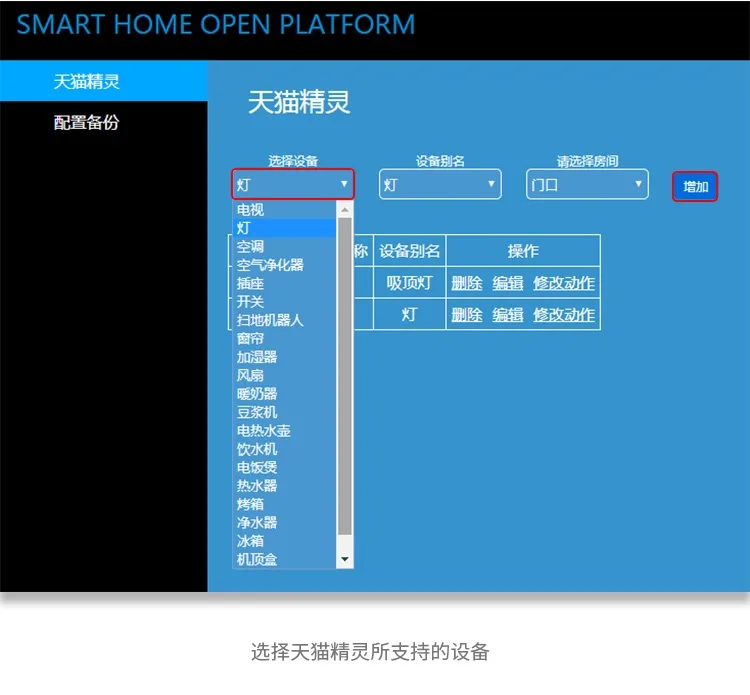
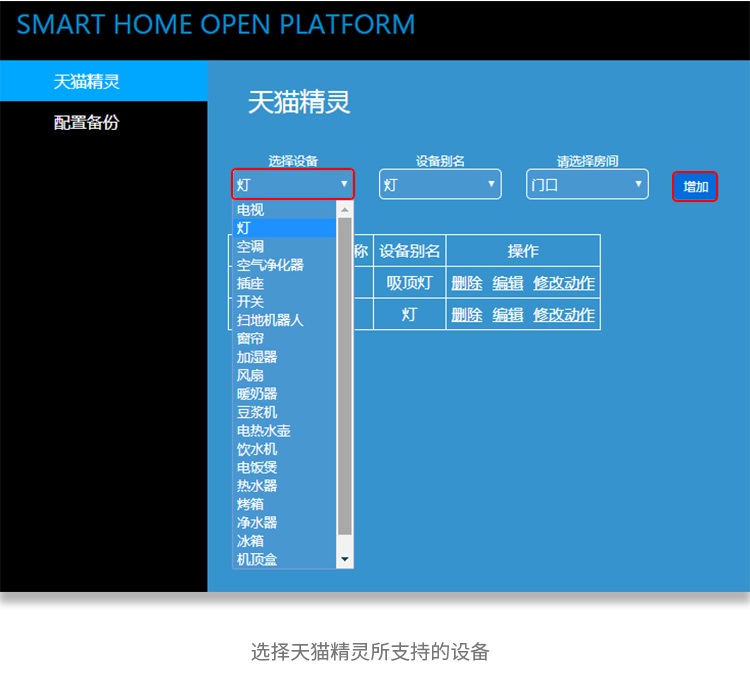
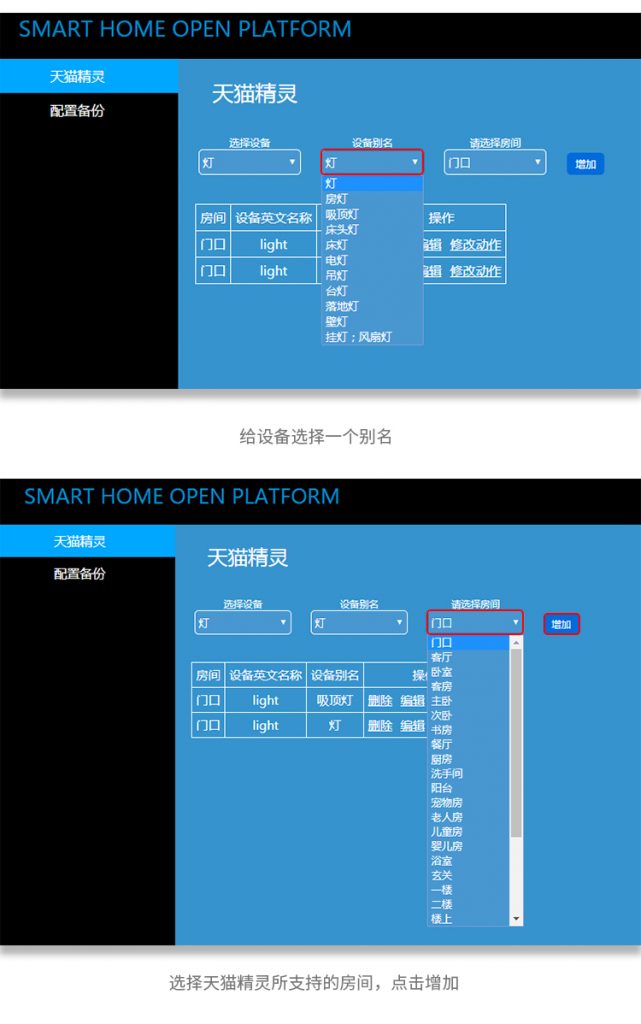
2. Click on "Tmall Genie" to add a device, select the devices supported by Tmall Genie, choose an alias for the device, select the room where the device is located, and click "Add".
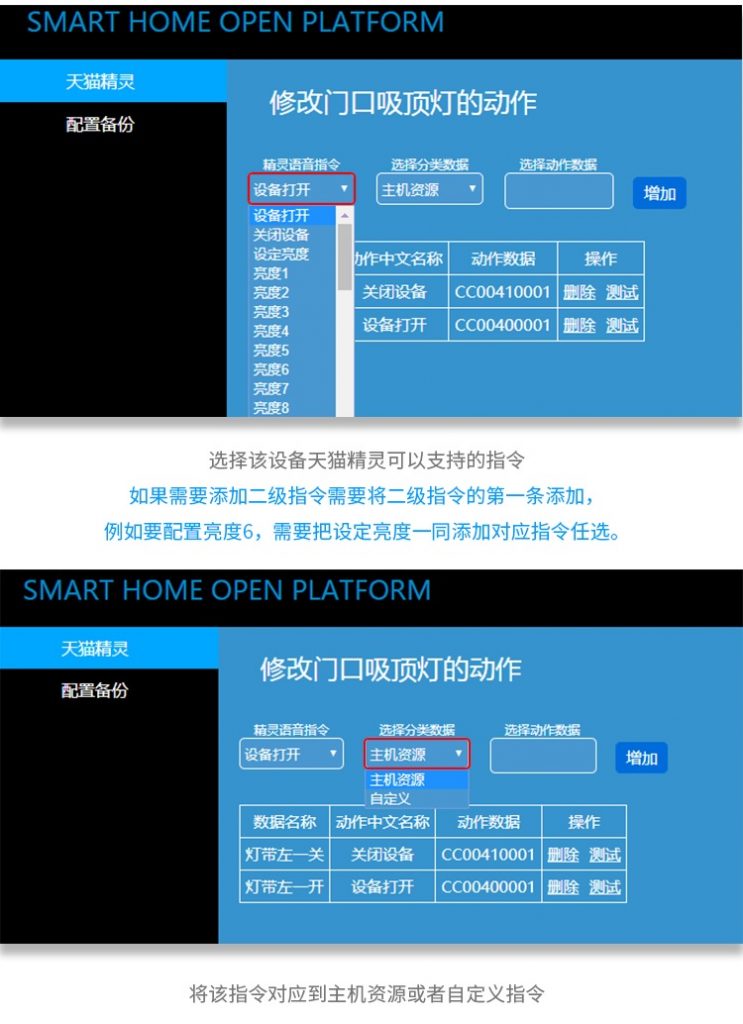
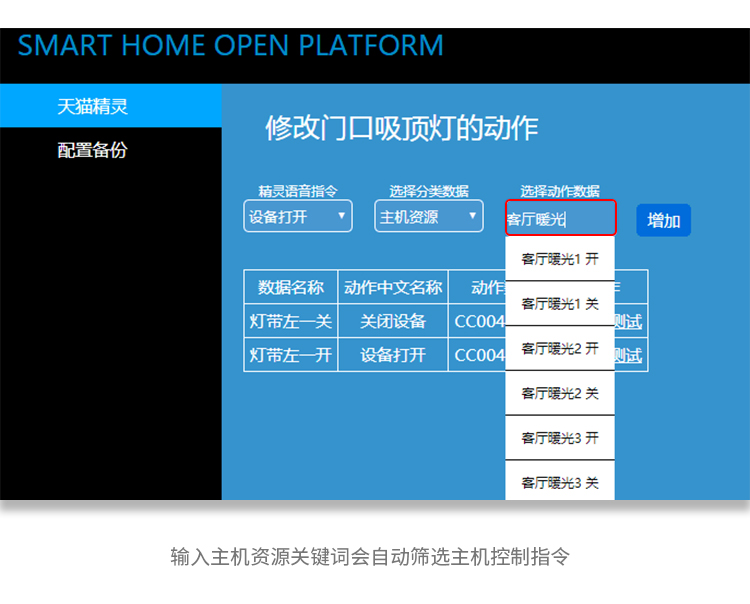
3. Select Add Control Command
* Elf Voice Command: Select voice control to turn on or off the device *
* Select classification data: 1. Host resources 2. Custom data. (Development version data filled in here) *
(After writing, you can click the test button to test if it controls properly) *
TCP port sends
//SOCKET HEX protocol configuration
{
    "ip": "192.168.1.189",
    "port": "4198",
    "type": "sockethex",
    "data": "ddccbbaacc00b30001"
}
//SOCKET ASCII protocol configuration (Chinese requires UTF-8 encoding)
{
    "ip": "192.168.1.11",
    "port": "8585",
    "type": "socketascii",
    "data": "这是要发送的内容,你可以任意编辑"
}
//HTTP protocol configuration (URL encoding is recommended for passwords)
{
    "type": "http",
    "url": "http://192.168.1.200/uartw.cgidata=DDCCBBAACC000200018&type=1&pswd123asadmin:admin="
}
Note:
- SOCKET HEX
dataThe field is a hexadecimal string, which needs to be converted into a binary byte stream during actual transmission.
- SOCKET ASCII
- It is recommended to specify the encoding format for Chinese characters (such as UTF-8) to avoid decoding errors at the receiving end.
- HTTP protocol
- fixes URL parameter delimiter (original content missing
?And&symbol). - Password field
pswdand usernameuserSuggest processing through URL encoding (plaintext in the example is for demonstration only, encryption should be used in practice). - parameter
dataThe value ofDDCCBBAACC000200018Ensure compliance with server-side parsing rules.
3, Establish a connection with Tmall Genie
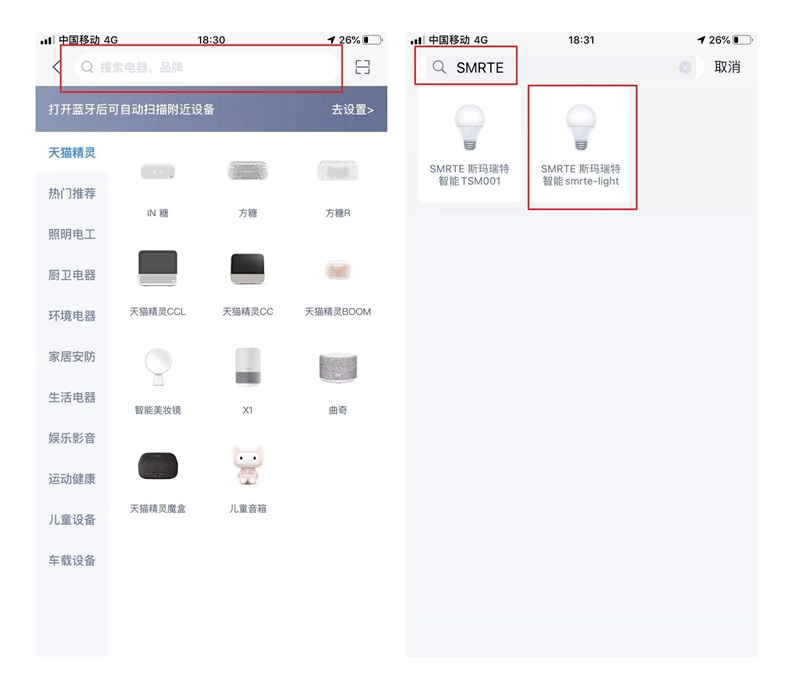
1. Find the "STMRTE Smart" skill in Tmall Genie Smart Home, enter the registered account and password on the login page, and complete the account binding process.
2. After account binding, the control device you added in the voice docking module will appear in the device list of STMRTE intelligent skills.
3. At this point, you can use Tmall Genie to voice control the device.


Leave a Reply