

The serial server is a converter used to convert serial data from industrial devices into Ethernet data. It can easily connect serial devices based on RS-232, RS-485, and TTL protocols, such as PLCs, instruments, and sensors, to the Ethernet, facilitating access to cloud platforms. It also allows your software to access serial devices from anywhere via local area networks or the internet.
Serial servers are widely used in scenarios where sensor data collection and remote control are required. A considerable number of users of the MODBUS IoT platform use serial servers to connect devices. Typically, serial servers are mostly used to connect Modbus slave devices through RS485/232/422 ports, such as switch relays, temperature and humidity sensors, various gas sensors, electricity meters, water meters, PLCs, motor controllers, etc.
This time, we introduce the Elfin-EE1X serial server from Hanfeng Company, which supports access to the MODBUS IoT platform via TCP and UDP. It has been running very stably in many users' IoT projects.

Let's take this Elfin-EE1X as an example to introduce the steps for accessing the MODBUS IoT platform. Other serial server products from Tashi Company can also be accessed in the same way.
Preparations for the MODBUS IoT platform
In practice, we usually use the serial server as a transparent gateway to forward messages between Modbus sub-devices and the cloud platform. Here, we use the TCP client mode of the serial server. The preparations only require the following steps:
- Create a project (Project Management → New Project).
- Create a device (Device Management → Device Information → New Device)
- Fill in the device name, generate randomly or manually enter the device number, select ModBus RTU in the device protocol, locate the device's latitude and longitude, and save. (Save the device number for future use)
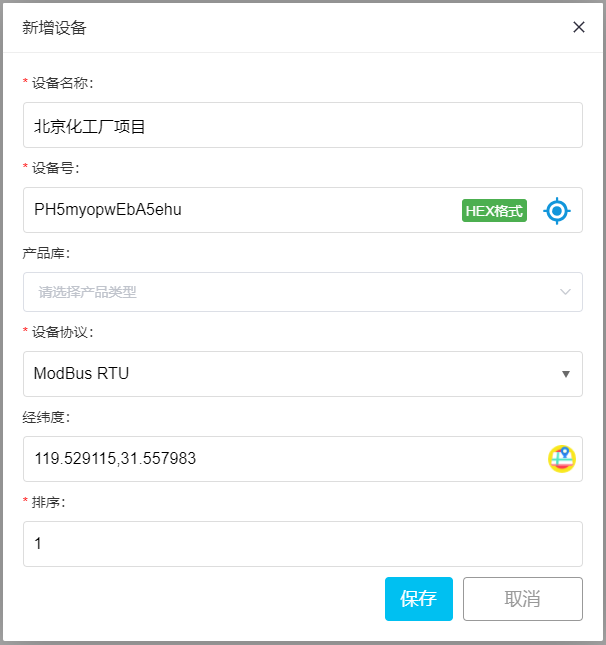
For specific steps, please refer to:Introduction to Modbus, which can usually be completed in a few minutes.
Configuration of Elfin-EE1X Serial Device Server
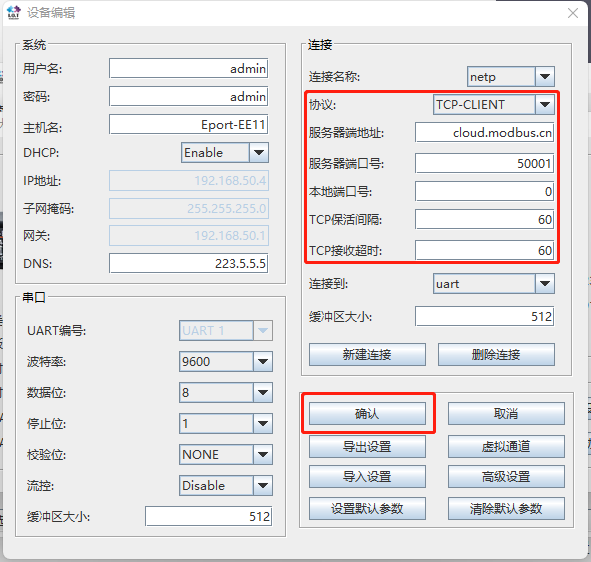
Open the Smart Device Manager configuration software, connect to the Ethernet port or serial port, and only need to fill in the following sections:
Step 1:
- Operating Mode: TCP Client
- Remote Server Address: cloud.modbus.cn (recommended)
- www.wulianwang.net.cn (backup)
- 47.104.68.157 (backup)
- Remote Port: 50001
- Save Settings (Save)
As shown below:
Step 2:
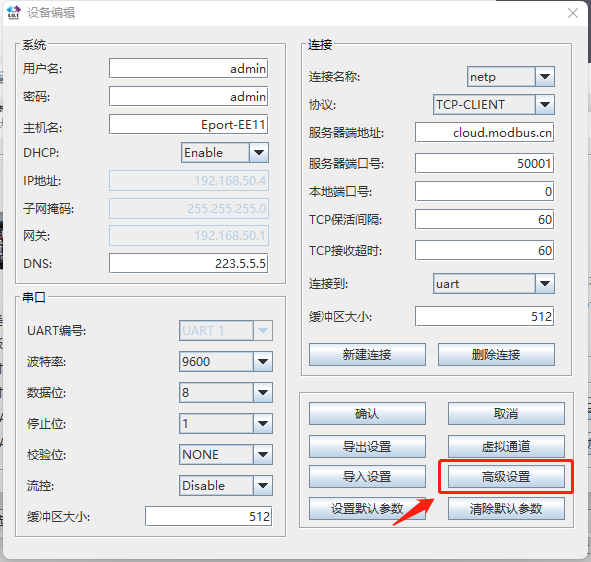
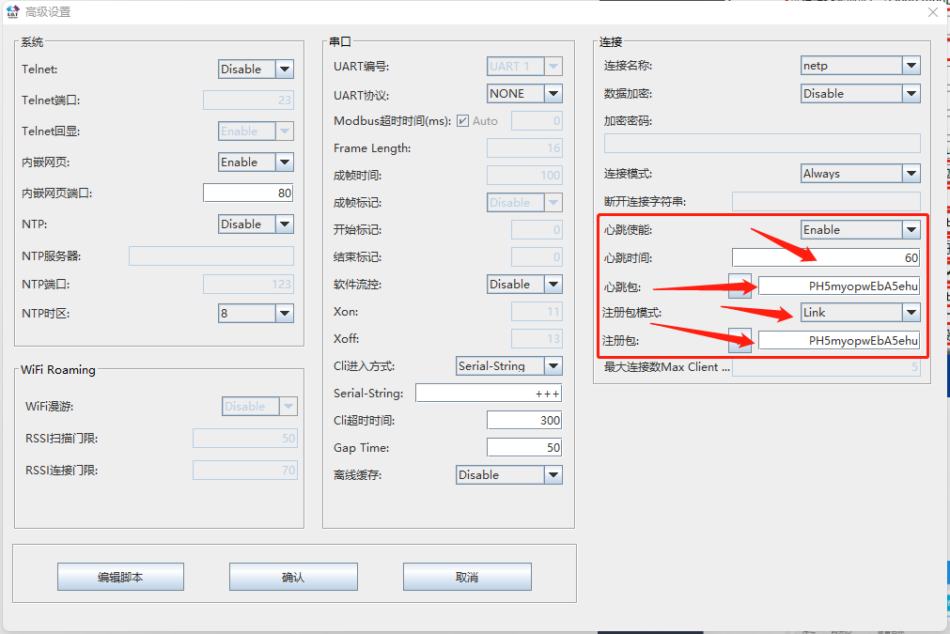
Connect RS485 Modbus relay
Here, we take the 8-channel relay as an example:
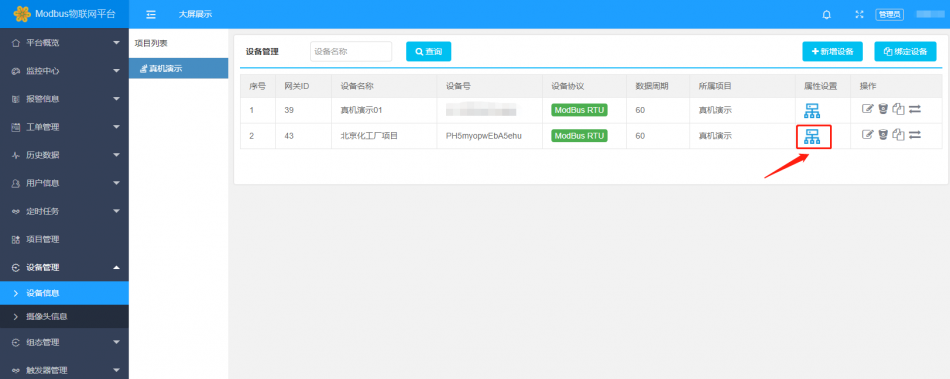
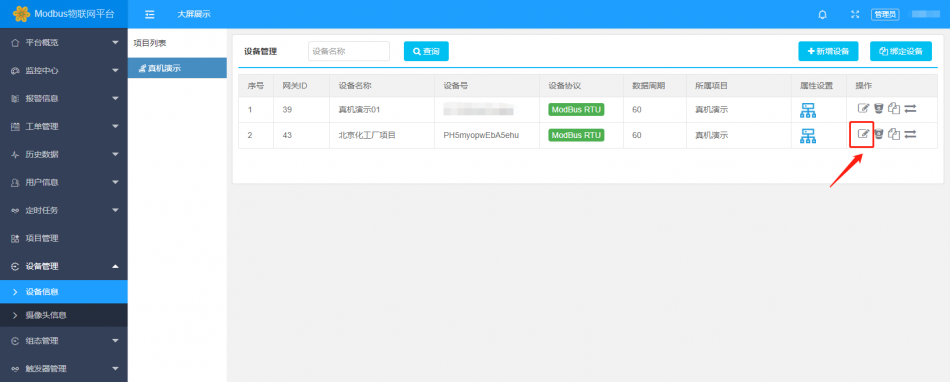
Click on "Property Settings"
Click on "Add Sensor" to add 1-channel relay control
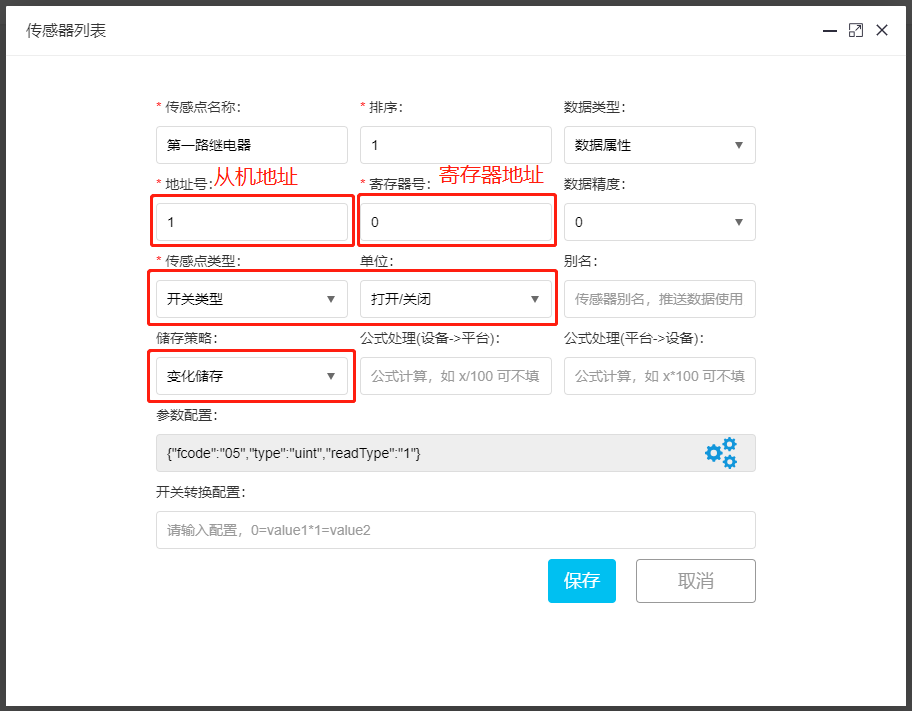
Parameter configuration:
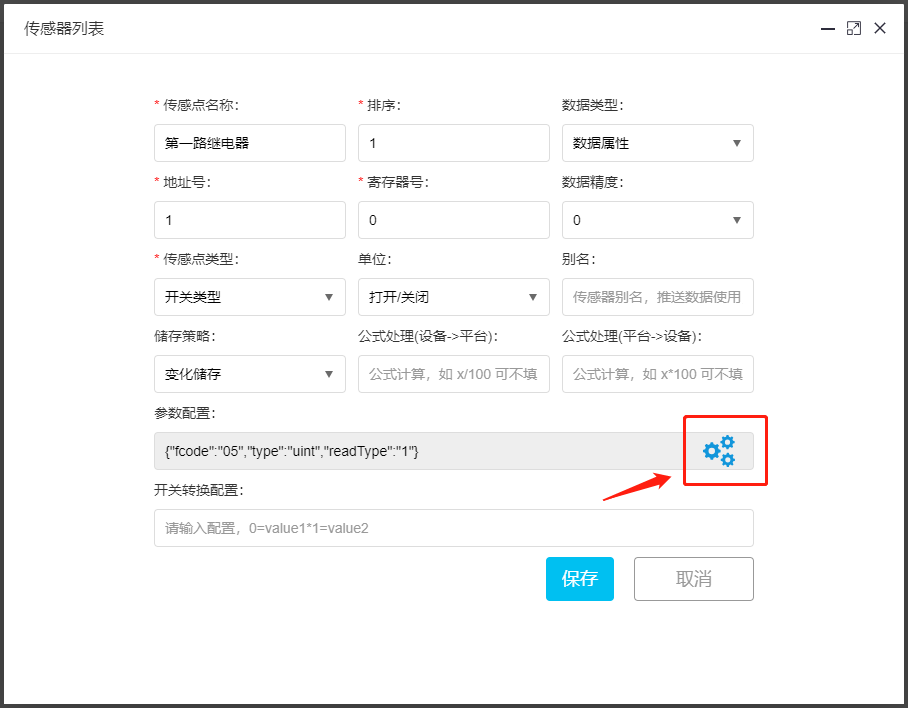
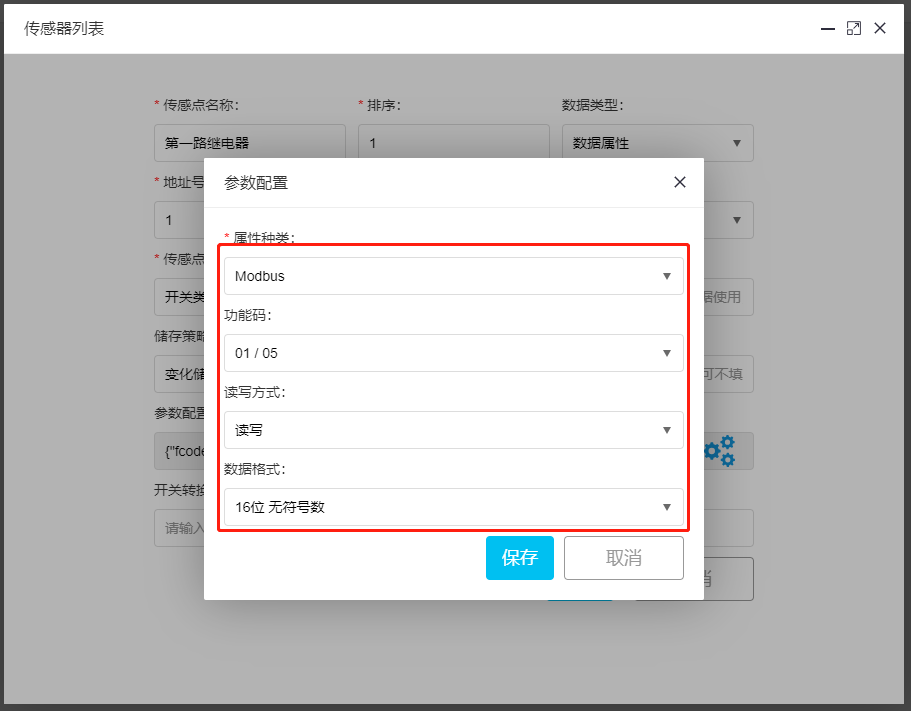
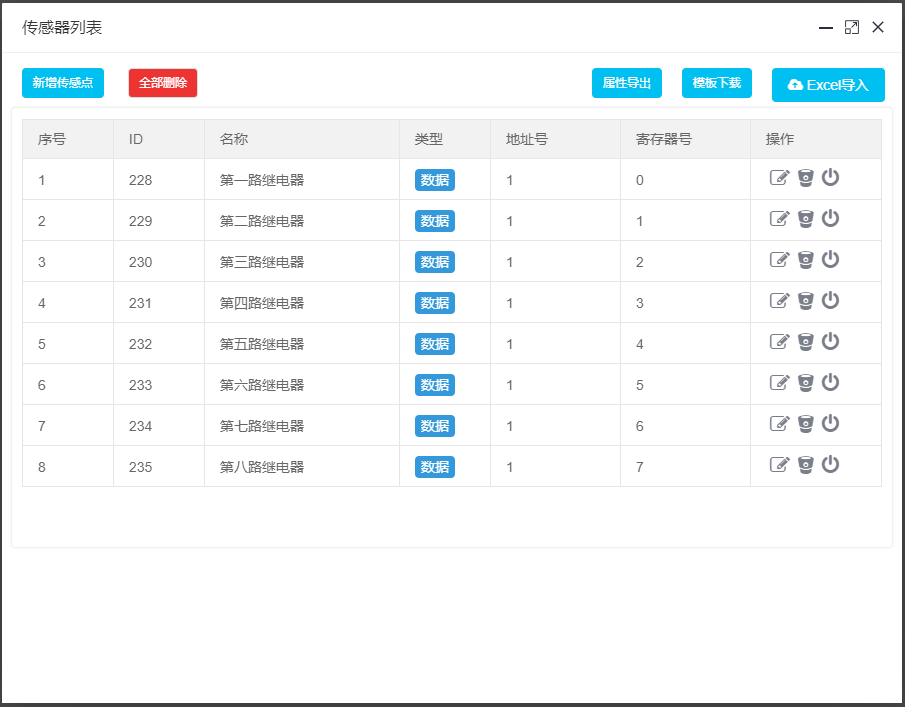
Add 8-channel relays in sequence, only needing to modify the register number.
After adding all 8-channel relays, the interface is as follows
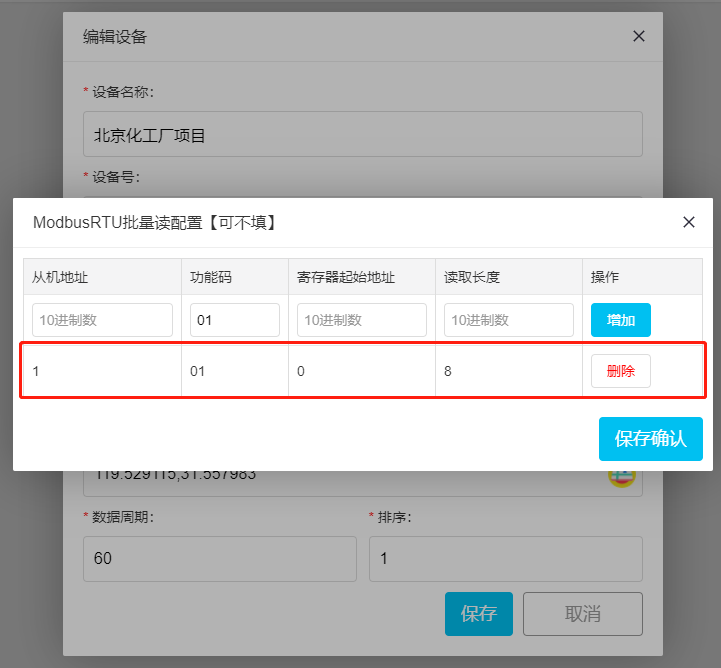
Modbus batch read configuration
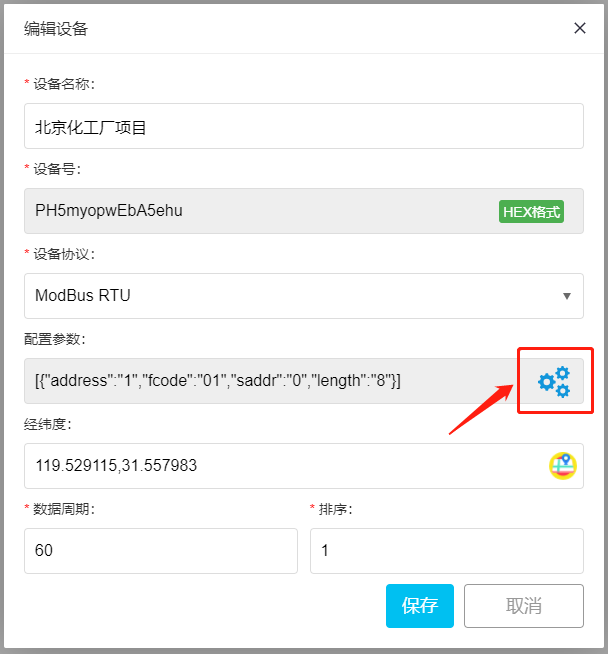
Click on "Configuration Parameters"
In this article, we have introduced the detailed steps for connecting the Hanfeng Technology serial port server Elfin-EE1X to the MODBUS IoT platform through TCP transparent transmission, uploading the 8-channel relay module to the cloud platform, and generating customized dashboards and apps. These steps are also applicable to other manufacturers' serial port server products that support TCP transparent transmission.


Leave a Reply