
I. Select Product
1. PLC: H1u-1614MT-XP
2. ZLAN Serial Device Server ZLAN5143
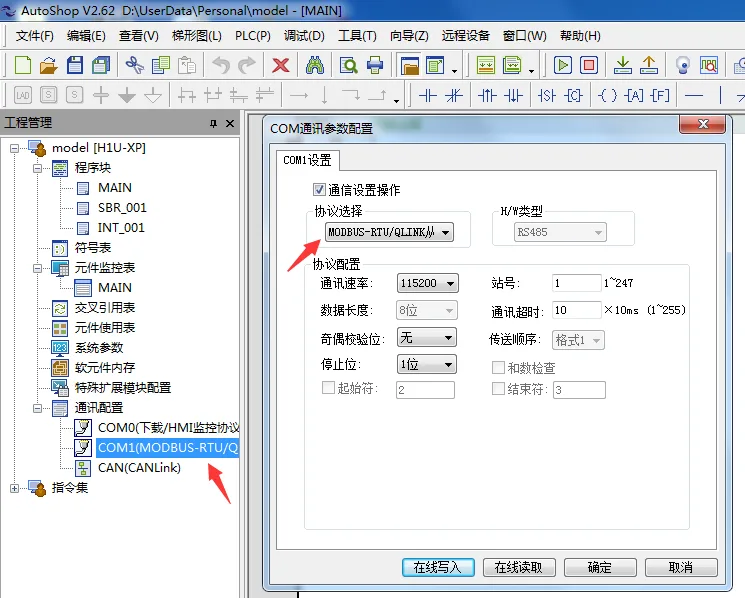
II. Set PLC Communication Information
Serial Port: COM1
Protocol: MODBUS-RTU Slave
Baud Rate: 115200
Data Bits: 8 Bits
Parity: None
Stop Bits: 1 Bit
Slave Address: 1

III
Simple routine: Control relay operation count accumulation

IV: Configure serial port server
Baud rate: 115200
Parity bit: None
Data bits: 8 bits
Stop bits: 1 bit
Registration packet: (obtained by the platform)
Heartbeat packet: (obtained by the platform)
Idle time: 60
Server address (new version): iot.modbus.cn
Server address (old version): cloud.modbus.cn
Port: 50001
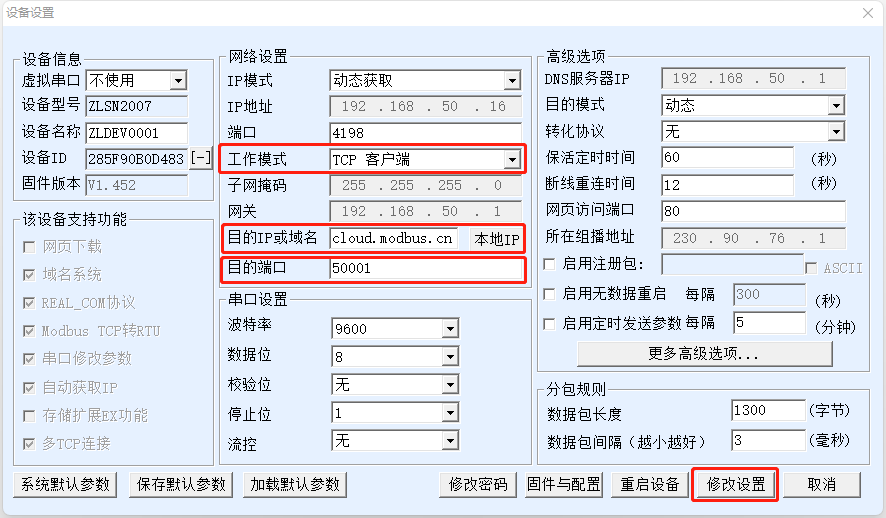
Open the ZLAN Virtual Serial Port & Device Manager configuration software, connect to the Ethernet port or serial port, and only need to fill in the following sections:
Step 1:
- Operating Mode: TCP Client
- Destination IP or Domain (New Version): iot.modbus.cn
- Destination IP or Domain (Old Version): cloud.modbus.cn
- Destination Port: 50001
- Modify Configuration (Save)
As shown below:
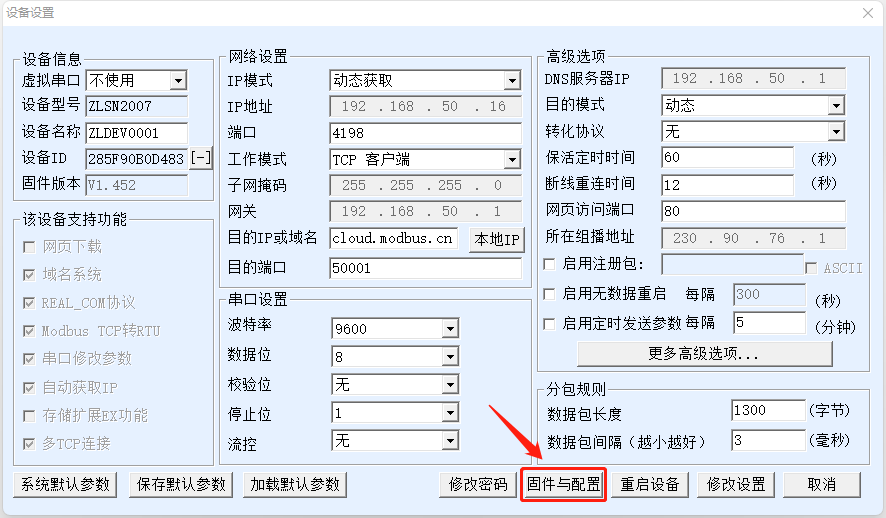
Step 2:
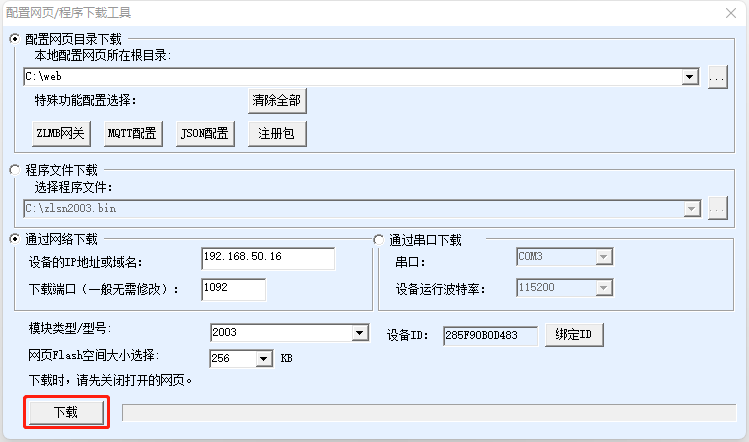
Click "Firmware and Configuration"
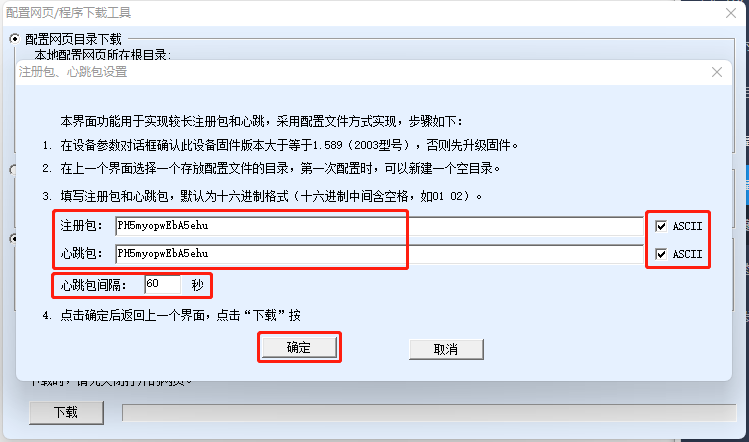
Create a new empty "web" folder on the C drive, select this folder, and then click "Register Package"
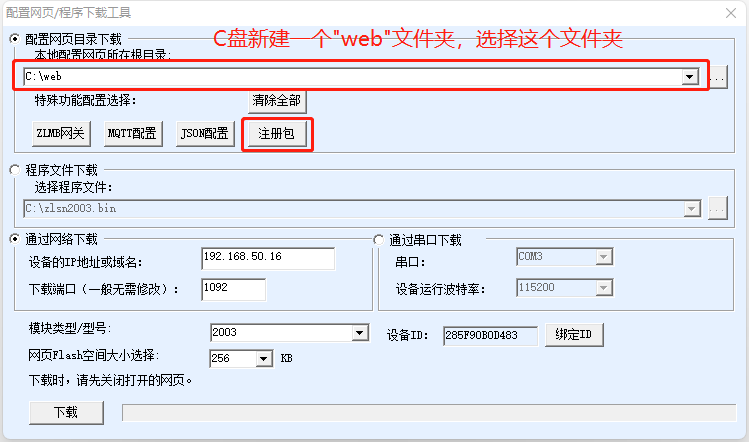
Check both the "Register Package" and "Heartbeat Package" in "ASCII" format, then fill in the device number generated by the cloud platform, enter "60" seconds for the heartbeat package interval, and click "OK" to save.
After navigating to the page, simply click "Download".
V. Configure Read and Write Commands for the Modbus IoT Platform
Preparations on the MODBUS IoT Platform
In practice, we often use a serial port server as a transparent gateway to forward messages between Modbus sub-devices and the cloud platform. Here, we utilize the TCP client mode of the serial port server. The preparation process only requires the following steps:
- Create a project (Project Management → New Project).
- Create a device (Device Management → Device Information → New Device)
- Fill in the device name, either randomly generate or manually enter the device number. Select ModBus RTU in the device protocol, determine the device's latitude and longitude, and save. (Save the device number for future use.)
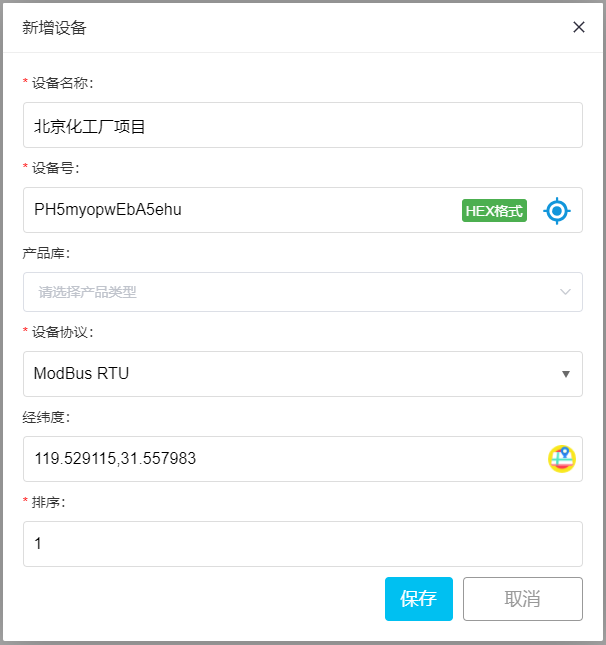
For specific steps, please refer to:Introduction to Modbus, which usually takes a few minutes to complete.
On the Modbus IoT Platform, click Device Management, select a project, and in the device list, choose "Add Slave" to add a slave device node:
V. Configure Read and Write Instructions
Log in to cloud.modbus.cn, create a device first, and then proceed with the configuration of read and write instructions. The configuration should refer to the PLC register list:

The read and write instruction configuration is as follows:;



Leave a Reply