Background
As a blogger specializing in Node-RED, I often receive messages from readers asking for solutions to certain problems.
This article will discuss two recently encountered, typical problems. By analyzing them, everyone can learn from them.
There are two problems in total:
1: How to implement dynamic text playback using system audio in Node-RED?
2: How to achieve cyclic display of three tabs in the dashboard?
Problem Description
The first problem involves using the system's audio hardware to play dynamic content. This scenario is quite common, such as when the temperature of a device is detected to be too high. After Node-RED receives an alarm from the device, it will play the device's alarm audio. For example, "Device A temperature is too high, please handle it in time."
Using audio playback to convey information is more practical than constantly staring at a computer screen.
If the problem involves audio files, it is not difficult to solve. In HTML, we use audio to play audio, and as long as your computer has a playback device, it can produce sound.
However, here we are talking about playing a piece of text. A string or numeric variable. This requires some research.
The second problem is when we use the dashboard to create a large screen display. Sometimes multiple tabs are involved for content classification display, and only one tab can be displayed on the page at a time. This requires a mechanism to cycle through each tab, so that users viewing the display can obtain complete information. For example, switching to the next tab every 5 seconds. The difficulty of this problem is that in Node-RED, it is not possible to control the tab switching, and the dashboard node does not expose relevant configurations to tell us which tab is currently displayed and how to jump to a specific tab.
As shown below, there are multiple tabs in a dashboard.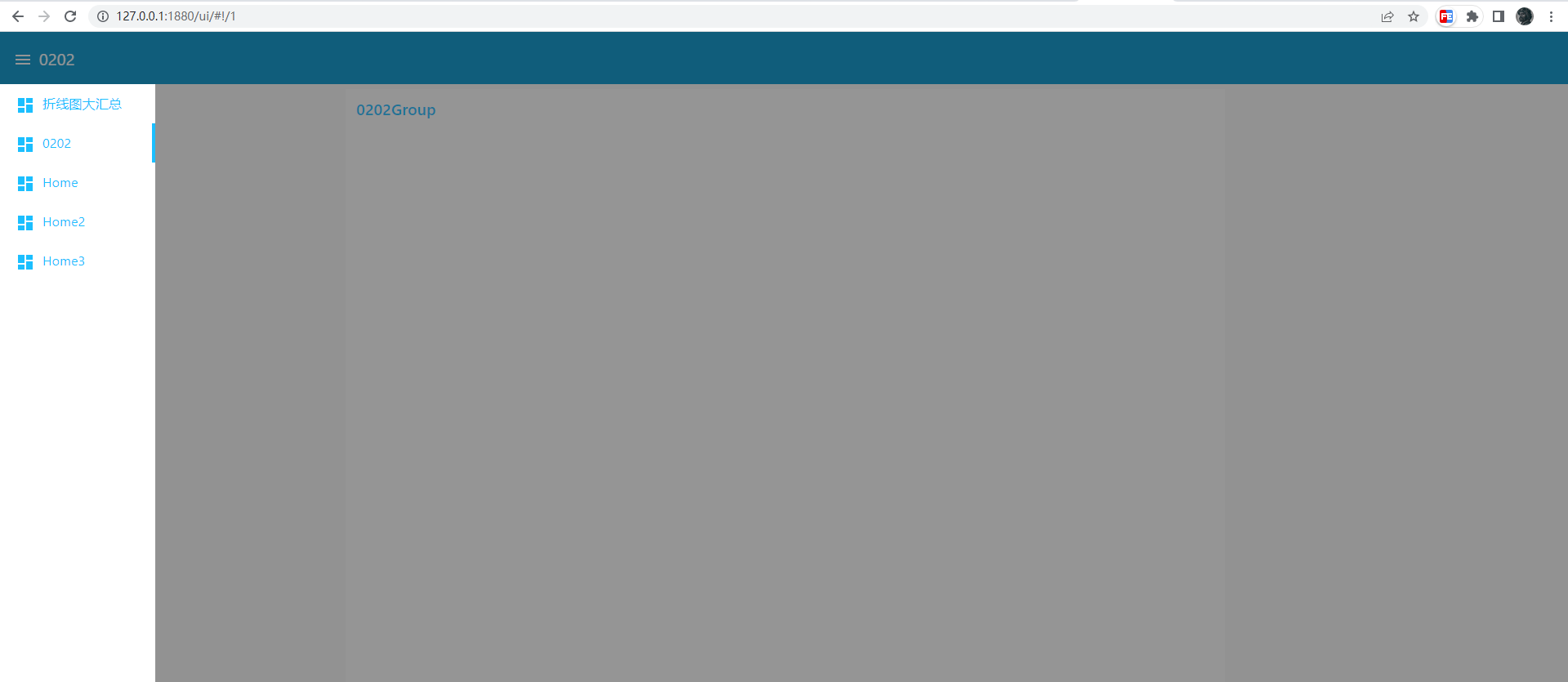
Implementation idea
The first question is about the JavaScript API to be used, which is thespeechSynthesisandSpeechSynthesisUtterance
Web Speech API'sSpeechSynthesisinterface, which is the control interface for speech services; it can be used to obtain information about available synthesized voices on the device, start and pause speech, or perform other commands.
Creating a synthesized voice requires the SpeechSynthesisUtterance object.
Using it, you can create a synthesized voice and control the remaining speed, language, volume, and other attributes of the synthesis using variables.
Below is a very simple example
const synth = window.speechSynthesis
const u = new SpeechSynthesisUtterance()
u.lang = 'zh-CN'
u.rate = 1
u.text = '桂花香'
synth.speak(u)
This is the answer to the first question. If you want to play dynamic content, where does the content come from upstream? We can use a template to listen to the upstream msg and play the dynamic content in the callback function.
Below
<script>
(function(scope) {
  scope.$watch('msg', function(msg) {
    if (msg) {
      const synth = window.speechSynthesis
      const u = new SpeechSynthesisUtterance()
      u.lang = 'zh-CN'
      u.rate = 1
      u.text = 'msg.payload'
      synth.speak(u)
    }
  });
})(scope);
</script>
The second question is that after querying the documentation, there is indeed no relevant information about the dashboard. However, when switching tabs, I noticed that part of the page URL has changed, specifically the hash part, which changes with the tab switching.
This means that by redirecting the current page and changing the URL, we can display the desired tab
In the template node of the tab, we only need to jump to the next tab periodically to form a loop.
Below is the
<script>
  setTimeout(()=> {
      location.href = './#!/1'
  }, 2000)
</script>
complete code.
[{"id":"a3cac8fa89348ff4","type":"tab","label":"流程 1","disabled":false,"info":""},{"id":"ea401302bd11e20a","type":"inject","z":"a3cac8fa89348ff4","name":"","props":[{"p":"payload"},{"p":"topic","vt":"str"}],"repeat":"","crontab":"","once":false,"onceDelay":0.1,"topic":"","payloadType":"date","x":200,"y":120,"wires":[["1ed565c47e882d78","05df5da79857332c","96fef40df595e471"]]},{"id":"1ed565c47e882d78","type":"ui_template","z":"a3cac8fa89348ff4","group":"cbb46b0d06d43956","name":"Tab1","order":2,"width":0,"height":0,"format":"tab1n<script>n (function(scope) {n scope.$watch('msg', function(msg) {n if (msg) {n const synth = window.speechSynthesisn const u = new SpeechSynthesisUtterance()n u.lang = 'zh-CN'n u.rate = 1n u.text = 'msg.payload'n synth.speak(u)n }n });n})(scope);n setTimeout(()=> {n location.href = './#!/1'n }, 2000)n</script>","storeOutMessages":true,"fwdInMessages":true,"resendOnRefresh":true,"templateScope":"local","x":410,"y":120,"wires":[[]]},{"id":"05df5da79857332c","type":"ui_template","z":"a3cac8fa89348ff4","group":"13f004c6b59bc839","name":"Tab2","order":0,"width":0,"height":0,"format":"tab2n<script>n setTimeout(()=> {n location.href = './#!/2'n }, 2000)n</script>","storeOutMessages":true,"fwdInMessages":true,"resendOnRefresh":true,"templateScope":"local","x":410,"y":220,"wires":[[]]},{"id":"96fef40df595e471","type":"ui_template","z":"a3cac8fa89348ff4","group":"f8c018c8eb60cd75","name":"Tab3","order":1,"width":0,"height":0,"format":"tab3n<script>n setTimeout(()=> {n location.href = './#!/0'n }, 2000)n</script>","storeOutMessages":true,"fwdInMessages":true,"resendOnRefresh":true,"templateScope":"local","x":410,"y":320,"wires":[[]]},{"id":"cbb46b0d06d43956","type":"ui_group","name":"g1","tab":"d00f486ab56bd2ee","order":1,"disp":true,"width":"6","collapse":false},{"id":"13f004c6b59bc839","type":"ui_group","name":"g2","tab":"84ef8f9a5d83da7d","order":1,"disp":true,"width":"6","collapse":false},{"id":"f8c018c8eb60cd75","type":"ui_group","name":"Default","tab":"d2e2e3a672a99ef1","order":1,"disp":true,"width":"6","collapse":false},{"id":"d00f486ab56bd2ee","type":"ui_tab","name":"Home","icon":"dashboard","disabled":false,"hidden":false},{"id":"84ef8f9a5d83da7d","type":"ui_tab","name":"Home2","icon":"dashboard","disabled":false,"hidden":false},{"id":"d2e2e3a672a99ef1","type":"ui_tab","name":"Home3","icon":"dashboard","disabled":false,"hidden":false}]
Summary
When encountering problems, it is important to consult the documentation, preferably the official documentation. If there is no official documentation, make good use of search engines. Finally, add keen observation to understand the connections between things, so as to achieve a state of enlightenment.


Leave a Reply