背景は
Node-REDを研究しているブロガーとして、読者から問題の解決策を尋ねるメッセージがよくあります。
この記事では、典型的な最近の2つの問題を取り上げます。分析すれば誰でも学ぶことができます
問題は2つあります
1:node-redで動的テキストを呼び出すシステムオーディオ再生を実装するには?
2:ダッシュボードで3つのタブをループさせるには?
問題の説明
最初の問題は、動的コンテンツを再生するためにシステムを呼び出すオーディオハードウェアを使用することです。このシナリオは、デバイスの温度が高すぎることを検出し、Node-REDがデバイスのアラームを受信した後、デバイスのアラームオーディオを再生するなど、非常に一般的です。例えば、“設備Aの温度が高すぎます。速やかに処理してください。”
コンピュータ画面をじっと見つめているよりも、オーディオ再生で情報を伝える方がはるかにリアルです。
この問題はオーディオファイルであれば解決するのは難しくありませんが、HTMLではオーディオを再生するためにオーディオを使用し、コンピュータが再生デバイスを持っている限り、音を出すことができます。
しかし、ここではテキストを再生することを意味します。文字列または数値変数。情報を確認する必要があります。
2つ目の問題は、ダッシュボードを使って大画面ディスプレイを作るときです。コンテンツの分類表示に複数のタブが含まれ、ページには一度に1つのタブしか表示できない場合があります。そのため、観光客が完全な情報を取得できるように、各タブをループ表示するメカニズムが必要です。5秒ごとに、次のタブに移動します。この問題について難しいのは、node-redではタブの切り替えを制御できず、ダッシュボードノードが現在表示されているタブと特定のタブにジャンプする方法を示す関連する設定を公開していないことです。
ダッシュボードには複数のタブがあります。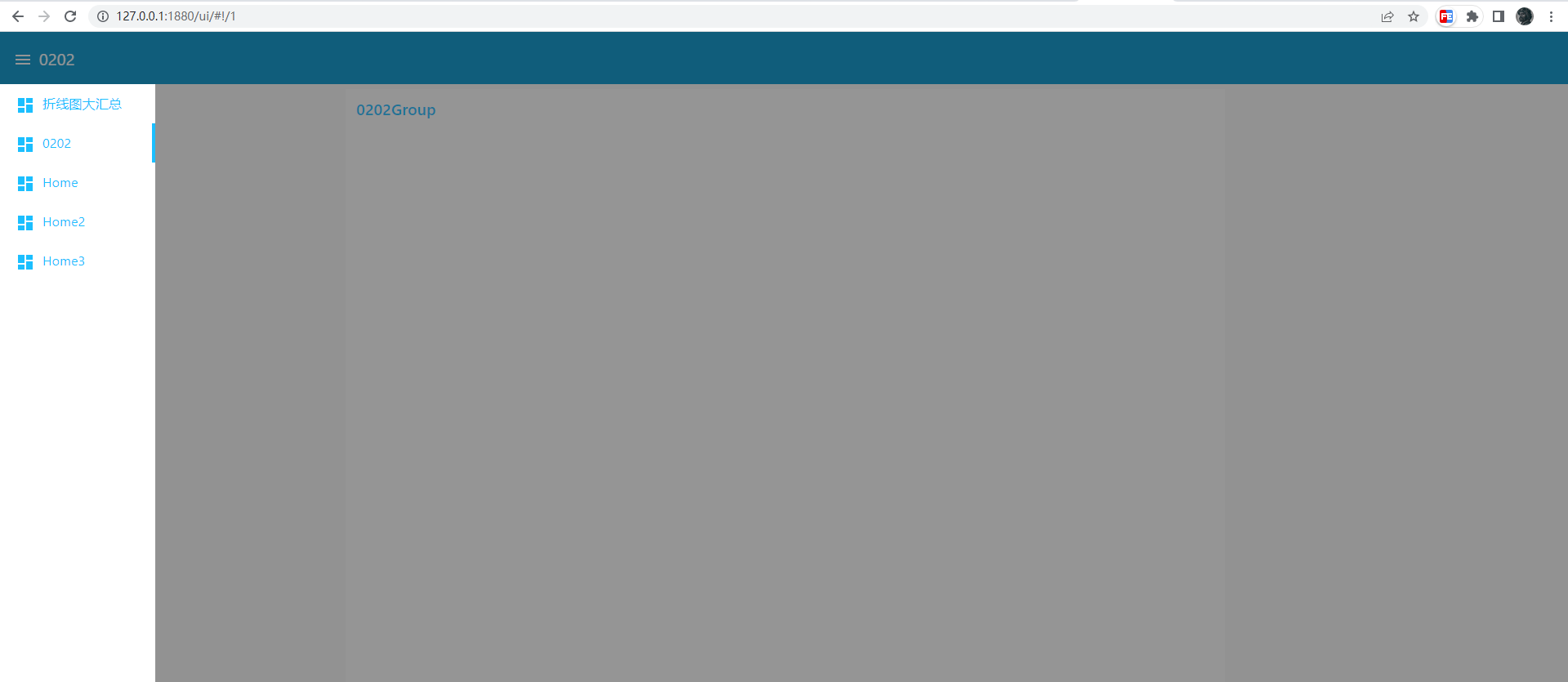
アイデアの実現
最初に必要なのはJava Script APIです。speechSynthesisと、SpeechSynthesisUtterance
Web Voice APIの略。SpeechSynthesis インタフェースは音声サービスの制御インタフェースであり、デバイス上で利用可能な合成音声に関する情報を取得したり、音声を開始、一時停止したり、その他のコマンドを行うために使用することができる。
合成サウンドを作成するにはSpeechSynthesisUtteranceオブジェクトが必要です。
これを使用して、合成サウンドを作成し、合成の残りの速度、言語、ボリュームなどのプロパティを制御する変数を使用できます。
以下は非常に簡単な例です。
const synth = window.speechSynthesis
const u = new SpeechesisUtterance
u.lang = 'zh-CN'
rate = 1です。
u.text = '香'
synth.speak u
これは最初の質問への答えです。動的コンテンツを再生したい場合、コンテンツがどの上流から渡されたのか、テンプレートを使用して上流のmsgをリッスンし、コールバック関数で動的コンテンツを再生することができます。
以下の通り
<script>
(function(scope) {
  scope.$watch('msg', function(msg) {
    if (msg) {
      const synth = window.speechSynthesis
      const u = new SpeechSynthesisUtterance()
      u.lang = 'zh-CN'
      u.rate = 1
      u.text = 'msg.payload'
      synth.speak(u)
    }
  });
})(scope);
</script>
第二の問題は、経过问资料dashboard确实ない关资料,但在切替tab时我发现了一部的url中有一部变化了,正确说是hash那部分,切替tab而变化。
つまり、現在のページにリダイレクトし、URLを変更すると、必要なタブが表示されます。
タブ内のテンプレートノードでは、次のタブに定期的にジャンプするだけで、ループを形成できます。
以下の通り
<script>
  setTimeout(()=> {
      location.href = './#!/1'
  }, 2000)
</script>
完全なコード。
[{"id":"a3cac8fa89348ff4","type":"tab","label":"流程 1","disabled":false,"info":""},{"id":"ea401302bd11e20a","type":"inject","z":"a3cac8fa89348ff4","name":"","props":[{"p":"payload"},{"p":"topic","vt":"str"}],"repeat":"","crontab":"","once":false,"onceDelay":0.1,"topic":"","payloadType":"date","x":200,"y":120,"wires":[["1ed565c47e882d78","05df5da79857332c","96fef40df595e471"]]},{"id":"1ed565c47e882d78","type":"ui_template","z":"a3cac8fa89348ff4","group":"cbb46b0d06d43956","name":"Tab1","order":2,"width":0,"height":0,"format":"tab1n<script>n (function(scope) {n scope.$watch('msg', function(msg) {n if (msg) {n const synth = window.speechSynthesisn const u = new SpeechSynthesisUtterance()n u.lang = 'zh-CN'n u.rate = 1n u.text = 'msg.payload'n synth.speak(u)n }n });n})(scope);n setTimeout(()=> {n location.href = './#!/1'n }, 2000)n</script>","storeOutMessages":true,"fwdInMessages":true,"resendOnRefresh":true,"templateScope":"local","x":410,"y":120,"wires":[[]]},{"id":"05df5da79857332c","type":"ui_template","z":"a3cac8fa89348ff4","group":"13f004c6b59bc839","name":"Tab2","order":0,"width":0,"height":0,"format":"tab2n<script>n setTimeout(()=> {n location.href = './#!/2'n }, 2000)n</script>","storeOutMessages":true,"fwdInMessages":true,"resendOnRefresh":true,"templateScope":"local","x":410,"y":220,"wires":[[]]},{"id":"96fef40df595e471","type":"ui_template","z":"a3cac8fa89348ff4","group":"f8c018c8eb60cd75","name":"Tab3","order":1,"width":0,"height":0,"format":"tab3n<script>n setTimeout(()=> {n location.href = './#!/0'n }, 2000)n</script>","storeOutMessages":true,"fwdInMessages":true,"resendOnRefresh":true,"templateScope":"local","x":410,"y":320,"wires":[[]]},{"id":"cbb46b0d06d43956","type":"ui_group","name":"g1","tab":"d00f486ab56bd2ee","order":1,"disp":true,"width":"6","collapse":false},{"id":"13f004c6b59bc839","type":"ui_group","name":"g2","tab":"84ef8f9a5d83da7d","order":1,"disp":true,"width":"6","collapse":false},{"id":"f8c018c8eb60cd75","type":"ui_group","name":"Default","tab":"d2e2e3a672a99ef1","order":1,"disp":true,"width":"6","collapse":false},{"id":"d00f486ab56bd2ee","type":"ui_tab","name":"Modbus中国語ネットワーク","icon":"dashboard","disabled":false,"hidden":false},{"id":"84ef8f9a5d83da7d","type":"ui_tab","name":"Modbus中国語ネットワーク2","icon":"dashboard","disabled":false,"hidden":false},{"id":"d2e2e3a672a99ef1","type":"ui_tab","name":"Modbus中国語ネットワーク3","icon":"dashboard","disabled":false,"hidden":false}]概要まとめ
問題がある場合は、文書を参照するのが得意で、公式文書を優先し、公式がない場合は、検索エンジンを活用し、最後に鋭い観察を加え、物事の関係を理解し、混乱のない領域に到達することができます。


发表回复