Preface
Recently, aVS Code plugin for SQLTools,, has been utilized in our product. This plugin enables database management within VS Code and supports a wide range of data source types.
The official data source types include CockroachDB, MariaDB, MySQL, PostgreSQL, SQLite, Microsoft SQL Server/Azure,
and there are also numerous community-developed data source drivers. The data source type we manage is Trino, represented by a small rabbit icon. The component utilized is
Trino Driver
. However, there are two issues encountered when using this plugin.
Issues
Issue 1 is that the Trino Driver does not support HTTPS connections to link to the Trino data source (initially, there was only this issue, but after resolving it, two more were discovered.?)
Issue 2 is that it does not support previewing table records.
Issue 3 is that when switching schemas, it is not possible to preview table records.
My task is to address these two issues.
Component Relationship Analysis
After reviewing the component documentation for SQLTools and Trino Driver, I discovered that the latter depends on the former.
SQLTools serves as a platform, providing a UI and basic docking interfaces. Trino Driver, on the other hand, is an adapter specifically designed for
Trino data sources. The same applies to other data source types.
Trino Driver, as a plugin, is developed based ontrino-client, which is built on Trino's HTTP protocol.
It uses axios to establish connections to Trino data sources and execute SQL queries.
So, this is their relationship:
SQLTools includes Trino Driver
Trino Driver includes trino-client
trino-client includes axios and the Trino HTTP API
Debugging and problem solving
To implement HTTPS connection to the data source, it also depends on whether the trino-client library supports it.
During my debugging, the latest official version of trino-client (v0.2.0) was not supported, but the latest main branch was supported. (Currently, the author has released v0.2.1, which supports HTTPS.)
So, based on the main branch, I built a library to replace the one in Trino Driver. This way, HTTPS is supported.
However, Trino Driver also requires an additional parameter when connecting to the data source.verifySSLCert: false
Thus, the first problem is solved. This kind of problem-solving approach essentially involves verifying certificates, rather than truly supporting HTTPS.
To implement a true HTTPS connection to the data source, it is also necessary to modify the Trino Driver library, add a form item for uploading files, and debug the usage of axios with certificates.
The second problem occurred after connecting to the Trino data source (I encountered issues with plugins that have low usage, and inactive community maintenance is not reliable).
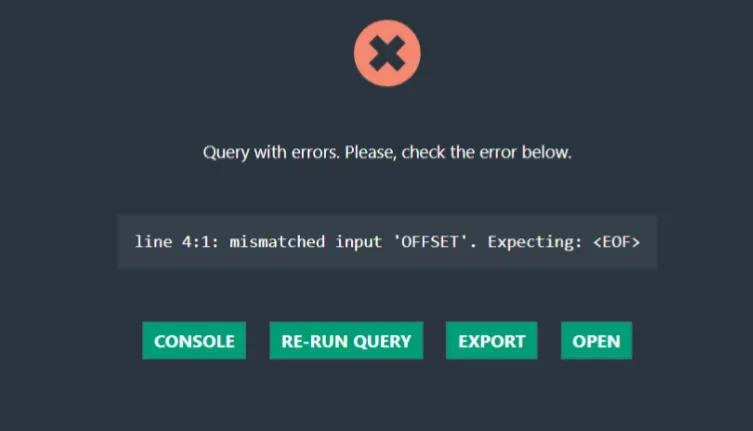
The second problem is that when previewing the table record count, an OFFSET issue is reported. This issue seems to be related to SQL writing errors.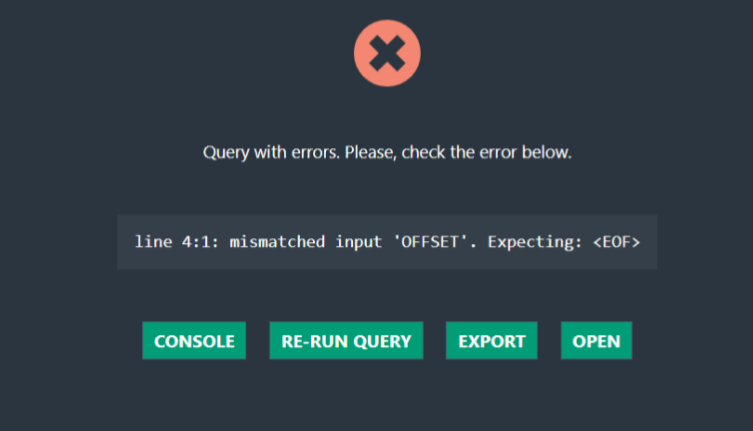
When encountering complex components and nested plugins, the first step is to identify which plugin is causing the problem. By comparing, it was found that other data source plugins did not have this issue, and it only occurred with the Trino data source. Therefore, the problem lies in the Trino Driver plugin.
There was no other choice but to fix it.
After a frantic global search, I found the SQL code with OFFSET. With my limited SQL knowledge, I identified the issue.
The paging query SQL written in this library is like this.
SELECT *
FROM ${(p) => p.table.label || p.table}
LIMIT ${(p) => p.limit || 50}
OFFSET ${(p) => p.offset || 0};
However, after querying on Baidu, I found that for Trino query SQL, OFFSET is usually placed before LIMIT, and the trailing;semicolon should be removed.
After making the modifications, I debugged it again. Haha... it actually worked.
Just when I was proudly building the plugin and sending it to the tester, two hours later, the tester reported a new bug.
My first reaction was, no matter what this issue is, it must have been written by the original author, not me.
The last issue is
that after linking to a data source, there will be many schemas, and tables are stored under schemas. When switching schemas and viewing table records, an error will be reported.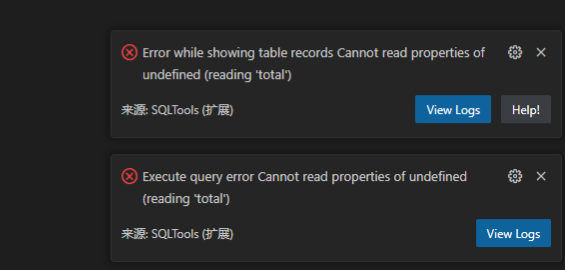
With issues like this, did someone actually test the plugin when it was published? Or do you only have one schema?
There's nothing to do. Such niche data sources and plugins rarely receive attention. If you insist on using them, you can only try making modifications. If you can't, you'll have to directly communicate with the author.
Let's come to a direct conclusion on this issue: the Trino Driver plugin does not use the schema parameter in the query SQL after receiving the parameters passed from SQLTools. Here are two pieces of SQL written by the author
SELECT *
FROM ${(p) => p.table.label || p.table}
OFFSET ${(p) => p.offset || 0}
LIMIT ${(p) => p.limit || 50}

SELECT count(1) AS total
FROM ${(p) => p.table.label || p.table};
that I modified
SELECT *
FROM ${(p) => p.table.schema+'.'+p.table.label}
OFFSET ${(p) => p.offset || 0}
LIMIT ${(p) => p.limit || 50}

SELECT count(1) AS total
FROM ${(p) => p.table.schema+'.'+p.table.label}
After making modifications, rebuild the new plugin and you're good to go. If you want to use the official version, you need to urge the author to review my PR as soon as possible.
PR for related code:
https://github.com/regadas/sqltools-trino-driver/pulls?q=+author%3APmcFizz+
Summary
What matters is not how many lines of code you write, but the value these codes bring. Always think about your own value.
Growth is about building bridges over rivers and clearing paths through mountains.


Leave a Reply