
Convert any video file into an MP4 format that can be played by HMI. If the format is incorrect, the screen will go black directly or display an error. If this step is not done properly, all subsequent video playback controls will be useless.
1. Format requirements (hard specifications)
| Item | Requirements |
|---|---|
| Container | MP4 (.mp4) |
| Video encoding | H.264 |
| Audio stream | MP3 or AAC |
| Maximum resolution | < 1280×768 |
| Maximum frame rate | < 30 fps |
| Maximum bitrate | < 1400 Kbps |
Officially recommended Freemake Video Converter (please search and download it yourself, obtain it from the internet, and bear any copyright issues yourself).
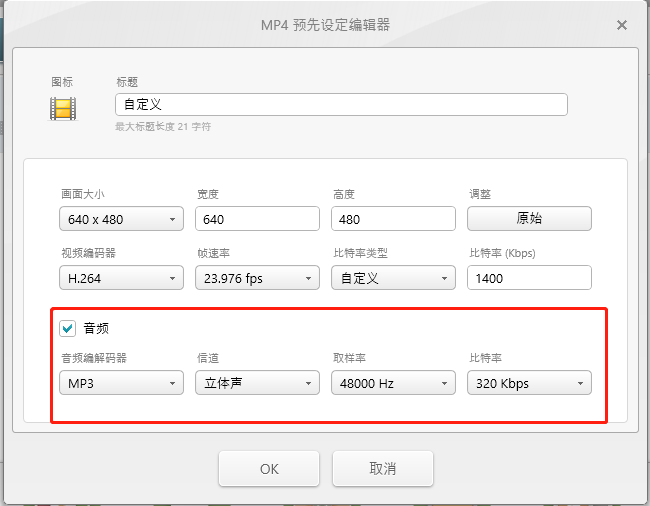
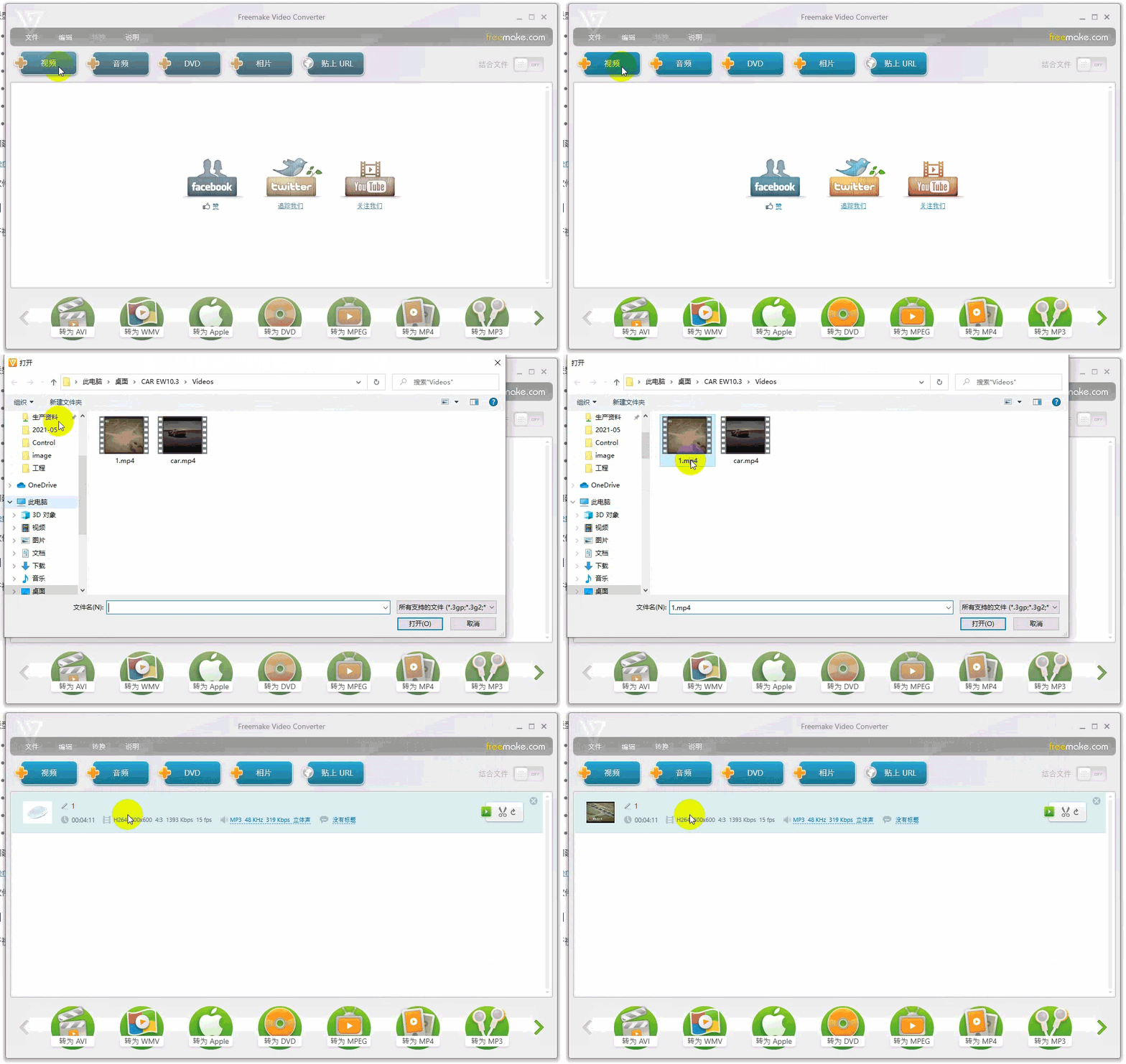
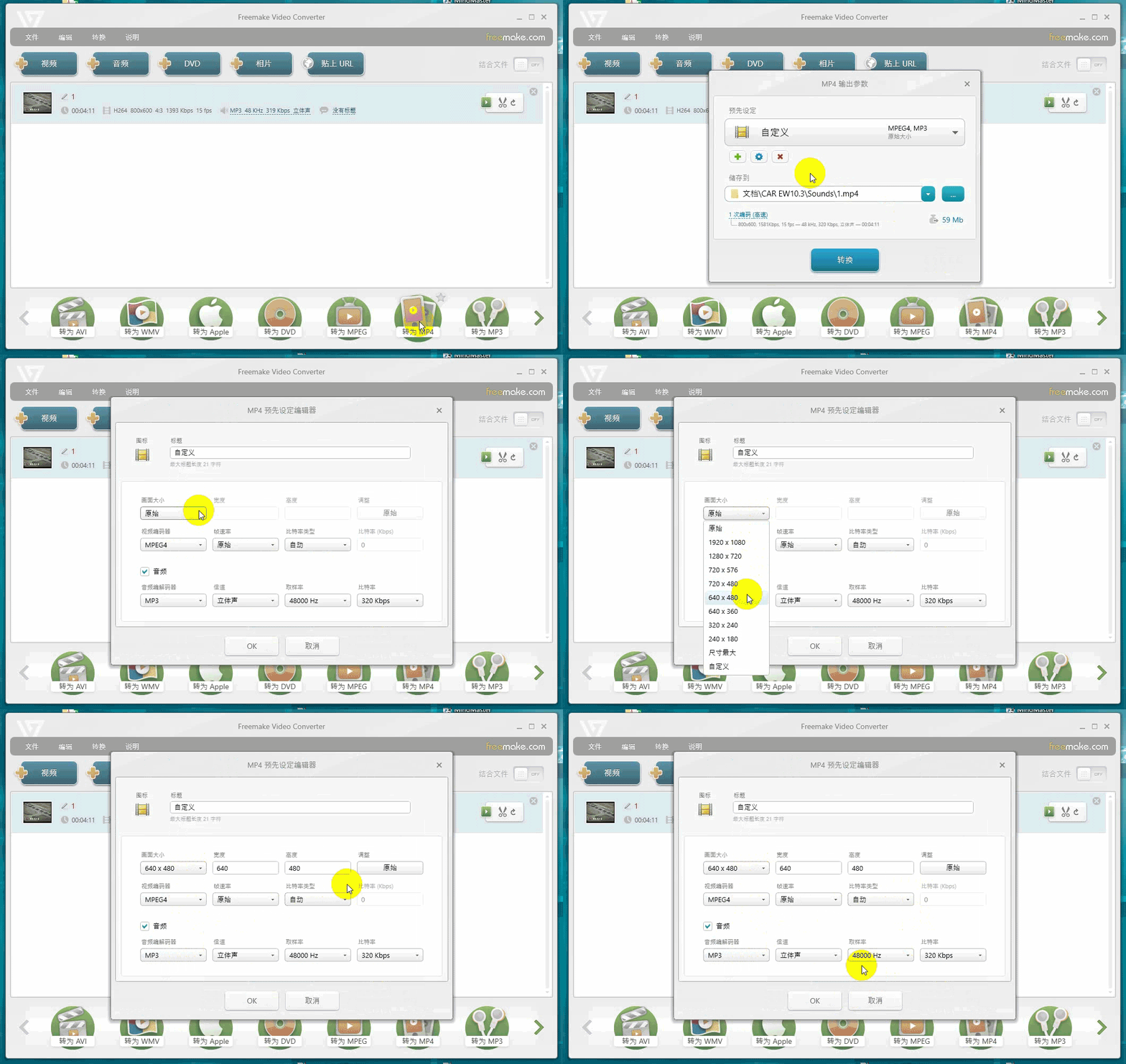
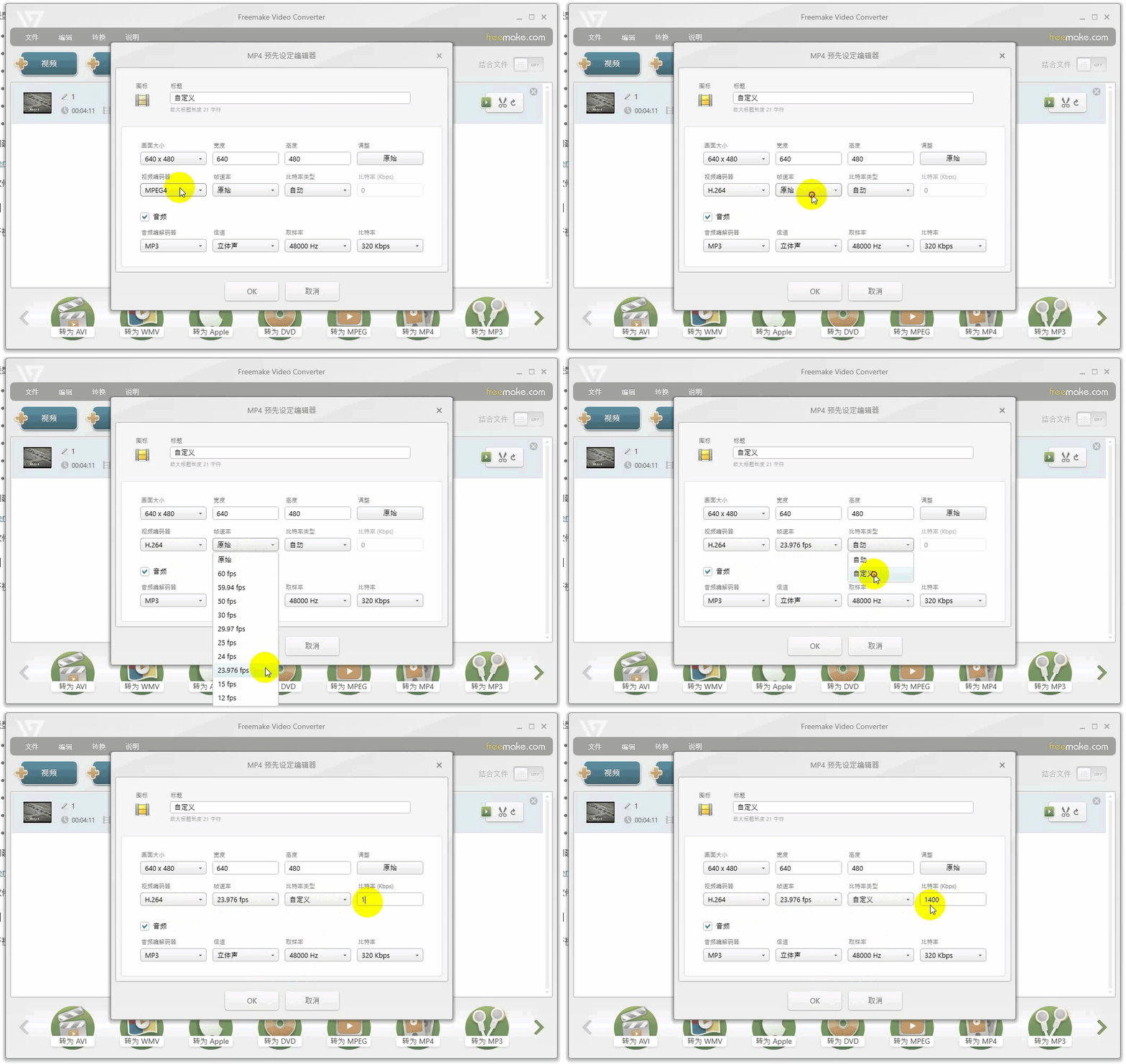
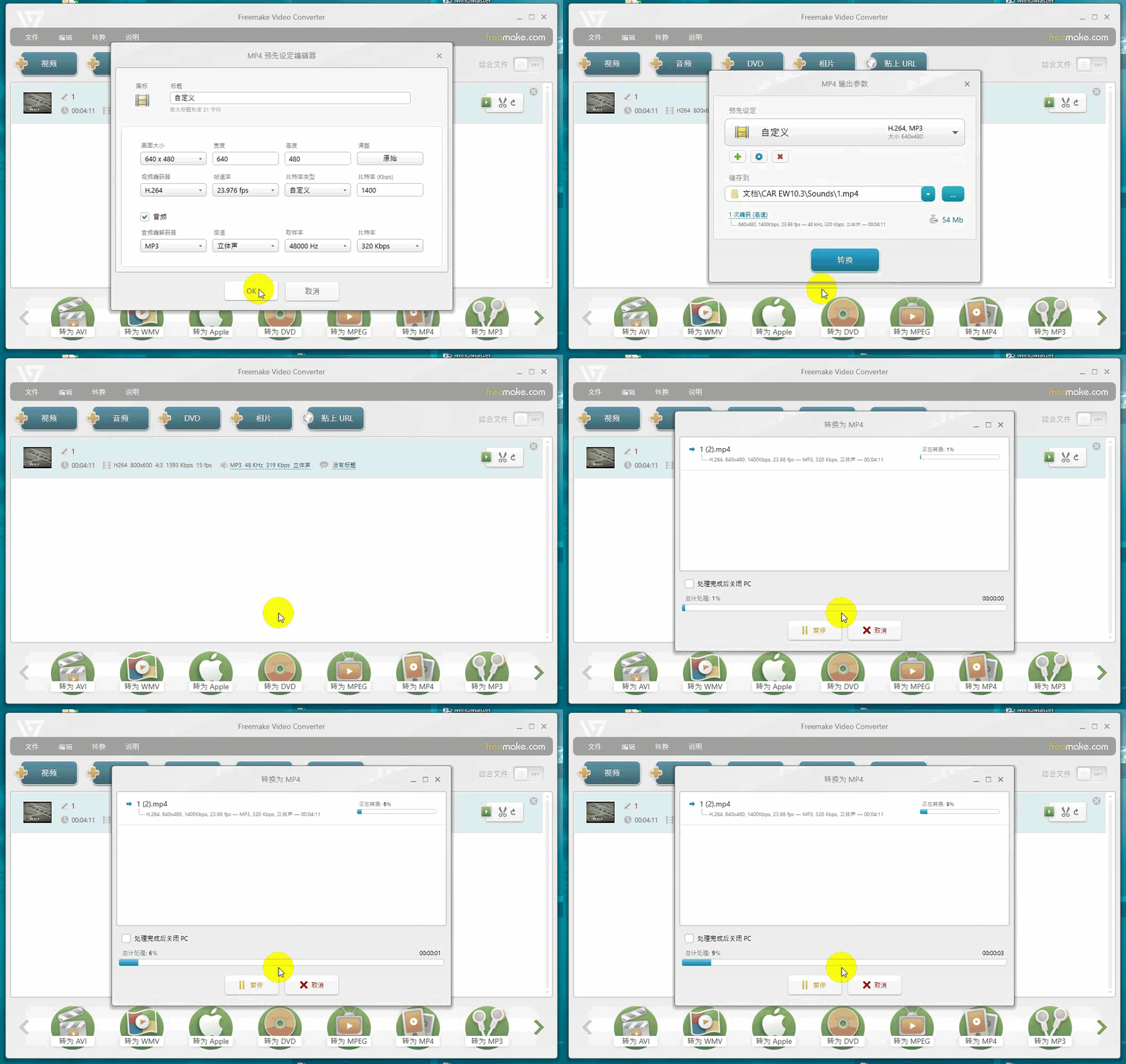
Transcoding three-in-one set:① Resolution should not exceed 1280×768; ② Encoding must be H.264 (not H.265/VP9); ③ Bitrate should be reduced to below 1400. If the source file is in 4K, it should be scaled down to 720P before transcoding, otherwise the screen may not be able to support it.
Compiled from Guangzhou Dacai Technology VisualHMI development documentation (hmi-doc.gz-dc.com) and other technical tutorials "Video File Conversion Instructions", copyright belongs to Dacai Technology.


Leave a Reply