VisualHMI 视频文件转换:MP4/H.264 格式要求与转码步骤

freeFree Technical Resource

This content is free to read, suitable for basic learning and search traffic.

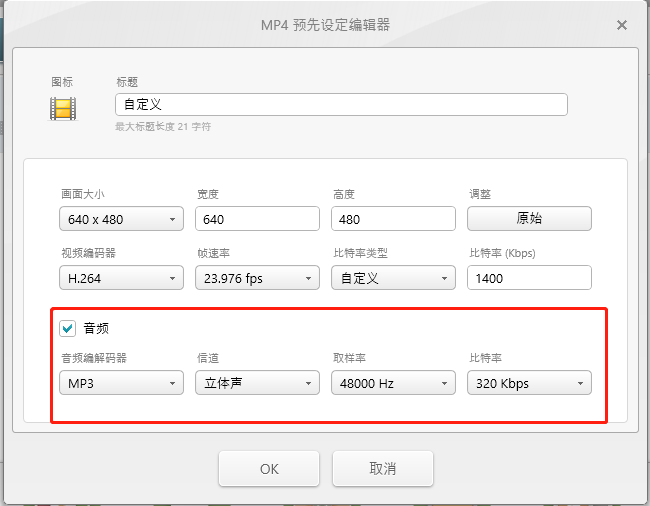
把任意视频文件转成 HMI 能播放的 MP4,格式不对屏幕直接黑屏或报错。这一步做不好,后面视频播放控件全白搭。

1. 格式要求(硬指标)

要求
容器MP4(.mp4)
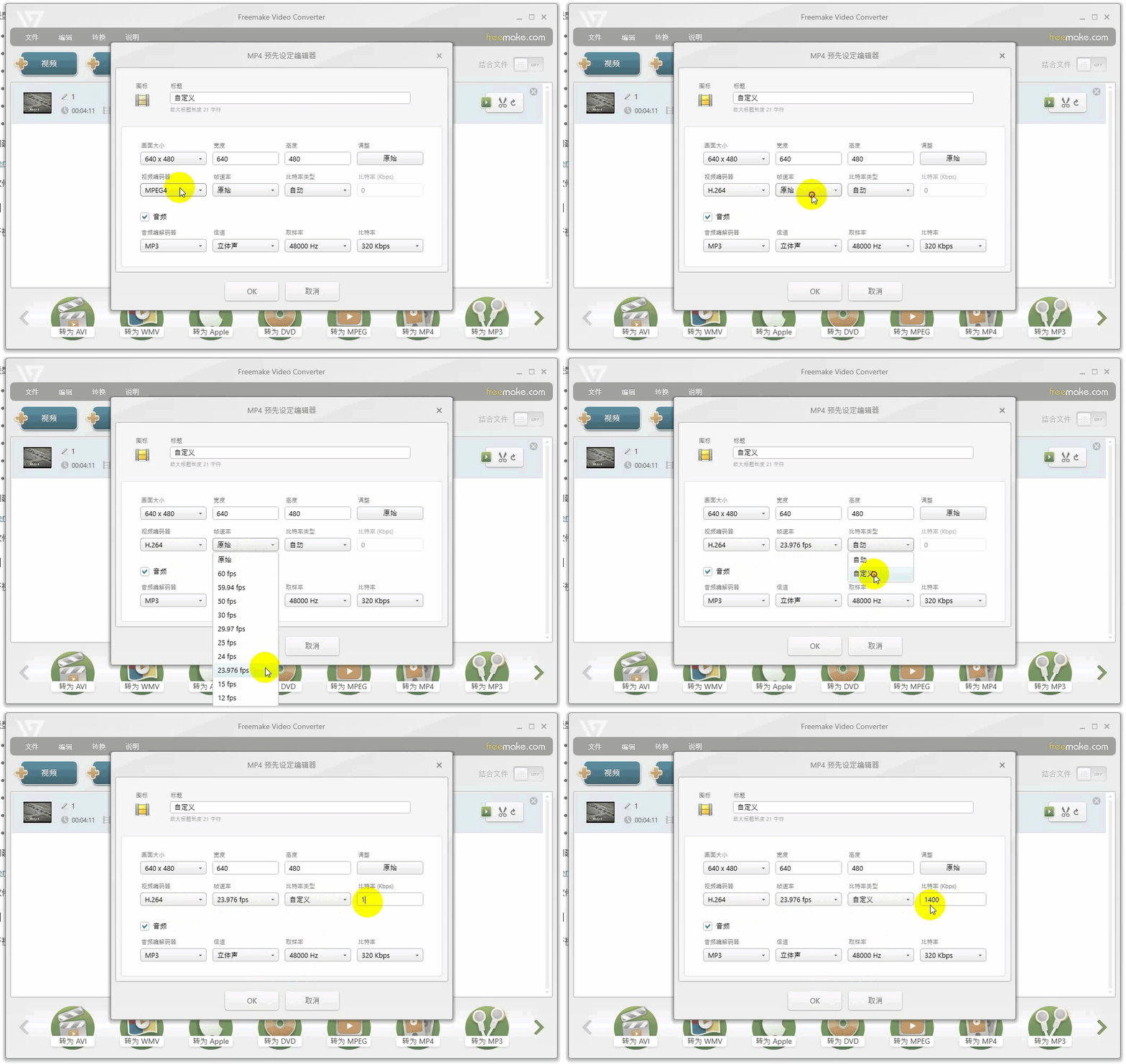
视频编码H.264
音频流MP3 或 AAC
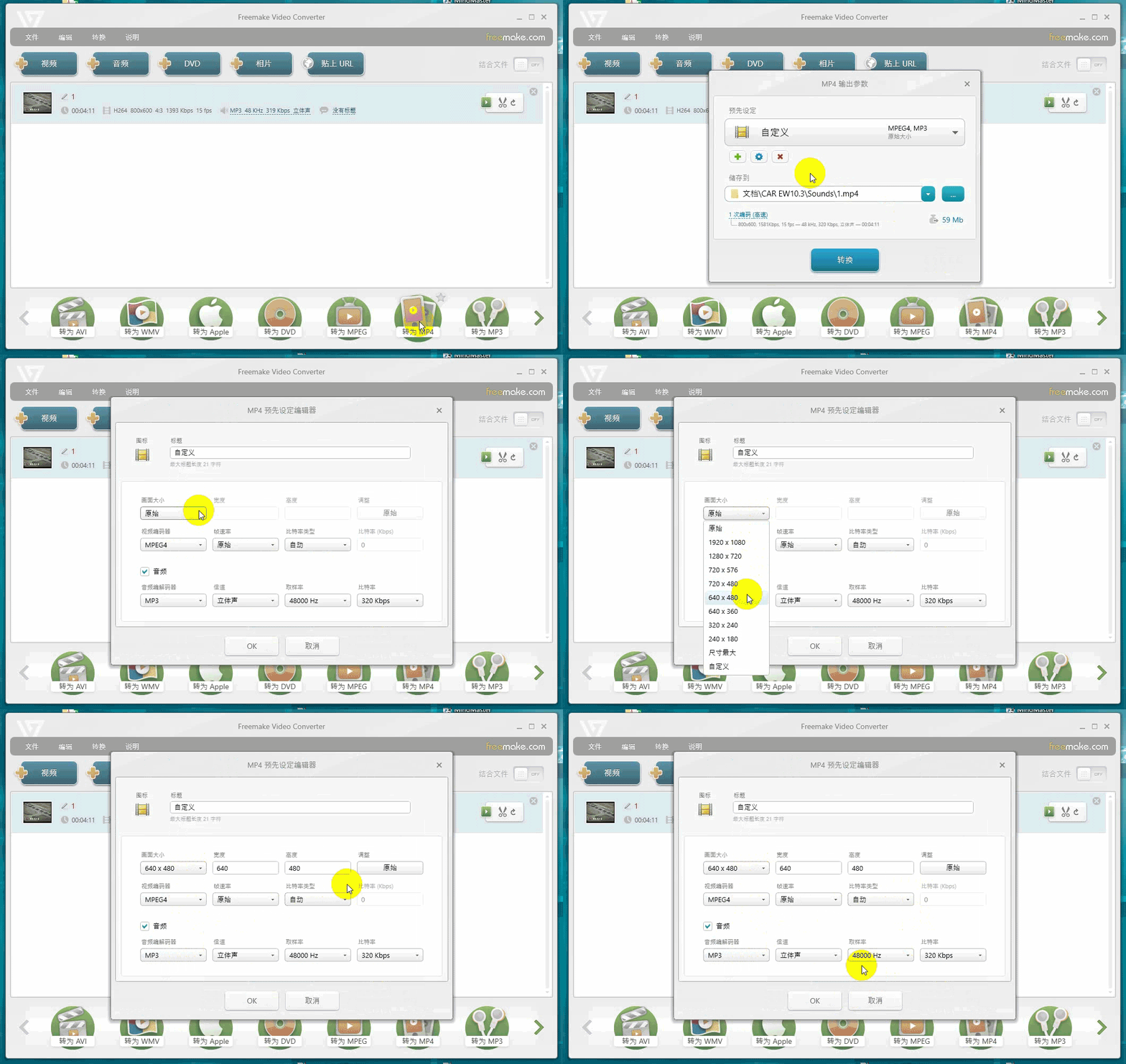
最大分辨率< 1280×768
最大帧率< 30 fps
最大码率< 1400 Kbps

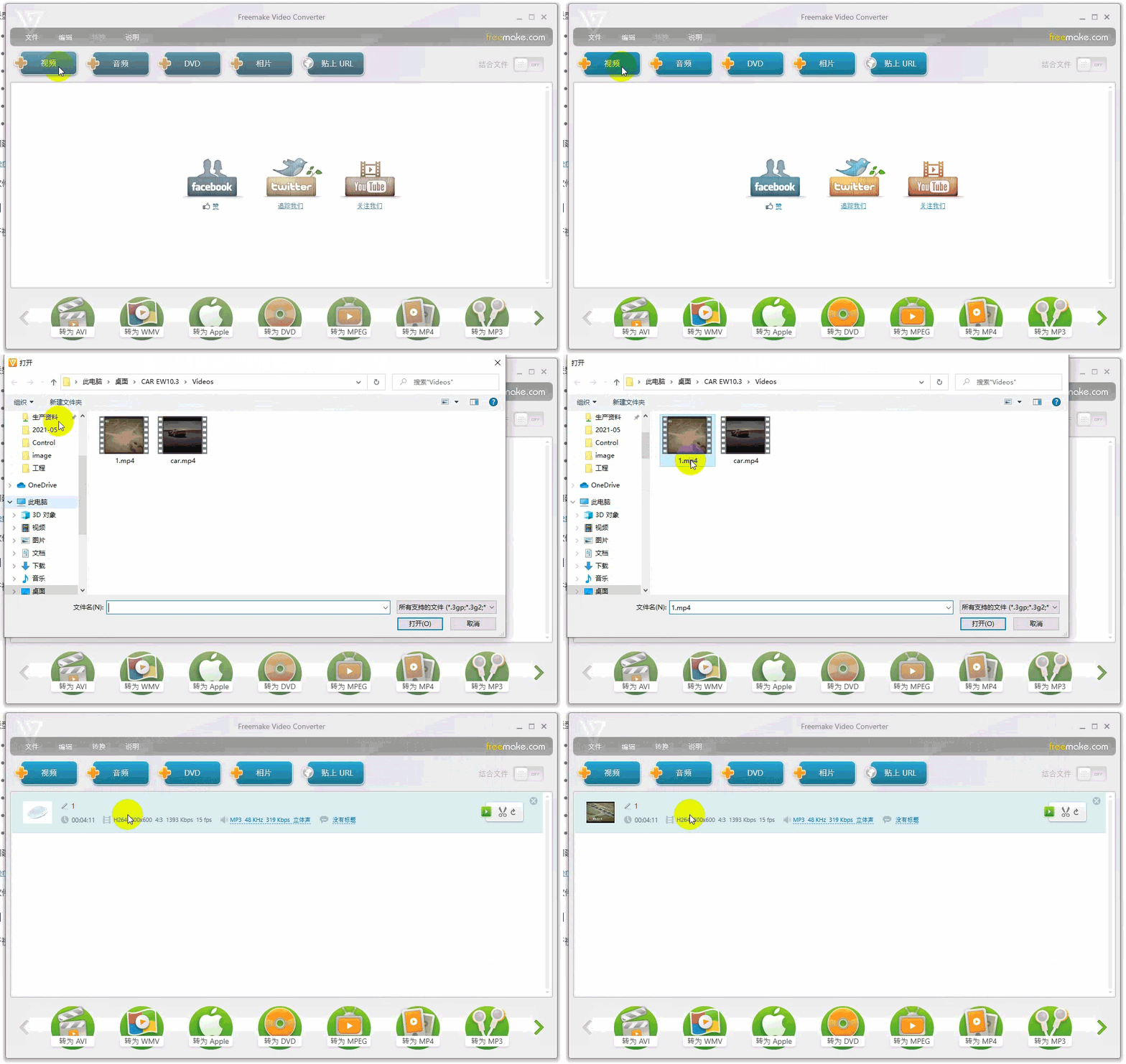
官方推荐 Freemake Video Converter(自行搜索下载,从网络获取,版权问题自担)。
VisualHMI 视频文件转换:MP4/H.264 格式要求与转码步骤插图

VisualHMI 视频文件转换:MP4/H.264 格式要求与转码步骤插图1

VisualHMI 视频文件转换:MP4/H.264 格式要求与转码步骤插图2

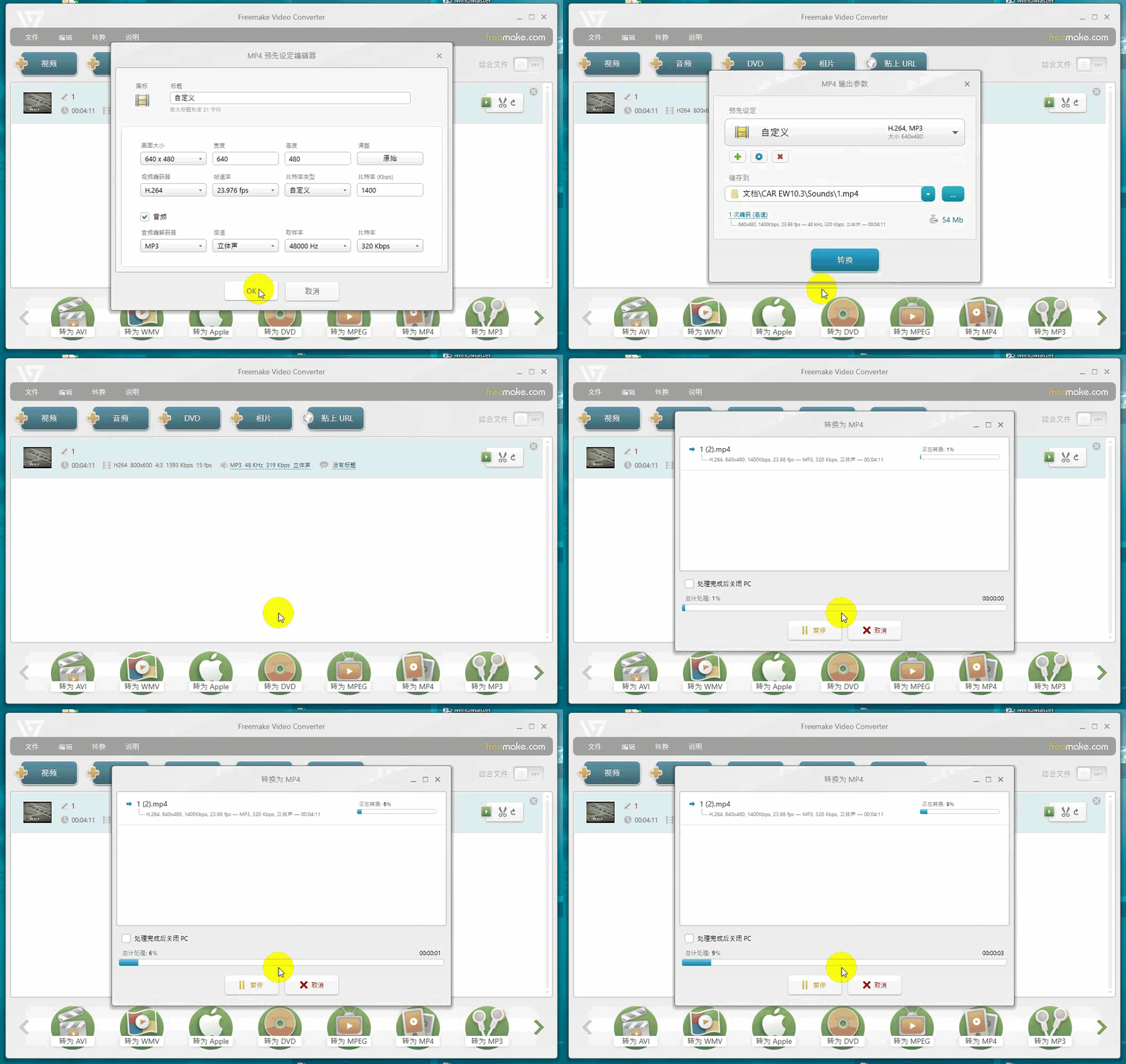
VisualHMI 视频文件转换:MP4/H.264 格式要求与转码步骤插图3

VisualHMI 视频文件转换:MP4/H.264 格式要求与转码步骤插图4

转码三件套:①分辨率别超 1280×768;②编码必须 H.264(不是 H.265/VP9);③码率压到 1400 以下。源文件是 4K 的先缩到 720P 再转,否则屏带不动。

整理自 广州大彩科技 VisualHMI 开发文档(hmi-doc.gz-dc.com)其他技术教程「视频文件转换说明」,版权归大彩科技所有。

Put this resource to use in a real project?

Go to the Tool Center for message parsing, CRC 검증 and device debugging, or submit your requirements for selection and integration advice.

Engineer Membership

Turn this article into actionable debugging resources

After activation, you can use advanced message parsing, resource pack downloads, code examples, engineering cases and priority technical support, suitable for real project delivery.

Unlimited Advanced Tools
Resource & Code Packs
Complete Engineering Case Library
Priority Technical Support

Leave a Reply

Your email 주소 will not be published. Required fields are marked *.