Visual HMIビデオファイル変換:MP 4/H.264形式の要件とトランスコーディング手順

freeFree Technical Resource

This content is free to read, suitable for basic learning and search traffic.

任意のビデオファイルをHMI MP 4に変換して再生でき、フォーマットは画面に直接黒い画面やエラーを報告しません。このステップはうまくいかず、ビデオ再生コントロールは完全に白いです。

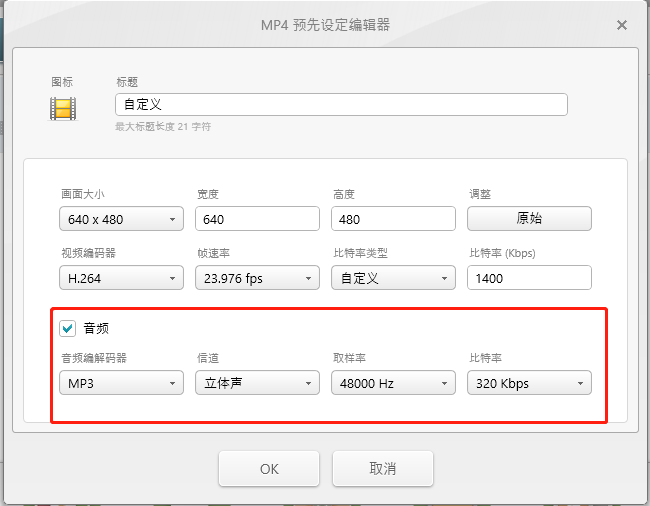
1.フォーマット要件(ハードインジケータ)

項目の詳細要件は
コンテナ化MP4(.mp4)
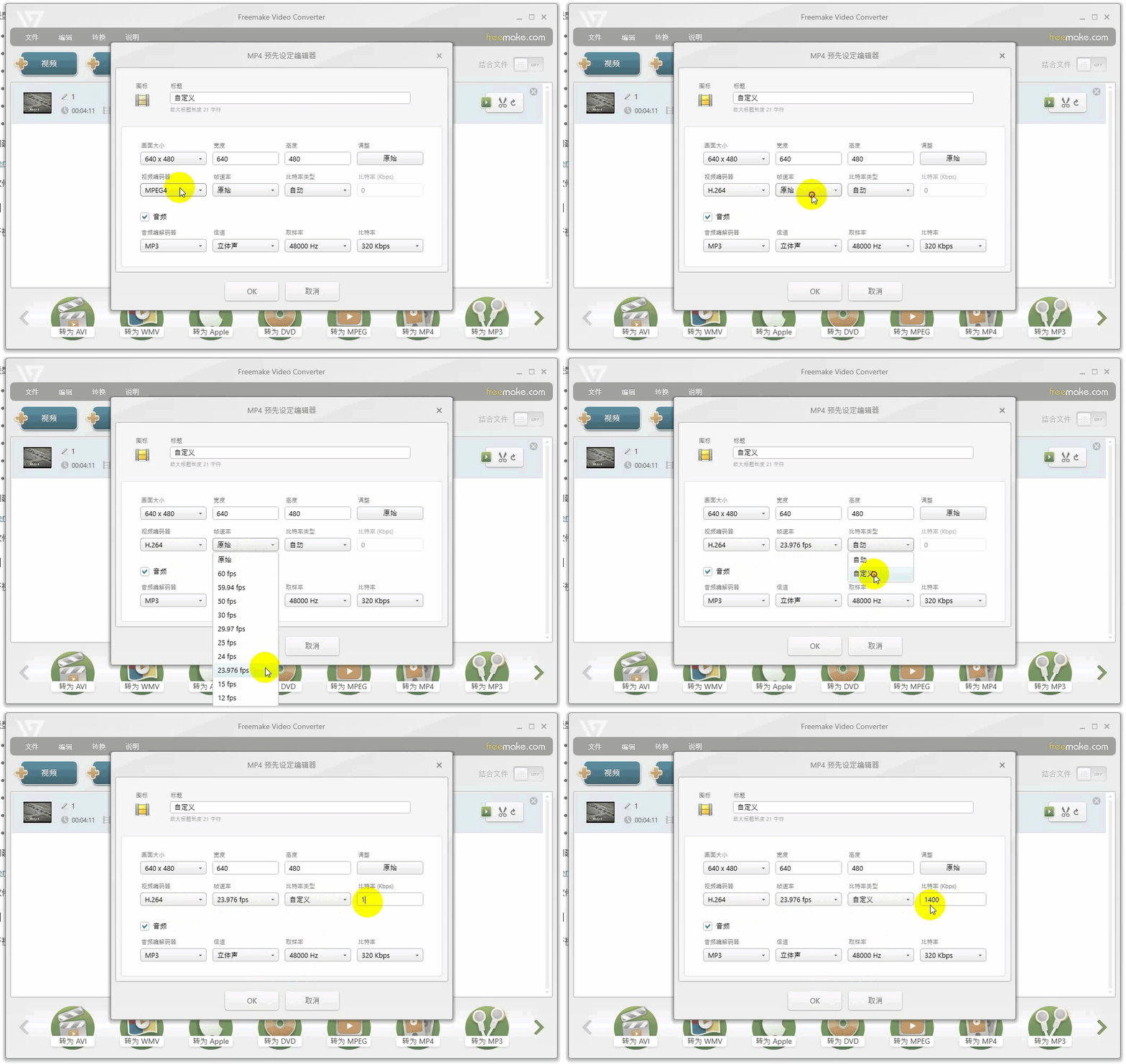
ビデオ符号化H.264
オーディオ·ストリームMP 3またはAAC
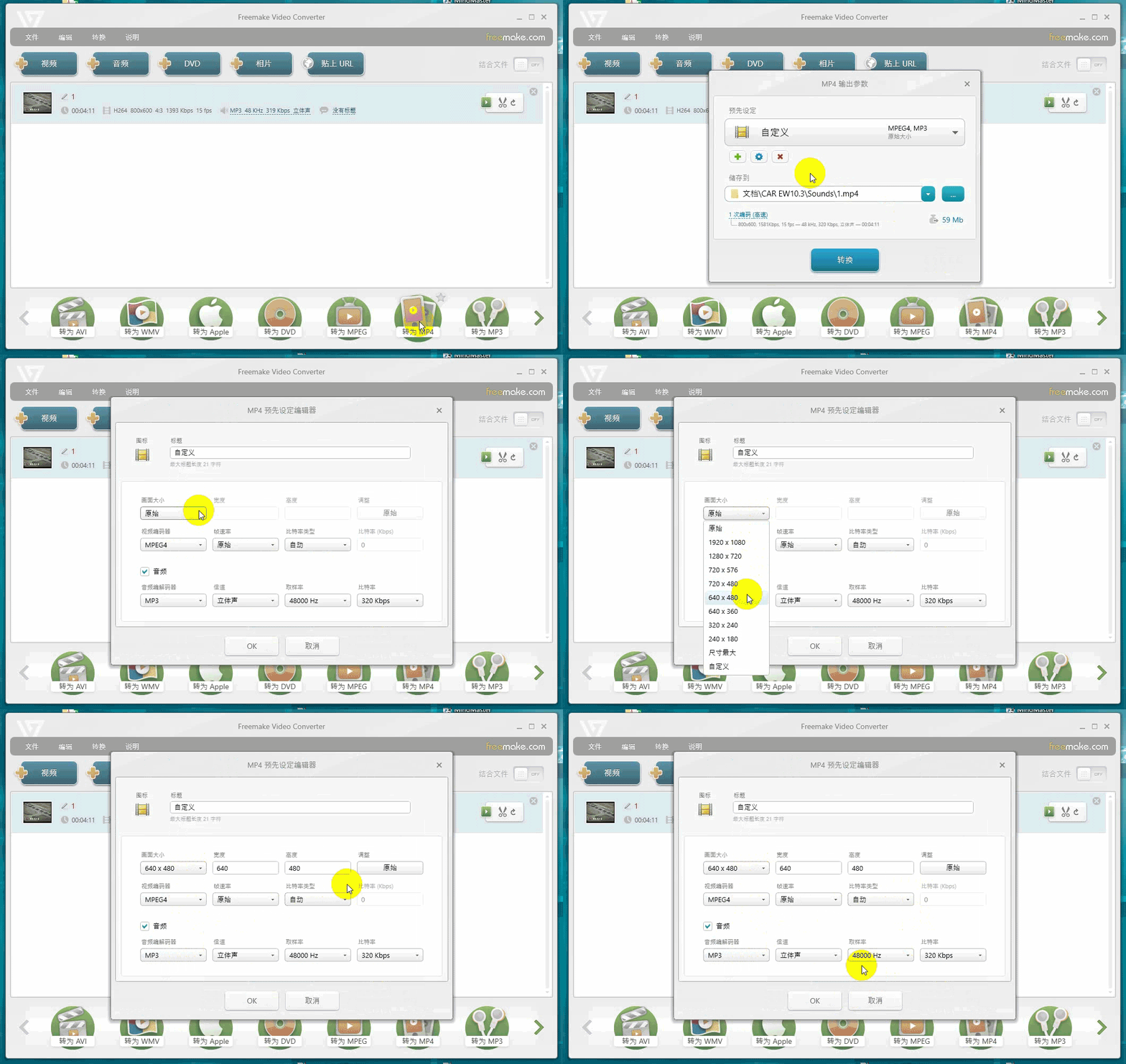
最大解像度< 1280×768
最大フレームレートは< 30 fps
最大ビットレートは< 1400 Kbps

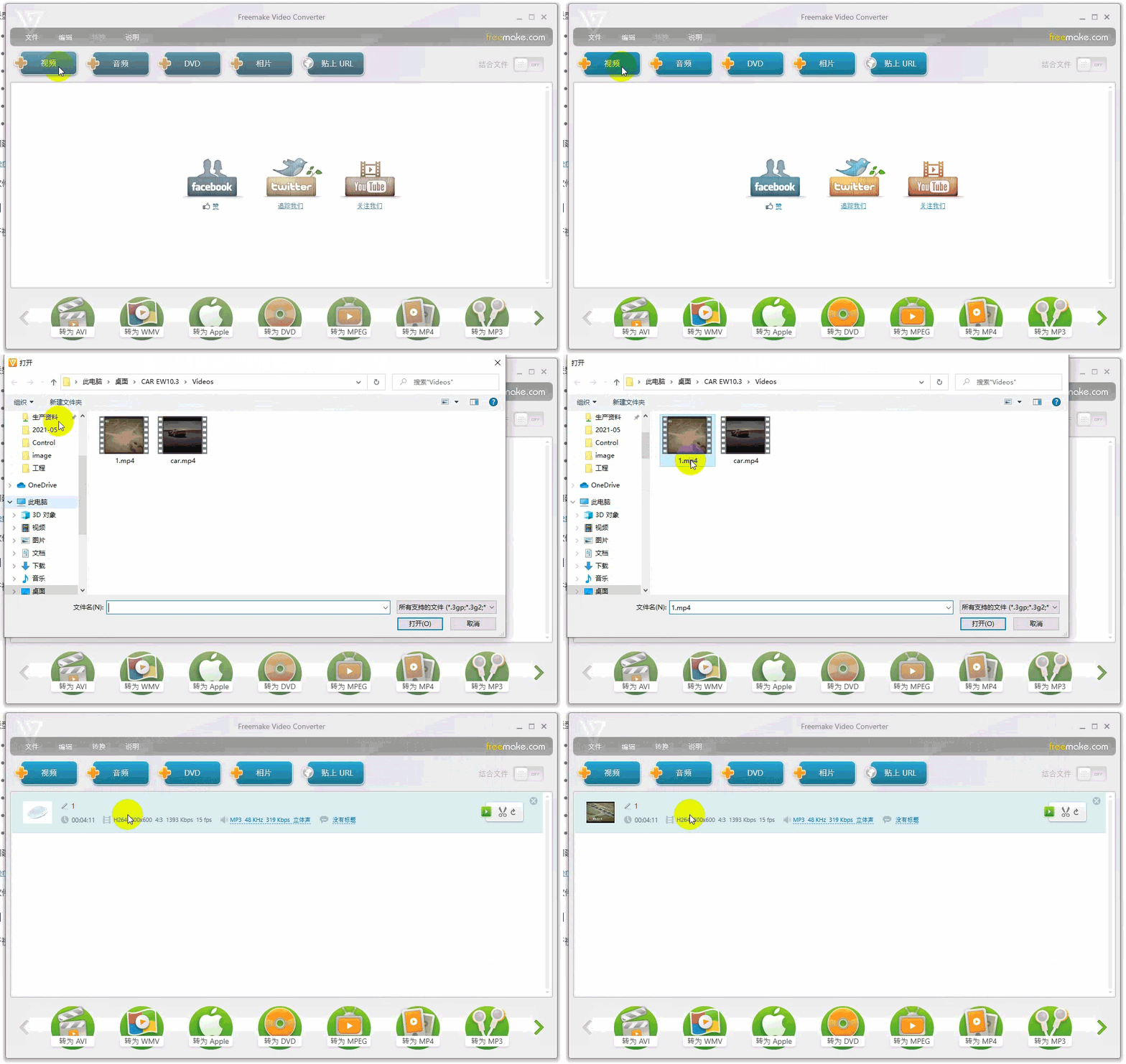
公式推奨Free make Video Converter(自分で検索し、ダウンロードし、ネットワークから取得し、著作権の問題は自己負担)。
Visual HMIビデオファイル変換:MP 4/H.264形式の要件とトランスコーディング手順插图

Visual HMIビデオファイル変換:MP 4/H.264形式の要件とトランスコーディング手順插图1

Visual HMIビデオファイル変換:MP 4/H.264形式の要件とトランスコーディング手順插图2

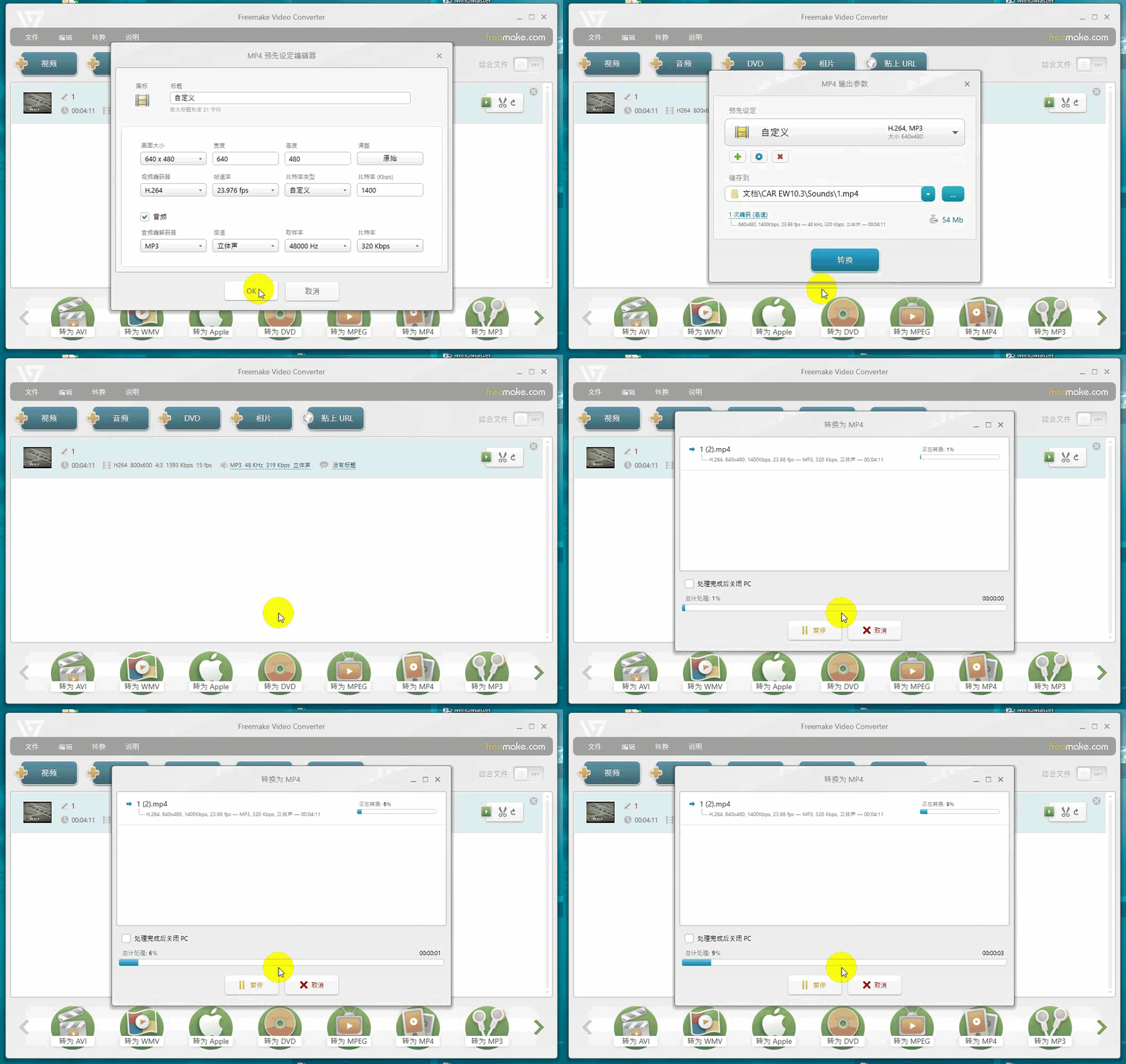
Visual HMIビデオファイル変換:MP 4/H.264形式の要件とトランスコーディング手順插图3

Visual HMIビデオファイル変換:MP 4/H.264形式の要件とトランスコーディング手順插图4

3枚組の変換:解像度は1280×768を超えないこと、符号化はH.264(H.265/VP9ではない)、符号化は1400 以下にすること。。ソースファイルは4 Kで720Pに縮小されてから回転します。そうでなければ、画面は動きません。

広州大彩科技Visual HMI開発ドキュメント(hmi-doc.gz-dc.com)からの編集その他の技術チュートリアル“ビデオファイル変換手順”、著作権は大彩科技に帰属します。

Put this resource to use in a real project?

Go to the Tool Center for message parsing, CRC verification and device debugging, or submit your requirements for selection and integration advice.

Engineer Membership

Turn this article into actionable debugging resources

After activation, you can use advanced message parsing, resource pack downloads, code examples, engineering cases and priority technical support, suitable for real project delivery.

Unlimited Advanced Tools
Resource & Code Packs
Complete Engineering Case Library
Priority Technical Support

Leave a Reply

Your email address will not be published. Required fields are marked *.