How to reset the S7-1200 PLC to factory settings?

freeFree Technical Resource

This content is free to read, suitable for basic learning and search traffic.

How to reset the S7-1200 PLC to factory settings?

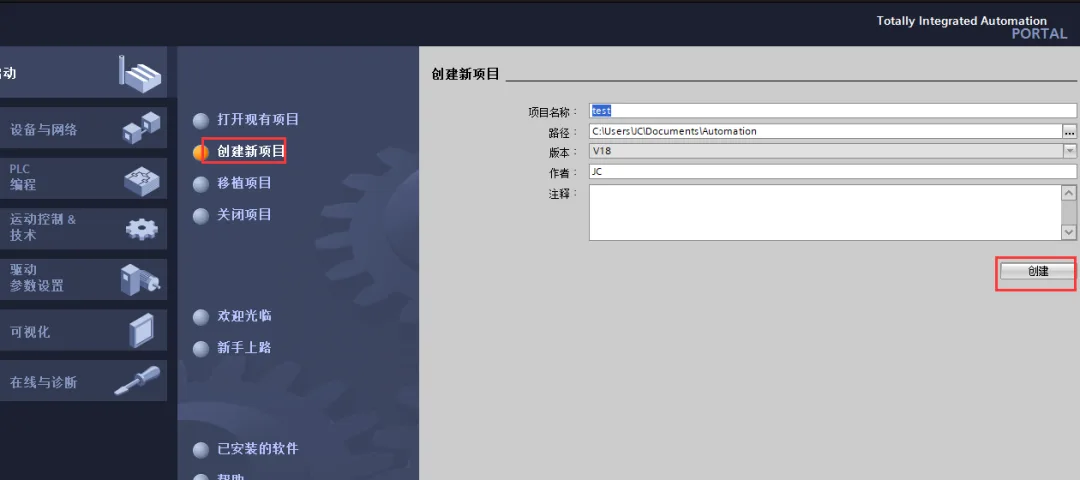
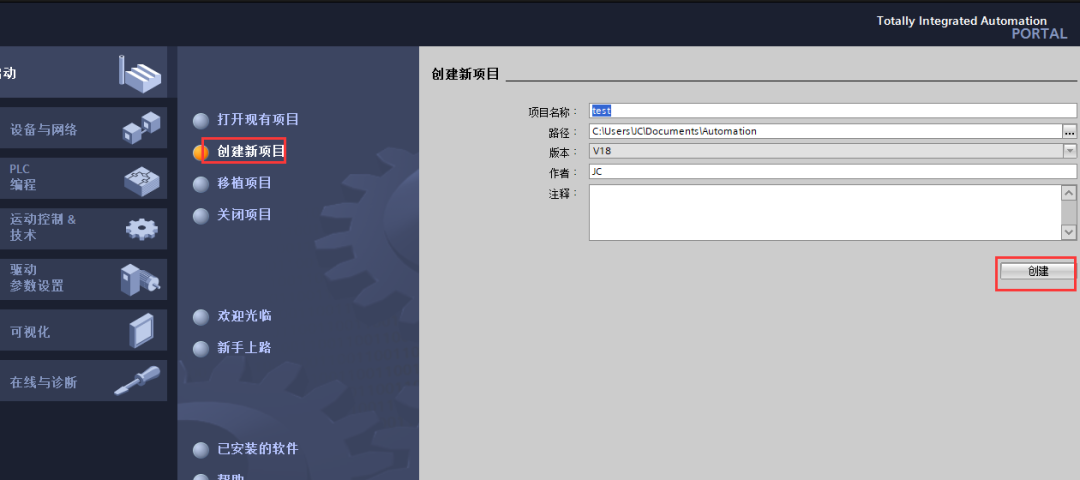
Open the TIA Portal software, as shown in the figure below, fill in the project name, path, and other information, and click "Create".
How to reset the S7-1200 PLC to factory settings?插图

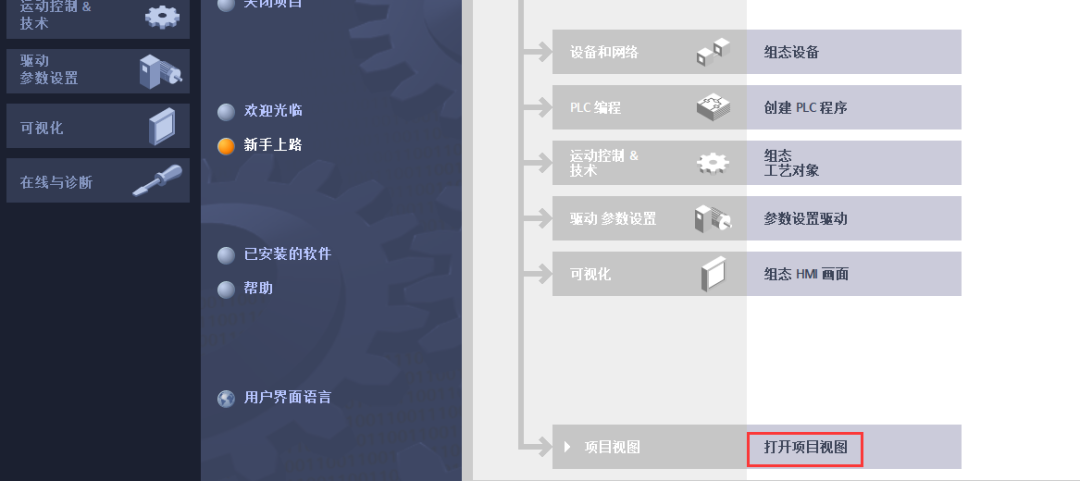
After creation is complete, click "Open Project View", as shown in the figure below:
How to reset the S7-1200 PLC to factory settings?插图1

Click "Online Access", find the network card used to connect to the PLC, and click --- to update the accessible settings.
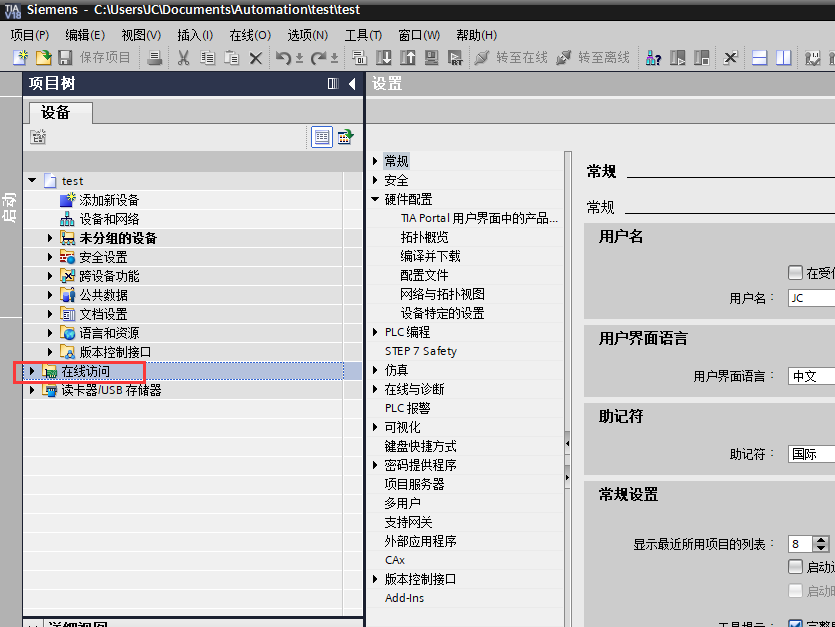
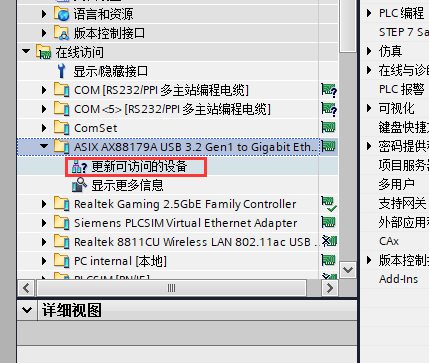
How to reset the S7-1200 PLC to factory settings?插图2
How to reset the S7-1200 PLC to factory settings?插图3

Find the PLC that needs to be reset and click --- Online and Diagnostics, as shown below:
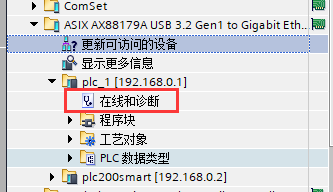
How to reset the S7-1200 PLC to factory settings?插图4

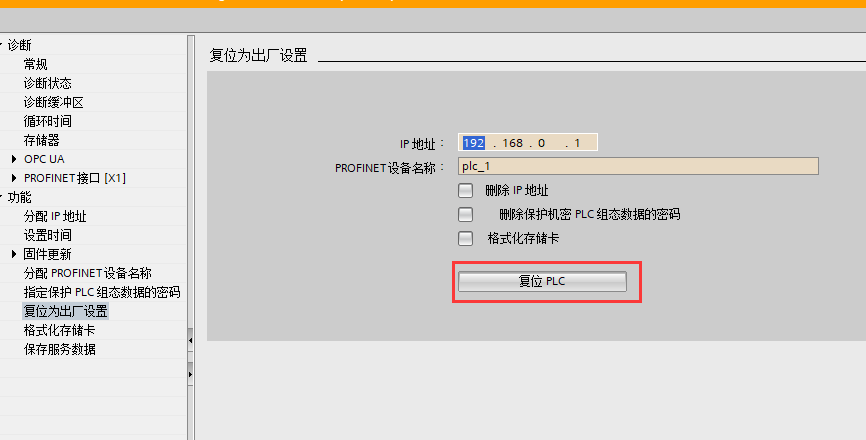
Select --- Reset to Factory Settings under the function menu.
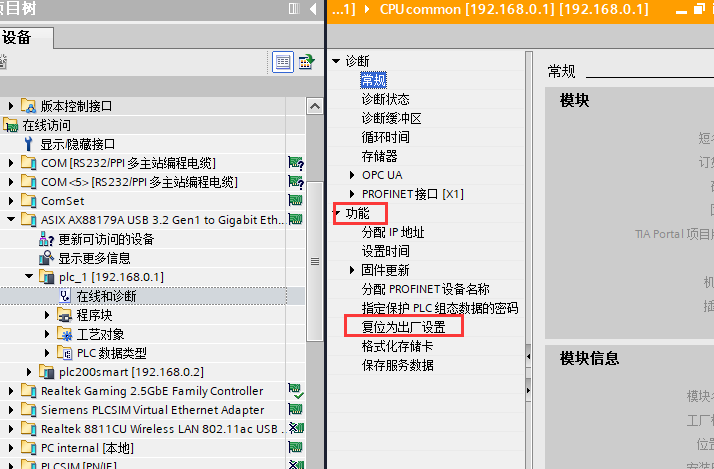
How to reset the S7-1200 PLC to factory settings?插图5

Click the "Reset PLC" button.

How to reset the S7-1200 PLC to factory settings?插图6

A confirmation dialog box will pop up, click "Yes".
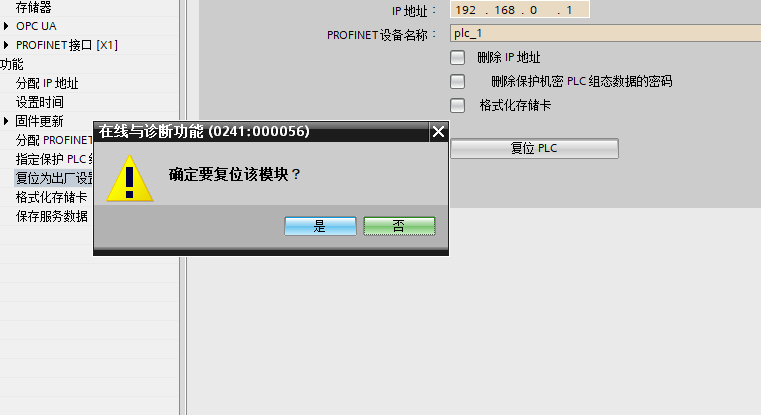
How to reset the S7-1200 PLC to factory settings?插图7

Both the output bar and status bar will prompt "Module has been reset", indicating that the PLC has been restored to factory settings.
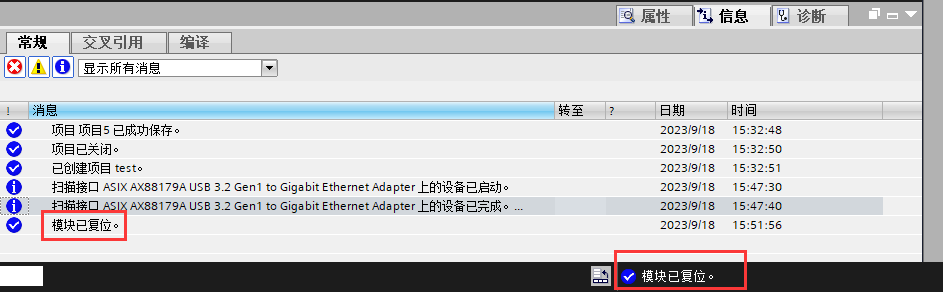
How to reset the S7-1200 PLC to factory settings?插图8

Summary

The above is the method for resetting a 1200 PLC to factory settings. If a password is prompted during the reset process, it means that the PLC has a password. If the password is unknown, it cannot be reset in this way. However, a memory card can be used for resetting, which will not be elaborated here.


Related Tags
Put this resource to use in a real project?

Go to the Tool Center for message parsing, CRC verification and device debugging, or submit your requirements for selection and integration advice.

Engineer Membership

Turn this article into actionable debugging resources

After activation, you can use advanced message parsing, resource pack downloads, code examples, engineering cases and priority technical support, suitable for real project delivery.

Unlimited Advanced Tools
Resource & Code Packs
Complete Engineering Case Library
Priority Technical Support

Leave a Reply

Your email address will not be published. Required fields are marked *.