
LG Air Conditioner Wiring Method and Dial Setting
I. Wiring Method:
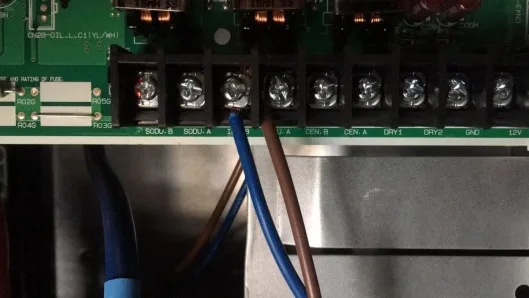
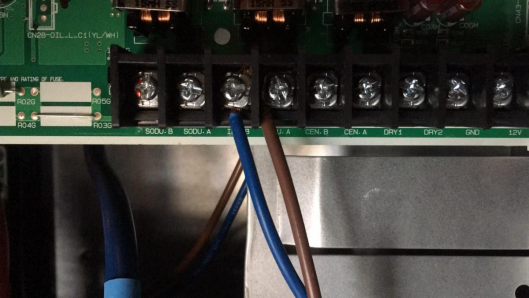
Connect the CEN.A and CEN.B terminals of the outdoor unit to the X and Y terminals of this module (polarity needs to be distinguished). If you cannot find the air conditioner, reverse the wires and try searching for it again.
II. Address Setting Method:
Set the air conditioner address through the remote control (method as follows):
1,
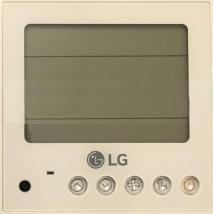
1. Press the " " and "
 " buttons simultaneously for a few seconds to enter mode selection.
2. Press the " " button to enter "02" centralized control mode.
3. Press the " " button to select the set air conditioner address.
4. Press the " " key to save and confirm the selected address.
5. Simultaneously press the " " and "
 " keys for a few seconds to exit the normal working state.
2. The setting method for the PQRCUC1W remote controller is as follows:
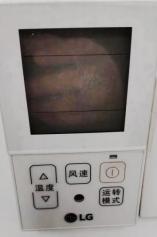
Simultaneously press the "Temperature Up Arrow" and "Operation Mode" keys for 5-6 seconds to enter the mode selection interface. (As shown in Figure 1)
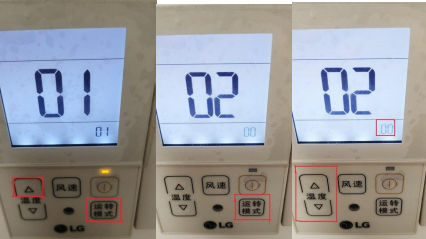
Figure 1 Figure 2 Figure 3
1)Press the "Operation Mode" key again to enter the "02" centralized control mode. (As shown in Figure 2)
2)Press the "Temperature Up Arrow" or "Temperature Down Arrow" key to select the set air conditioning address. (The "Temperature Up Arrow" key adjusts the tens digit, while the "Temperature Down Arrow" key adjusts the units digit.)
Adjust the position), and the address displayed in the lower right corner of the screen is the address of the air conditioner. (As shown in Figure 3)
3)Press the " " key to save and confirm the selected address.
4)Simultaneously press the "Temperature Up Arrow" and "Operation Mode" keys for a few seconds to exit to the normal working state.
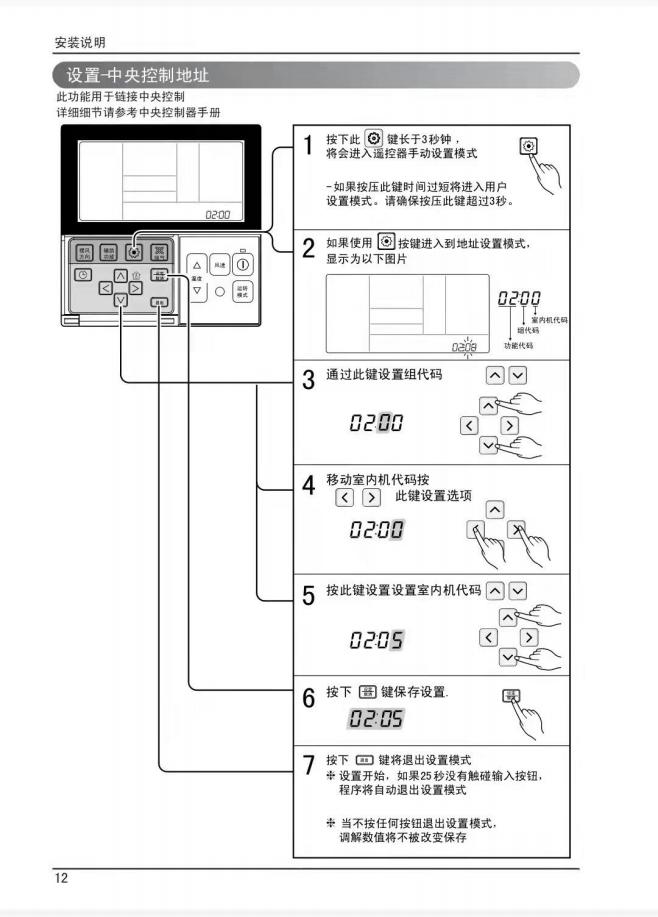
3. The setting method for the PQRCUD0W model remote control is as follows:


Leave a Reply