
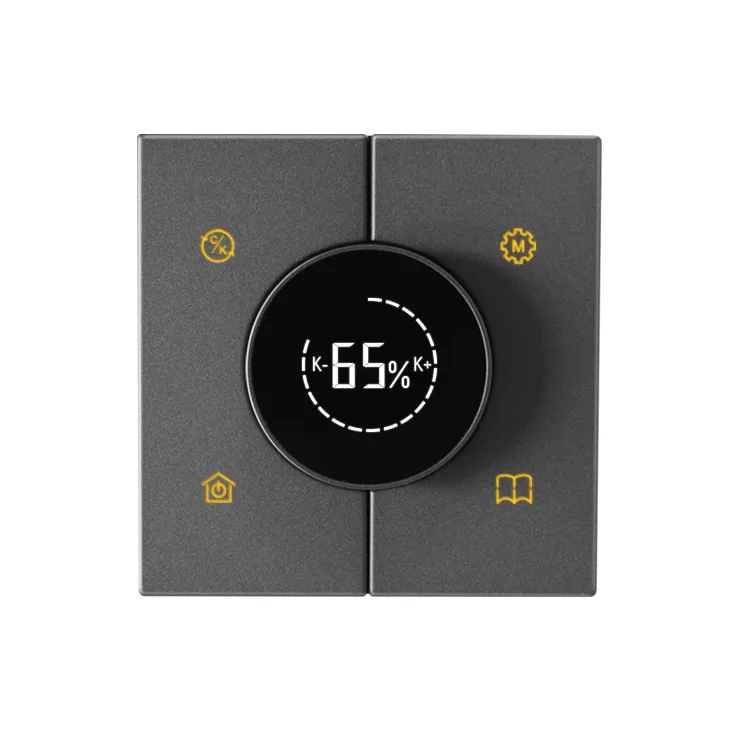
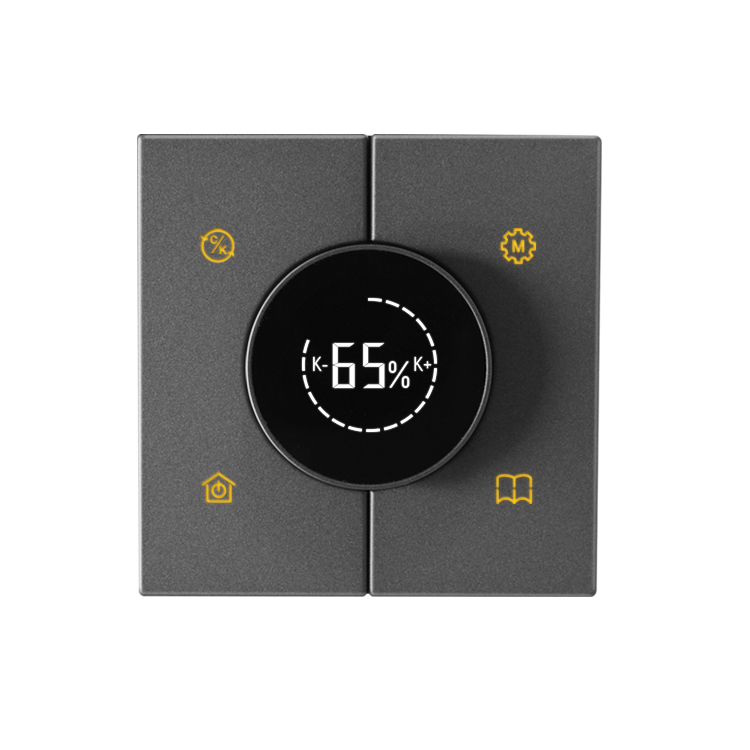
I. Product Overview
A smart dimming device that supports RS485 communication mode, can directly control the corresponding device through button switches, and can achieve scene modes by connecting to third-party gateways to meet diverse dimming needs.
2, Product Features
- Support RS485 communication mode
- Directly control the corresponding device through the button switch
- Can connect to third-party gateways to achieve scene mode
- Low standby power consumption, only 1W
- The working environment has a wide temperature range, from -10 ℃ to+45 ℃
- The working environment humidity can reach 95% RH (non condensing)
3, Technical parameters
- Input voltage and frequency range: 100-242V~, 50/60Hz
- Standby power consumption: ≤ 1W
- Storage temperature: -25 ℃~+70 ℃
- Working environment temperature: -10 ℃~+45 ℃
- Working environment humidity: ≤ 95RH (non condensing)
- Output control method: Adjust brightness, color temperature and scene switching through buttons and knobs
IV. Interface definition and function description
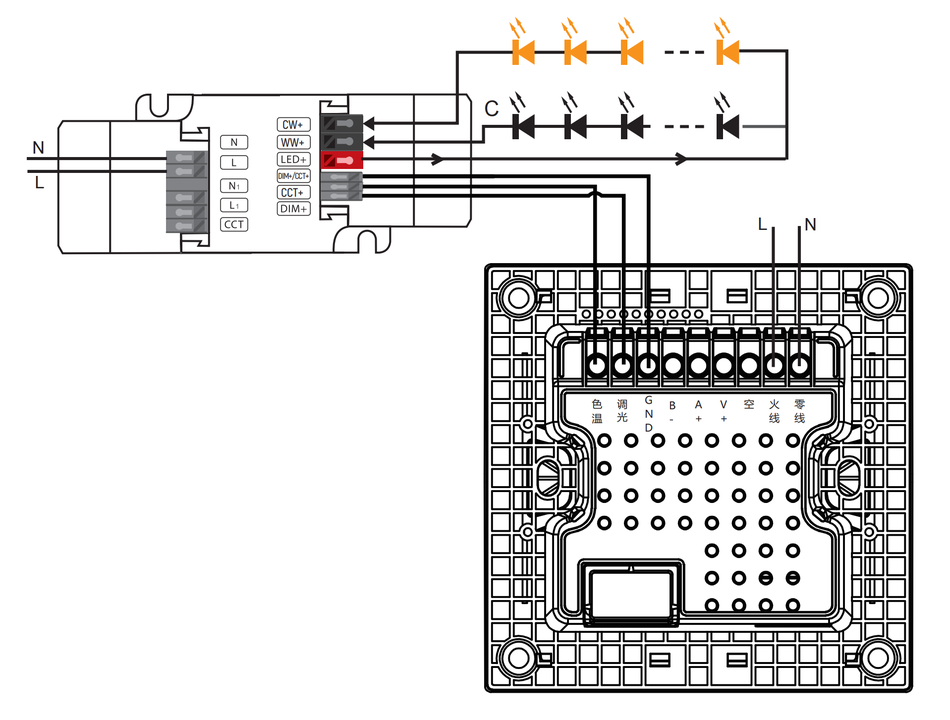
Interface definition
- Neutral wire (N)
- Live wire (L)
- Air (C)
- A+, B (for RS485 communication)
- GND (dimming ground wire)
- Dimming and color temperature related interfaces
Functional Description
- power buttonIn the shutdown state, press this button to turn on the device; Press this key to turn off the device when it is turned on.
- Rotary knob keyWhen there is no button operation, simply rotate the knob to adjust the brightness, rotate it to the right to increase the brightness, and rotate it to the left to decrease the brightness. It can be adjusted in 1-18 gears.
- Color temperature keyAfter pressing this button, the K+, K -, and percentage symbols flash simultaneously. At this time, rotate the knob to the left to lower the color temperature and to the right to increase it. The adjustment range is 5% -99%, increasing by 5%. After the adjustment is complete, you can wait for 5 seconds or press the color temperature button to save the color temperature value.
- Dimming Scene Key: It can quickly switch between preset dimming scenes. There are three default scenes at the factory, namely C1=30% (color temperature and brightness are both 30%), C2=50% (color temperature and brightness are both 50%), and C3=70% (color temperature and brightness are both 70%).
- Scene Key: Users can configure scene functions according to their needs, and use other 485 switches to achieve scene control.
- Restore Factory Settings: In the shutdown state, press the color temperature key and dimming scene key simultaneously for 5 seconds, the screen will light up, and the factory settings will be successfully restored.
- Communication Address Setting: In the shutdown state, press the dimming scene key and scene key simultaneously for 5 seconds to enter the address setting. The desired address can be adjusted by rotating the knob, with a setting range of 1-99.
V. Installation Steps
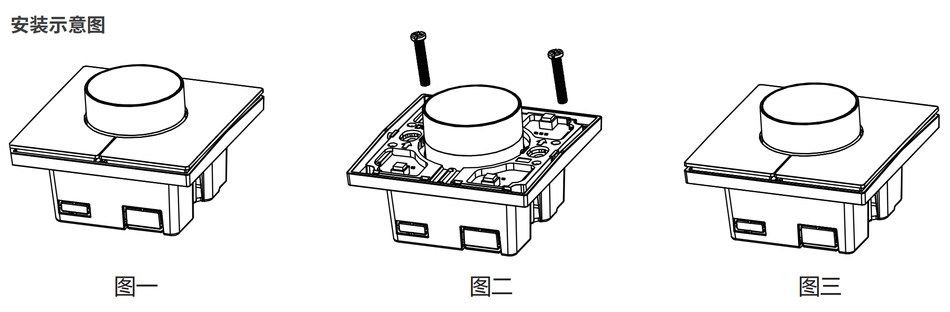
- Use your hand to remove all the buttons on the tactile switch (Figure 1).
- Use installation screws to secure the main body of the tactile switch to the bottom box (Figure 2).
- Reinstall the button that was removed in the first step (Figure 3).
note: Live installation is prohibited.
VI. Dimming Scene Configuration Method
Press and hold the dimming scene button for 5 seconds, and the brightness and color temperature icons will flash simultaneously. At this time, adjust the brightness by rotating the knob, and the brightness icon will flash. After the adjustment is complete, press the color temperature button, and the color temperature icon will flash. Then adjust the color temperature by rotating the knob. After the setting is complete, press the dimming scene button to save and exit. If you want to cancel the operation, do not press the dimming scene button, wait for the icon to flash and stop, then exit the operation without saving. After setting the color temperature value, if you need to return to adjusting the brightness value, you can press the color temperature button to switch between brightness and color temperature values.
7. Dimensions
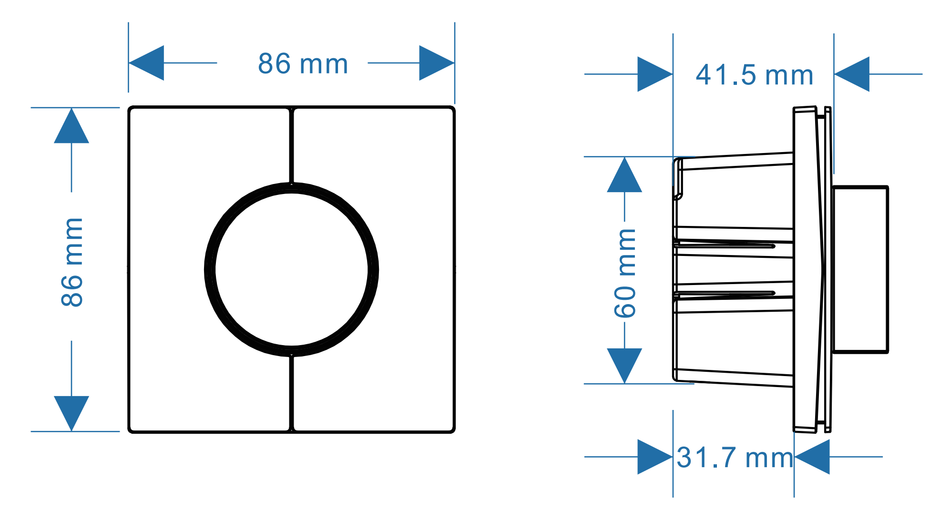
- Length: 86mm
- Width: 86mm
- Height: 60mm
- Thickness: 41.5mm
- Other related dimensions: 31.7mm
(Additional relevant size information can be added here based on the actual situation)
8, Precautions
- This manual is subject to updates without prior notice.
- If the functions of the product you are using are inconsistent with the instructions, please refer to the product.
- If you have any questions, please contact us.
Product link:https://item.taobao.com/item.htm?ft=t&id=869041982548


Leave a Reply