VisualHMI progress bar:固定/可变范围、纯色/渐变/贴图与范围报警

freeFree Technical Resource

This content is free to read, suitable for basic learning and search traffic.

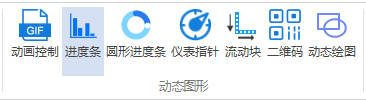
进度条是经典可视化元素:精确量化工作进程,可水平/垂直显示。支持纯色、渐变、贴图三种效果,带范围报警。

1. 属性介绍

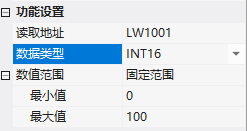
1.1 功能设置

属性说明
读取地址绑定的地址
data typeUINT16/INT16/UINT32/INT32/UINT64/INT64/FLOAT/DOUBLE
数值范围固定范围(最小/maximum,必须整数)/ 可变范围(最小/最大值地址)

VisualHMI progress bar:固定/可变范围、纯色/渐变/贴图与范围报警插图

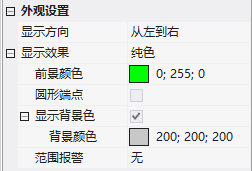
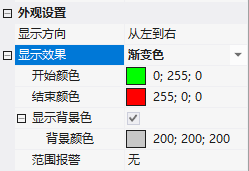
1.2 外观设置

  • 显示方向:从左往右/从右往左/从下往上/从上往下
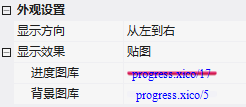
  • 显示效果:纯色(前景颜色+圆形端点+显示背景色)/ 渐变色(开始颜色+结束颜色)/ 贴图(进度图库+背景图库)
  • 范围报警:固定/可变范围,设报警上下限进度条颜色

VisualHMI progress bar:固定/可变范围、纯色/渐变/贴图与范围报警插图1

VisualHMI progress bar:固定/可变范围、纯色/渐变/贴图与范围报警插图2

VisualHMI progress bar:固定/可变范围、纯色/渐变/贴图与范围报警插图3

2. 应用案例

2.1 固定范围

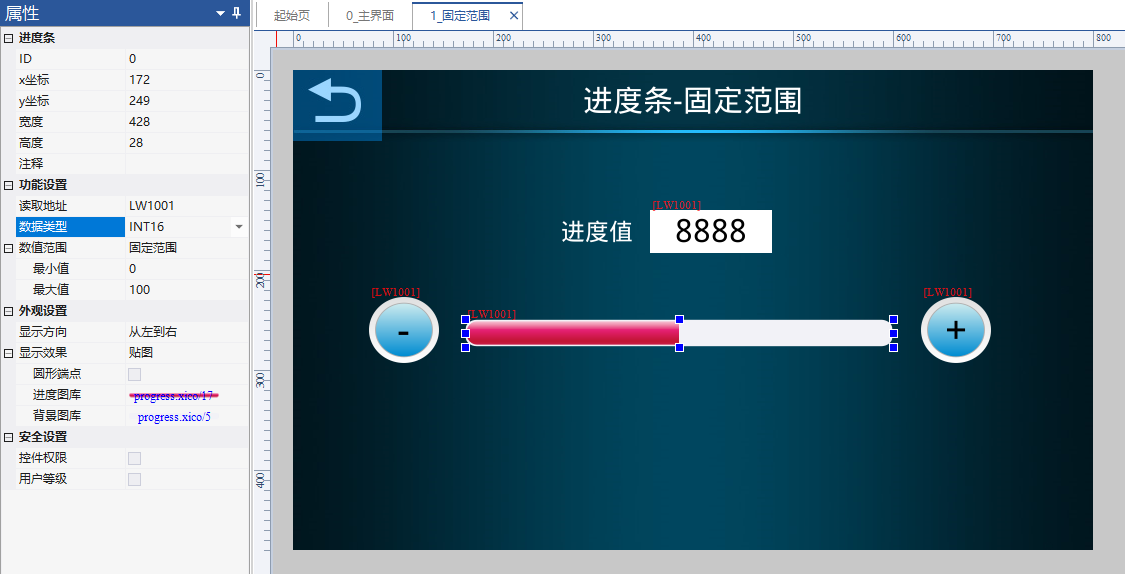
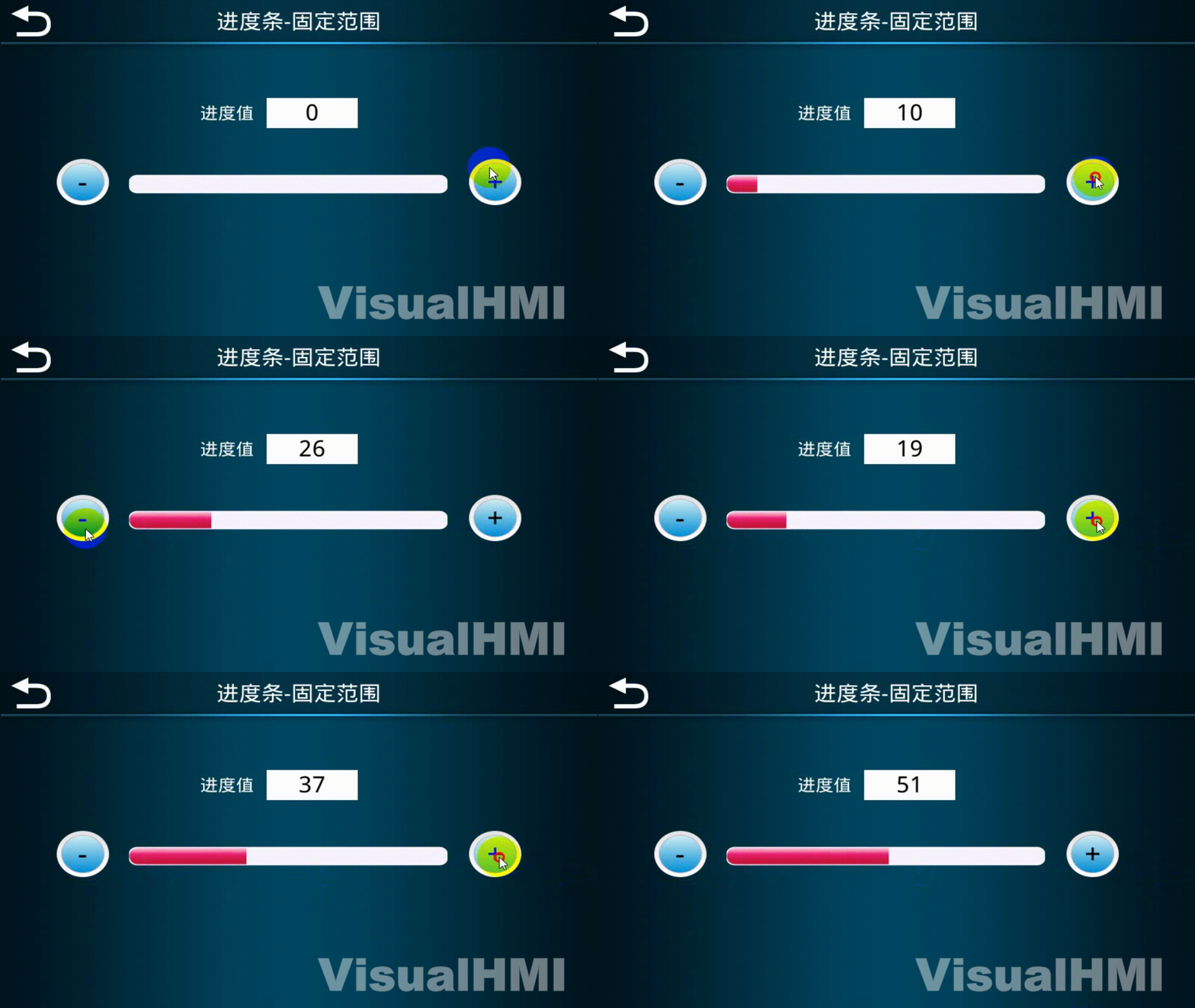
read LW1001(INT16),固定范围 0~100,方向从左到右,贴图效果(进度 progress.xico/17、背景 progress.xico/5)。配字设置按钮 + / - 调节,数值限制 0~100。

VisualHMI progress bar:固定/可变范围、纯色/渐变/贴图与范围报警插图4

VisualHMI progress bar:固定/可变范围、纯色/渐变/贴图与范围报警插图5

2.2 可变范围

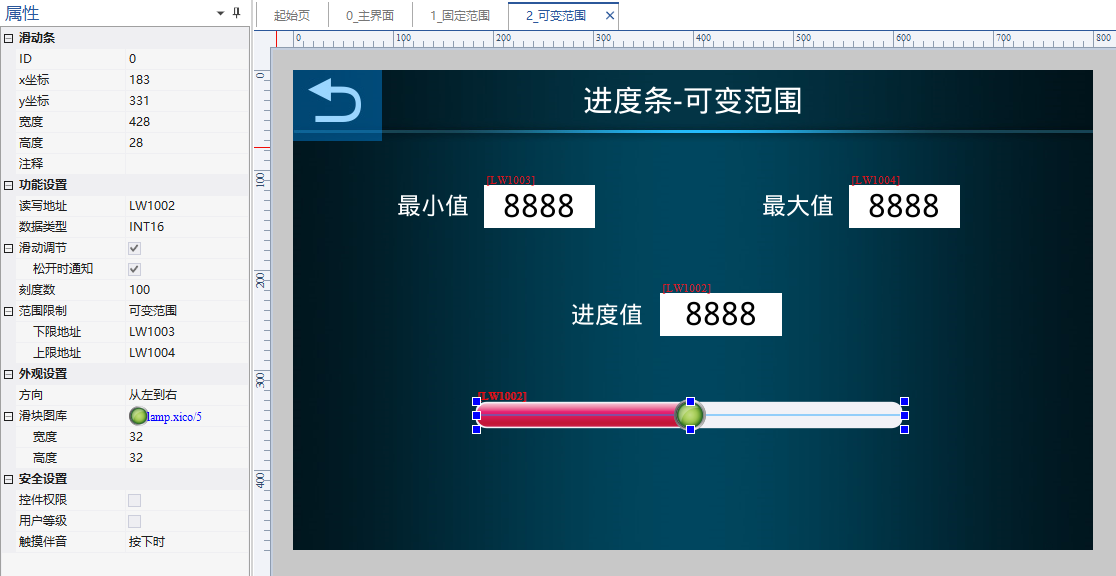
read LW1002(INT16),下限地址 LW1003、上限地址 LW1004。设最大 1000、最小 100,拖动滑动条数值实时变。

VisualHMI progress bar:固定/可变范围、纯色/渐变/贴图与范围报警插图6

VisualHMI progress bar:固定/可变范围、纯色/渐变/贴图与范围报警插图7

进度条和滑动条长得像但分工不同:进度条是显示(只读),滑动条是调节(可写)。要看百分比用进度条,要改设定值用滑动条。范围报警的上下限颜色可以做成「绿色正常/黄色警告/红色报警」三段。

整理自 广州大彩科技 VisualHMI 开发文档(hmi-doc.gz-dc.com)组态控件教程「progress bar」,版权归大彩科技所有。

Put this resource to use in a real project?

Go to the Tool Center for message parsing, CRC verification and device debugging, or submit your requirements for selection and integration advice.

Engineer Membership

Turn this article into actionable debugging resources

After activation, you can use advanced message parsing, resource pack downloads, code examples, engineering cases and priority technical support, suitable for real project delivery.

Unlimited Advanced Tools
Resource & Code Packs
Complete Engineering Case Library
Priority Technical Support

Leave a Reply

Your email address will not be published. Required fields are marked *.