
USB Host + 定制固件,直接接 HID 条码扫描枪,扫码콘텐츠经 on_key(key) 回调进 Lua。工业仓储、产线追溯用得着。HMI&M&DX 시리즈 + USB 인터페이스 + 定制固件。
1. API:on_key(key)
key 为 16 位无符号整数:低 8 位 = USB HID Usage ID(扫描码),高 8 位 = Shift 状态(非 0 表示 Shift 按下,区分大小写)。低 8 位 == 0x28(Enter)表示条码종료,此时提交문자串并지우기缓冲。
2. Lua:HID 扫描码转 ASCII
用查表把 Usage ID 映射成문자(含 Shift 大写态),遇到 0x28 종료符写 LW2000:
_barCode = ""
usbScanGun = {
  [0x04] = {"a","A"}, [0x05] = {"b","B"}, ... [0x1D] = {"z","Z"},
  [0x1E] = {"1","!"}, [0x1F] = {"2","@"}, ... [0x27] = {"0",")"},
  [0x2C] = {" "," "}, [0x28] = {"n","n"}  -- Enter
}
function on_key(key)
  local usage = key & 0xFF
  local shift = (key >> 8) & 0xFF
  if usage == 0x28 then        -- 종료符
    set_string(VT_LW, 0x2000, _barCode)
    _barCode = ""
    return
  end
  local ch = usbScanGun[usage]
  if ch then
    _barCode = _barCode .. (shift ~= 0 and ch[2] or ch[1])
  end
end
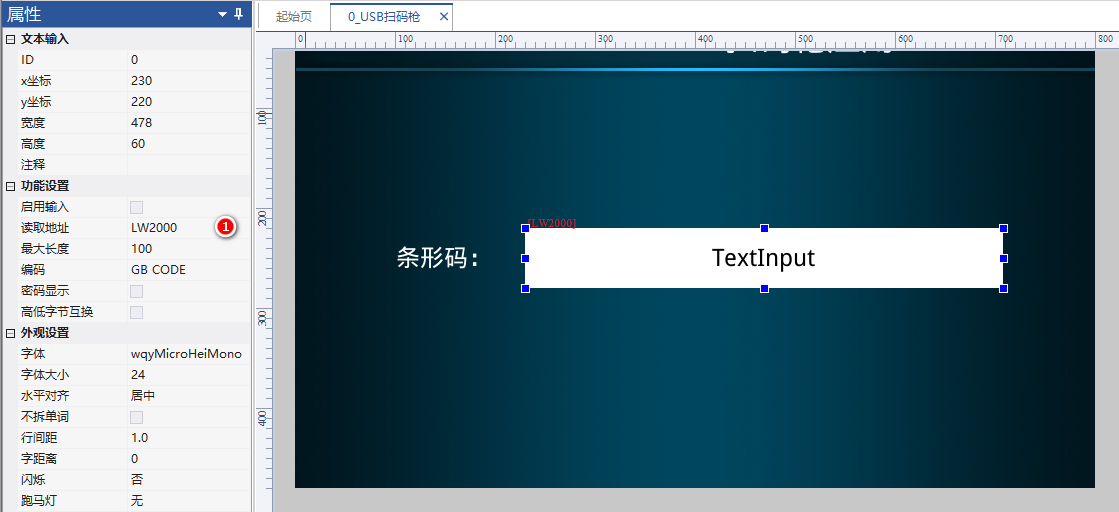
扫码枪本质是键盘模拟:HID 上报的是扫描码不是 ASCII,得自己查表转。Shift 状态在 key 高 8 位,大小写靠它区分。0x28 是回车종료符——收到就提交,别等超时。定制固件专属。
整理自 广州大彩科技 VisualHMI 개발문서(hmi-doc.gz-dc.com)其他기술튜토리얼「USB HID扫码枪」,版权归大彩科技所有。


답글 작성