如何将S7-1200PLC恢复出厂设置?

freeFree Technical Resource

This content is free to read, suitable for basic learning and search traffic.

如何将S7-1200PLC恢复出厂设置?

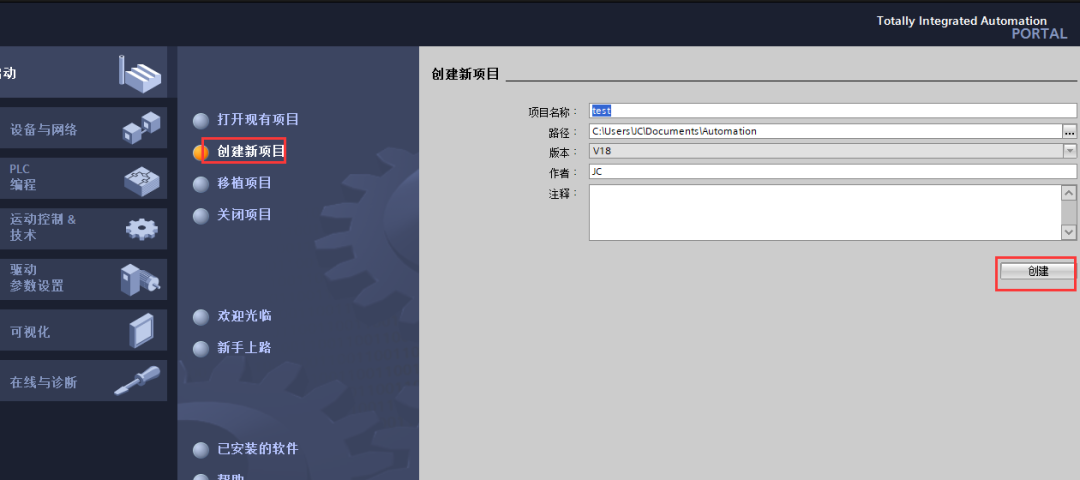
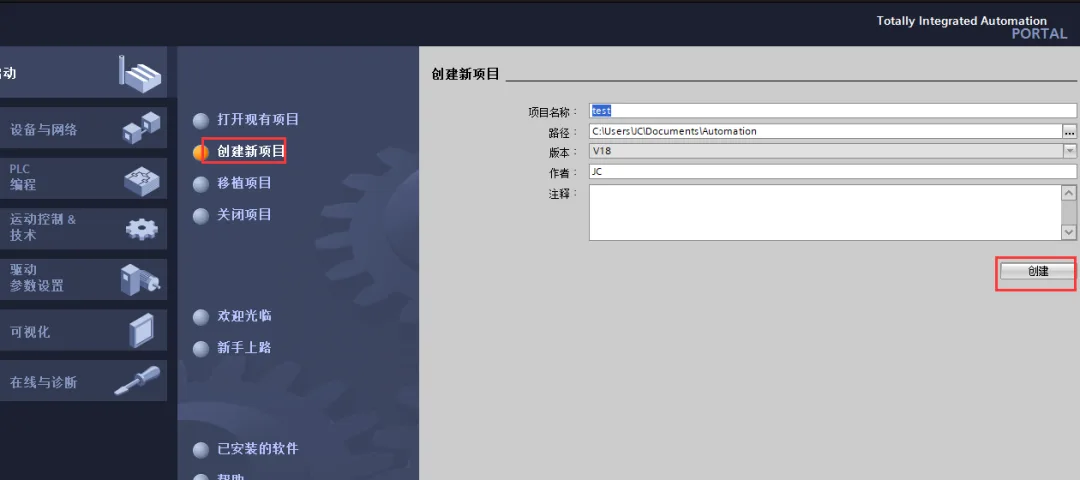
열기TIA Portal软件,如下图所示,填写项目名称、路径等信息,点击创建。

如何将S7-1200PLC恢复出厂设置?Figure

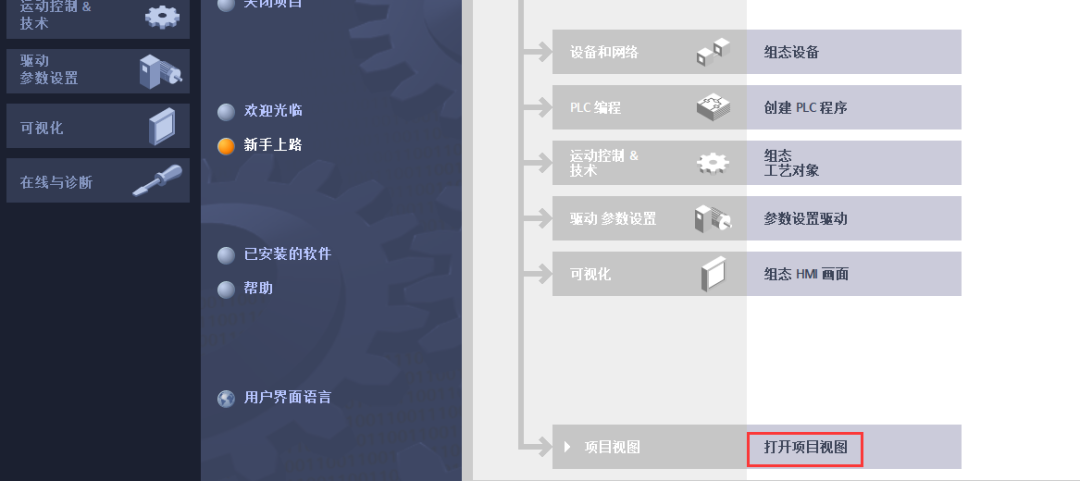
创建完成后,click"打开项目视图",如下图所示:

如何将S7-1200PLC恢复出厂设置?Figure1

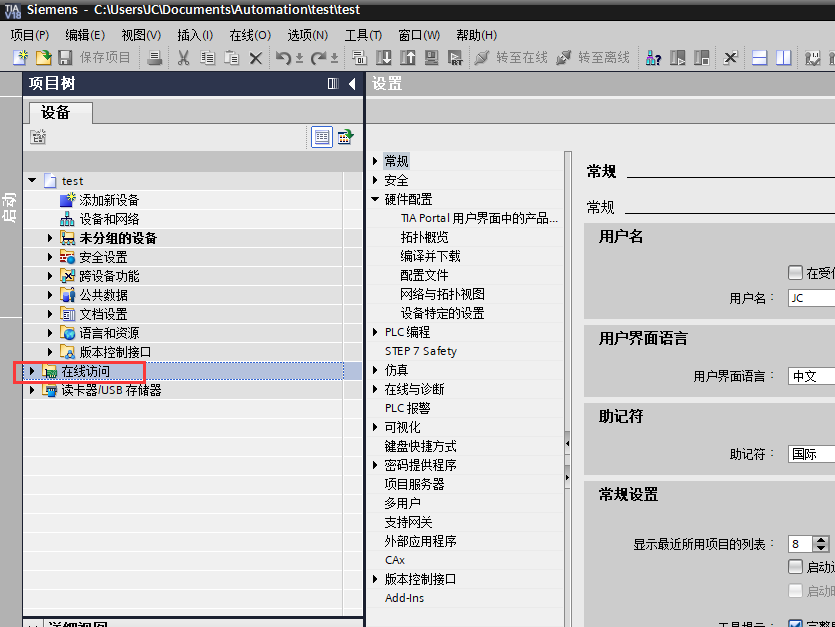
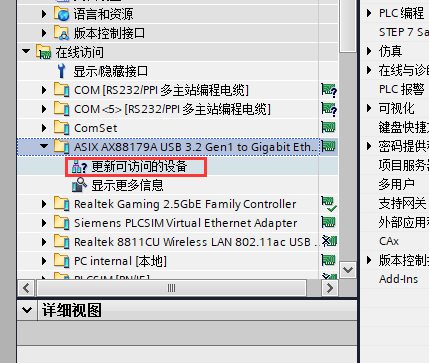
点开"在线访问",找到连接PLC使用的网卡,click---更新可访问的设置。

如何将S7-1200PLC恢复出厂设置?Figure2
如何将S7-1200PLC恢复出厂设置?Figure3

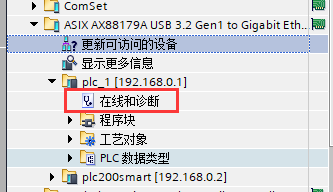
找到需要复位的PLCclick---在线和诊断,如下图:

如何将S7-1200PLC恢复出厂设置?Figure4

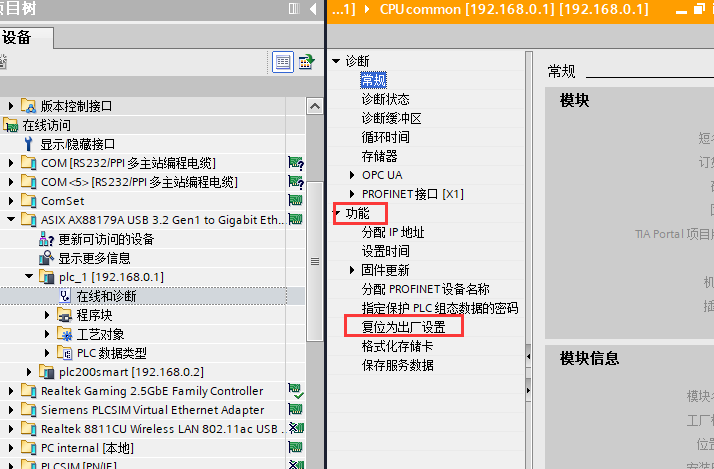
在功能菜单下选择---复位为出厂设置。

如何将S7-1200PLC恢复出厂设置?Figure5

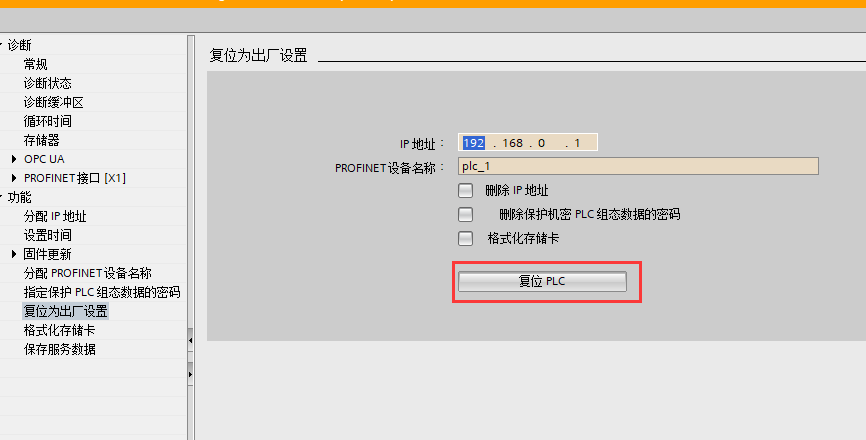
Click“复位PLC”button。

如何将S7-1200PLC恢复出厂设置?Figure6

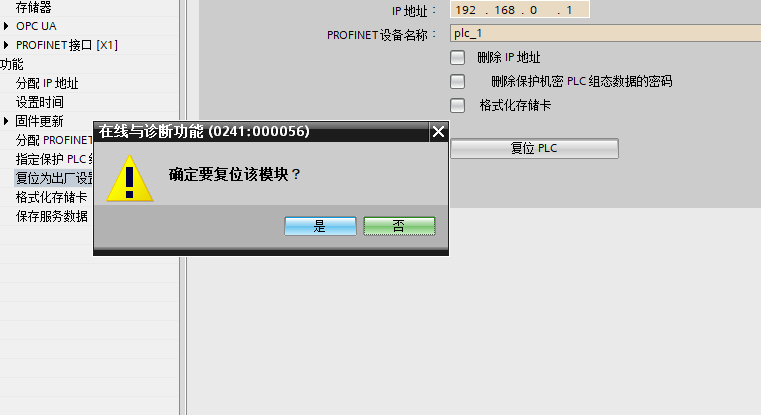
弹出确认对话框,click“是”即可。

如何将S7-1200PLC恢复出厂设置?Figure7

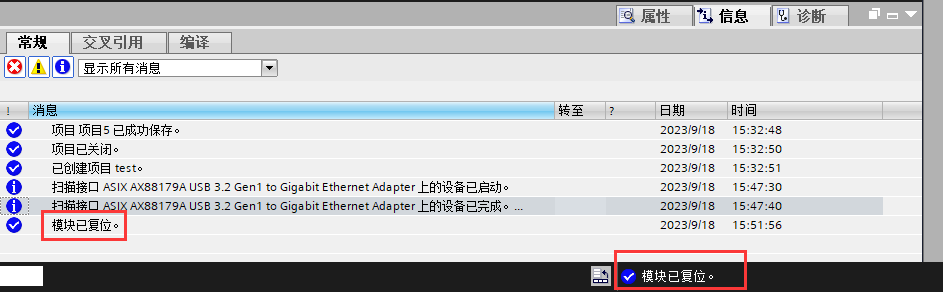
输出栏与状态栏均会提示“模块已复位”,至此PLC恢复为出厂设置。

如何将S7-1200PLC恢复出厂设置?Figure8

 总结 

以上就是1200PLC恢复为出厂设置的方法,若是在复位过程中提示输入密码,则该PLC存在密码,在不知道密码的情况下不能这样复位,但可以使用存储卡的方式来复位,这边做赘述。

Related Tags
Put this resource to use in a real project?

Go to the Tool Center for message parsing, CRC 검증 and device debugging, or submit your requirements for selection and integration advice.

Engineer Membership

Turn this article into actionable debugging resources

After activation, you can use advanced message parsing, resource pack downloads, code examples, engineering cases and priority technical support, suitable for real project delivery.

Unlimited Advanced Tools
Resource & Code Packs
Complete Engineering Case Library
Priority Technical Support

Leave a Reply

Your email 주소 will not be published. Required fields are marked *.