背景
作为一名研究Node-RED的博主,经常会有读者留言向我询问一些문제的솔루션。
本篇글就谈一谈最近遇到的两个문제,比较典型。拿出来分析一下,大家可以학습학습。
一共有二个문제:
1:在node-red中如何实现调用系统音频播放动态文本?
2:如何实现dashboard中的3个tab循环显示?
문제설명
第一个문제是要使用调用系统的音频硬件来播放动态콘텐츠,这种시나리오很常见,比如检测到一个设备的온도过高,在Node-RED수신到设备的告警后,会播放设备的报警音频。比如“设备A온도过高,请及时处理。”
通过音频播放来传递信息,要比一直盯着电脑屏幕来的实在。
这个문제如果是音频文件的话倒不难解决,在html中我们使用audio来播放音频,只要你的电脑有播放设备,就能发出声音。
但这里说的是要播放一段文本。一个문자串或数字변수。这就需要查一下자료啦。
第二个문제,我们在使用dashboard制作大屏显示时。有时会涉及多个Tab用来콘텐츠的分类显示,且页面同一时间只能显示一个Tab。这就需要一种循环显示每个Tab的机制,来让观光보기的用户获取完整信息。 比如每隔5秒钟,就전환到下一个Tab页。该문제比较难的是,在node-red中无法控制tab的전환,dashboard节点没有暴露出相关的설정,告诉我们当前显示的是那个tab,如何跳转到某个具体的tab。
如下图 一个dashboard中存在多个Tab。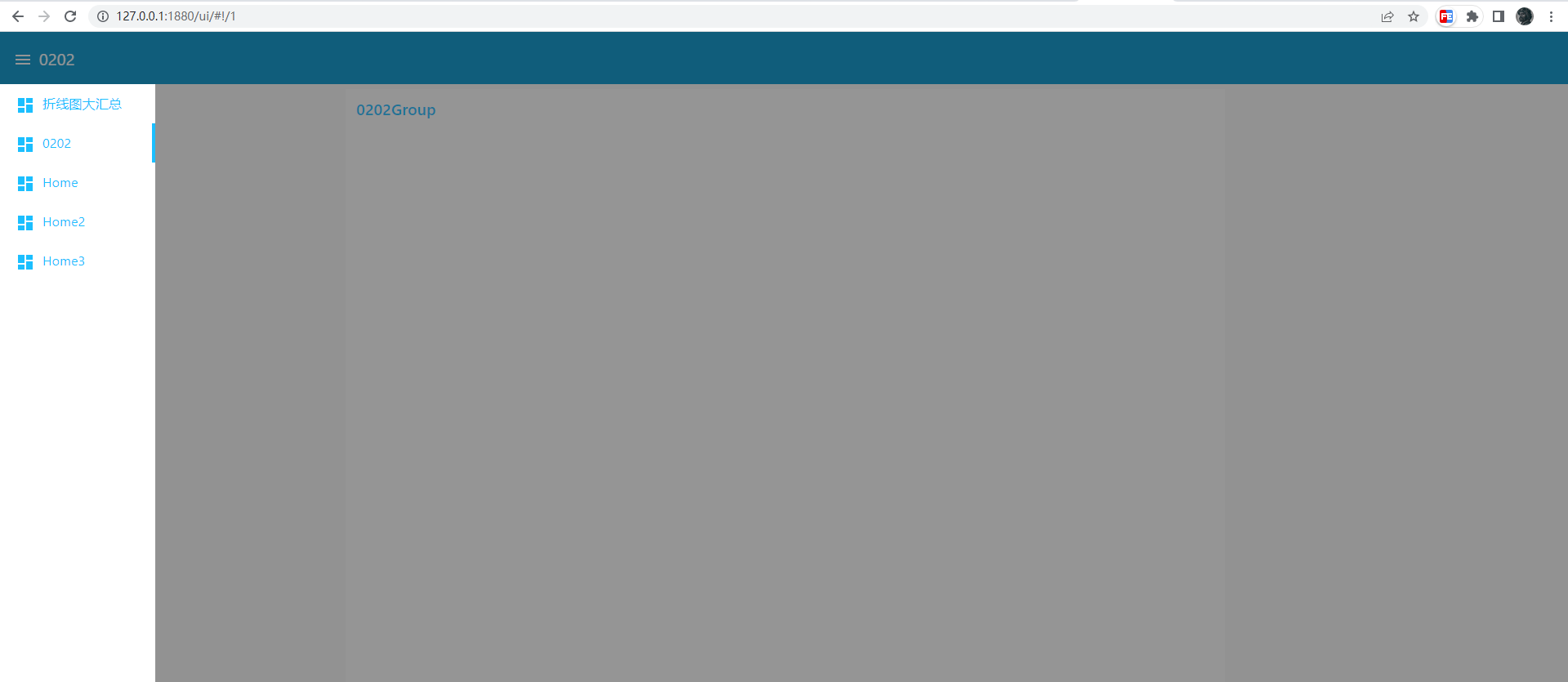
实现思路
第一个문제,需要使用的是JavaScript API是speechSynthesis与SpeechSynthesisUtterance
网页语音API的SpeechSynthesis 인터페이스是语音服务的控制인터페이스;它可以用于获取设备上关于可用的合成声音的信息,开始、暂停语音,或除此之外的其他命令。
创建合成声音需要SpeechSynthesisUtterance这个对象。
利用它你可以创建一个合成的声音,可以使用변수来控制合成剩余的速度,언어,音量等属性。
下面是一个非常简单的예제
const synth = window.speechSynthesis
const u = new SpeechSynthesisUtterance()
u.lang = 'zh-CN'
u.rate = 1
u.text = '桂花香'
synth.speak(u)
这就是第一个문제的答案,如果要播放动态콘텐츠的话,콘텐츠是从哪个上游传递下来的,我们可以使用template监听上游的msg,在回调函数中播放动态콘텐츠。
如下
<script>
(function(scope) {
  scope.$watch('msg', function(msg) {
    if (msg) {
      const synth = window.speechSynthesis
      const u = new SpeechSynthesisUtterance()
      u.lang = 'zh-CN'
      u.rate = 1
      u.text = 'msg.payload'
      synth.speak(u)
    }
  });
})(scope);
</script>
第二个문제,经过查询자료dashboard确实没有相关자료,但在전환tab时我发现页面的url中有一部分改变了,确切说是hash那部分,随着전환tab而改变。
这意味着我们重定向当前页面,改变url,就能显示我们想要的Tab
在tab中的template节点中我们只需要定时跳转到下一个tab,就能形成一个循环
如下
<script>
  setTimeout(()=> {
      location.href = './#!/1'
  }, 2000)
</script>
完整代码
[{"id":"a3cac8fa89348ff4","type":"tab","label":"流程 1","disabled":false,"info":""},{"id":"ea401302bd11e20a","type":"inject","z":"a3cac8fa89348ff4","name":"","props":[{"p":"payload"},{"p":"topic","vt":"str"}],"repeat":"","crontab":"","once":false,"onceDelay":0.1,"topic":"","payloadType":"date","x":200,"y":120,"wires":[["1ed565c47e882d78","05df5da79857332c","96fef40df595e471"]]},{"id":"1ed565c47e882d78","type":"ui_template","z":"a3cac8fa89348ff4","group":"cbb46b0d06d43956","name":"Tab1","order":2,"width":0,"height":0,"format":"tab1n<script>n (function(scope) {n scope.$watch('msg', function(msg) {n if (msg) {n const synth = window.speechSynthesisn const u = new SpeechSynthesisUtterance()n u.lang = 'zh-CN'n u.rate = 1n u.text = 'msg.payload'n synth.speak(u)n }n });n})(scope);n setTimeout(()=> {n location.href = './#!/1'n }, 2000)n</script>","storeOutMessages":true,"fwdInMessages":true,"resendOnRefresh":true,"templateScope":"local","x":410,"y":120,"wires":[[]]},{"id":"05df5da79857332c","type":" ui _ template "," z ":" a 3cac 8 fa 89348 ff 4 "," group ":" 13 f 004 c 6 b 59 bc 839 "," name ":" Tab 2 "," order ": 0," width ": 0," height ": 0," format ":" tab 2 n script n<> setTimeout () = {n> location. href = '. /#! / 2 ' n }, 2000) n / script "," storeOutMessages ": true," fwdInMessages ": true," resendOnRefresh ": true," templateScope ": local "," x ": 410," y ": 220," wires ": ]]},{" id ":" 96 fef 40 df 595 e 471 "," type ":" ui _ template "," z ":" a 3 icac 8 fa 89348 ff 4 "," group ":" f 8 c 018 c 8 eb 60 cd 75 "," name ":" Tab 3 "," order "width ": 0," height ": 0," format ":" tab 3 n script: 1,<>[[<> setTimeout () = {n> location. href = '. /#! / 0' n }, 2000) n/script ","store Out M ess ages ": true," f wd In M ess ages ": true,"res end On R ef resh ": true," template S cope ": local ","x ": 41 0," y ": 320,"wir es ":]]},{"id":"c bb 46 b 0 d 06 d 43 95 6 ","type":" ui_group ","name":"g 1 ","tab":" d 00 f 48 6 ab bd 56 2 ee ","order":"disp ": true,"wid th":" 6 ", col lap se ": false},{" id ":"13 f 00 4 c 6 b 59 b c 83 9 "," type":" ui_group name":" g 2 tab "::" 84 ef 8 f 9 a 5 d 83 da 7 d ","," order" 1," disp: true," wid th":" 6 "," col lap se": false},{" id": f 8 c 0 18 c 8 eb 60 cd 75"," type": ui_group"," name":" De fa ult"," tab": d 2 e 2 e 3 a 67 2 a 99 ef 1"," order": 1," disp: true," wid th":" 6 "," col lap se": false},{" id": d 00 f 48 6 ab 56 2 ee":" type" b d ui_tab name":" home"," icon": dash board"," disa bled": false," hidden": false}," id": 84 ef 8 f 9 a 5 d 83 da 7 d"," type: false":" ui_tab "," name":" 홈 2 "," ic on":" dash board "," d isa bled ": false," hid den ": false},{" id":" d 2 e 2 e 3 a 67 2 a 99 ef 1 "," type":" ui_tab "," name":" 홈 3 "," ic on":" dash board "," d isa bled ":< false, "hidden ": false }]>[[
요약
문제가 생기면 문서를 잘 조회하고 공식 문서를 우선적으로 조사해야 한다. 공식 문서는 없으면 검색엔진을 잘 활용해야 한다. 마지막으로 예리한 관찰을 더해 사물간의 련계를 료해해야만 무혹경계에 도달할수 있다.


답글 작성