Modbus 프로토콜을 통한 슈나이더 M 218 PLC 의 주파수 변환기 제어 방법

freeFree Technical Resource

This content is free to read, suitable for basic learning and search traffic.

Modbus 프로토콜을 통한 슈나이더 M 218 PLC 의 주파수 변환기 제어 방법

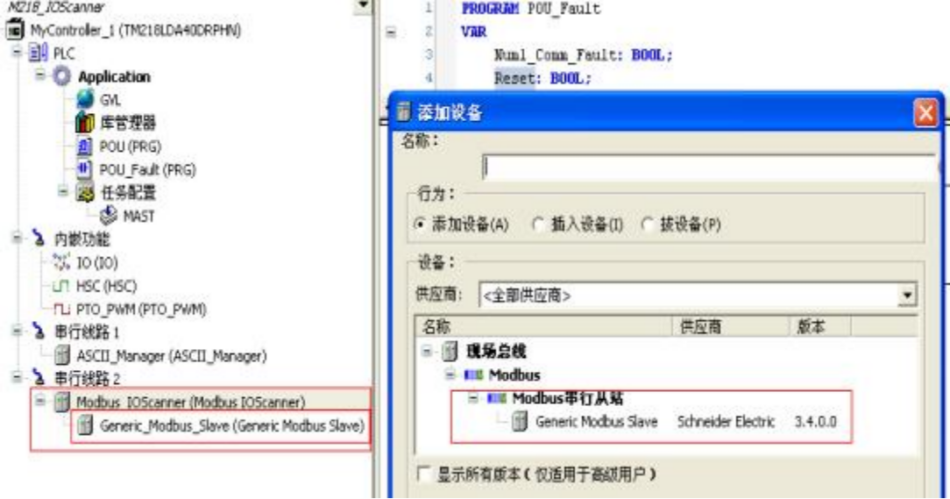
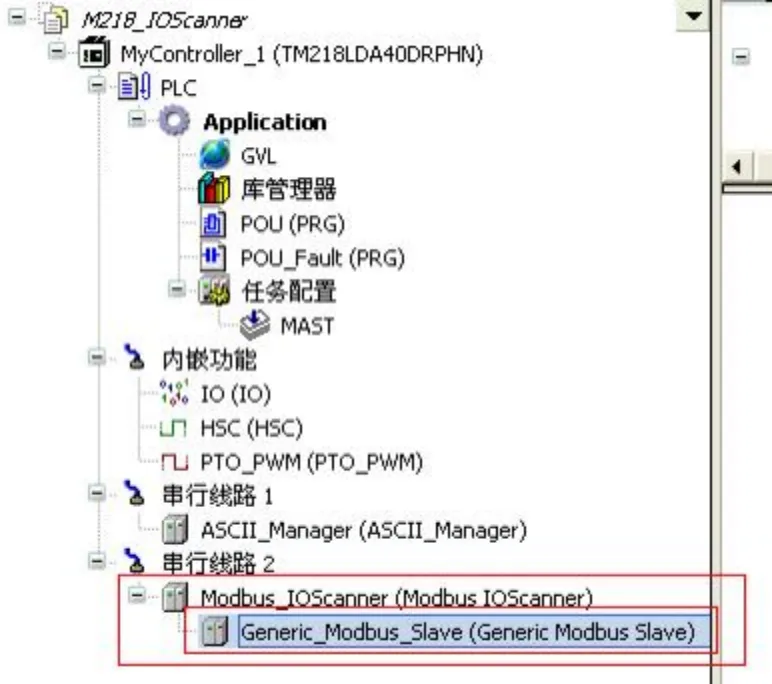
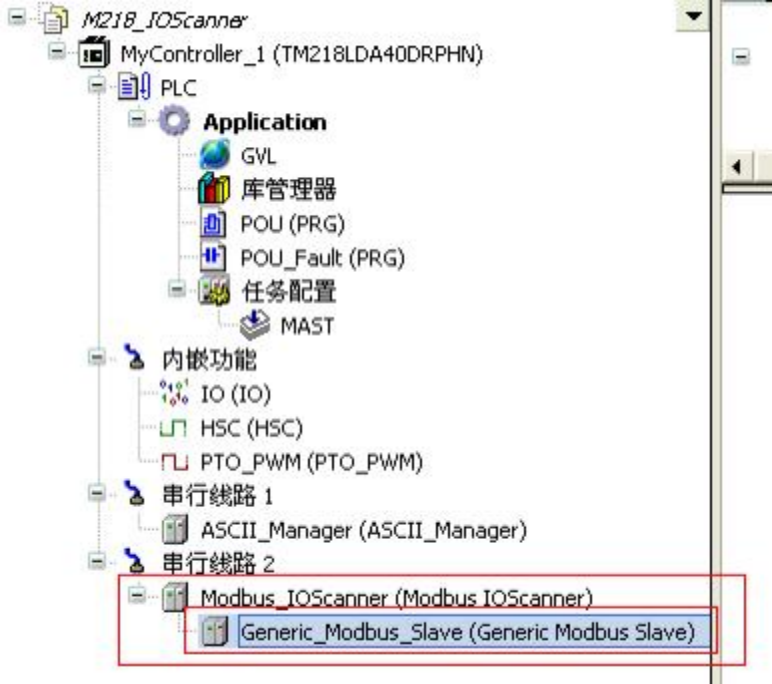
1 、 首先在串行线路里更改为 Modbus_IOScanner (Modbus IOScanner)

1)

2)

3)

4)

참고 : 설정 이 완료 되면 인 버 터 전 원을 끄 고 다시 전 원을 켜 야 매 개 변 수 설정 이 적용 됩니다 .
Modbus 프로토콜을 통한 슈나이더 M 218 PLC 의 주파수 변환기 제어 방법Figure

2 、

Modbus 프로토콜을 통한 슈나이더 M 218 PLC 의 주파수 변환기 제어 방법Figure1

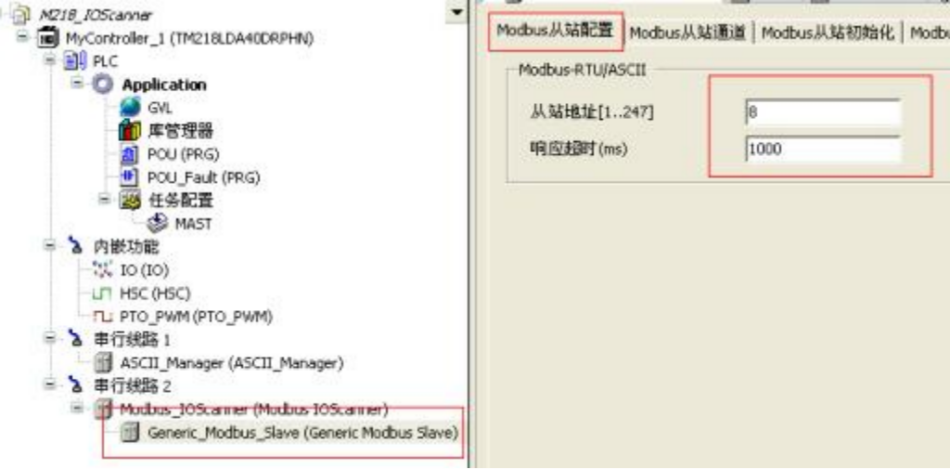
3 、 添加好设备从站之后,在 Modbus

Modbus 프로토콜을 통한 슈나이더 M 218 PLC 의 주파수 변환기 제어 방법Figure2

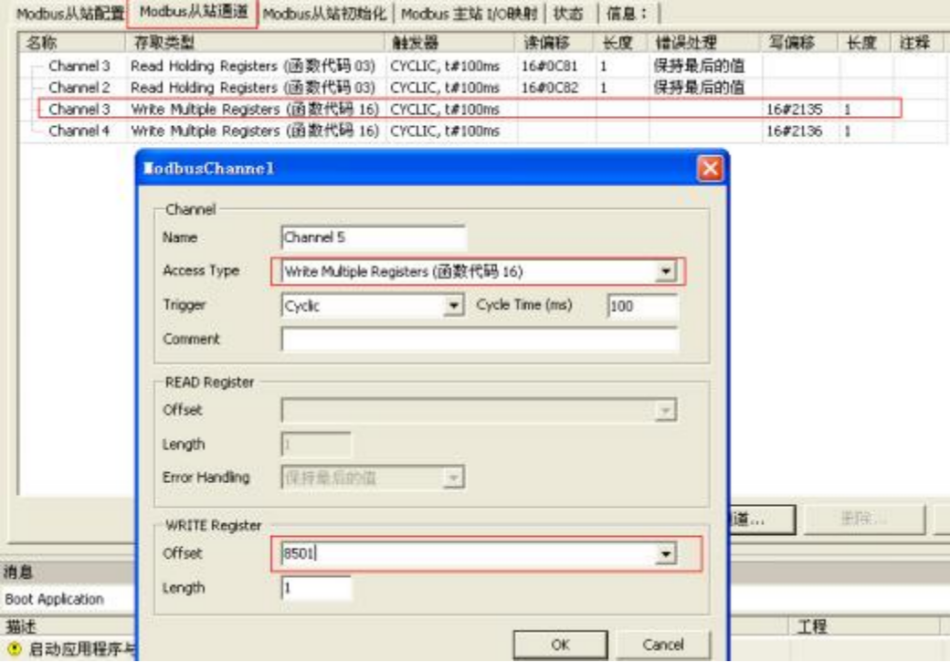
4 、 在 Modbus

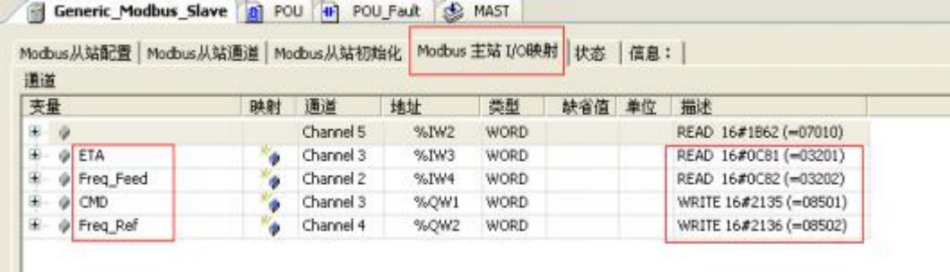
(16 # 0 C 81 = 320 1, 컨 버 터 AT V 71 ETA 상태 단어)

(16 # 0 C 82 = 320 2, 주 파 수 변환 기 AT V 71 Fre q _ Feed 주 파 수 응답)

(16 # 21 35 = 850 1, 주 파 수 변환 기 AT V 71 CM D 제어 단어)

(16#2136=8502,变频器
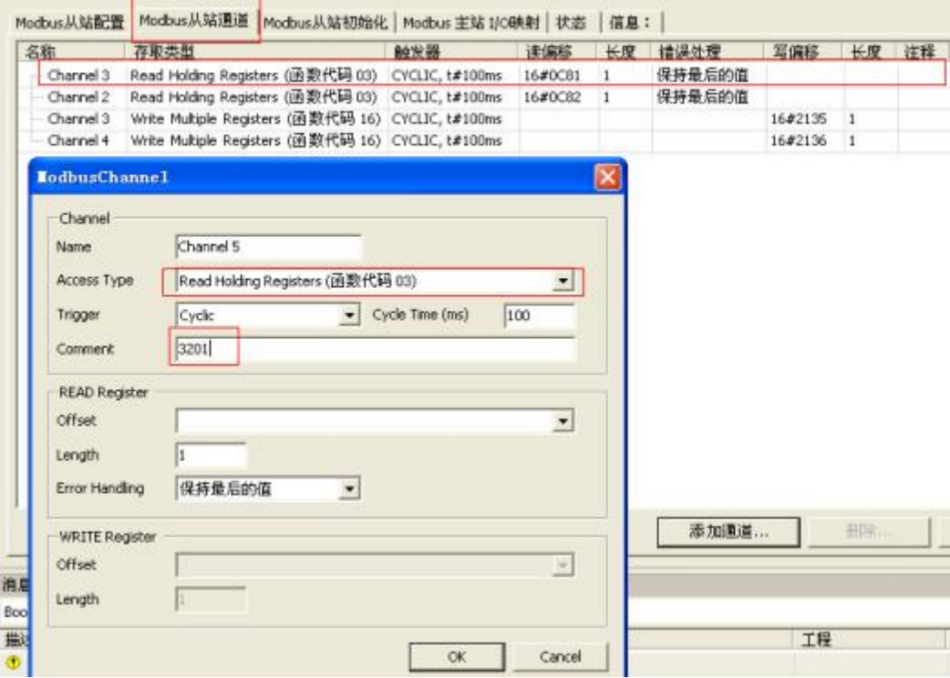
Modbus 프로토콜을 통한 슈나이더 M 218 PLC 의 주파수 변환기 제어 방법Figure3
Modbus 프로토콜을 통한 슈나이더 M 218 PLC 의 주파수 변환기 제어 방법Figure4

5、在 Modbus master I/O

Modbus 프로토콜을 통한 슈나이더 M 218 PLC 의 주파수 변환기 제어 방법Figure5

6

控制字 CMD

控制字 CMD

控制字 CMD 手动给 15

控制字 CMD 手动给 2063

주 파 수가 주어진 Fre q _ Ref , 주 파 수 변환 기 회 전 H Z = Fre q _ Ref / 10
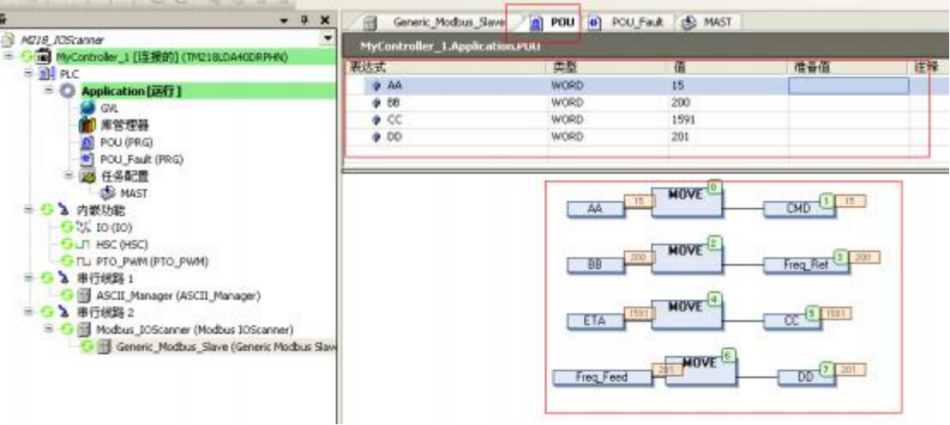
Modbus 프로토콜을 통한 슈나이더 M 218 PLC 의 주파수 변환기 제어 방법Figure6

7、在 Modbus 从站设备断电上电情况下, PLC

& lt ; im g sr c = " ht "image.modbus.cn/wp-content/uploads/2023/01/1674435819-image-950x279.png tps://

8、此时 PLC

Modbus 프로토콜을 통한 슈나이더 M 218 PLC 의 주파수 변환기 제어 방법Figure7

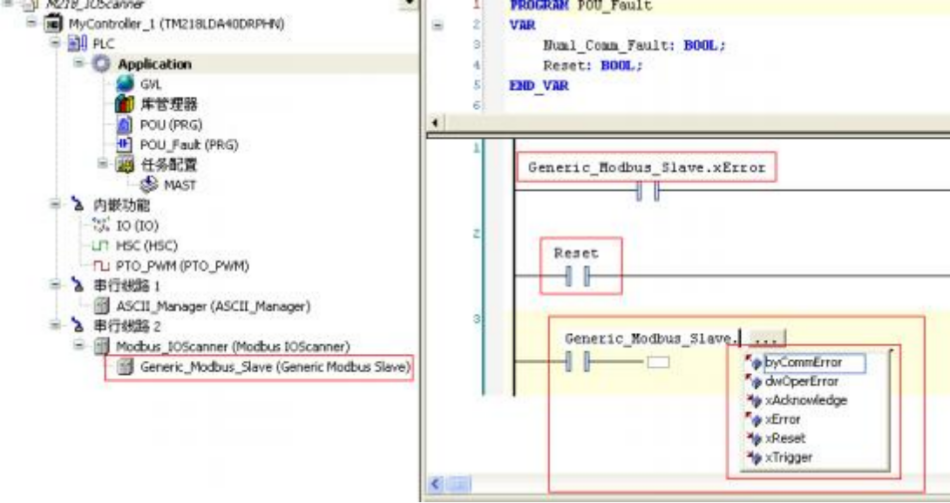
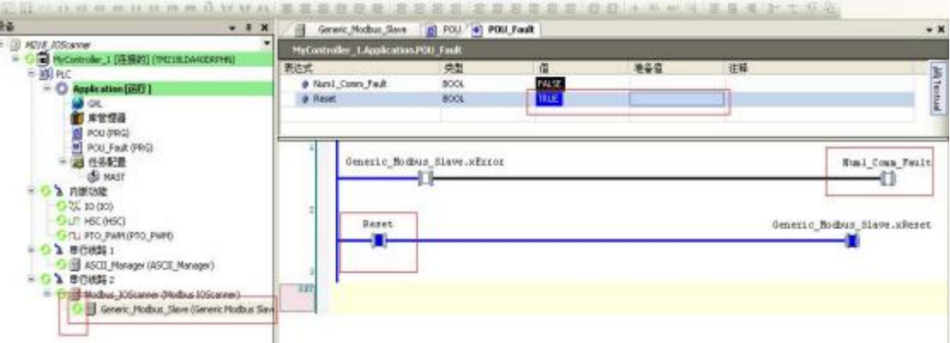
9. 재 설 정 단계 및 재 설 정 후 의 효과

Modbus 프로토콜을 통한 슈나이더 M 218 PLC 의 주파수 변환기 제어 방법Figure8

注意:这样只是 PLC 对“自己”的一个复位,如果 Modbus 从站设备本身有故障,

Put this resource to use in a real project?

Go to the Tool Center for message parsing, CRC 검증 and device debugging, or submit your requirements for selection and integration advice.

Engineer Membership

Turn this article into actionable debugging resources

After activation, you can use advanced message parsing, resource pack downloads, code examples, engineering cases and priority technical support, suitable for real project delivery.

Unlimited Advanced Tools
Resource & Code Packs
Complete Engineering Case Library
Priority Technical Support

《 “Modbus 프로토콜을 통한 슈나이더 M 218 PLC 의 주파수 변환기 제어 방법” 》 有 5 条评论

Leave a Reply

Your email 주소 will not be published. Required fields are marked *.