前の記事
開発者のためのコード開発ツールとして、VS Codeはますます開発者に愛されています。私の周りのフロントエンドと同様に、毎日の開発作業の80%はVS Codeで行われています。人々がそれを使用するにつれて、もはやシンプルでエレガントで快適なコードを書くという基本的なニーズを満たしていません。魚を釣り、小説を読んだり、株を調べたり、記事を読んだり、チェスをしたりする人もいます。VS Codeのプラグイン市場に2つの単語を入力すると、20以上のプラグインがあります。この記事では、VS Codeの機能の概要を説明し、プラグインドキュメントをすばやくインデックス化するのに役立ちます。
プラグイン機能
プラグインは以下の機能を実現できます。
- 各種ファイルのアイコンとテーマの色をカスタマイズ
- カスタムコンポーネントとUIの追加
- HTMLで機能豊富なWebビューを作成する
- 新しいプログラミング言語のサポート
- 特殊なデバッグ手段のサポート
コンポーネントの主なモジュール
ケースの大集合
プラグインの公式事例大集合 https://github.com/microsoft/vscode-extension-samples ここで提供された例を見ると、ほとんどのシナリオの開発パラダイムがわかります。
各プラグインのディレクトリはほぼ同じであり、これは公式に合意された標準プラグインディレクトリでもあります。
ケース·オブ·ケース
UIコンポーネント
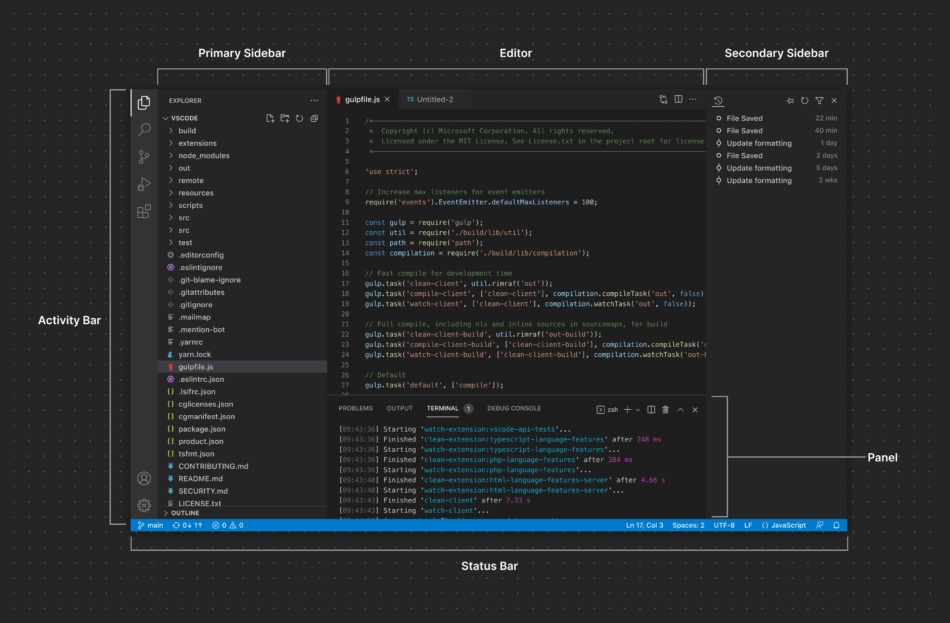
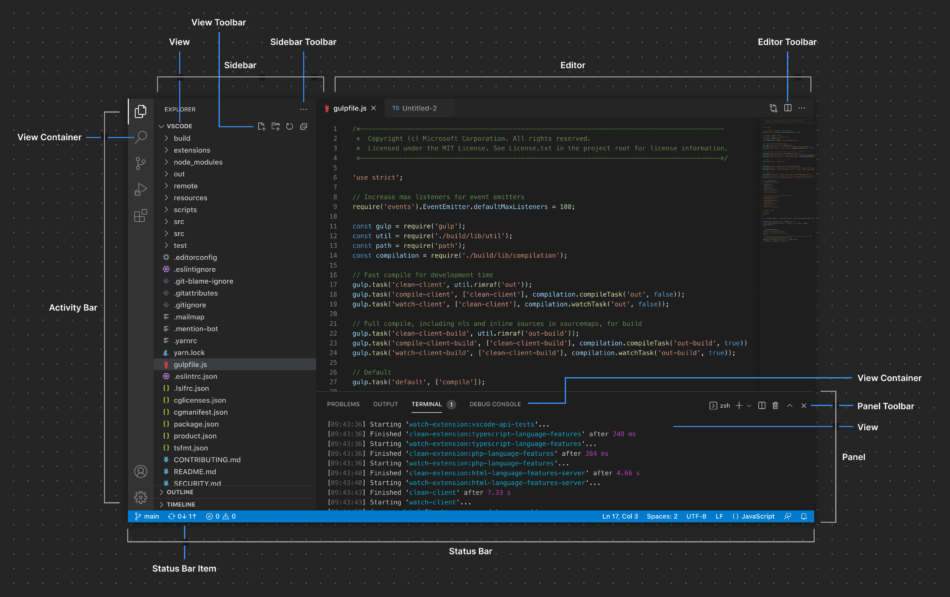
vscodeは非常に標準的なUIを提供し、プラグインを作成する際には、アイコンサイズ16*16のsvgファイルなどの要件に厳密に従う必要があります。
以下は公式のUIゾーンです。
コマンドライン·ツール
yo と、 generator-code
によると
#依存関係のインストール
npm install-g yo generator-code
新しいプロジェクトのコード
ボタンの位置
プラグインを使用して、vscode内のさまざまな場所に多くのカスタムボタンを挿入できます。vscodeでサポートされる場所は以下の通りです。 https://code.visualstudio.com/api/references/contribution-points#contributes.menus
コンポーネントのローカル開発手順
ローカル開発のステップは簡単です。
#依存関係のインストール
npm install-g yo generator-code
新しいプロジェクトのコード
ケース2。
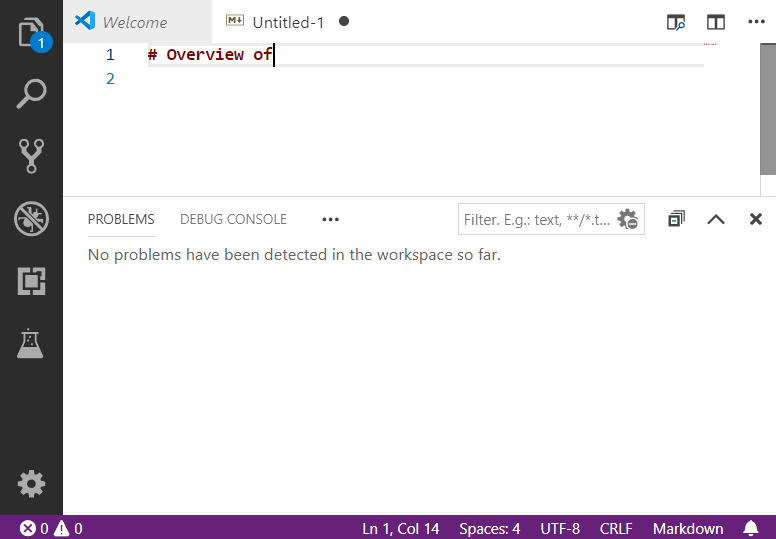
依存関係をインストールした後、F 5キーを押すと、デバッグ用の新しいウィンドウが開きます。コードを変更すると、再ロードが有効になります。
出版物を https://code.visualstudio.com/api/working-with-extensions/publishing-extension
npm install -g @vscode/vsce

vsce package

vsce login <publisher name>

vsce publish
条件があるとき
ボタンを挿入する際に条件が必要な場合があります。例えば、現在開いているファイルがあるときにボタンが表示されます。これらの条件は以下の文書に従うべきです。 https://code.visualstudio.com/api/references/when-clause-contexts
プラグインの概要ガイダンス https://code.visualstudio.com/api/extension-guides/overview
コンポーネントのビジネスロジックを記述するVS Code APIが使用できる https://code.visualstudio.com/api/references/vscode-api#tasks.registerTaskProvider


发表回复