Introduction
VS Code, as a powerful tool for developers, is increasingly favored by them. For front-end developers like me, 80% of my daily development work is done in VS Code. As people use it more, they no longer satisfy with the basic needs of elegant and comfortable coding. Some people use it to slack off, read novels, check stocks, read articles, and play gobang. When you enter the words "slack off" in the VS Code plugin marketplace, there are more than 20 plugins for you to choose from. This article will outline the capabilities of VS Code and help you quickly establish an index for plugin documentation.
Plugin Features
The plugin can achieve the following functions
- Customize icons and theme colors for various files
- Add custom components and UI
- Create feature-rich webviews using HTML
- Support for new programming languages
- Support for special debugging methods
Major modules of components
Large collection of cases
Large collection of official cases for the pluginhttps://github.com/microsoft/vscode-extension-samplesAfter reviewing the cases provided here, you can understand the development paradigm for most scenarios.
The directory structure for each extension is roughly the same, which is also the standard directory structure agreed upon by the official team.
Cases
UI Components
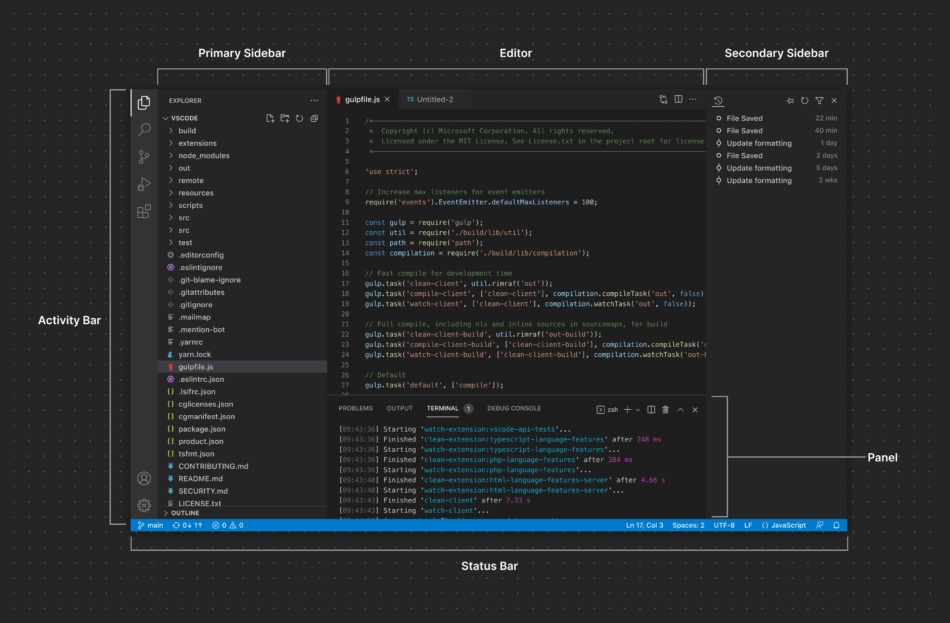
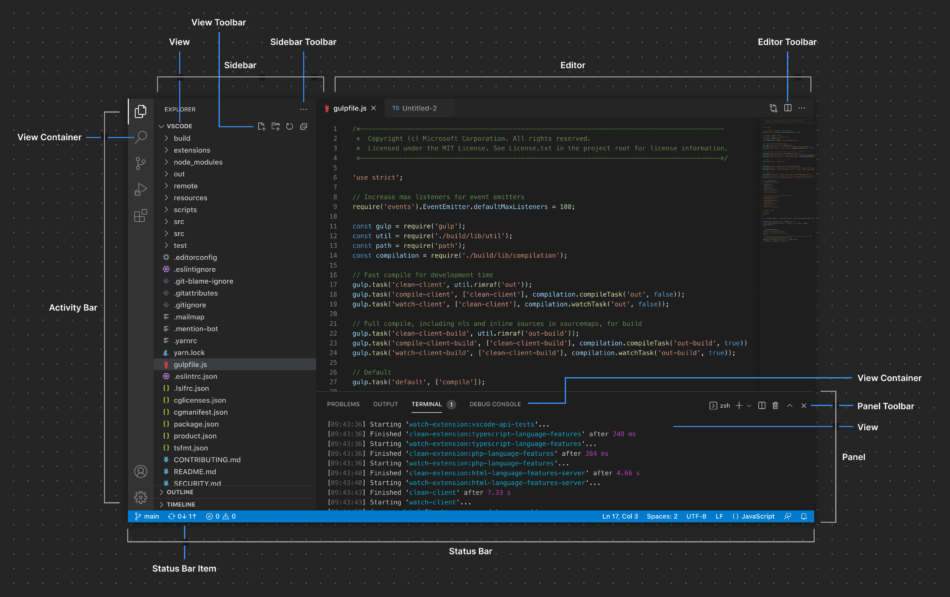
VSCode provides a very standard UI. When creating an extension, you must strictly follow the requirements, such as the size of icons being 16x16 svg files.
The following is the official UI area division
Command Line Tool
yoandgenerator-code
According to
# 安装依赖
npm install -g yo generator-code
yo code # 新建项目
button positions
, you can inject many custom buttons into VSCode at various locations using the extension. The supported locations in VSCode include thesehttps://code.visualstudio.com/api/references/contribution-points#contributes.menus
Local Development Component Steps
The steps for local development are quite simple
# 安装依赖
npm install -g yo generator-code
yo code # 新建项目
Case 2
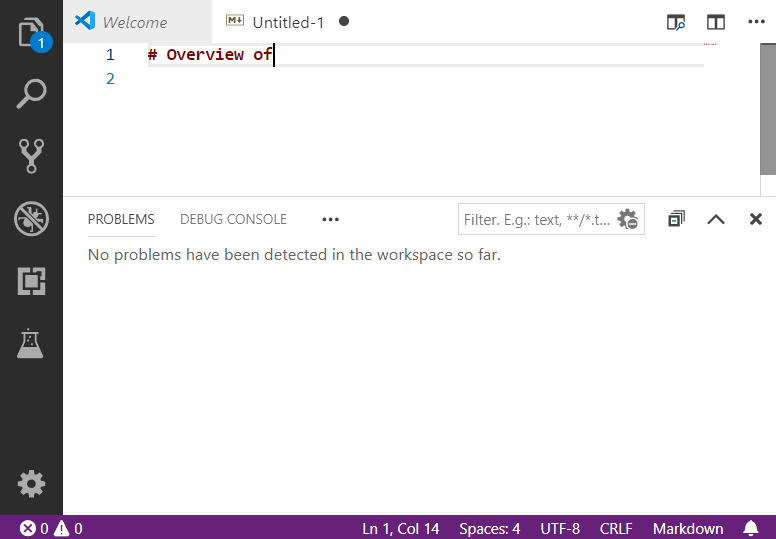
After installing dependencies, pressing F5 will open a new window for debugging. Modifying the code and then reloading it will take effect.
Publishinghttps://code.visualstudio.com/api/working-with-extensions/publishing-extension
npm install -g @vscode/vsce

vsce package

vsce login <publisher name>

vsce publish
When Condition
Sometimes, some conditional judgments are needed when injecting buttons. For example, a button will only be displayed when a certain type of file is currently open. The writing of these judgment conditions should follow this documenthttps://code.visualstudio.com/api/references/when-clause-contexts
Overview of the plugin Guidehttps://code.visualstudio.com/api/extension-guides/overview
The VS Code API that can be used to write the business logic of componentshttps://code.visualstudio.com/api/references/vscode-api#tasks.registerTaskProvider


Leave a Reply