
前の章では、LUA APIのドキュメントと基本的なLUA構文について学びました。この章では、テキストコントロールに“HELLO LUA”という文を表示します。
このチュートリアルのドキュメントで説明するセクションの関連インタフェース関数
- 文字列の内容を設定します:set_text(screen,control,text)
- ユーザーは、コントロールコールバック関数をタッチで変更します。on_control_notify screen control value
対象範囲Mシリーズ、Wシリーズ、Xシリーズ、Fシリーズファームウェアバージョン>= V4.2.401.0
例程下载链接:《表示HELLO LUA》(点击跳转)
1.1 LUAエディタ
1.1.1 Visual TFT
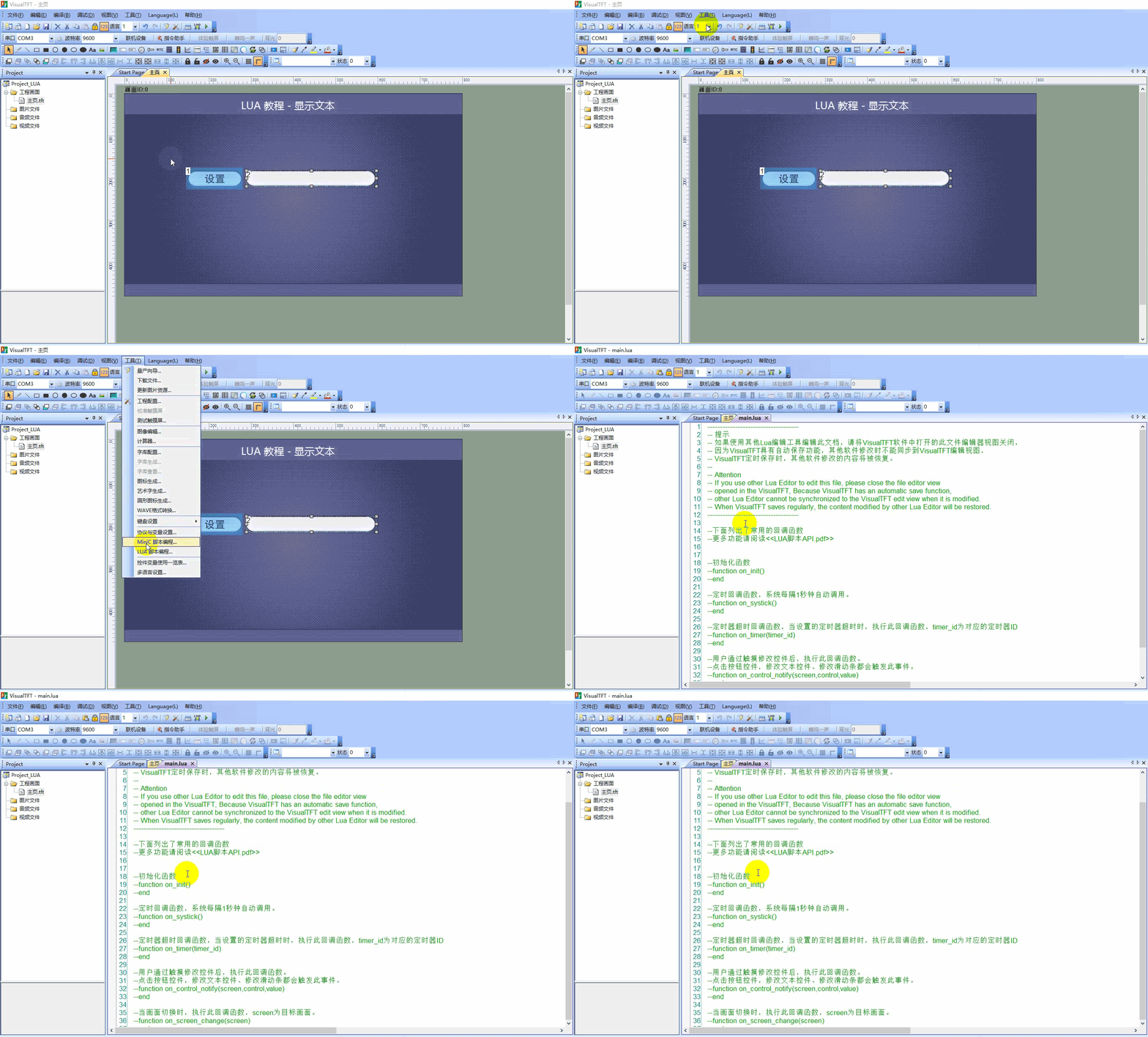
Visual TFTには(コンパイラではなく)Luaエディタが統合されており、以下のように[ツール]- “LUAスクリプトプログラミング”で開きます。
注:この[ツール]- “LUAスクリプトプログラミング”はコンパイラではなくエディタであり、ブレークポイントの設定Debugデバッグはサポートしていません。
スクリプトに構文エラーがある場合、または特定のロジックに従って操作した後にエラーが発生する可能性がある場合は、以下のように仮想画面を実行して確認できます。エラー情報が表示されます。関数に終了記号endがあることを願います。ユーザはコンテキストとコンテンツの提示に応じて問題をトラブルシューティングすればよい
error [string "------------..."]:37: 'end' expected (to close 'function' at line 19) near eof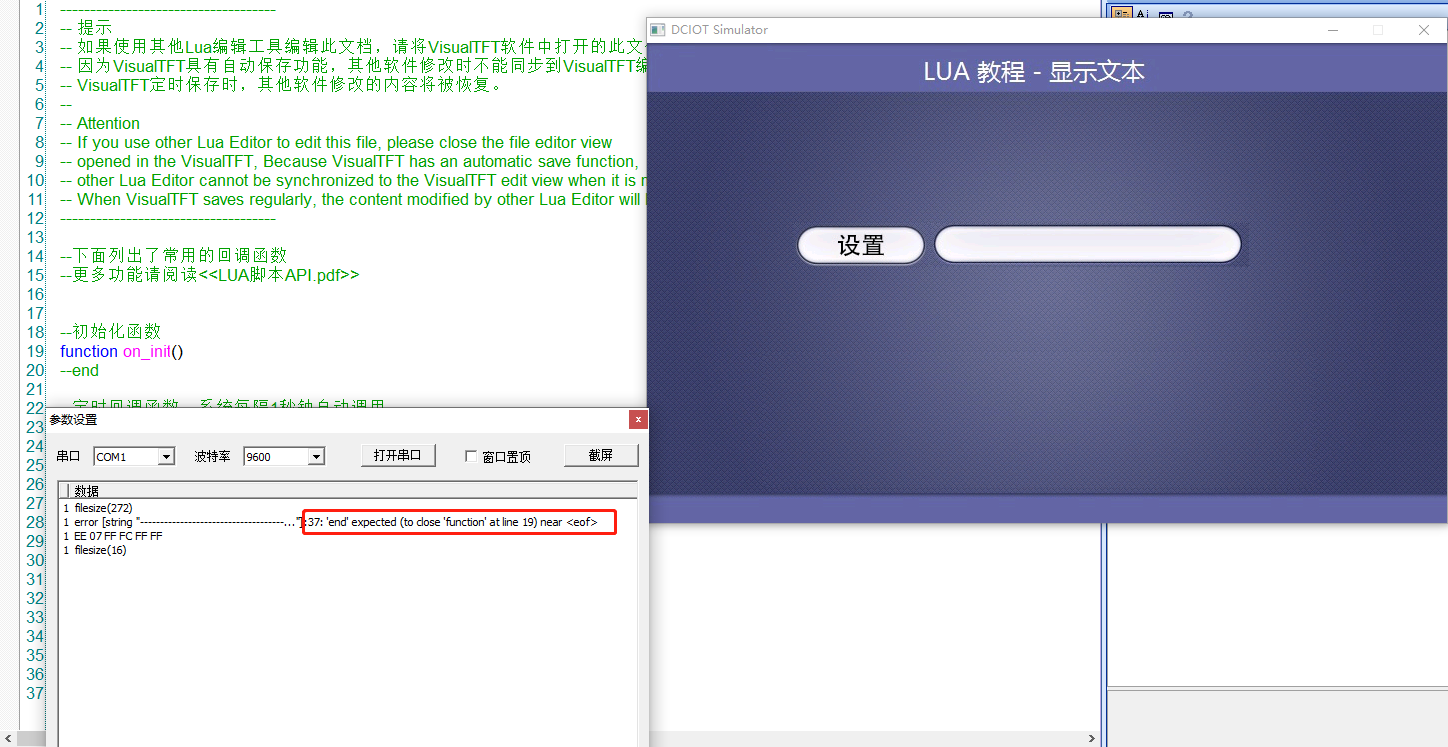
1.1.2サードパーティ製エディタ
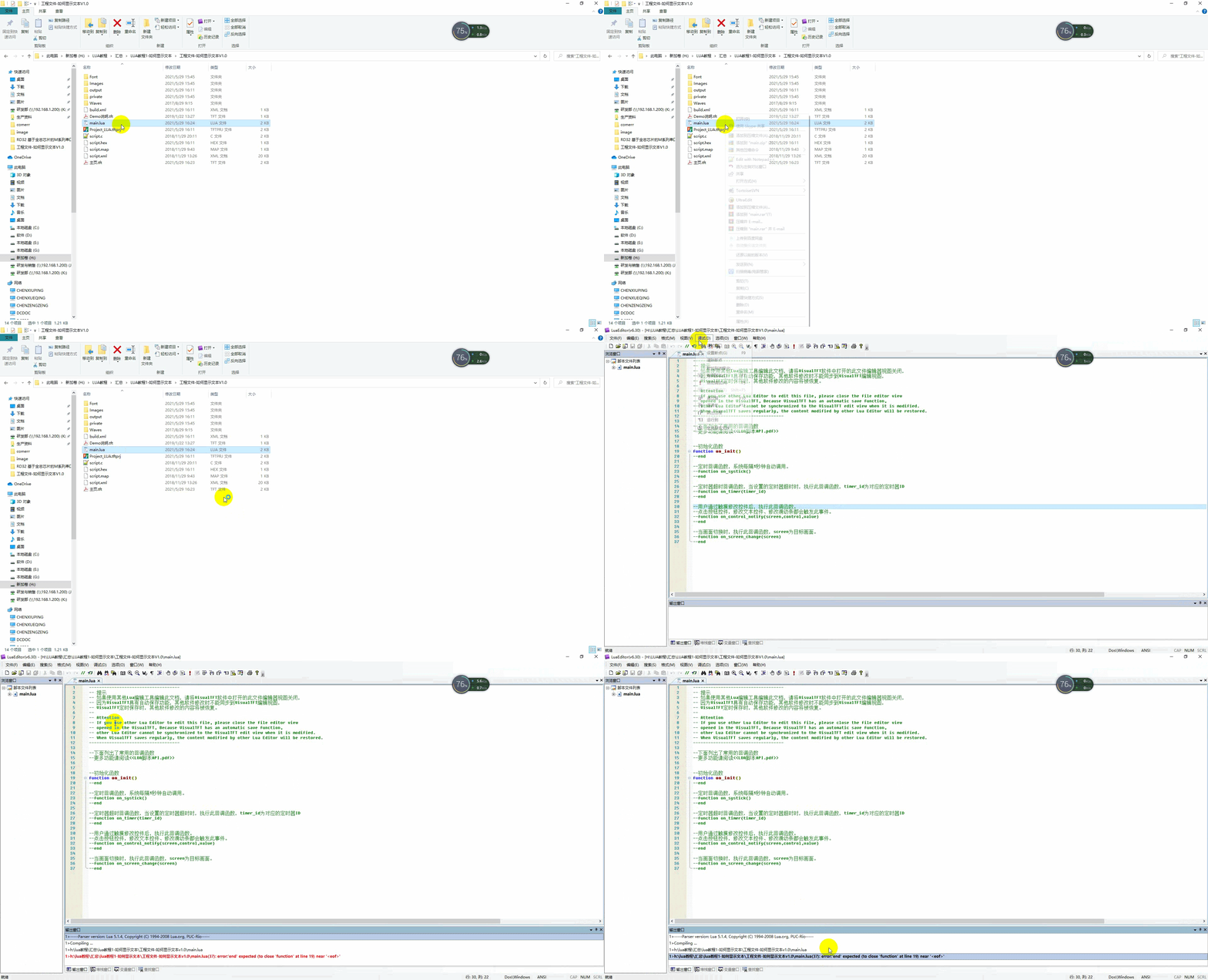
LuaEditor v6.30を使用して編集することをお勧めします。プロジェクトディレクトリでluaファイルを開き、編集後に保存をクリックします。同時に、以下に示す簡単な構文検出をサポートしますが、特定のロジックエラーは、デバッグに仮想画面が必要です。
1.2“HELLO LUA”
画面の設定
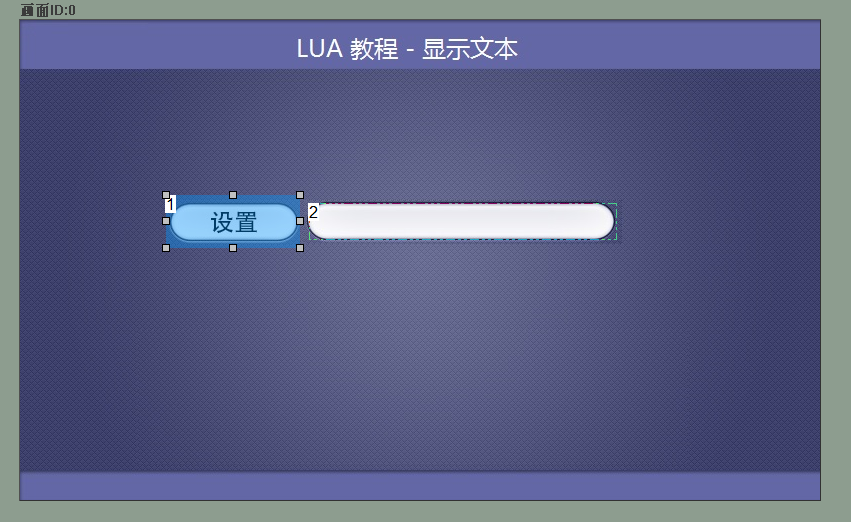
画面にボタンコントロール(ID1)、テキストコントロール(ID2)を追加し、ユーザがボタンを押すとテキストコントロールに“HELLO LUA”が表示され、画面構成は以下のようになります。
LUAスクリプト
ボタンを押下すると、on__notify(screen value)关数がトリガされ、対応する画面ID、対応するコントロールID、コントロール値が判定され、条件を満たすset_text(screen text)关数が実行され、テキストボックスに“LO LUA”が表示される
--***************************************************************************
** Function name on_control_notify
** Descriptionsユーザーがタッチでコントロールを変更した後に、このコールバック関数を実行します。
                  ボタンコントロールのタップ、テキストコントロールの変更、スライドバーの変更によってトリガーされます。
                  注意:コールバック関数のパラメータと関数名は変更できません。
** Input value screen 画面ID
                  Control IDコントロールID
                  valueの意味   コントロール値テキストコントロール入力値を含む
***************************************************************************--]]
function on__noscreen value
    画面== 0、制御== 1、値== 1の場合
    そして、Then
        set_text 0,2 "LO LUA"
    End of Endシングル
End of Endシングル
プレビューの実行
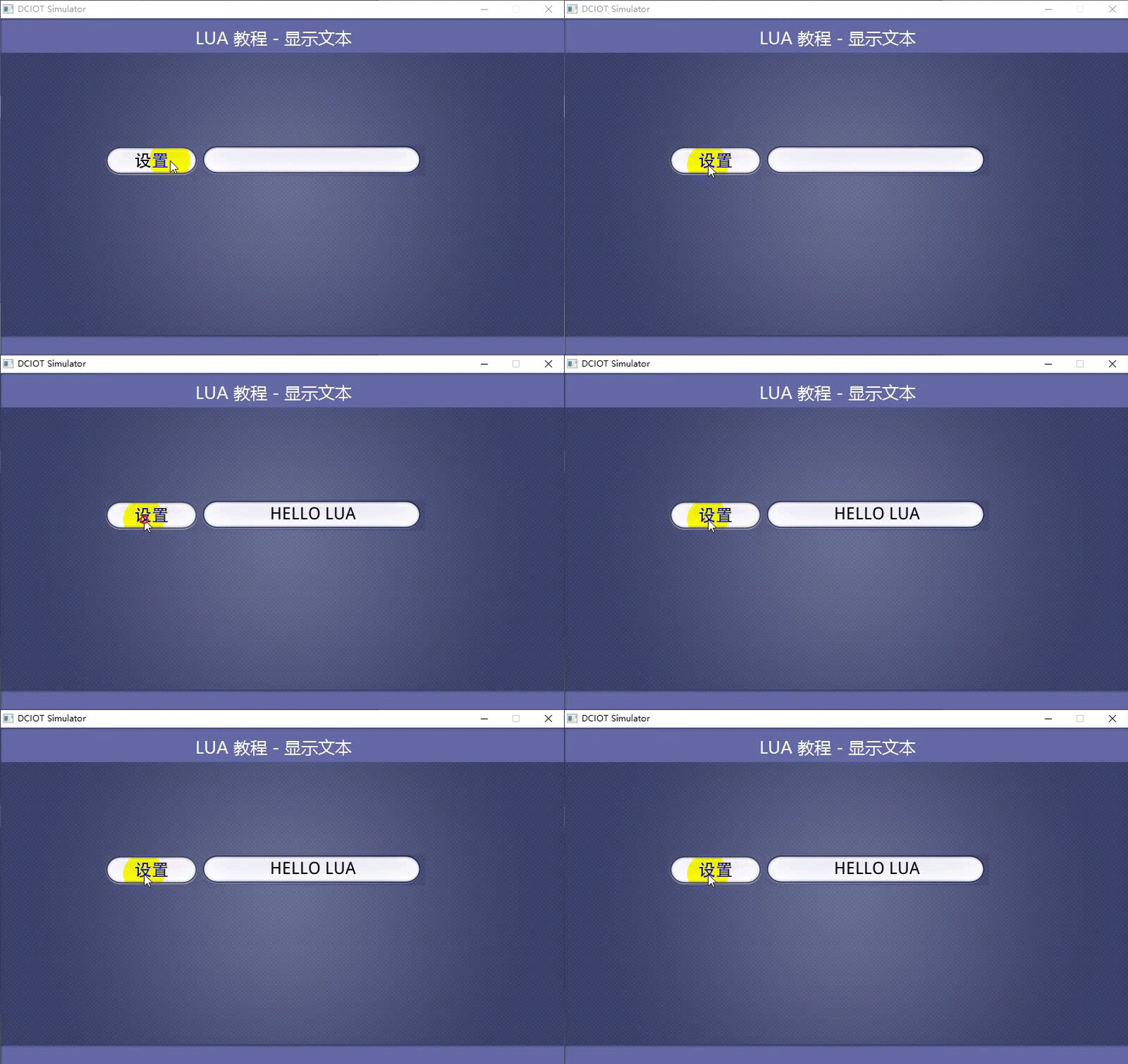
設定をタップすると“HELLO LUA”と表示され、以下のように動作します。


发表回复