
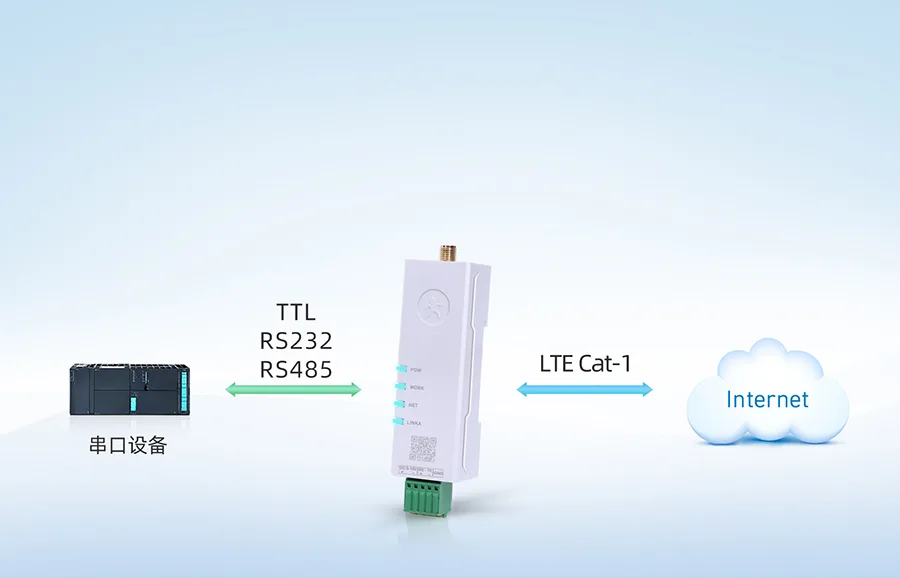
4G DTU is a terminal device widely used in industrial IoT data transmission. Various types of sensor raw data are transmitted to the DTU via RS485/232 for conversion to 4G network, achieving bidirectional transparent transmission and supporting Modbus RTU to TCP/MQTT conversion. It is widely applied in remote power monitoring, hydrological and water resource monitoring, mountain flood and geological disaster monitoring and early warning, environmental pollution monitoring, meteorological data collection, forest fire prevention monitoring, and other fields.
This time, we introduce the 4G DTU product USR-DR15X from Youren Company. It supports access to the MODBUS IoT platform via TCP and UDP, and has been operating very stably in many users' IoT projects.
USR-DR15X is a super-small-sized DIN-rail DTU series launched by Youren Company. This series of products features high speed, low latency, small size, and ease of use, and pioneers the use of a chip-on-board design scheme. The USR-DR15X series supports access to the Cat-1 networks of China's three major operators, features dual-SIM single-standby functionality, and includes a built-in SIM card (with free data allowance at factory shipment, which can be recharged). An external SIM card slot is reserved for user use.
This series of products adopts industrial-grade design standards, supports wide voltage terminal power supply, supports baud rates of 1200~230400bps for RS232/RS485 communication modes, and supports baud rates of 1200~921600bps for TTL level communication modes; it supports FOTA remote self-upgrading and FTP upgrade protocol. It supports parameter configuration through WeChat Mini Program, making it easy to use and more versatile; the product comes with a DIN-rail (C45 standard) buckle for convenient and quick installation.
Let's take this USR-DR15X as an example to introduce the steps for accessing the MODBUS IoT platform. Other serial server products from Tashi Company can also be accessed in the same way.
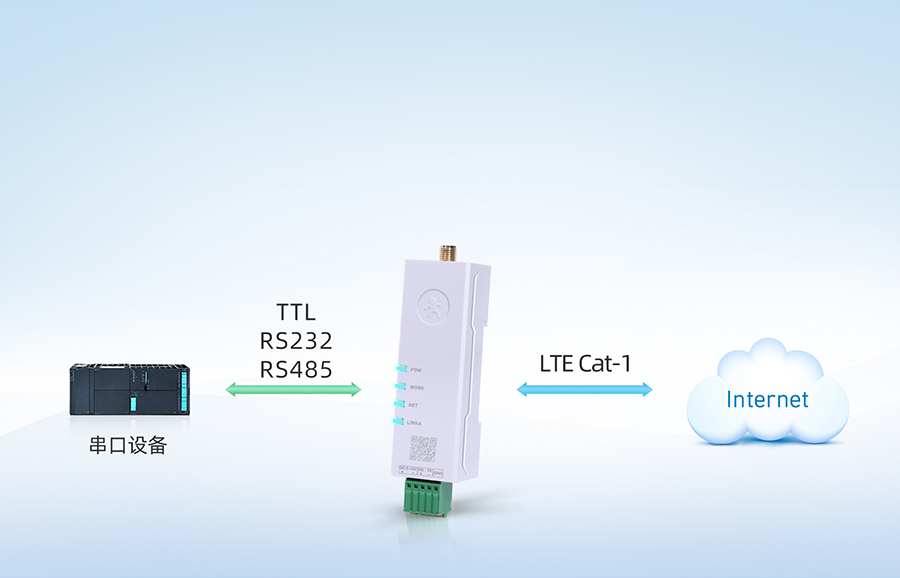
Preparations for accessing the MODBUS IoT platform
In practice, we usually use the serial server as a transparent gateway to forward messages between Modbus sub-devices and the cloud platform.
- Create a project (Project Management → New Project).
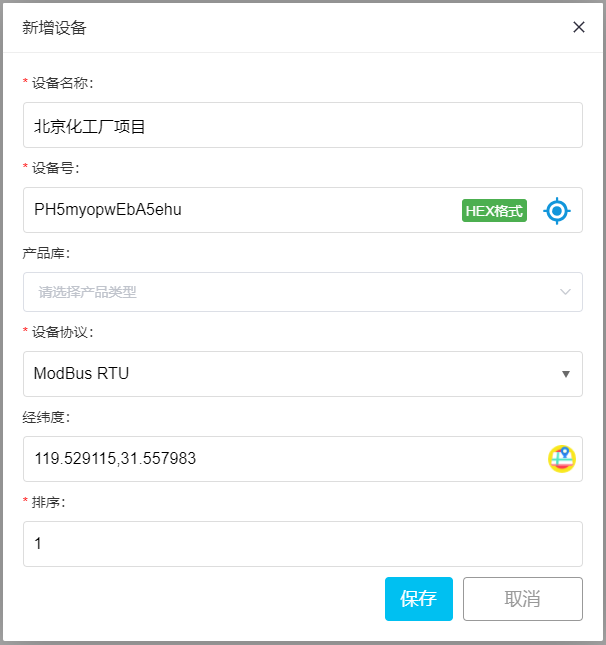
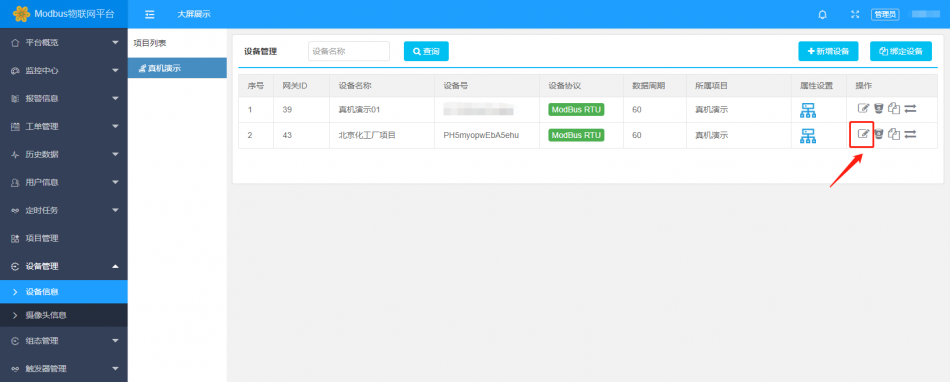
- Create device (Device Management → Device Information → Add Device)
- Fill in the device name, generate a device number randomly or manually enter it, select ModBus RTU in the device protocol, locate the latitude and longitude of the device, and save it. (Copy and save the device number for future use.)
For specific steps, please visit:Introduction to ModbusIt usually takes a few minutes to complete.
For configuring the USR-DR15X series 4G DTU,
open the device manager configuration software, connect to the Ethernet or serial port, and only need to fill in the following sections:
Step 1:
- Operating mode: TCP Client
- Remote server address: cloud.modbus.cn (recommended)
- www.wulianwang.net.cn (backup)
- 47.104.68.157 (backup)
- Remote port: 50001
- Save settings (Save)
Turn on your phone's Bluetooth function, and also grant Bluetooth permission to WeChat. Use WeChat's scan function to scan the QR code on the front of the USR-DR15X,
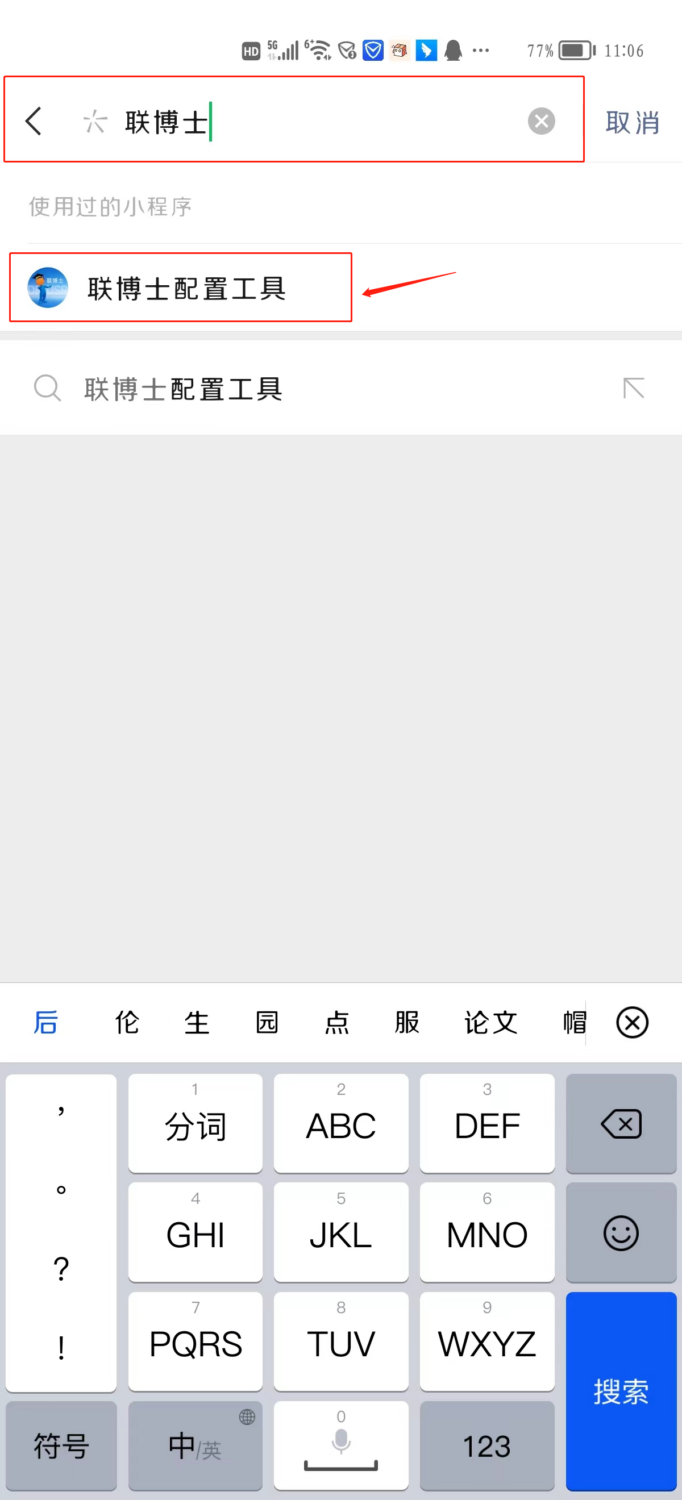
and you will enter the WeChat mini program "Lianboshi Configuration Tool"; Note: For Huawei and other Android phones, you need to turn on location services (Settings -- Privacy -- Location Services),
If the scanning page gets stuck, please try clicking the "three dots" in the top right corner of the page and selecting "Re-enter Mini Program".
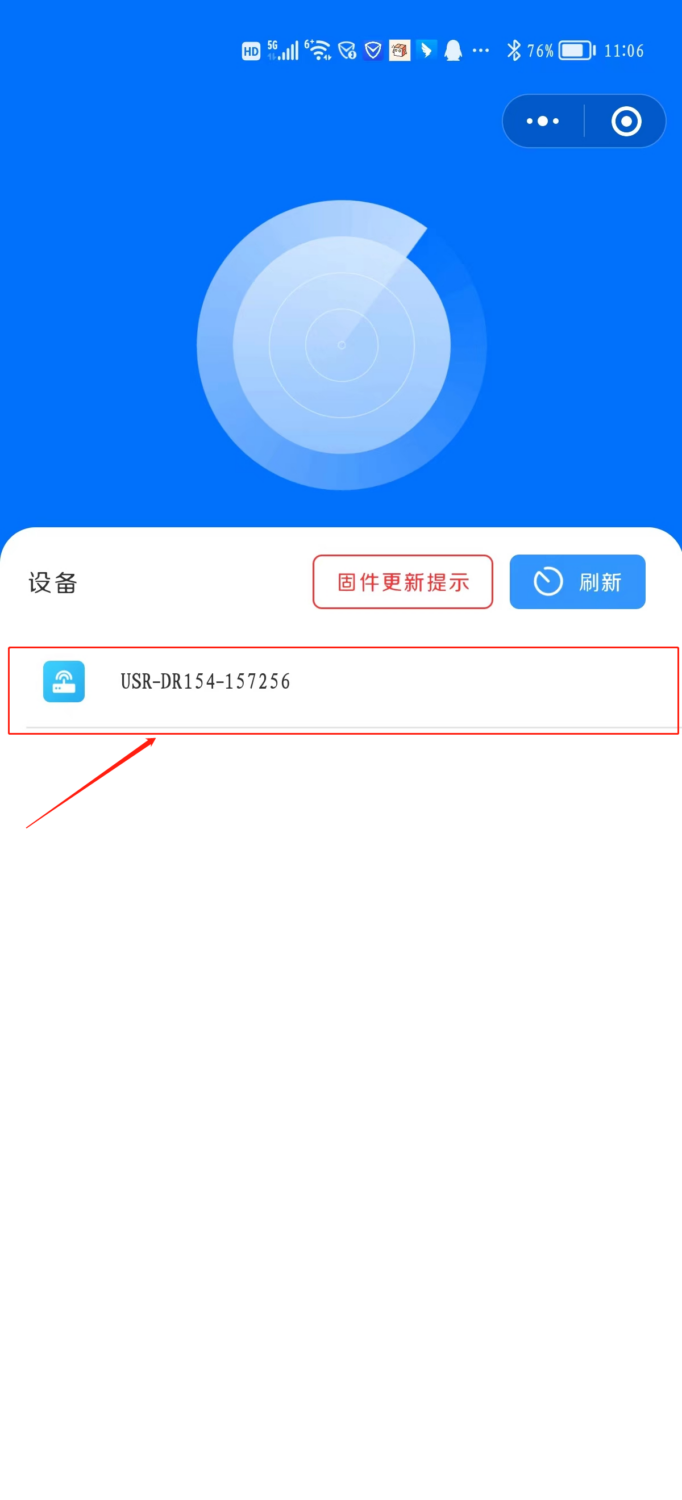
2) The WeChat Mini Program "LianBoshi Configuration Tool" automatically scans the USR-DR15X devices near the phone, each of which has a unique Bluetooth name. The Bluetooth name is "USR-DR15X-device IMEI number last six digits", making it easy for users to identify which USR-DR15X
The Bluetooth name is "USR-DR15X-device IMEI last six digits", which facilitates users in correctly identifying which USR-DR15X device to configure
device to configure.
3) Click on the name of the USR-DR15X device scanned by the WeChat Mini Program "LianBoshi Configuration Tool". If it's the first time connecting, a pop-up will appear,
requiring the input of a connection password for verification. The initial value of the connection password is "usr_cn", and the password can be reset after entering the WeChat Mini Program (length
is 1~10 digits). After the first successful connection, the device can automatically record the connection verification status. When connecting again, the "LianBoshi Configuration Tool" will automatically
enter the main interface.
4) The main interface of the WeChat Mini Program "LianBoshi Configuration Tool" is shown below:
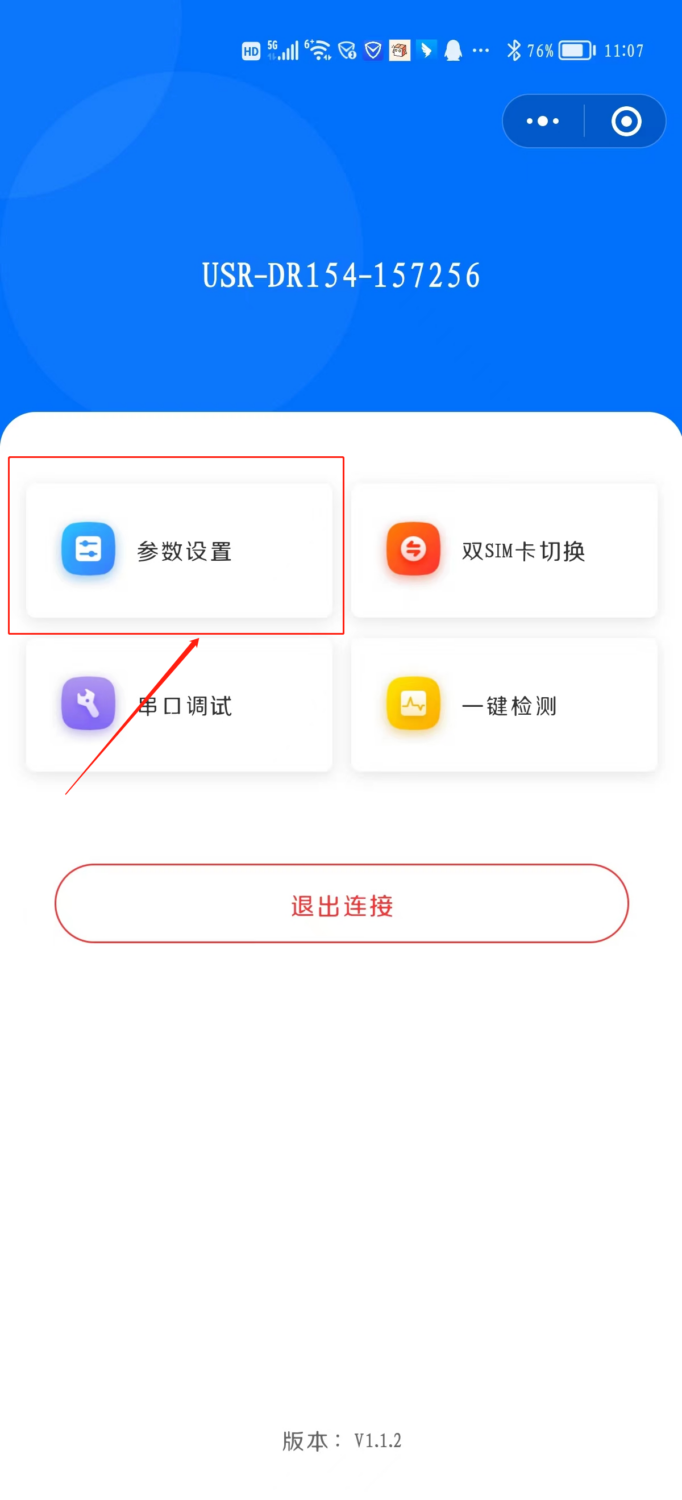
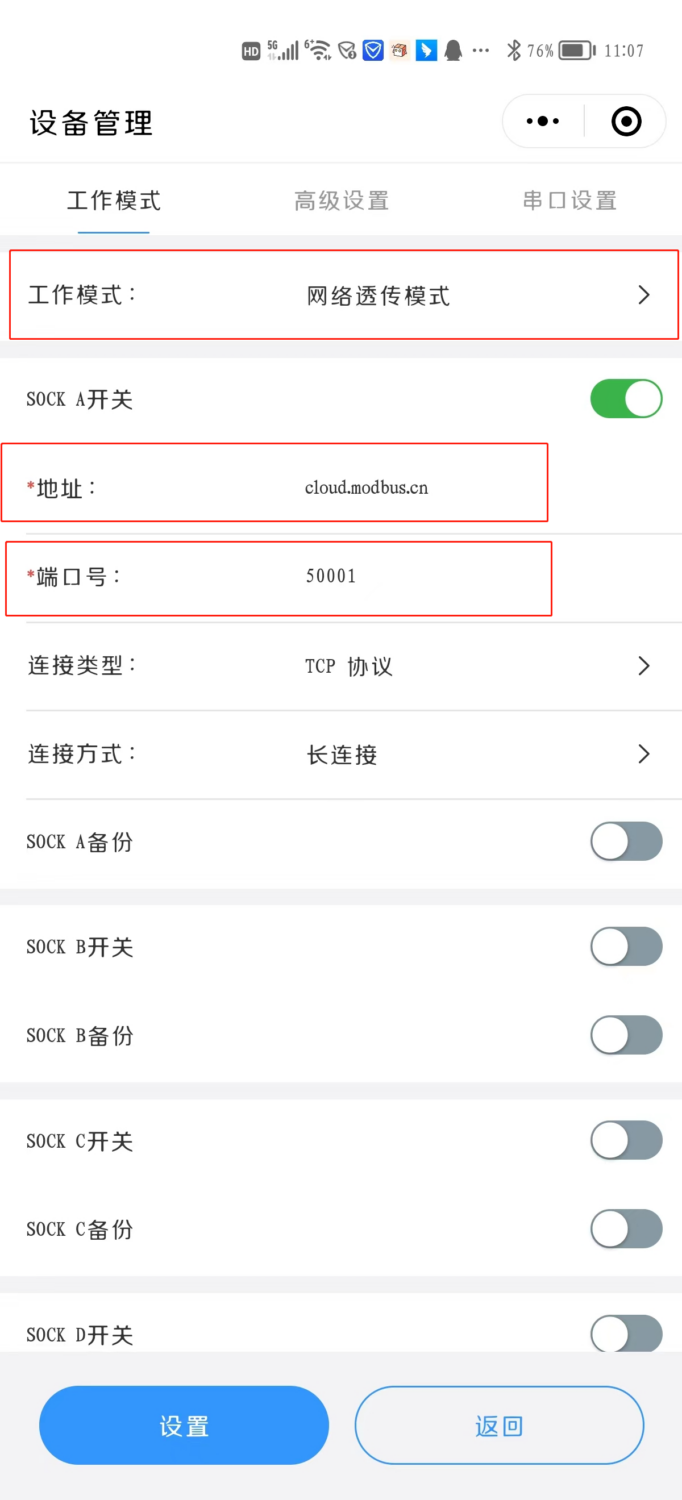
1) Enter the main interface of the WeChat Mini Program "LianBoshi Configuration Tool", click on the parameter settings option, and enter the parameter configuration interface. The interface is shown below,
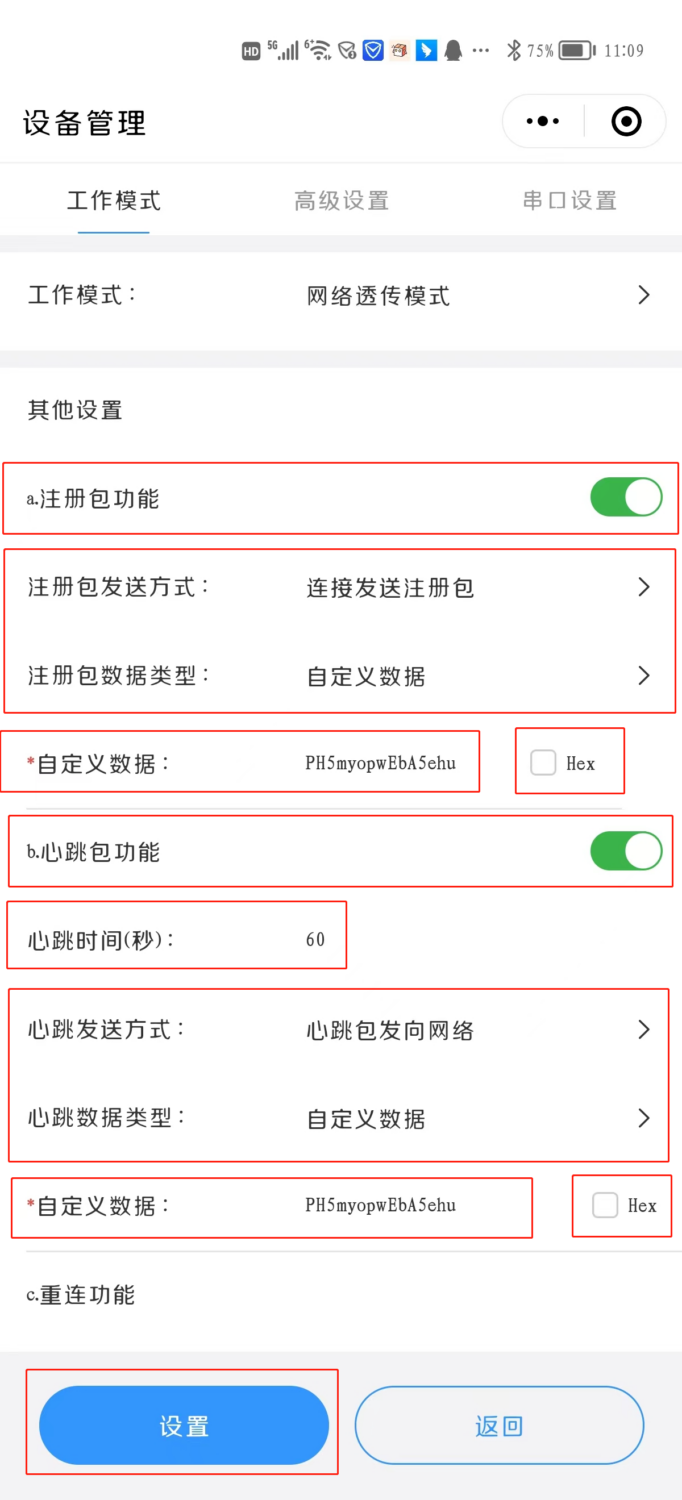
The mini program will automatically obtain the current setting parameters of USR-DR15X and display them on the WeChat mini program interface, allowing users to intuitively view the configured values of the device
. Users can modify the parameter values and click the "Set" button to save the settings, facilitating adaptation to different user applications.
Connecting RS485 Modbus relays
Here, taking an 8-channel relay as an example:
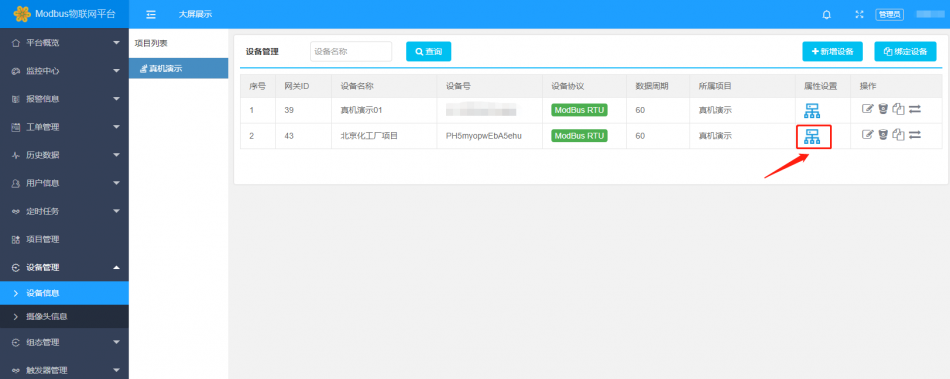
Click "Property Settings"
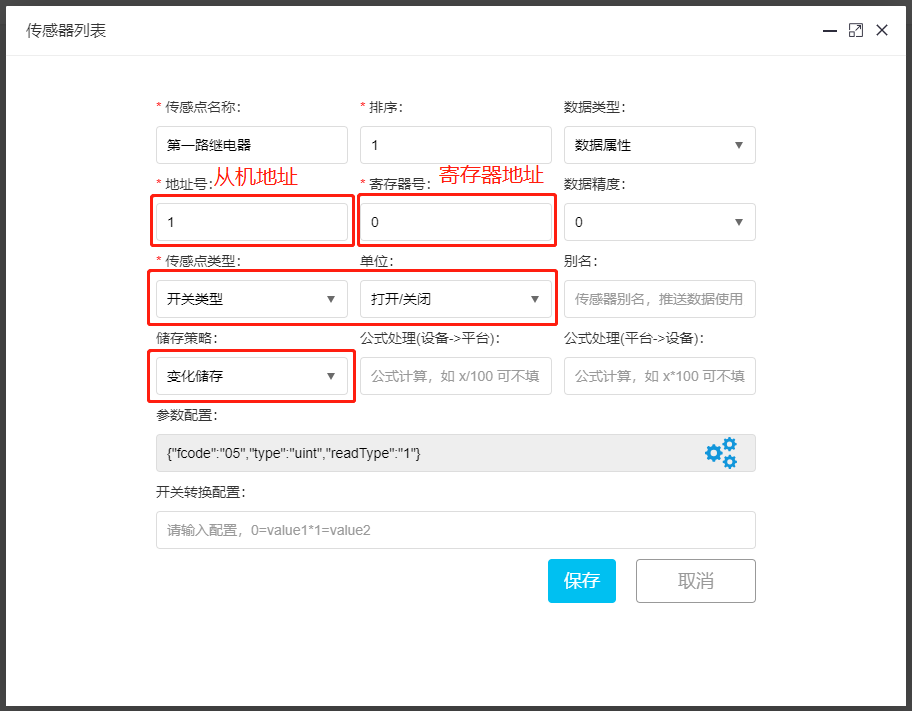
Click "Add Sensor" to add one relay control
Parameter Configuration:
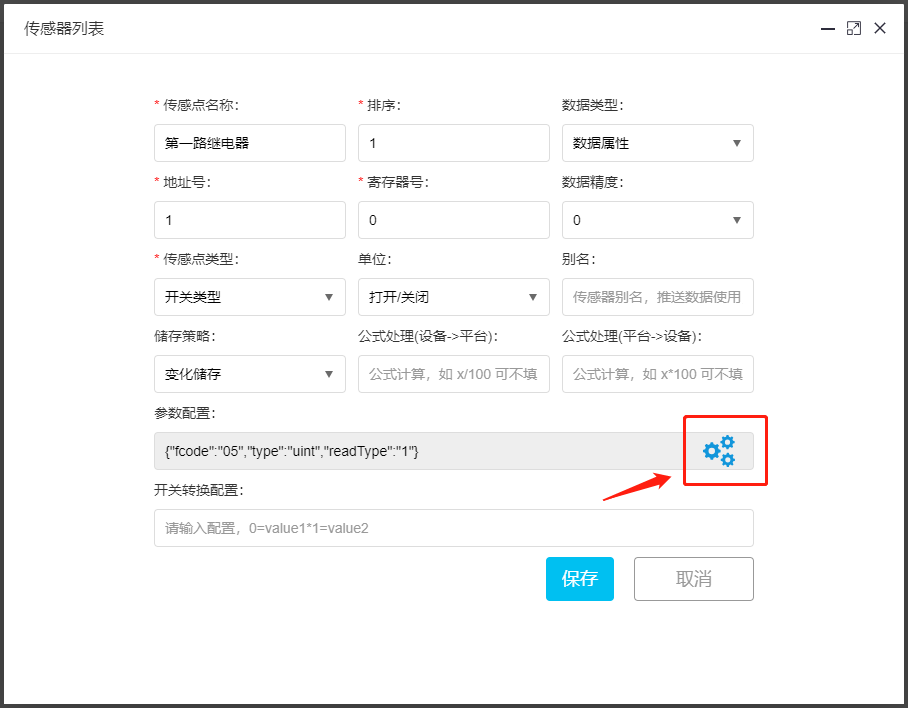
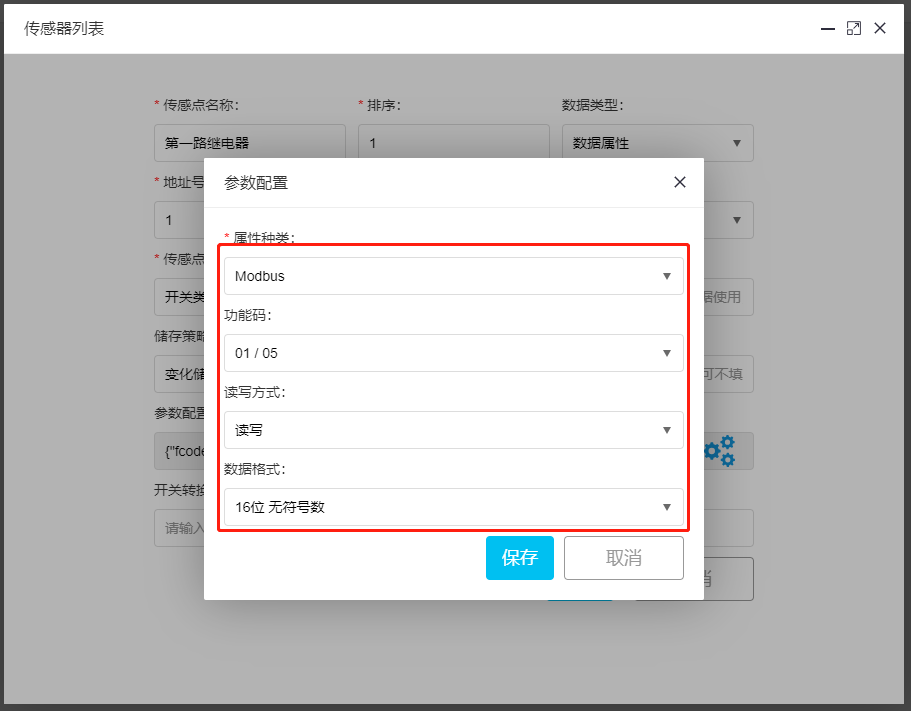
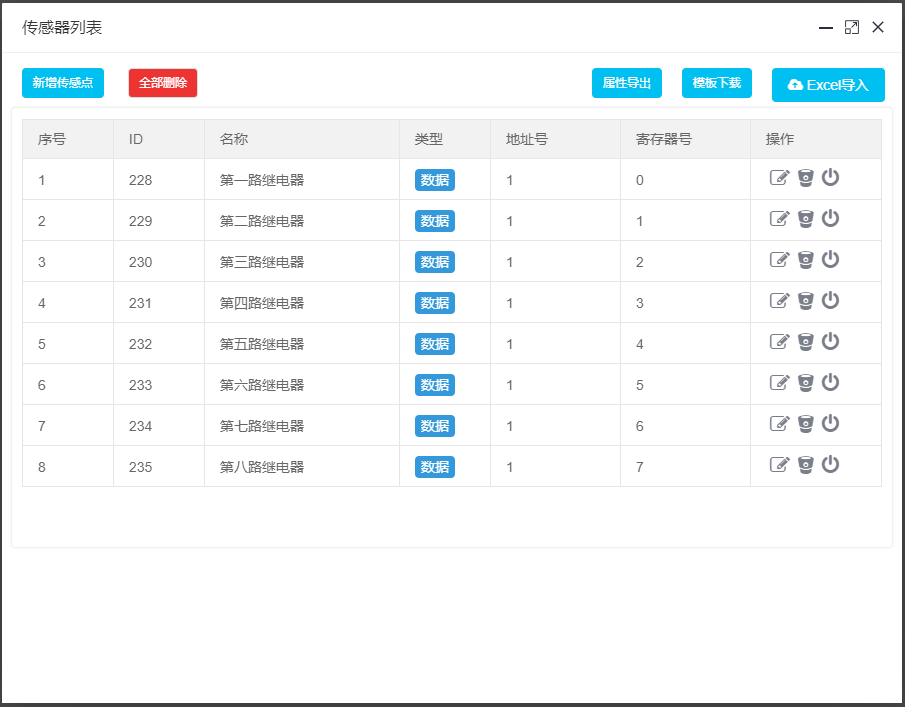
Add 8-channel relays in sequence, only needing to modify the register number.
After adding all 8-channel relays, the interface is as shown below
Modbus Batch Read Configuration
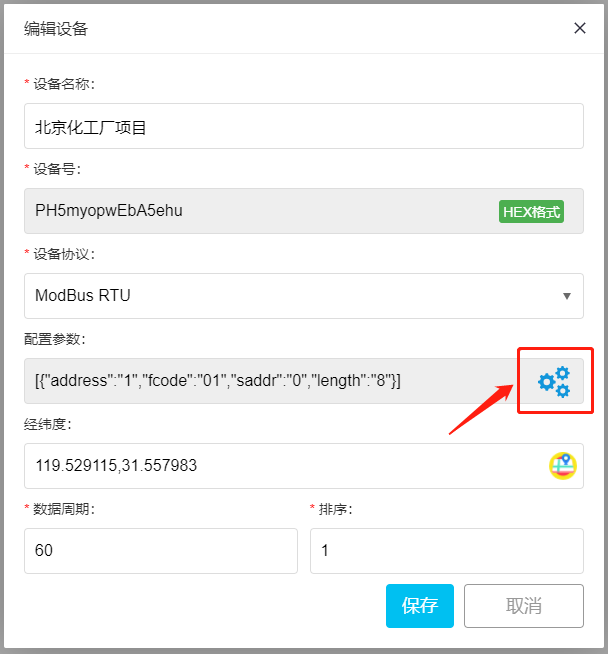
Click "Configuration Parameters"
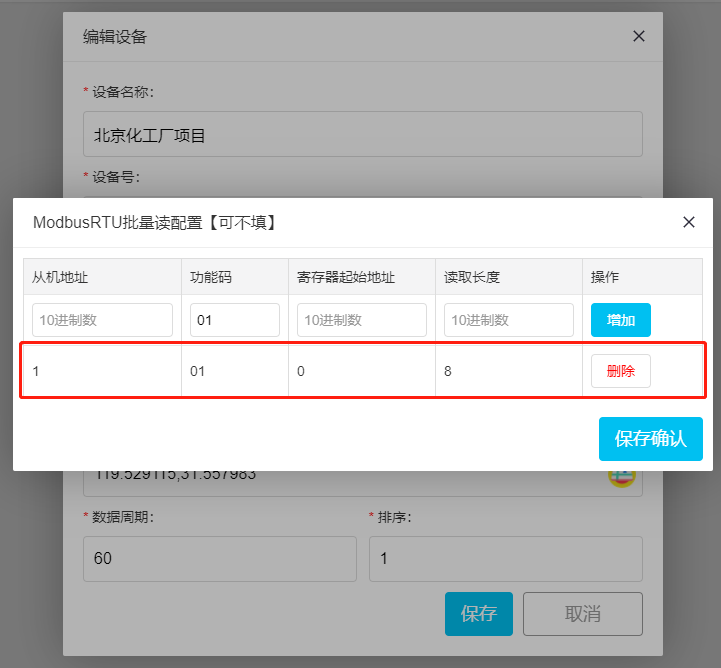
In this article, we have introduced the detailed steps for someone technology's 4G DTU to access the MODBUS IoT platform through TCP transparent transmission, upload the 8-channel relay module to the cloud platform, and generate customized dashboards and apps. These steps are also applicable to other manufacturers' 4G DTU products that support TCP transparent transmission.


Leave a Reply