
When exporting record-type controls (data records/operation records/alarms) to CSV, specify a precise time range + customize the file name. HMI&M&DX + USB interface + customized firmware.
1. API and Registers
| Project | Description |
|---|---|
| set_export_name(name) | Export file name, UTF-8 string,must manually add .csv extension |
| 0x0192 | Export start timestamp (UINT32) |
| 0x0194 | Export end timestamp (UINT32) |
If there are no records within the time period, the file will not be exported.
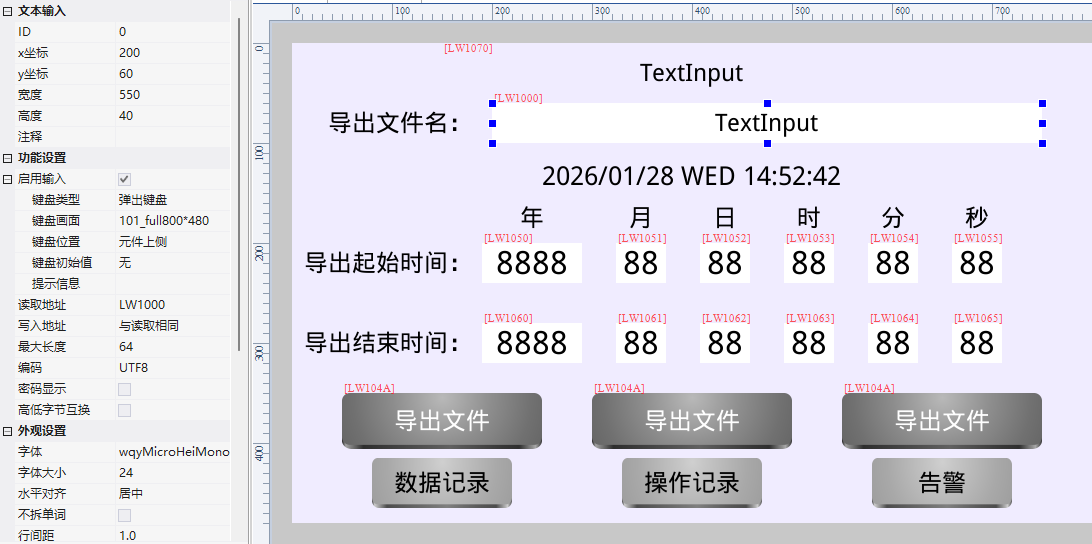
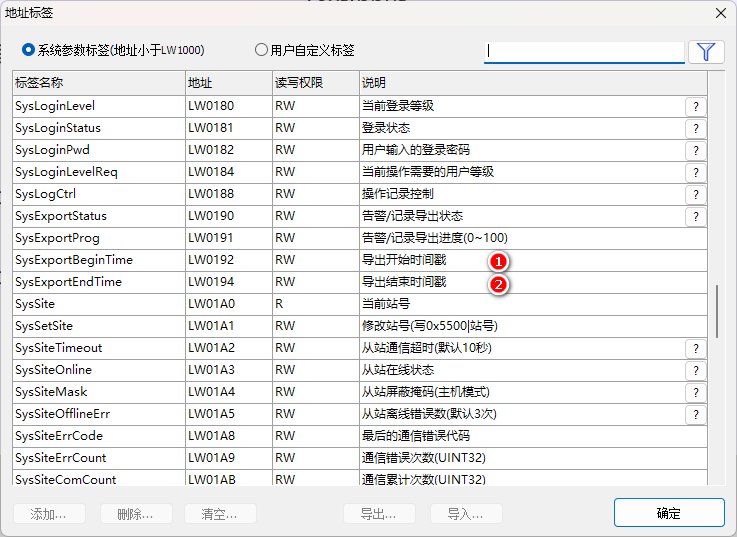
Exporting two issues:① The file name of set_export_name must include .csv, otherwise the exported file cannot be opened; ② If there is no record within the time period, the system will not generate a file (not an empty file, but none at all). The time range is controlled using two UINT32 timestamps, 0x0192/0x0194.
Compiled from the VisualHMI development documentation of Guangzhou Dacai Technology (hmi-doc.gz-dc.com) and other technical tutorials on "Customizing Time Period and File Name Export", copyright belongs to Dacai Technology.


Leave a Reply