Visual HMIカスタム期間とファイル名のエクスポート:set_export_name

freeFree Technical Resource

This content is free to read, suitable for basic learning and search traffic.

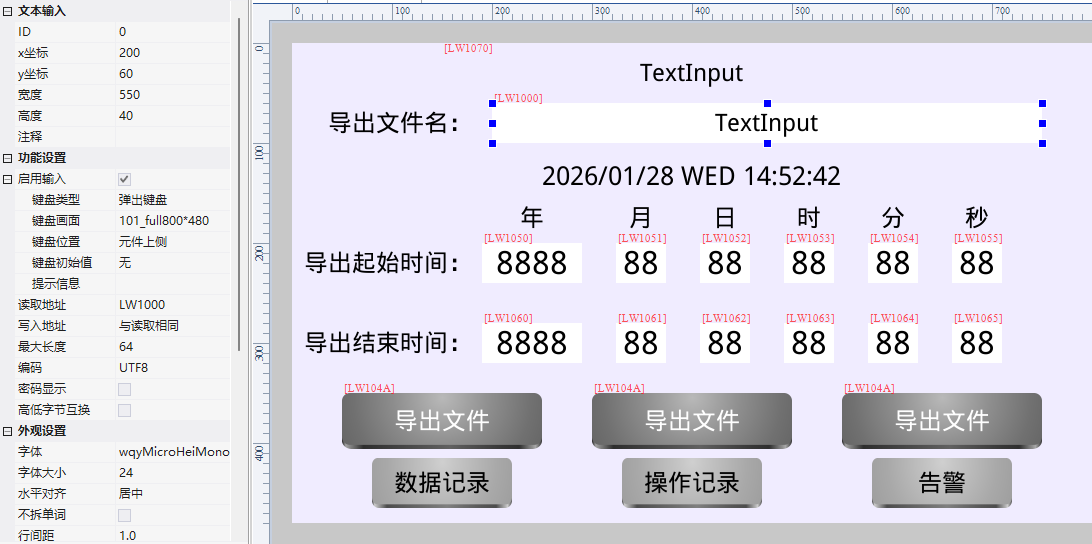
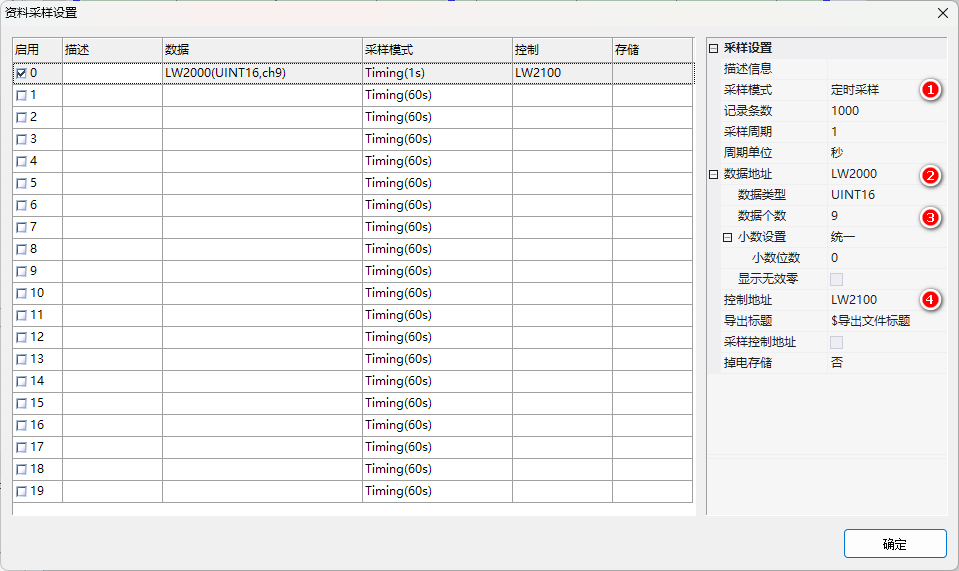
レコードクラスコントロール(データログ/Operationログ/アラーム)CSVエクスポート時に、正確に時間範囲+カスタムファイル名を指定します。HMI M DX + USBインターフェイス+カスタムファームウェア。

1. APIとレジスタ

プロジェクトプロジェクト#説明書は
set_export_name(name)書き出しファイル名、UTF-8文字列、.csv拡張子を手動で追加する
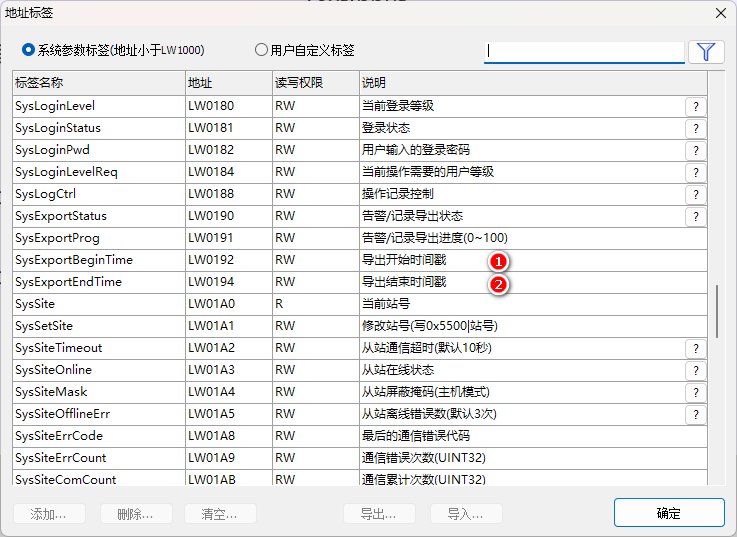
0x0192開始タイムスタンプのエクスポートUINT32
0x0194終了タイムスタンプのエクスポートUINT32

期間内に記録がない場合、ファイルはエクスポートされません。

Visual HMIカスタム期間とファイル名のエクスポート:set_export_nameFigure

Visual HMIカスタム期間とファイル名のエクスポート:set_export_nameFigure1

Visual HMIカスタム期間とファイル名のエクスポート:set_export_nameFigure2

2つの穴を開ける1. set_export_nameファイル名は、独自の.csvを持参しなければならない、さもなければエクスポートされたファイルを開くことができない; 2時間内にレコードがない、システムはファイルを生成しない(空のファイルではなく、まったくない)。時間範囲は、0 x 0 192/0 x 0 194の2つのUINT32タイムスタンプで制御されます。

広州大彩科技Visual HMI開発ドキュメント(hmi-doc.gz-dc.com)からの整理その他の技術チュートリアル“カスタム時間帯とファイル名のエクスポート”、著作権は大彩科技に帰属します。


Put this resource to use in a real project?

Go to the Tool Center for message parsing, CRC verification and device debugging, or submit your requirements for selection and integration advice.

Engineer Membership

Turn this article into actionable debugging resources

After activation, you can use advanced message parsing, resource pack downloads, code examples, engineering cases and priority technical support, suitable for real project delivery.

Unlimited Advanced Tools
Resource & Code Packs
Complete Engineering Case Library
Priority Technical Support

Leave a Reply

Your email address will not be published. Required fields are marked *.