
The rotary encoder is aphysical hardwarecontrol: it operates through rotation (A/B phase quadrature pulses) and pressing (confirm/switch), and is used for stepless fine adjustment and quick parameter setting (temperature, frequency, offset). Standard products such as DC40400DB016 support a rotary encoder interface, with the encoder model being EC11.
1. Attribute Introduction
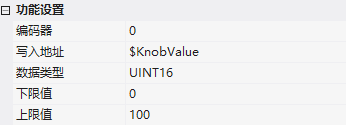
| Attribute | Description |
|---|---|
| Encoder | Encoding Sequence Number 0~3, currently only supports 0 |
| Write Address | The encoder value is automatically accumulated and output to this address |
| Data Type | UINT16/INT16/UINT32/INT32 |
| Lower limit/upper limit | Encoder value range |
2. Key behaviors
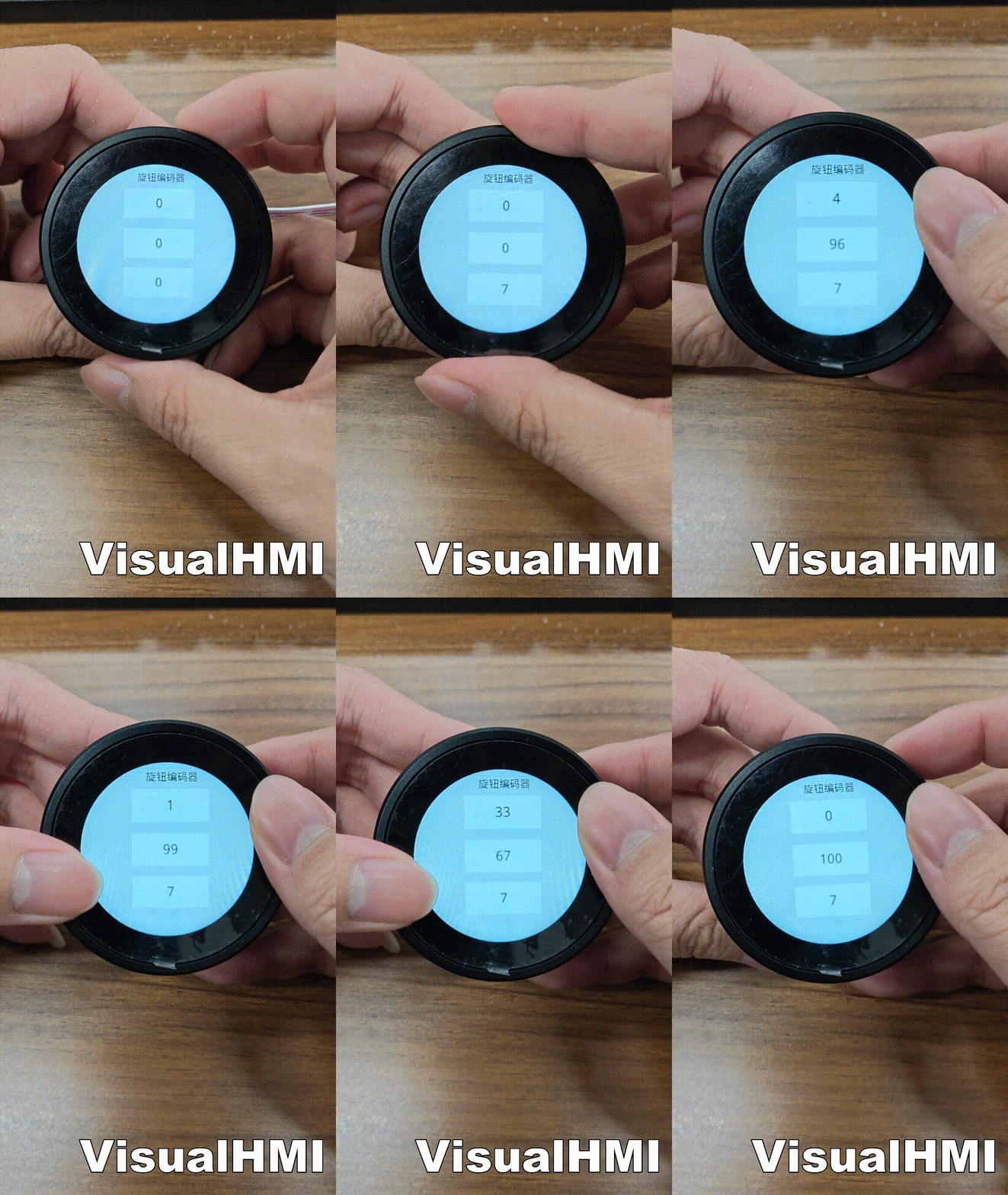
- Rotation action: After system self-initialization, it automatically converts A/B quadrature pulses into numerical values - increasing counterclockwise (step size 1) and decreasing clockwise;clamping to the upper and lower limits, without cyclic reset(industrial safety design)
- Press action: completely handled by user-level Lua scripts (no built-in callback in the system), detected through GPIO interface - taking DC40400DB016 as an example, buttonactive low(pressed=0, released=1)
3. LUA script (must be initialized)
The rotary encoder must be initialized in on_init:
function on_init()
  dofile("bspButtonV2.lua")              -- 加载按键库
  btn_manager = ButtonManager:new()
  btn_manager:add("key1", Knob.pinKey, {
    active_level = Knob.pinKeyActive,     -- 0=低电平有效
    long_press_time = Knob.pinKeyLongTime,-- 300ms 长按阈值
    enable_repeat = true,                 -- 长按连续触发
    enable_double_click = true,           -- 双击检测
    debug = false })
  btn_manager:get("key1")
    :on(Button.EVENT.SHORT_PRESS, KnobKey_Press)
    :on(Button.EVENT.SHORT_RELEASE, KnobKey_Release)
    :on(Button.EVENT.LONG_PRESS, KnobKey_LongPress)
    :on(Button.EVENT.LONG_RELEASE, KnobKey_LongRelease)
    :on(Button.EVENT.CLICK, KnobKey_Click)
    :on(Button.EVENT.DOUBLE_CLICK, KnobKey_Double)
    :on(Button.EVENT.REPEAT, KnobKey_Repeat)
  set_rotate_decoder(0, Knob.pinA, Knob.pinB, Knob.ktype) -- 编码器初始化
  start_rotate_decoder()                  -- 启动编码器
  set_run_cycle(10)                       -- 主循环 10ms
end
Pin definition: The upper 8 bits of the GPIO hexadecimal value represent the IO group, and the lower 8 bits represent the pin. PD0=0x0300, PD2=0x0302, PD3=0x0303. After the rotation action is initiated, the binding register is asynchronously updated by the kernel (such as LW1000), without the need for script polling; the press action is detected every 10ms by btn_manager:update_all() in on_run.
This is adapted from the "Rotary Encoder" tutorial in the VisualHMI development documentation of Guangzhou Dacai Technology (hmi-doc.gz-dc.com). The copyright belongs to Dacai Technology.


Leave a Reply