
1 System Concepts
1.1 Protocol Concepts
- In daily use, the protocols we talk about mainly fall into two categories: one is the communication protocol, which is a concept at the network transmission layer. Currently, TCP, MQTT, DUP, HTTP, etc. are commonly used on the market.
- The other is the device protocol, which refers to the conventions for the data format sent by devices (such as ModbusRTU). Currently, communication protocols are unified, while device protocols exhibit diversity. There are various device protocols on the market, with Modbus being one of the more commonly used.
1.2 Device Number
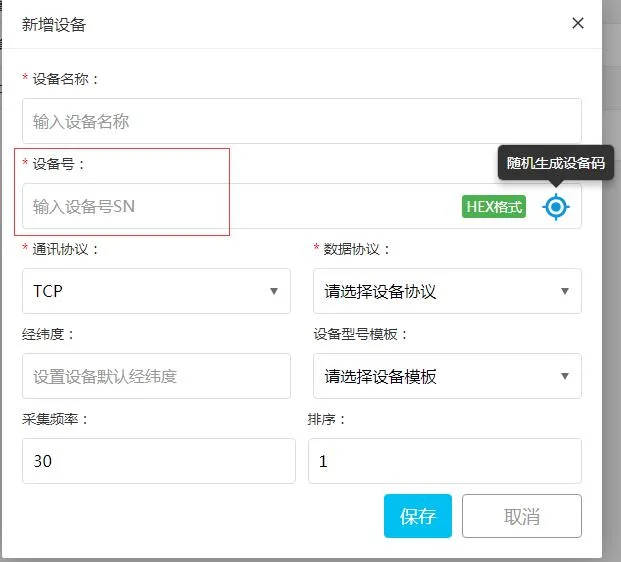
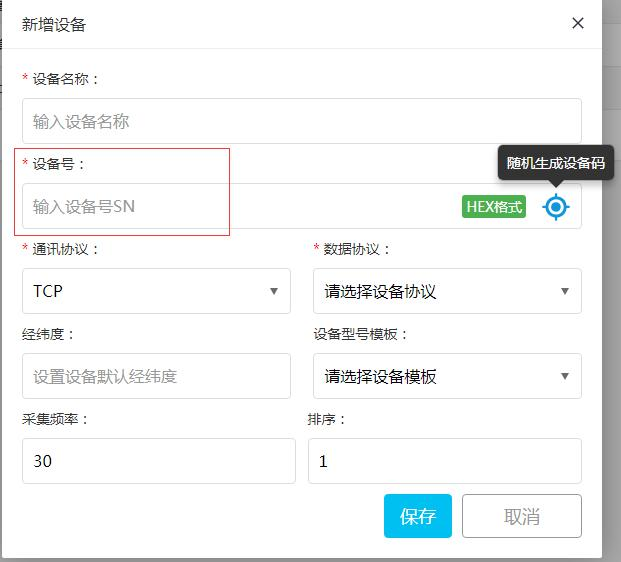
- Device number [device_code]It refers to the unique SN number of the device responsible for connecting to the network, distinguishing different devices connected.
- As shown below, it can be automatically generated or manually entered, and the format can be either numeric or string;
1.3 Address and Register Numbers
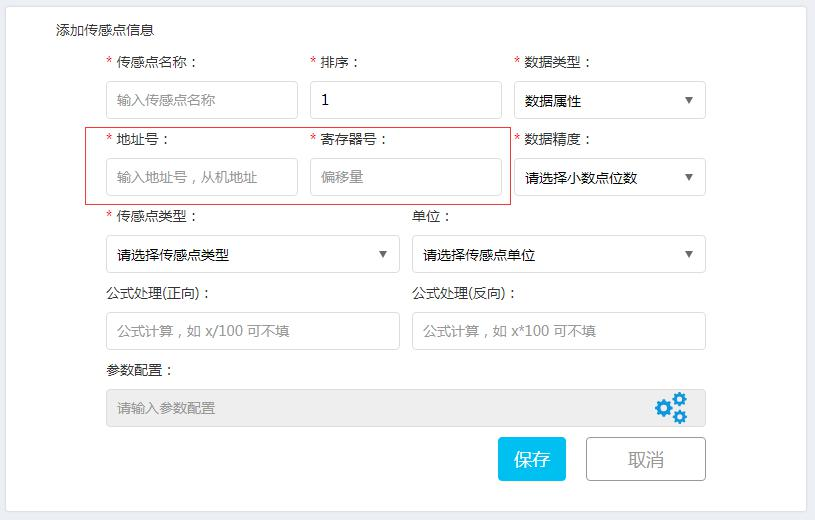
- Address number [sensor_device_id] and register number [port_id], which are mainly used to distinguish the data transmitted by devices. It supports the transmission of data from multiple sensors with different addresses under one gateway device, or the transmission of data from multiple types of sensors under one gateway device. The address is mainly used to distinguish different sensor devices, while the register number is used to label different data types for the same sensor device.
2 TCP connection protocol
2.1 MLINK protocol
- The MLINK protocol (also known as the nickname protocol) is a data protocol using character stream format. Currently, the data protocol includes data instructions such as login packets, heartbeat packets, data uploads, control issuances, control returns, configuration issuances, and configuration returns.
● Login packet (device -> server) [sent upon initial establishment of TCP connection]
[device_code]
Example:1u76yshydtdhh, whereAmong them1u76yshydtdhhis the device SN number;
Device response:
loginok
Login successful
● Heartbeat packet (device -> server) maintains TCP connection, with the device preferring to send
Q
a fixed format
● Upload sensor point data (device -> server)
S[sensor_device_id]:[port_id]*[value],[sensor_device_id]:[port_id]*[value]E
Example: S1:0*12.5,1:1*-0.05,1:2*1,1:3*119.5107+31.64459E
sensor_device_id address number
port_id register number
value numerical value
single latitude and longitude upload: S1:3*119.5107+31.64459E
Note: The GPS latitude and longitude values are concatenated with a '+';
Upon successful receipt of data, the server returnsrok .
● The server issues a control/configuration command (server -> device)
S[sensor_device_id]:[port_id]*[value]E
Example: S1:0*0E
Note: For button switch commands, 0 indicates off and 1 indicates on;
● The device receives the command and returns (device -> server)
S[sensor_device_id]:[port_id]*[value]E
Example: S1:0*0E
2.2 Modbus RTU Protocol (Standard)
- The system is compatible with the standard Modbus RTU protocol.
- When configuring the DTU, it needs to be set to transparent transmission mode, and a custom registration packet should be set, which can be the device's SN;
- Connection address: cloud.modbus.cn (or corresponding IP)
- Port: 50001
2.3 Modbus TCP Protocol (Standard)
- The system is compatible with the standard Modbus TCP protocol.
- When configuring the DTU, it needs to be set to transparent transmission mode, and a custom registration packet should be set, which can be the device's SN;
- The DTU needs to be set to Modbus mode
- Connection address: cloud.modbus.cn (or corresponding IP)
- Port: 50001
2.4 Environment 212 Standard
- The system supports the GB-HJ212 protocol.
- Connection address: cloud.modbus.cn (or corresponding IP)
- Port: 50001
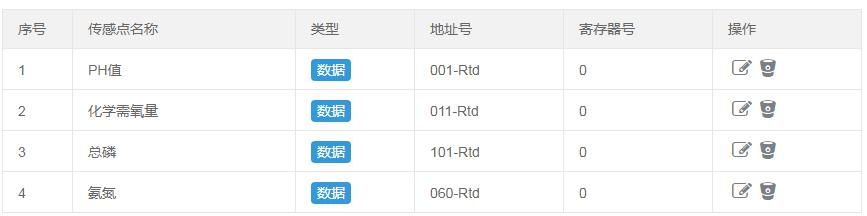
- The data configuration format is as follows: address number is filled in as type, and the register number defaults to 0
3 MQTT Connection Protocol
3.1 MLINK MQTT
Broker Address:cloud.modbus.cn
Broker Port:1883
Client ID:[device_code] [device number]
User Name:modbus
Password:modbus
● Client -> Server
Client publishes to the following topic data
Topic: /dev/coo/[device_code]
Data format:
[{"sensor_device_id":0,"port_id":0,"sdata":1.0},
{"sensor_device_id":1,"port_id":1,"sdata":18.3}]
sensor_device_id address number
port_id register number
Sdata data value
● Server -> Client
Client pays attention to the following topic, and the server pushes data
Topic: /server/coo/[device_code]
Data format:
{"sensor_device_id":0,"port_id":0,"sdata":0.0}
sensor_device_id address number
port_id register number
Sdata sensor value
Note: If it is a relay switch, then 0 means closed and 1 means open;
3.2 ZLAN MQTT
Broker Address:cloud.modbus.cn
Broker Port:1883
Client ID:[device_code] [device number]
User Name:modbus
Password:modbus
● Client ->Server
Client posts to the following topic data
Topic: /dev/coo/[device_code]
Data format:
{
"[sensor_device_id]-[port_id]": sdata,
"[sensor_device_id]-[port_id]": sdata
}
such as: {"1-0": 1, "1-1": 34.6}
sensor_device_id address number
port_id register number
Sdata data value
Server -> Client
Client pays attention to the following topic, and the server pushes data
Topic: /server/coo/[device_code]
Data format:
{ "[sensor_device_id]-[port_id]": sdata }
For example:
{ "1-0": 1 }
sensor_device_id address number
port_id register number
Sdata sensor value
Note: If it is a relay switch, then 0 means closed and 1 means open;


Leave a Reply