Background
Recently, I have been receiving inquiries from readers about how to customize and develop Node-RED for their own projects.
For example, they want to adjust the layout and theme color of Node-RED, add some buttons, or integrate other functionalities.
In the following articles, we will analyze the source code of NODE-RED.
The core code of NODE-RED is mainly located in thepackages/node_modules/@node-reddirectory.
According to the latest version, there are six subdirectories under this directory, namely:
- editor-api: backend code of the editor
- editor-client: frontend code of the editor
- nodes: default installed nodes
- registry: registration management of plugins, libraries, and nodes
- runtime: runtime entry, also the entry of node-red
- util auxiliary tool
This section first explains the role and important source code of the editor-api directory. It is convenient for developers to quickly understand and find the corresponding files during development.
editor-api
This directory stores the backend API services that support the editor-client functionality.
It is an application started using express. It depends on @node-red/util and @node-red/editor-client.
The entry point of this module is the./lib/index.js
application initialization code
function init(settings,_server,storage,runtimeAPI) {
    server = _server;
    if (settings.httpAdminRoot !== false) {
        adminApp = express();

        var cors = require('cors');
        var corsHandler = cors({
           origin: "*",
           methods: "GET,PUT,POST,DELETE"
        });
        adminApp.use(corsHandler);

        if (settings.httpAdminMiddleware) {
            if (typeof settings.httpAdminMiddleware === "function" || Array.isArray(settings.httpAdminMiddleware)) {
                adminApp.use(settings.httpAdminMiddleware);
            }
        }

        var defaultServerSettings = {
            "x-powered-by": false
        }
        var serverSettings = Object.assign({},defaultServerSettings,settings.httpServerOptions||{});
        for (var eOption in serverSettings) {
            adminApp.set(eOption, serverSettings[eOption]);
        }

        auth.init(settings,storage);

        var maxApiRequestSize = settings.apiMaxLength || '5mb';
        adminApp.use(bodyParser.json({limit:maxApiRequestSize}));
        adminApp.use(bodyParser.urlencoded({limit:maxApiRequestSize,extended:true}));

        adminApp.get("/auth/login",auth.login,apiUtil.errorHandler);
        if (settings.adminAuth) {
            if (settings.adminAuth.type === "strategy") {
                auth.genericStrategy(adminApp,settings.adminAuth.strategy);
            } else if (settings.adminAuth.type === "credentials") {
                adminApp.use(passport.initialize());
                adminApp.post("/auth/token",
                    auth.ensureClientSecret,
                    auth.authenticateClient,
                    auth.getToken,
                    auth.errorHandler
                );
            } else if (settings.adminAuth.tokens) {
                adminApp.use(passport.initialize());
            }
            adminApp.post("/auth/revoke",auth.needsPermission(""),auth.revoke,apiUtil.errorHandler);
        }

        // Editor
        if (!settings.disableEditor) {
            editor = require("./editor");
            var editorApp = editor.init(server, settings, runtimeAPI);
            adminApp.use(editorApp);
        }

        if (settings.httpAdminCors) {
            var corsHandler = cors(settings.httpAdminCors);
            adminApp.use(corsHandler);
        }

        var adminApiApp = require("./admin").init(settings, runtimeAPI);
        adminApp.use(adminApiApp);
    } else {
        adminApp = null;
    }
}
located in the lib directory. There are three directories under lib: admin, auth, and editor.
Each of these three directories contains an index.js file that defines the interface routes, required permissions for the interface, and the corresponding processing functions.
The login logic and authentication of the editor are all handled in this module.
The login authentication and editor-related interfaces provided in this module are stored ineditor-api/lib/auth/index.js
The editor-related interfaces provided under this module are stored ineditor-api/lib/editorunder the directory.
For example, internationalization, certificates, themes, settings,
the underlying interface in the editor-api calls the runtime interface. For instance, the delete function in admin/context.
It callsruntimeAPI
runtimeAPI.context.delete(opts).then(function(result) {
    res.status(204).end();
}).catch(function(err) {
    apiUtils.rejectHandler(req,res,err);
})
. By now, I believe everyone understands that when a user clicks a button in the editor to request an interface,
the user's request first reaches the editor-api module. Some logic is processed directly in this module and returned to the client.
While some logic calls functions in the runtime and is processed by the runtime before being returned to the user's client.
For example,
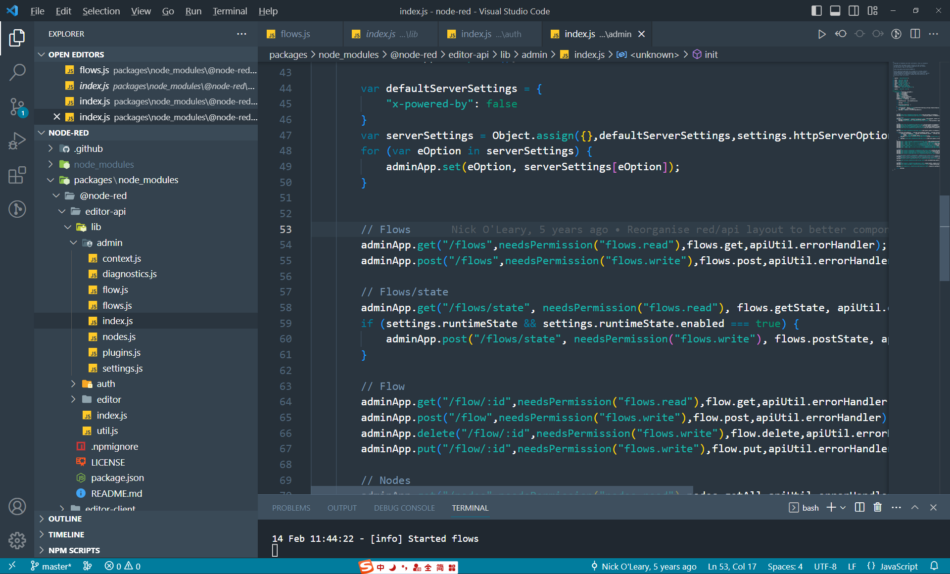
opening the node-red editor requests a flows interface,http://127.0.0.1:1880/flows?_=1676345536746
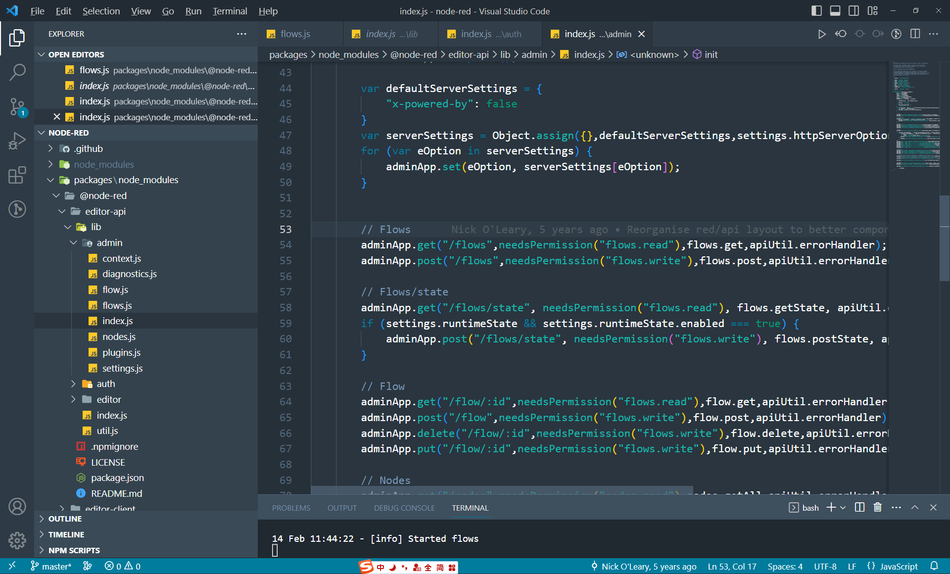
which can be found in admin/index.jsadminApp.get("/flows",needsPermission("flows.read"),flows.get,apiUtil.errorHandler);
as shown below
to define the route entry
Define the handler function
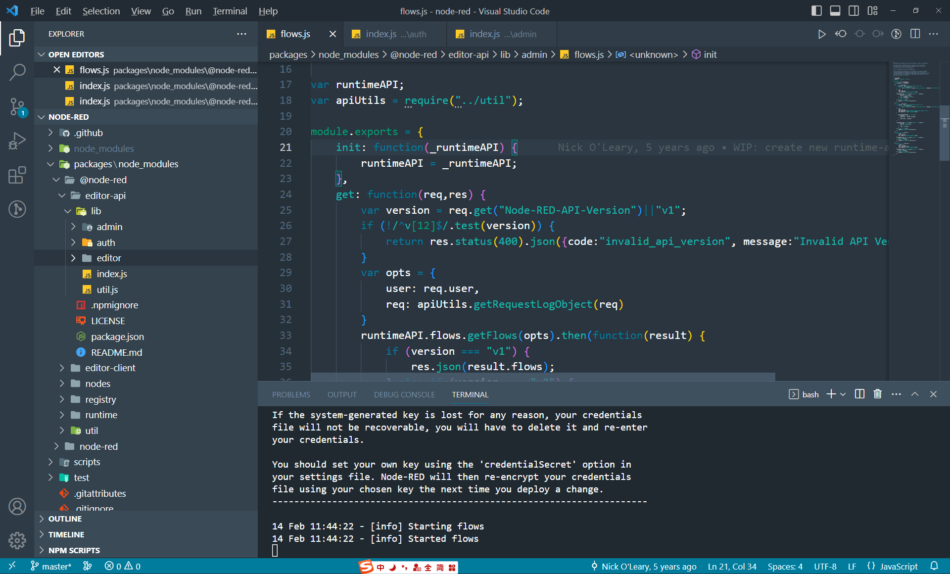
This is the handler function/flowscorresponding to the routeflows.get.
. By injecting this class, every request you see in the browser can find its corresponding route configuration in the editor-api.
Of course, some use wildcards. They are loaded as static resources.
Summary
To modify NODE-RED, you must understand how to find the corresponding code based on the page and interface you see.
Sometimes, you only need to modify one line of code, but finding the location of that line can take half a day.


Leave a Reply