
Introduction to MThings
MThings is an excellent Modbus tool software that covers almost all the needs of the Modbus protocol on the market: master and slave station simulation, serial port, network, curve display, custom data types, and more. It can be said to have solved many practical pain points. It provides great assistance to both electrical engineers and software developers, mainly addressing the following issues:
Simulate and emulate host computer software, supporting MODBUS host read and write functions.
Simulate and emulate Modbus device software, supporting passive read and write functions for Modbus slaves.
Supports concurrent operation of multiple devices and channels, with no limit on the number of devices.
Supports persistent data configuration, menu-free design, and user-friendly operation.
Supports MODBUS-RTU, MODBUS-ASCII, and MODBUS-TCP.
Supports serial port, TCP client, TCP server (can access multiple clients), and UDP unicast.
Supports full-link message monitoring, storage, and analysis.
Supports various methods for link packet loss statistics.
Supports data curve recording, statistical analysis of data extremes and averages, and the ability to export all data.
Supports MODBUS data configuration template import and export.
Supports multiple methods for simulating changing data.
Supports secondary processing of data, presenting original and authentic data on the interface.
Supports good adaptation to non-standard protocols.
Excellent performance, supports the connection of > 500 device nodes, with over 20K data points.
Permanently free, no installation required, in Chinese.
MThings connects to the Modbus IoT platform.
1. Preparation
Download MThings
Address:https://wwp.lanzouy.com/mthings
Preparation on the Modbus IoT platform
Website: http://cloud.modbus.cn
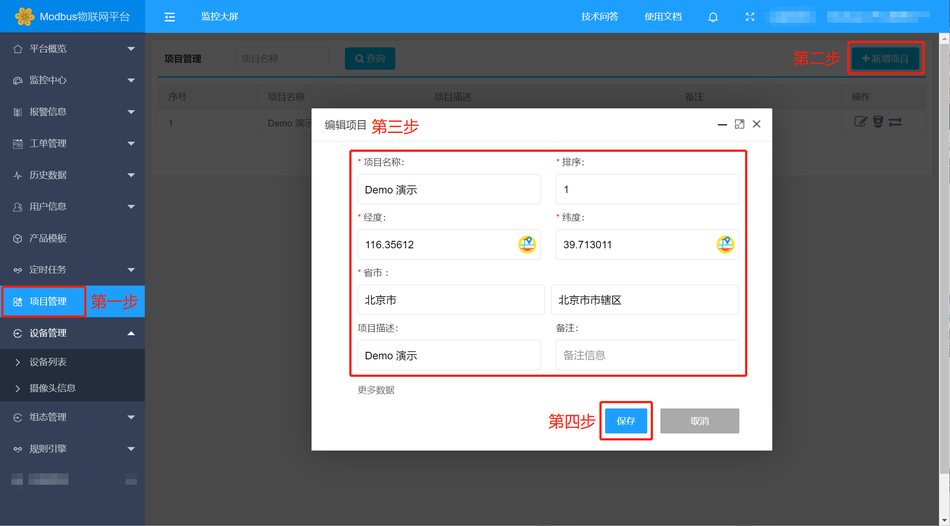
- Create Project (Project Management → New Project)
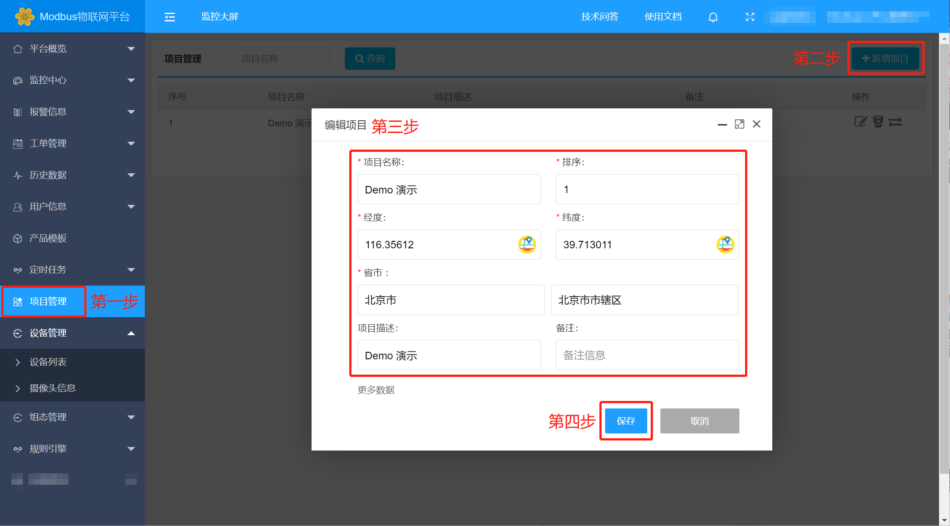
- Create Device (Device Management → Device List → New Device)
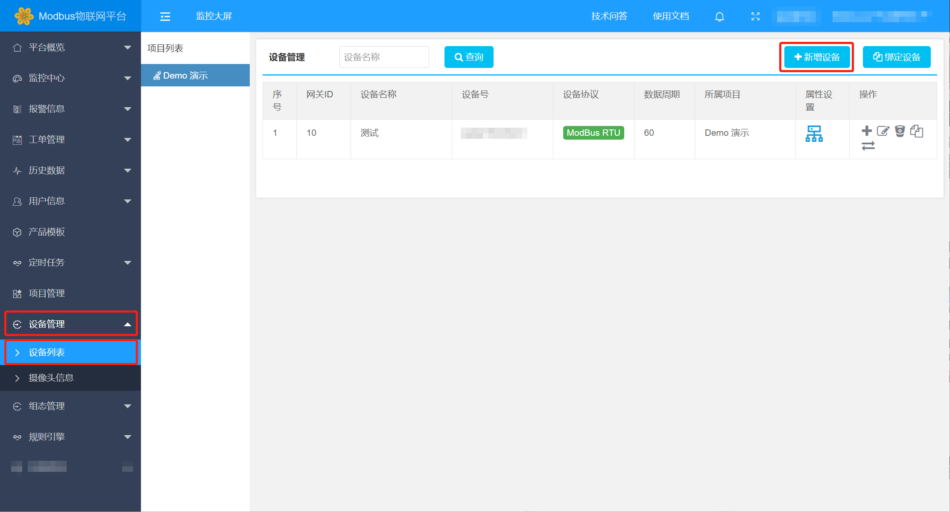
- Fill in the device name, generate randomly or manually enter the device number, select ModBus RTU in the device protocol, locate the device's latitude and longitude, and save. (Copy and save the device number SN code for future use)
Configuration on MThings software
1. Add new network link
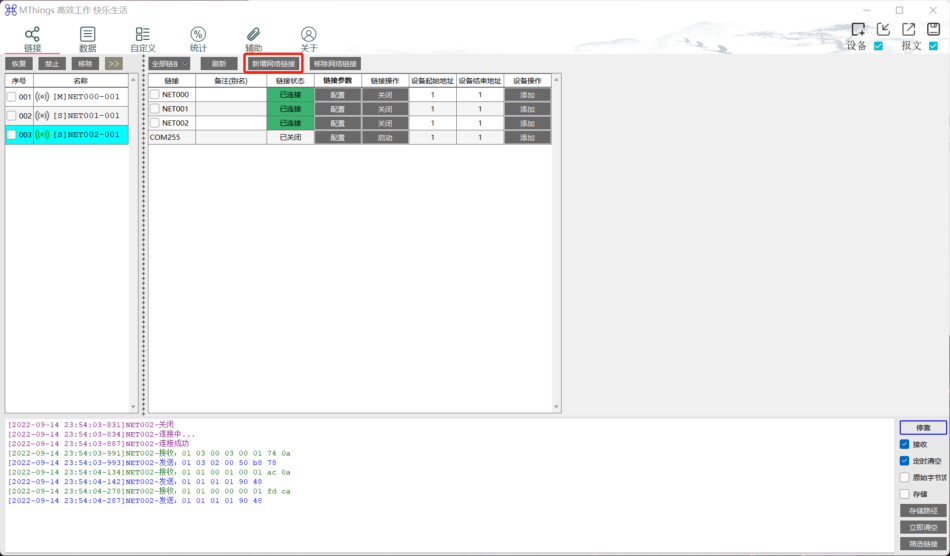
Fill in the link information
Target domain name/IP:
cloud.modbus.cn
Target port:
50001
Session key:
Fill in the device number SN code generated when creating the device
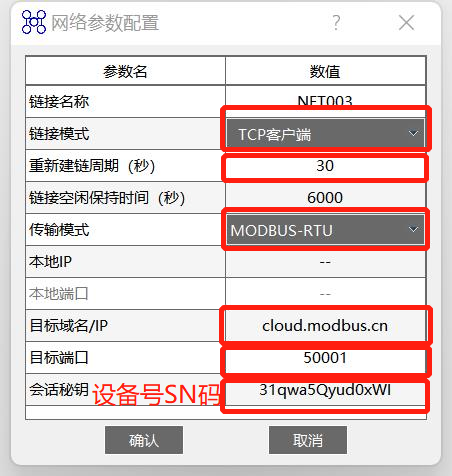
Device operation, add → simulate slave→Confirm(The device start address and device end address are the slave addresses, which can be adjusted according to actual needs)
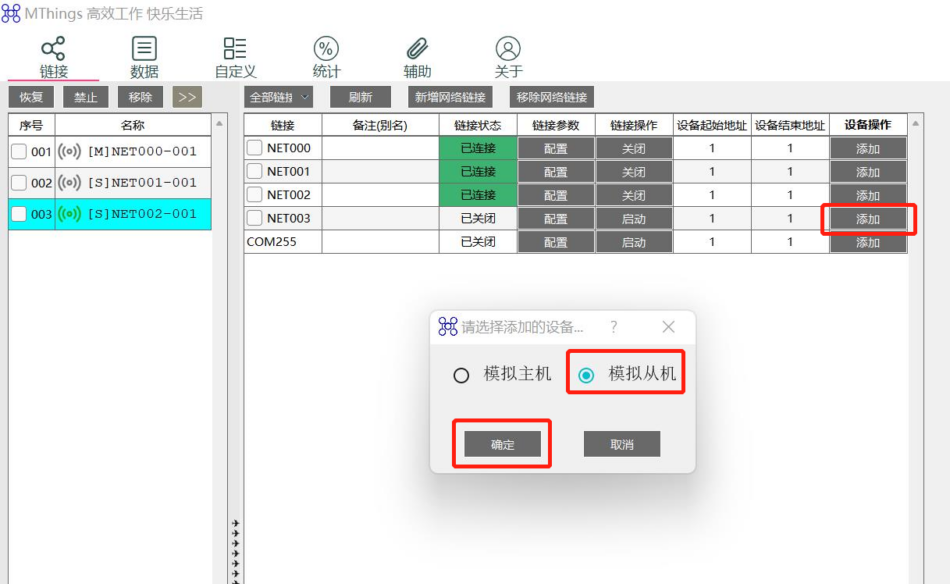
After the configuration is complete, we find that the connection status has changed to "Connected". At this point, the connection with the Modbus cloud platform has been successful. Next, add the simulated coil device.
Add coil (Example 1)
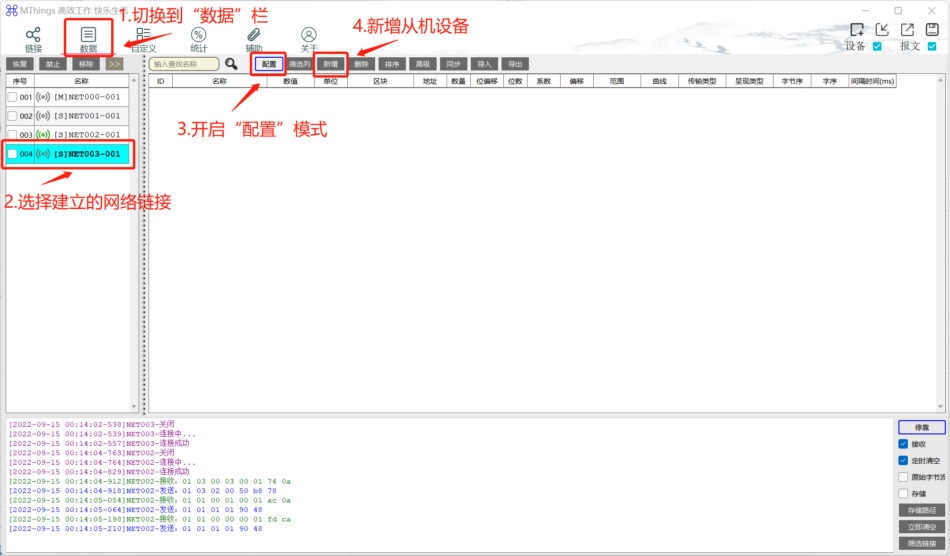
For example, add 4 coil devices with data addresses 0-4
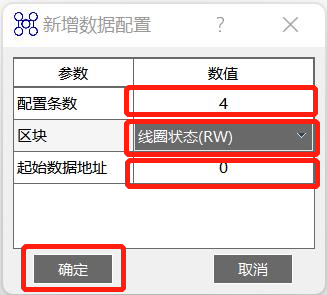
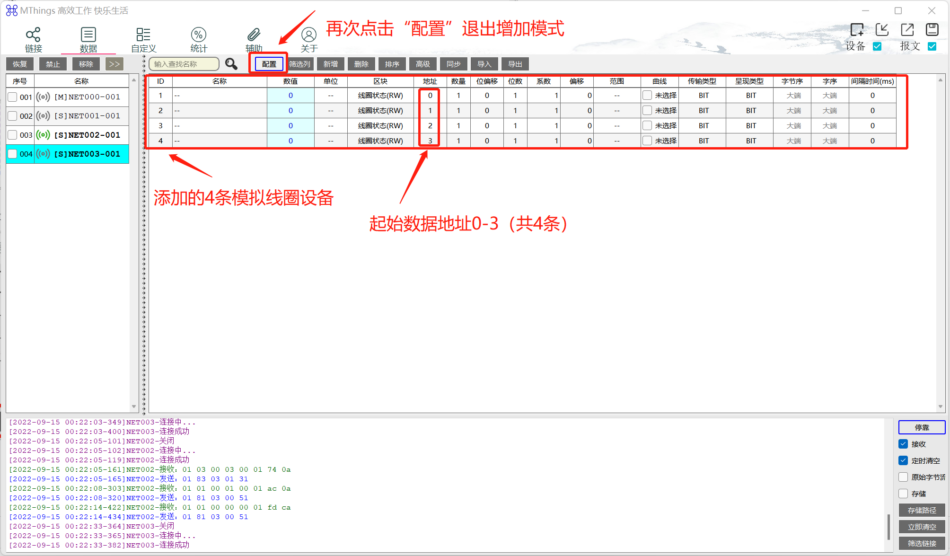
Click "OK", and the 4 coil devices will be automatically added, as shown below:
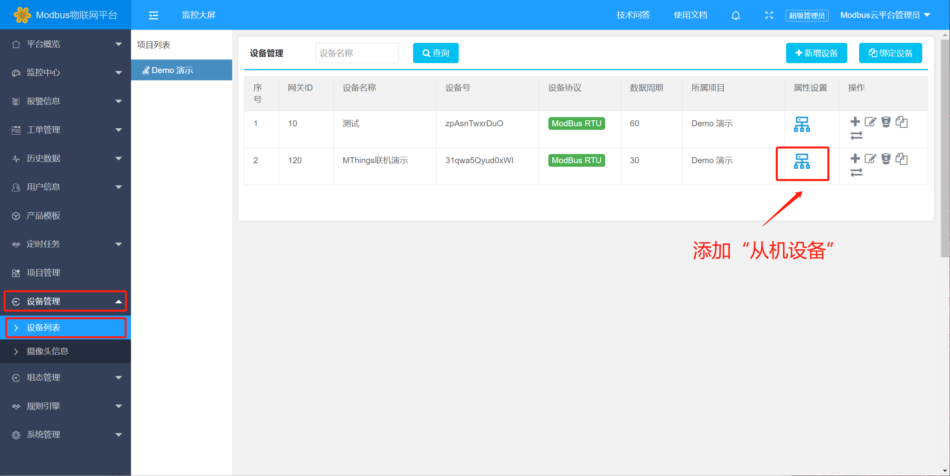
Modbus IoT platform operation
Add slave device
Add a coil
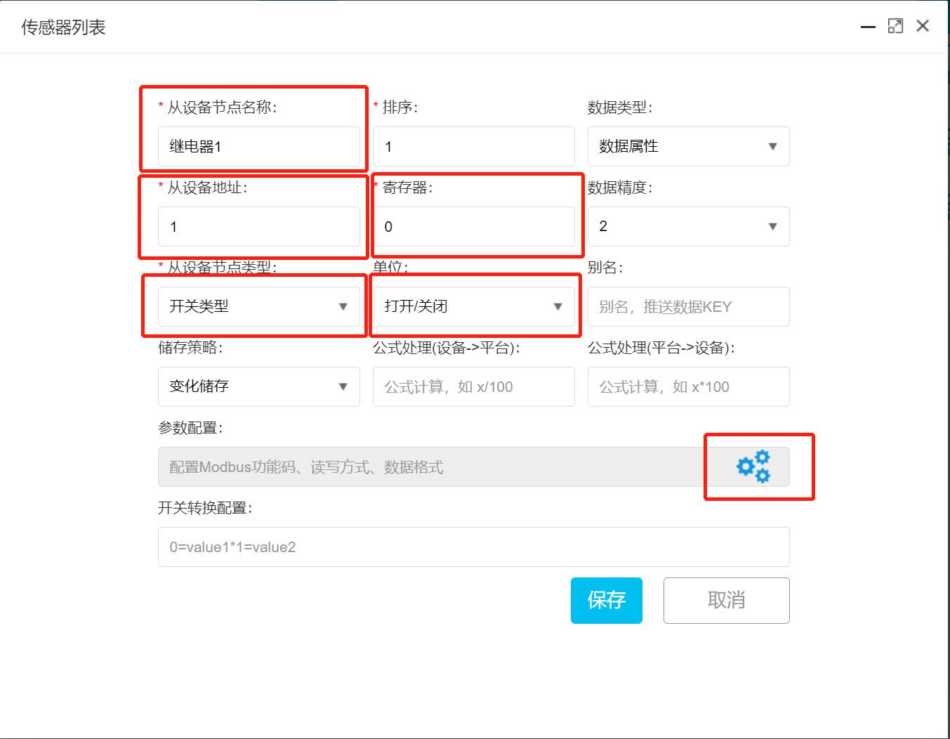

Configure Modbus parameters
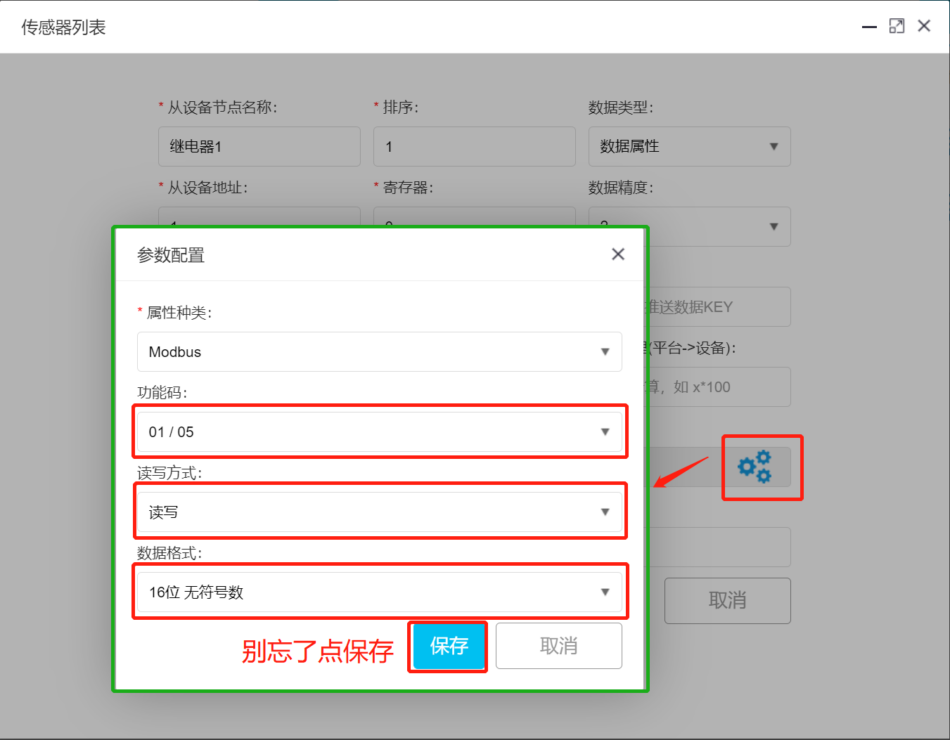
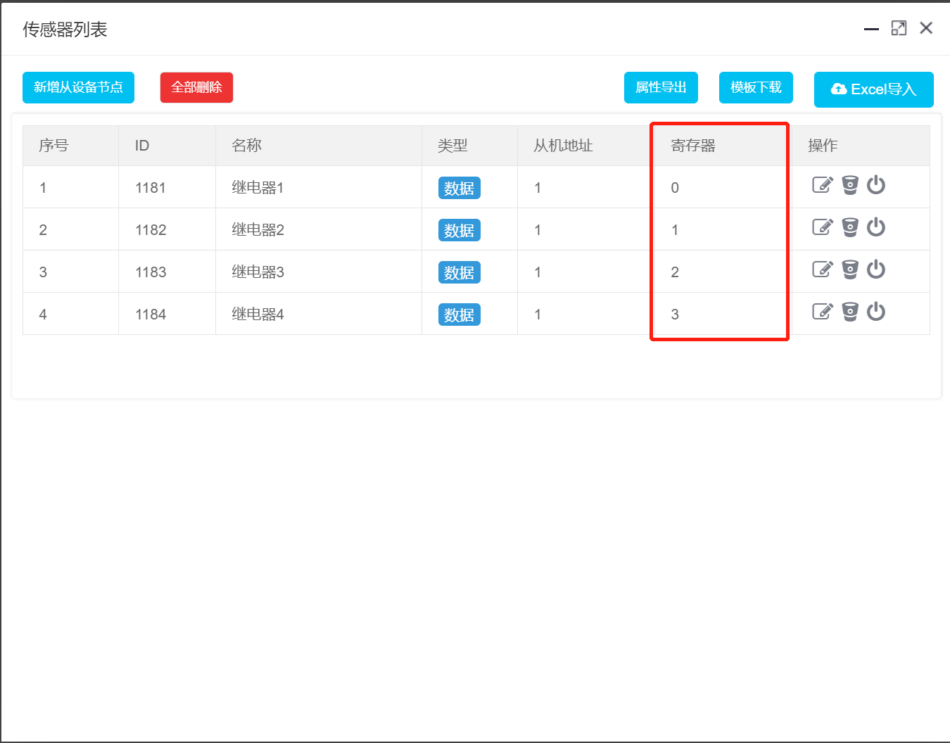
By analogy, add all 4 coils
Then, operate the added coils on the Modbus cloud platform and test whether the status synchronization and data response are synchronized
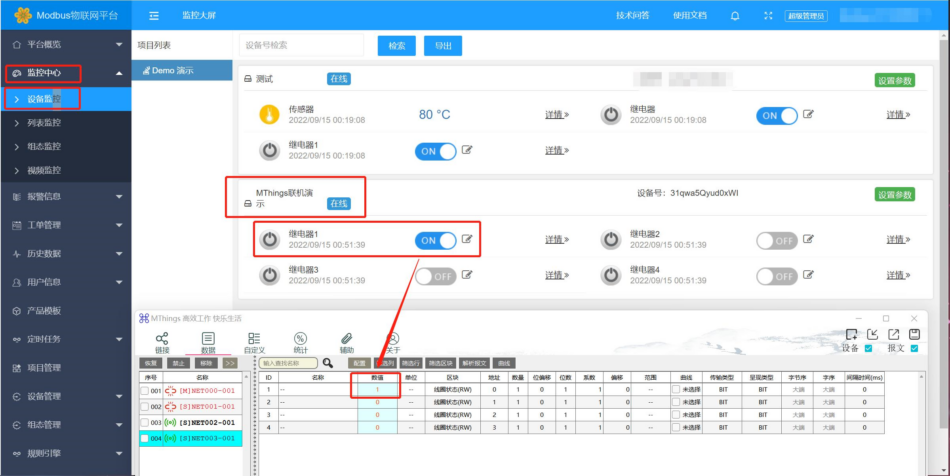
So far, the process of adding coils for the MThings connected to the Modbus IoT platform has been completed. The simulation of numerical devices follows the same principle. I will improve the tutorial here in the future. After simulating device access to the cloud platform, you can use the Modbus cloud platform to control devices, such as Xiaodu voice-controlled devices, official account control devices, view device status, generate device curves, configure large screens, historical data, automated joint control, and other functions. For students who want to understand IoT quickly, this is a great opportunity for learning and experimentation.
If you need technical support, please contact us!!!



Leave a Reply