
In the field of industrial automation, TCP Modbus communication occupies an important position, and modern user interfaces and powerful functions are the key to efficient debugging. This article will delve into the open-source TCP Modbus client tool provided by Mina Andrawos - Modbus Examiner, which provides engineers with convenient data read/write and debugging operations with its modern UI and rich features.
Tool Introduction
Modbus ExaminerIt is a product suitable forWindowsOpen source of operating systemTCP ModbusClient-side tool. Its main functions include regular data extraction, Keep data up-to-date, And execute fromTCP ModbusThe operation of reading and writing data from devices. This tool is a product of the late night coding course, Fully utilizedWPF, C#and.NET 4.6Waiting for modern software technology, Provided user-friendly service for usersGUIAnd rich functions.
Tool characteristics
1. modernUIinterface
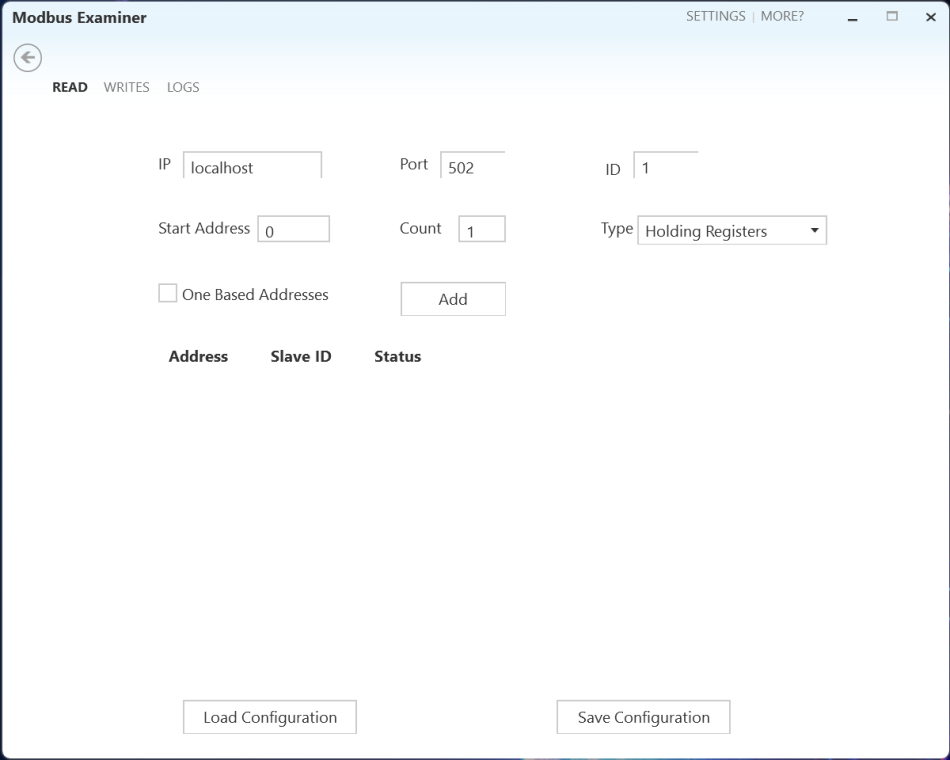
Modbus ExaminerIn modern timesUIas the basis, Provide an intuitive and user-friendly interface, Enable engineers to easily configure and operate. All functions are clearly distributed in different tabs of the main interface.
2. Reading function
- Easy to configure: in“read”In the tab, Users only need to fill inModbus TCPFrom the connection information of the device, Including hostname/IPaddress, port number, SlaveIDWait, wait,Click“Add”The button can quickly establish a connection.
- Visual data display: By clicking“View data”button, Users can clearly view data in a new window, Including registersID, aliasValueInformation such as type and sampling rate.
3. Write function
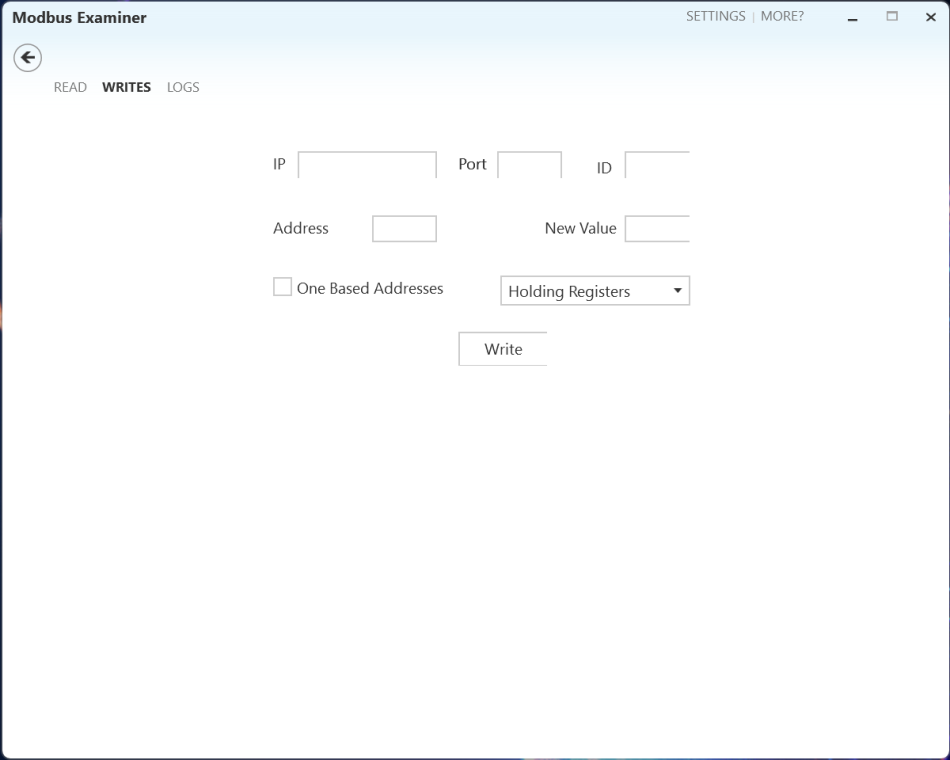
- Configuration options: Similar to the reading function, The write function also supports writing operations to a single address. Users can easily configure the written connection information and numerical fields, Implement forModbusChange of device value.
4. log recording
- Operation log: The log tab allows users to view the history since the application was launched, Modbus ExaminerAll operations performed by the tool, Provide simple and effective operation records.
5. User Customization
- Appearance Settings: By clicking on the top right corner“Settings”option, Users can customize the appearance of the application, Select a topic, Font size and preferred colors, Provide personalized user experience.
How to useModbus Examiner?
- Read operation: in“read”Configure in the tabModbus TCPFrom the connection information of the device, Click“Add”Button to establish connection, and then through“View data”Button View Data Window, Real time monitoring of data changes.
- Write operation: in“write”Configure writing connection information and numerical fields in the tab, Perform write operation, And check the prompt message to confirm if the writing was successful.
- log recording: in“Log”View the operation records of the tool in the tab, Help users track key information during the debugging process.
- User Customization: Through“Settings”Options for customizing appearance, Choose the appropriate theme and font, Adjust personalized color settings.
Conclusion
Modbus ExaminerTools with their modernizationUIAnd powerful features, Provided engineers with an efficient and practical solutionTCP Modbusdebugging tool. authorMina AndrawosProvide this tool for free, But users should note that the tool is provided as is, The author is not responsible for any potential issues that may arise during use. In industrial automation debugging, Modbus ExaminerUndoubtedly an indispensable weapon, Assist engineers to carry out tasks more easilyTCP ModbusCommunication debugging.



学习 学习
学习学习
学习学习
学习学习
好啊
学习
学习学习
好
感谢分享
感谢分享
更新