

What is video AV control?

The IoT-type serial port with AV camera input supports AV signal input display, commonly used in the beauty instrument industry for skin care, hair detection, etc.
Scope of application: W series
21.1 Introduction to video AV control properties
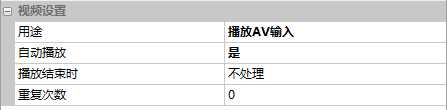
Usage
Select the video control and choose "Play AV Input" in the property window
21.2 AV Input
[AV Input] screen, configuration process of AV input display
Screen configuration
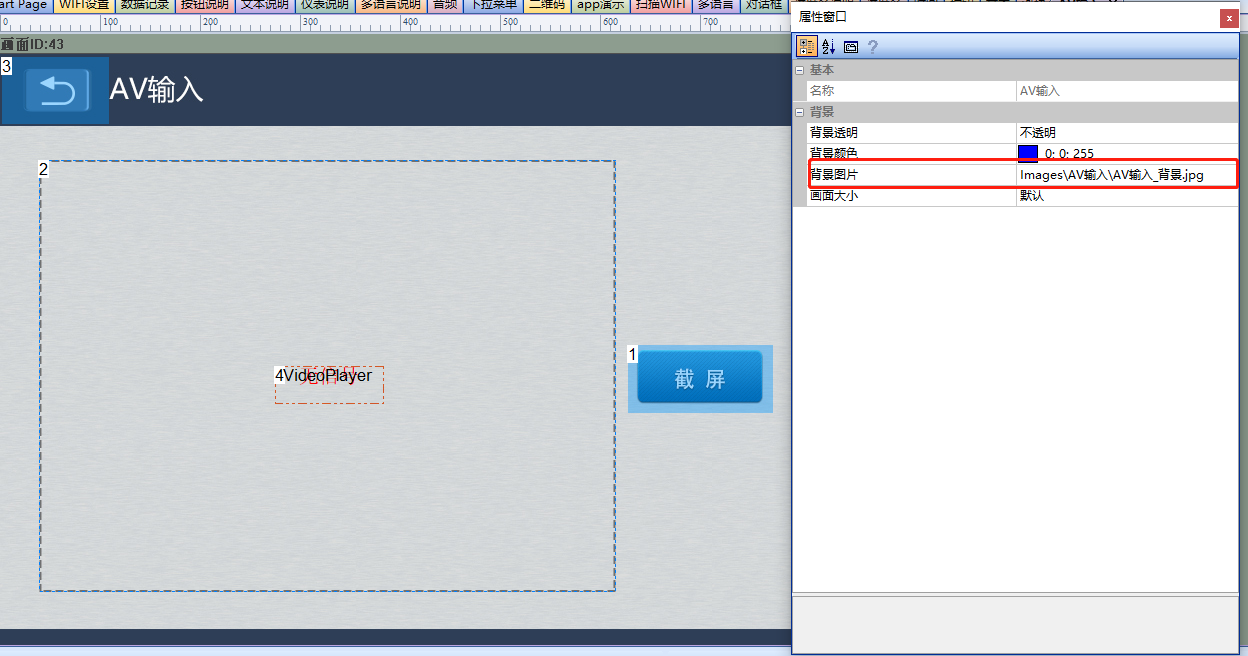
In the "Update QR Code with Button" screen, import the corresponding artwork image for the "Background Image". Add one video AV control (Control ID: 2) and one button control (Control ID: 1) to the screen, as shown below
Property configuration
Video AV control
Set the purpose to "Play AV Input" as shown below
Button Control
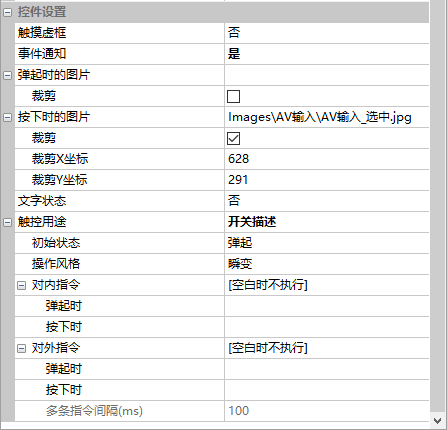
The screenshot properties of the button control are shown below, which requires cooperation with LUA script to implement screenshot storage
The LUA screenshot code segment is shown below:
local usb_dir = ''
local shoot_num = 0
--控制控件
function on_control_notify(screen,control,value)
   ......
   if screen==43 and control==1 and value==1 and usb_dir~=0                --AV截图
   then
        shoot_num=shoot_num+1                                              --图片编号
        local pic_path = usb_dir..shoot_num..".jpg"                        --图片存放在usb中,USB插入时有效
         screen_shoot(pic_path,39,106,577,432)                             --截图。参数:保存路径、截图原点x、截图原点y、截图像素宽度、高度
    end
    ......
end
-- 系统回调函数,插入SD卡自动回调
function on_sd_inserted(dir)
    usb_dir = dir
end
Running Effect
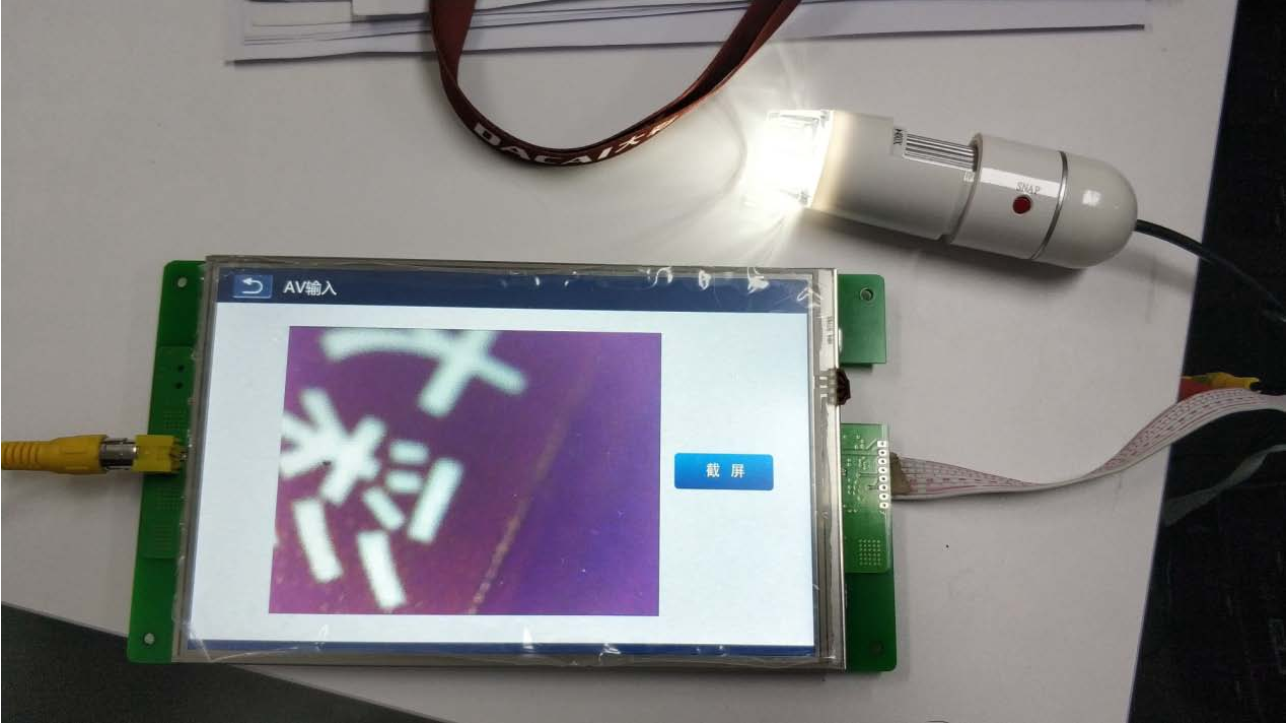
After compiling the project, download it to the serial port screen and connect it to the camera with an AV interface; click on the serial port screen to enter the video control interface, and the video control will automatically play the video captured by the camera. As shown below


Leave a Reply