
Description
Product Overview
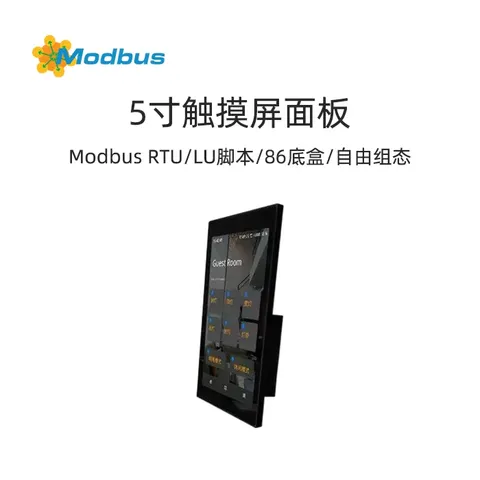
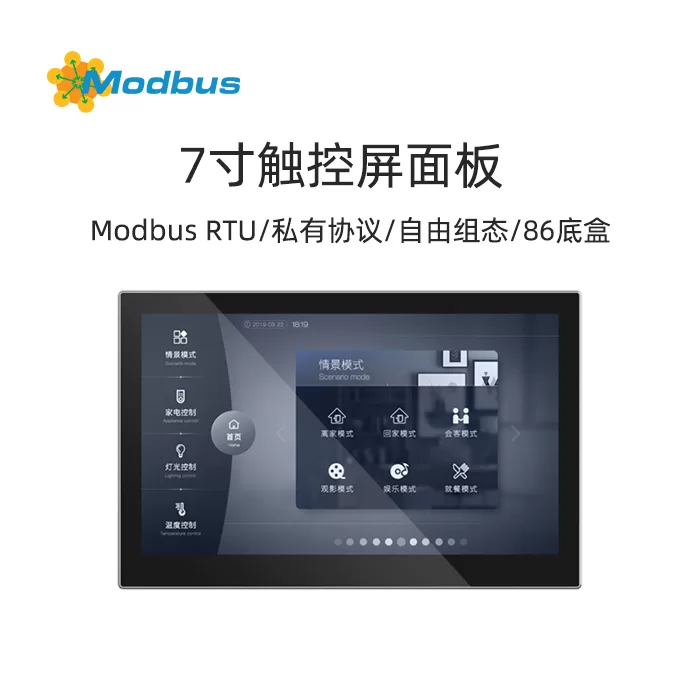
7-inch intelligent touch panel is used to display status and control various RS485 devices. It executes pre-set functions through graphical buttons on the touch screen. Such as sending on/off light messages, scene messages, on/off curtains, air conditioning control messages, etc. to control other devices on the bus system.Product manual:https://www.modbus.cn/29353.html
Installation method
The 7-inch smart touch panel is mainly used in intelligent control systems and adopts a wall mounted installation method. It can be installed on 80 or 86 junction boxes
Functional Overview
- 7.0-inch color IPS, resolution 1024x600, capacitive touch screen design
- Support software settings for vertical and horizontal display
- Equipped with switch, dimming, curtain, scene, value sending, and switch indication functions
- Temperature controller function
- air conditioning control
- Background music module control
- RGB, RGBW, RGBCW control and color temperature adjustment
- Fresh air and underfloor heating control
- Display air quality detection value
- Display energy monitoring value
- Weekly timer, users can modify the triggering time of the timer on the screen
- Scene group function
- Logic function, supports logic gate forwarding, threshold comparator, conversion of different data types
- Home navigation function
- Alarm function, built-in temperature sensor
- Time and date display, temperature display
- With security, screen saver and lock screen functions, the screen saver can choose clock LOGO
Technical Parameters
– Working voltage:12V DCCommunication method:RS485 (maximum distance of 1200 meters)Communication baud rate:1200~921600bpsDisplay resolution: 1024×600Storage space:128MbitFirmware upgrade method:SD cardOperating Temperature-20~+70℃Storage temperature:-30~+80℃Vibration test:10 to 25Hz (2G in X, Y, Z directions for 30 minutes)ESD testing:Air=± 8KV, Contact=± 6KV (can support higher)High and low temperature testing:70℃±3℃,72H/-20℃±3℃,72H; 50℃±3℃,90%±3%RH, 72HProduct dimensions:Appearance 275 × 170 × 7.5 mm; bottom box diameter 86 mm
General Function
General functions include system menu language selection, operation prompt sound, screen lock, screensaver, screen brightness adjustment, date/time display, etc.
Homepage navigation function
On the homepage, function page navigation keys can be set to quickly navigate to the function page, and multifunctional navigation keys can also be set to quickly execute various functions
lighting control
Mainly used for turning on and off lighting equipment or dimming lighting equipment. The dimming methods can be relative dimming, brightness dimming, relative+brightness dimming, or brightness+color temperature dimming. The color temperature dimming can be selected from ordinary control or direct control.
Curtain control
Mainly used to control the opening and closing of curtains, roller blinds, and blinds. Support adjusting the position of curtains and the angle of blinds.
Value sending function
Can send values of different data types.
Switch indicator
is mainly used to indicate the on/off status of lighting equipment or other devices.
Scene Control
Short operations are used to call scenes, while long operations can be set to store scenes.
Temperature Controller Function
Temperature controllers are mainly used to control the temperature of rooms, automatically and optimally controlling heating and cooling according to the needs of room use or occupants.
Air conditioning gateway control
The air conditioning gateway control can be used to control VRV/VRF air conditioning systems, and needs to be coordinated with an RS485 to VRV/VRF air conditioning gateway for control. It supports functions such as air conditioning switch, set temperature, mode, air speed, swing, and timing control.
Background music control
Used to control background music playback, such as power on/off, play/pause, previous/next track, volume adjustment, mute, playback mode, etc.
RGB dimming and color temperature control
Mainly for dimming RGB, RGBW, or RGBCW LED lights, using absolute dimming method. RGBCW supports adjustment of RGB lighting, color temperature, and brightness, with color temperature adjustment options available for either regular control or direct control.
Display air quality test values
Temperature and humidity can be set PM2.5, PM10, CO2, VOC, AQI, The display of illuminance, wind speed, and rain conditions is obtained through external sensors.
underfloor heating control
automatically switches underfloor heating based on temperature difference. In addition, the scene and timing functions of underfloor heating can be set, as well as temperature settings
Fresh Air Control
Supports three levels of wind speed adjustment, on/off heat exchange, filter life counting, filter timeout alarm, and filter reset.
Display energy monitoring values
Current, voltage, power, and energy (electrical energy) display can be set, and these values can be obtained through other actuators or metering instrument gateways.
Weekly timer function
Can send values of different data types at regular intervals, providing 3 timing controls After the timer function is enabled, the weekly timer in the screen settings interface can be operated, and the weekly timer can be turned off or on in this interface. In addition, the weekly timer can also be turned off through other devices on the bus.
Scene function
Multiple messages can be sent in chronological order at intervals, triggering N output messages.
logic function
supports logical operations, and its logical functions include threshold comparison, format conversion, delay function, etc