
I. Product Introduction
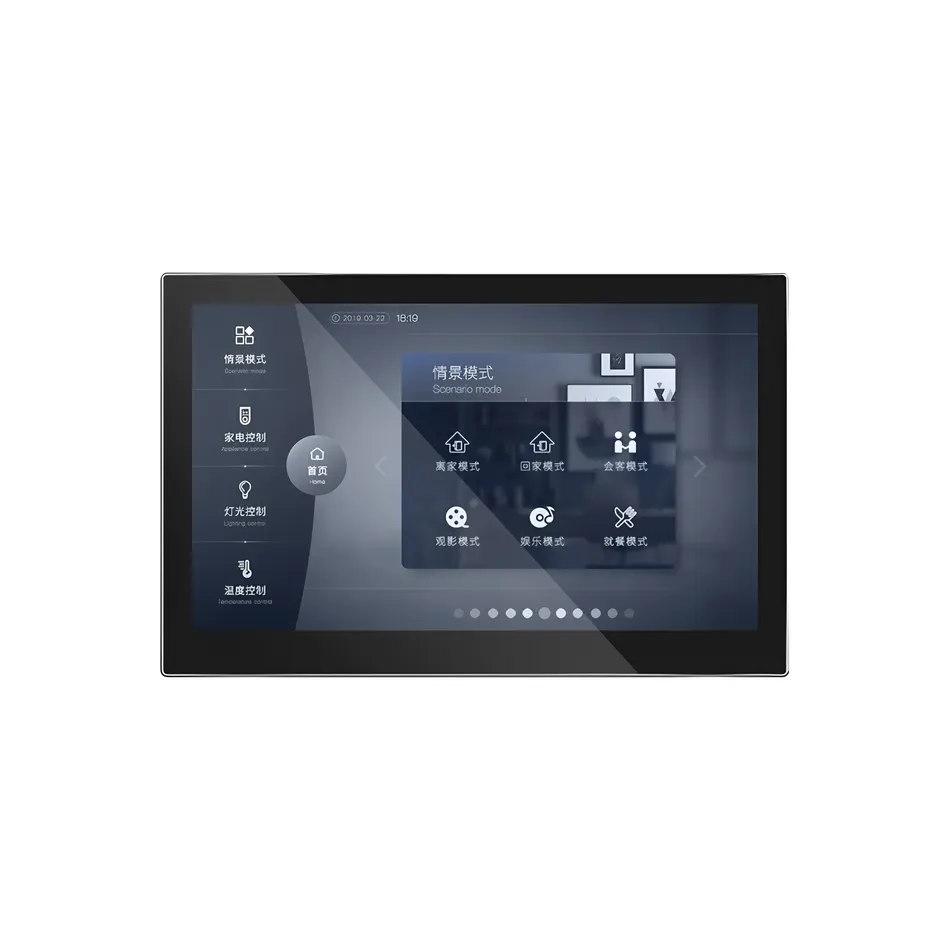
This product belongs to the 7-inch color screen controller series, with multiple size specifications, suitable for visual human-computer interaction scenarios in household, commercial, and industrial equipment. The entire series of products adopts a high specification true color LCD display screen, paired with a capacitive touch screen, with a simple and stylish appearance that conforms to modern aesthetics and usage habits.
This 7-inch color screen controller is suitable for industrial/commercial electrical control, color screen interaction, human-computer interaction, fresh air system, air conditioning system, and high-end instrument applications. Built in 7-inch high-resolution full-color display and capacitive touch glass panel, with smooth and simple operation. Equipped with ARM Cortex ™- The A7 dual core 1.2GHz processor has strong processing performance and meets various computing needs. equipKNX interface, it meets the hardware connection requirements of intelligent appliances and controls. The back of the machine adopts a magnetic metal hanging bracket sliding buckle installation design, which is simple to install and firm and reliable. High end CNC aluminum panel shell that can be integrated into home environments. The command
sent from the outside to the central control screen reads the group address
Read group address(0x00)
- Function: reads the data of the specified group address from the KNX bus.
- Protocol Format:
00 + 数据长度(03) + 组地址高字节(Add_H) + 组地址中字节(Add_M) + 组地址低字节(Add_L) + 校验(XOR8). - Example: Assuming to read data from group addresses1/2/3, the message is:
00 03 01 02 03 03. Among them, 0x00 is the command type, 0x01 is the high byte of the group address, 0x02 is the medium byte, 0x03 is the low byte, and the checksum is 0x03. After sending the message, the core board will read the data of group addresses 1/2/3 from the KNX bus and may return the result.
Write group address(0x01)
- FunctionWrite data to the designated group address on the KNX bus.
- Protocol Format:
01 + 数据长度(L_data) + 组地址高字节(Add_H) + 组地址中字节(Add_M) + 组地址低字节(Add_L) + 值长度(L_value) + 数据值(V1...Vn) + 校验(XOR8). - Example: To group address1/2/3Write switch 1, the message is:
01 05 01 02 03 01 01 04Here, 0x01 is the command type, 0x05 is the data length (including the last 5 bytes), the group address is 1/2/3, the value length is 1 bit, the data value is 0x01 (representing switch value 1), and the checksum is 0x04. After sending the message, the core board will write switch 1 to group address 1/2/3 on the KNX bus.
Read communication object (0x)02)
- effectRead the values of internal communication objects on the core board.
- Protocol Format:
02 + 数据长度(01) + 通讯对象号(ObjNum) + 校验(XOR8). - ExampleTo read the value of communication object 08, the message is:
02 01 08 0B0x02 is the command type, the data length is 0x01 (1 byte), the communication object number is 0x08, and the checksum is 0x0B. After sending this message, the core board will reply with the value of communication object 08.
Write communication object (0x)03)
- effectWrite values to internal communication objects of the core board.
- Protocol Format:
03 + 数据长度(L_data) + 通讯对象号(ObjNum) + 值长度(L_obj) + 数据值(V1...Vn) + 校验(XOR8). - ExampleWrite switch 1 to communication object 6, and the message is:
03 03 06 01 01 060x03 is the command type, with a data length of 0x03 (3 bytes), a communication object number of 0x06, a value length of 1 bit (0x01), a data value of 0x01 (switch value 1), and a checksum value of 0x06. After sending, the value of communication object 6 becomes 1, and the core board may send a write group address message on the KNX bus.
Sending raw data (0x04)
- Function: Sending raw data directly to the KNX bus.
- Protocol Format:
04 + 数据长度(L_data) + 数据内容(D1...Dn) + 校验(XOR8). - Example: Send a complete KNX message, such as
04 05 70 70 83 74 6F 99. 0x04 is a command type with a data length of 0x05 (5 bytes). The following data is the original KNX message that you want to send, with a checksum value of 0x99. This command can be used to send user-defined KNX messages.
Get parameter (0x)05)
- effectObtain the internal parameters of the core board.
- Protocol Format:
05 + 数据长度(04) + 首地址高字节(AddStart_H) + 首地址低字节(AddStart_L) + 尾地址高字节(AddEnd_H) + 尾地址低字节(AddEnd_L) + 校验(XOR8). - Example: To obtain parameters from address 0x3B00 to 0x3C00, the message is:
05 04 3B 00 3C 00 + 校验. After sending, the core board will return parameter data within the specified address range.
Serial port baud rate (0x06)
- Function: Set the baud rate of the touch screen serial port.
- Protocol Format:
06 + 数据长度(01) + 波特率代码(D1) + 校验(XOR8). - Example: Set the baud rate to 115200, and the message is:
06 01 02 + 校验. Among them, 0x02 represents a baud rate of 115200, which is the default value.
Physical Address (0x07)
- Function: Set or read the physical address of the core board.
- protocol format: When writing a physical address,
07 + 数据长度(03) + 地址高字节(Add_H) + 中字节(Add_M) + 低字节(Add_L) + 校验; When reading, illegal addresses can be sent (such as three bytes with 0xFF). - Example: Set the physical address to 1.2.3 and the message to
07 03 01 02 03 + 校验. The three bytes represent the high, medium, and low bytes of the address.
Manufacturer ID (0x08)
- Function): Set or read manufacturer ID.
- Protocol format: When writing,
08 + 数据长度(02) + ID高字节(ID_H) + 低字节(ID_L) + 校验; When reading, both the sending ID and ID are 0x00. - Example: Set the manufacturer ID to 0x1234, and the message is:
08 02 12 34 + 校验.
Activate (0x09)
- Function: Activate the core board (already activated at the factory, generally does not require user operation).
- Protocol Format:
09 + 数据长度(08) + 激活码(A1...A8) + 校验. - Example:
09 08 A1 A2 A3 A4 A5 A6 A7 A8 + 校验.
Transmission Interval (0x)0A)
- Function: Set the minimum interval for serial port data transmission.
- Protocol Format:
0A + 数据长度(02) + 时间高字节(Th) + 时间低字节(Tl) + 校验. - Example: Set the sending interval to 20ms, and the message is:
0A 02 00 14 + 校验(0x0014=20ms).
Resend Setting (0x0B)
- Function: Set the number of resends and timeout period.
- Protocol Format:
0B + 数据长度(02) + 重发次数(Re) + 超时时间(To) + 校验. - Example: Set the retransmission frequency to 3 times, the timeout time to 10ms, and the message is:
0B 02 03 0A + 校验.
Restart the core board (0x0C)
- Function: Restart the core board.
- Protocol Format:
0C + 数据长度(05) + 特定字节(70 70 83 74 6F) + 校验. - Example: Sending Restart Message:
0C 05 70 70 83 74 6F 91.
Programming Status (0x0D)
- Function: Enter or exit programming mode.
- Protocol Format:
0D + 数据长度(01) + 状态(Data) + 校验. - Example: When entering programming mode, the message is:
0D 01 01 + 校验; Exit programming state, message is:0D 01 00 + 校验.
Uninstall (0x0E)
- Function: Uninstall application or application and physical address.
- Protocol Format:
0E + 数据长度(01) + 类型(Type) + 校验. - Example: Uninstalling an application, the message is:
0E 01 01 + 校验; Uninstall the application and physical address, message is:0E 01 02 + 校验.
Internal update object (0x0F)
- Function: Update the internal object of the core board without sending it to the bus.
- Protocol format:
0F + 数据长度(L_data) + 对象号1(ObjNum1) + 值长度1(L_obj1) + 值1 + ... + 校验. - Example: Update object 1 to value 0x01:
0F 03 01 01 01 + 校验.
Internally update continuous objects (0x10)
- Function: Update continuous objects without sending them to the bus.
- Protocol Format:
10 + 数据长度(L_data) + 起始对象号(ObjNum) + 值1 + 值2 + ... + 校验. - Example: Updating the values of objects 5 and 6:
10 04 05 01 02 + 校验(starting object number 5, with two values of 0x01 and 0x02 respectively).
Command sent from the central control screen to the outside
Read group address reply (0x80)
- Function: Reply to read group address request, including group address and value.
- Protocol Format:
80 + 数据长度(L_data) + 组地址高字节(Add_H) + 中字节(Add_M) + 低字节(Add_L) + 值长度(L_value) + 值(V1...Vn) + 校验(XOR8). - Example: Reply to group address 1/2/3 with a value of 0x01 (switch 1), message is:
80 05 01 02 03 01 01 + 校验.
Write group address (0x81)
- function): Notify external write group address operation, including group address and value.
- Protocol format: Similar to read group address reply, but with command type 0x81. For example:
81 05 01 02 03 01 01 + 校验.
Communication Object Value Update (0x82)
- Function: Notify external communication object value updates.
- Protocol Format:
82 + 数据长度(L_data) + 通讯对象号(ObjNum) + 值长度(L_obj) + 值(V1...Vn) + 校验. - Example: The value of communication object 6 is updated to 1, and the message is:
82 03 06 01 01 + 校验.
Original Data (0x84)
- Function: Forwarding the original data on the KNX bus.
- Protocol Format:
84 + 数据长度(L_data) + 数据内容(D1...Dn) + 校验. - Example: Forward raw KNX data, message is:
84 05 70 70 83 74 6F + 校验.
Parameter (0x85)
- Function: Return parameter data.
- Protocol Format:
85 + 数据长度(22) + 首地址高字节(AhAl) + 数据内容(D1...D32) + 校验. - Example: Returns parameter data, message is:
85 22 AhAl D1 D2 ... D32 + 校验.
Physical Address (0x87)
- Function: Returns the physical address of the core board.
- Protocol Format:
87 + 数据长度(03) + 地址高字节(Add_H) + 中字节(Add_M) + 低字节(Add_L) + 校验. - Example: Returns Physical Address 1.2.3, Message:
87 03 01 02 03 + 校验.
Manufacturer ID (0x88)
- Function: Returns Manufacturer ID.
- Protocol Format:
88 + 数据长度(02) + ID高字节(ID_H) + ID低字节(ID_L) + 校验. - Example: Returns ID 0x1234, Message:
88 02 12 34 + 校验.
Core Board Restart (0x8C)
- Function: Notify the external core board to restart.
- Protocol Format:
8C + 数据长度(11) + 特定字节 + 校验. - Example: Send on Restart:
8C 11 70 70 83 74 6F + S1...S7 + VhVl + FUN + AT + 校验.
Programming Status (0x8D)
- Function: Notify of Programming Status Changes.
- Protocol Format:
8D + 数据长度(01) + 状态(D1) + 校验. - Example: When entering programming mode, the message is:
8D 01 01 + 校验.


Leave a Reply