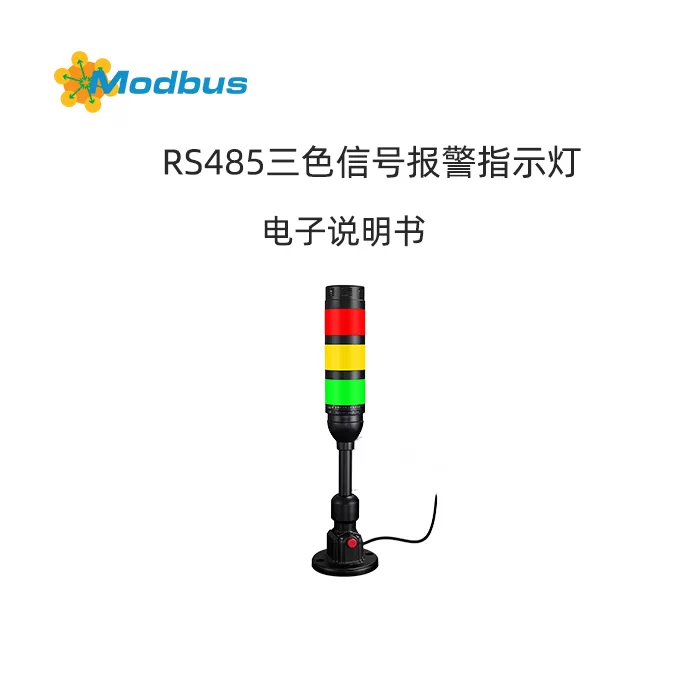
USB/RS-485 Audible and Visual Alarm
User Manual V1.0
(Applicable to all models powered by 5 V USB or 10-30 V DC, with Modbus-RTU protocol)
1. Product Overview
The audible and visual alarm utilizes high-brightness LED beads and a piezoelectric buzzer to simultaneously provide 360° visual and 100 dB audible alarms.
- Low power consumption, long lifespan, no mechanical moving parts
- Supports 5 V USB or 10-30 V wide voltage power supply
- Communication interface: USB-serial port (CH340 chip) or RS-485, Modbus-RTU protocol, 9600 bps, 8E1
- Light colors: Red, yellow, green, blue, white (choose one or a combination)
- Flashing methods: Constant on, slow flashing, fast flashing, buzzer synchronization/asynchronization
- Applicable to scenarios such as fire alarms, security monitoring, production line failures, and smart buildings.
2. Technical Parameters
| Item | Specification |
|---|---|
| Operating Voltage | 5 V USB or 10-30 VDC |
| Operating Current | ≤ 120 mA (5 V, full load) |
| Sound Pressure Level | ≥ 100 dB @ 1 m |
| Beam Angle | 360° |
| Communication Protocol | Modbus-RTU (Slave) |
| Default address | 0x01 |
| Baud rate | 9600 bps (configurable from 2400-115200) |
| Operating temperature | -20 ℃ ~ +60 ℃ |
| Protection level | IP54 (indoor type) |
| Installation method | Bottom M20×1.5 nut fixing or magnetic attraction |
3. Quick wiring
3.1 USB interface (5 V version)
- Plug it directly into the PC USB port, and the system will automatically recognize it as COMx (please install the CH340 driver if it's not installed).
- No external power supply is required. The maximum bus current is 200 mA. Please use the native port of the motherboard or a HUB with power supply.
3.2 RS-485 interface (10-30 V version)
| Terminal | Definition | Wire color | Notes |
|---|---|---|---|
| 1 | V+ | Red | 10-30 VDC positive |
| 2 | V- | Black | Power ground |
| 3 | A | Yellow | 485-A |
| 4 | B | Blue | 485-B |
| 5 | GND | Bare wire | Shield grounding |
- Hand-in-hand wiring, with 120 Ω terminal resistors added at both ends.
- When the bus length is > 500 m, add a repeater at 1/3 of the length.
4. Serial port test
4.1 Query port number
Windows: Device Manager → Ports (COM & LPT) → "USB-SERIAL CH340 (COMx)" is the device port.
4.2 Use the Universal Serial Port Assistant
- Baud rate 9600, data bits 8, even parity, stop bits 1, no flow control.
- After opening the serial port, send the instructions in Table 6.1 in HEX mode and observe the action of the lights and buzzer.
- The interval between each instruction should be ≥ 50 ms, otherwise packets may be lost.
5. Control Command Table (Modbus-RTU)
5.1 Coil Address (Function Code 0x05)
| Coil Address | Function | Command Example (HEX) |
|---|---|---|
| 0x0000 | All Off | 01 05 00 00 00 00 CD CA |
| 0x0001 | Red Light On | 01 05 00 01 FF 00 DD FA |
| 0x0001 | Red light off | 01 05 00 01 00 00 9C 0A |
| 0x0002 | Yellow light on | 01 05 00 02 FF 00 2D FA |
| 0x0002 | Yellow light off | 01 05 00 02 00 00 6C 0A |
| 0x0003 | Green light on | 01 05 00 03 FF 00 7C 3A |
| 0x0003 | Green light off | 01 05 00 03 00 00 3D CA |
| 0x0004 | Buzzer on | 01 05 00 04 FF 00 CD FB |
| 0x0004 | Buzzer off | 01 05 00 04 00 00 8C 0B |
| 0x0005 | Red flashing | 01 05 00 05 FF 00 6C 3B |
| 0x0006 | Yellow flash | 01 05 00 06 FF 00 3D FB |
| 0x0007 | Green flash | 01 05 00 07 FF 00 5C 39 |
| 0x0008 | Blue flash | 01 05 00 08 FF 00 0D FB |
| 0x0009 | Quick flash (red + beep) | 01 05 00 09 FF 00 5C 39 |
| 0x0016 | Red flashing | 01 05 00 16 FF 00 6D FE |
| 0x0017 | Yellow flashing | 01 05 00 17 FF 00 3C 3E |
| 0x0018 | Green flashing | 01 05 00 18 FF 00 0C 3D |
| 0x0019 | Blue flashing | 01 05 00 19 FF 00 5D FD |
(For more combined instructions, please refer to the EXCEL table in the appendix)
5.2 Verification Algorithm
Standard Modbus-RTU CRC16, with low byte first and high byte second.
Online calculation tool: www.lammertbies.nl/comm/info/crc-calculation.html
6. Software Programming Example (Java)
6.1 Add Dependencies
Introduce jSerialComm to the Maven repository:
<dependency>
  <groupId>com.fazecast</groupId>
  <artifactId>jSerialComm</artifactId>
  <version>2.10.4</version>
</dependency>
6.2 Core Code
import com.fazecast.jSerialComm.*;
import java.io.*;

public class LightController {
    // 预定义指令
    public static final String CLOSE_ALL = "010500000000CDCA";
    public static final String RED_ON    = "01050001FF00DDFA";
    public static final String YELLOW_ON = "01050002FF002DFA";
    public static final String GREEN_ON  = "01050003FF007C3A";
    public static final String BUZZ_ON   = "01050004FF00CDFB";

    public static void main(String[] args) {
        sendCommand("COM16", RED_ON);    // 举例:打开红灯
        sleep(1000);
        sendCommand("COM16", BUZZ_ON);   // 蜂鸣 1 s
        sleep(1000);
        sendCommand("COM16", CLOSE_ALL); // 全部关闭
    }

    public static void sendCommand(String portName, String hexCmd) {
        SerialPort sp = SerialPort.getCommPort(portName);
        sp.setComPortParameters(9600, 8, SerialPort.ONE_STOP_BIT, SerialPort.EVEN_PARITY);
        sp.setComPortTimeouts(SerialPort.TIMEOUT_WRITE_BLOCKING, 1000, 0);
        if (sp.openPort()) {
            try (OutputStream os = sp.getOutputStream()) {
                os.write(hexToBytes(hexCmd));
                os.flush();
            } catch (IOException e) { e.printStackTrace(); }
            finally { sp.closePort(); }
        }
    }

    public static byte[] hexToBytes(String hex) {
        int len = hex.length();
        byte[] out = new byte[len / 2];
        for (int i = 0; i < len; i += 2) {
            out[i / 2] = (byte) Integer.parseInt(hex.substring(i, i + 2), 16);
        }
        return out;
    }

    public static void sleep(long ms) {
        try { Thread.sleep(ms); } catch (InterruptedException ignored) {}
    }
}
6.3 Notes
- The command string must be continuous without any spaces.
- The interval between two commands should be ≥ 50 ms.
- Be sure to close the serial port after it is opened, otherwise it may fail to open next time.
- If "Port not found" appears, please check the driver or replace the USB port.
7. Common Scenario Scripts
7.1 Polling Alarms (Python Pseudo-Code)
import serial,time
cmds = ["01050001FF00DDFA","01050004FF00CDFB",
        "01050001FF00DDFA","0105000400008C0B"]
with serial.Serial('COM16',9600,parity='E') as s:
    for c in cmds:
        s.write(bytes.fromhex(c))
        time.sleep(0.5)
7.2 Kingview/Lixiong/MCGS
Create a new "Modbus-RTU" device with address 1, 9600-8E1,
where coils 1~4 are mapped to red, yellow, green, and buzzer respectively,
controllable via the "Set/Reset" button.
8. Troubleshooting
| Symptom | Cause | Solution |
|---|---|---|
| Serial port not found | CH340 driver not installed | Install the driver and switch to a different USB port |
| No response to commands | Address/baud rate error | Test with address 01, 9600 E-8-1 |
| Lights are on but the buzzer doesn't sound | Independent control of buzzer | Send 0x0004 to turn the coil ON |
| Command is garbled | No CRC or bit inversion added | Use the assistant to automatically generate CRC |
| Unstable over long distances | No terminal resistance | Add 120 Ω resistors at both ends of the bus. |
9. Maintenance and Care
- Wipe the lampshade with a dry soft cloth monthly to prevent dust from affecting brightness.
- Do not clean with corrosive chemical solvents.
- If not in use for a long time, please power off and store it to avoid high temperatures above 40℃.
- There are no user-serviceable components inside the probe. If it malfunctions, please return it to the factory.
Statement: This manual applies to all USB/485 audible and visual alarms using the Modbus-RTU protocol. No further notice will be given for any changes.


Leave a Reply