
In the field of embedded development and debugging, having a powerful and easy-to-use debugging tool is crucial. The Wildfire Multi functional Debugging Assistant is such a tool that, with its rich features and user-friendly interface, helps developers efficiently carry out project development and debugging work.
Overview of Wildfire Multi functional Debugging Assistant
Wildfire Multi functional Debugging Assistant is a software that integrates multiple debugging functions, supporting serial ports, cameras, networks, and morePIDWaiting for various debugging methods. Self2020Since its first release in June, the software has undergone several important updates, including additionsUbuntuVersion download and serial port transmission instructions, etc.
Version history
- 2020/6/21: edition0.0.1The first release marks the birth of the Wildfire Multi functional Debugging Assistant.
- 2020/7/2: edition0.0.2IncreaseUbuntuVersion download has expanded the software's applicability platform.
- 2021/2/3: edition0.0.3Adding serial transmission instructions further enriches the software's documentation and help resources.
Software features
The design concept of Wildfire Multi functional Debugging Assistant is to provide a one-stop debugging solution, which includes the following core components:
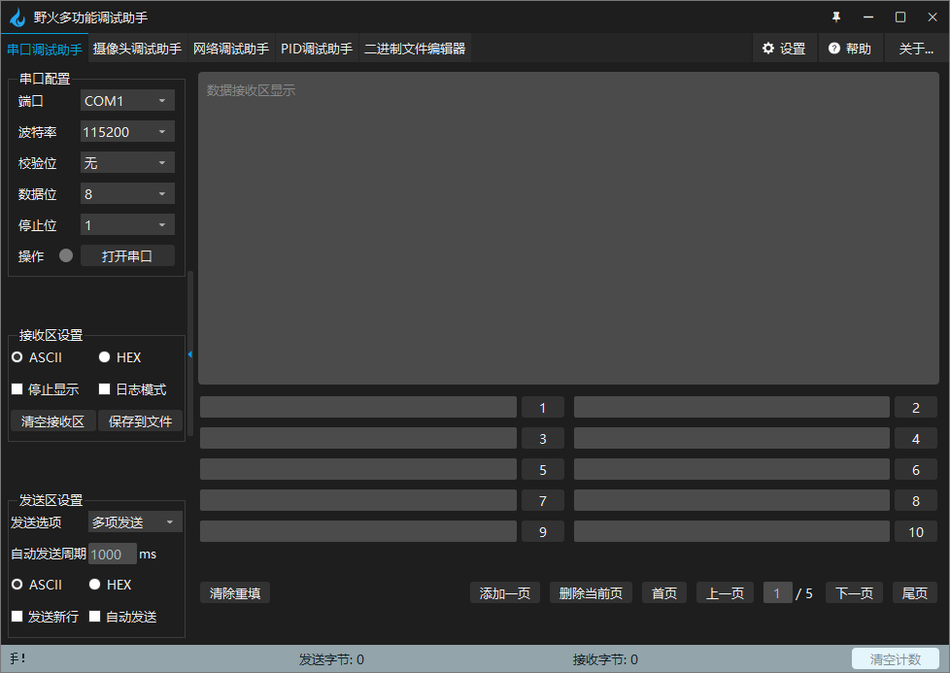
- Serial port debugging assistant: SupportASCIIAndHEXFormat data display and transmission, with functions such as log mode and data storage.
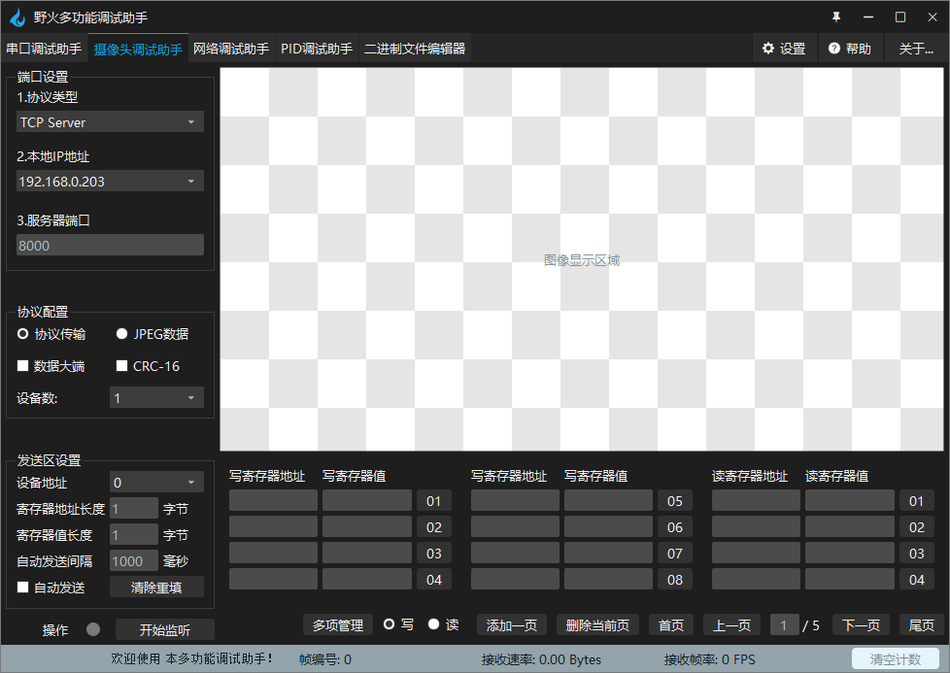
- Camera debugging assistantAllow users to transmit image data according to the specified communication protocol and support itJPEGDirect data transmission andCRCVerification.
- Network debugging assistantSimilar to a serial debugging assistant, but with added support for network communication, including log mode and automatic sending function.
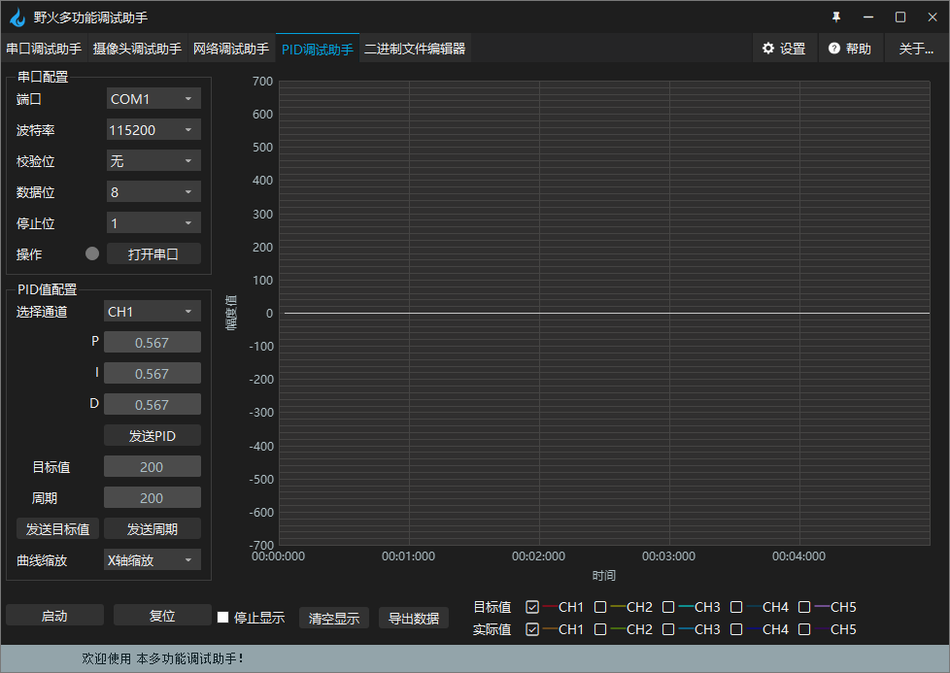
- PIDDebugging assistantProvide channel selection and sendingPIDAdvanced features such as values, target values, and cycles, as well as support for curve scaling and data export.
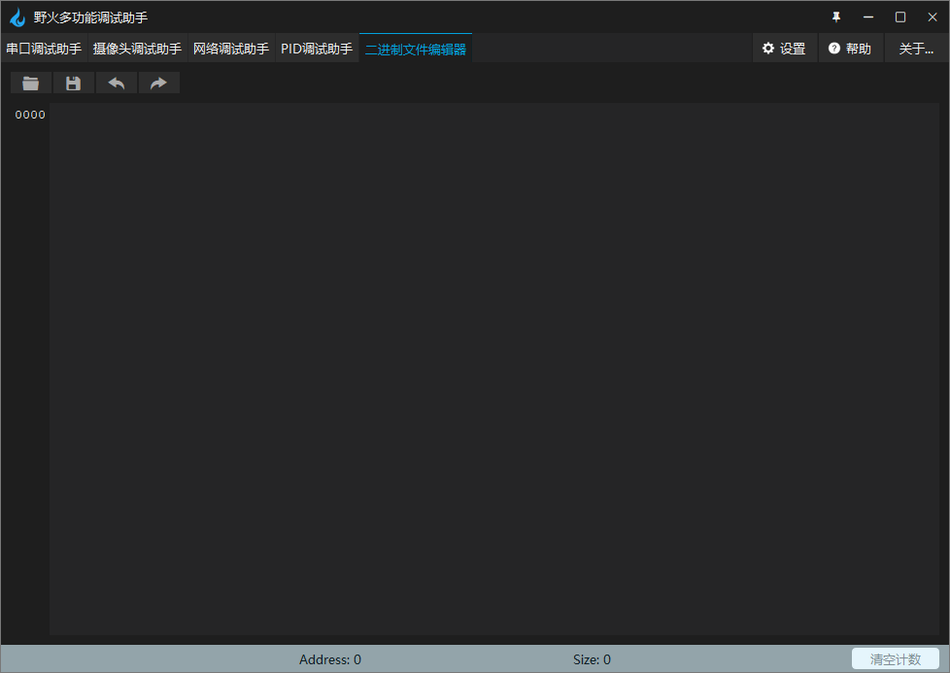
- Binary file editorAllow users to directly compile and edit16Binary file content.
Detailed explanation of functions
Serial port debugging assistant
The serial port debugging assistant is one of the core components of the Wildfire multifunctional debugging assistant, which provides the following functions:
- Data displayUsers can chooseASCIIOrHEXFormat to display the received data.
- Data transmissionSimilarly supportedASCIIAndHEXFormat data sending function.
- Stop displayingDuring the debugging process, users can pause the display of received data at any time.
- Log modeAutomatically print timestamps before displaying data, making it convenient for users to record and analyze data flow.
- Clear the receiving areaClear all data in the current display area with one click and quickly reset the debugging environment.
- Save to fileUsers can save the data in the receiving area to a specified file, supported.txt, .binOr.datFormat.
Camera debugging assistant
The camera debugging assistant is designed specifically for image data transmission and provides the following functions:
- Protocol transmissionUsers can transmit image data according to pre-defined communication protocols.
- JPEGdata : Support direct sendingFormat image data without adding any additional headers or tails.JPEGData big end/small end
- Data big end/small endUsers can choose between the big end or small end mode as needed to adjust the image display data.
- CRCVerification: OptionalCRCVerification function to ensure the integrity and accuracy of data transmission.
- Number of devices and addressesSupport selecting one or two device modes and configuring corresponding device addresses.
Network debugging assistant
The network debugging assistant has expanded the functions of the debugging assistant, enabling it to handle network communication:
- ASCII/HEX: Supports network dataASCIIAndHEXFormat display and sending.
- Stop displayingAllow users to pause the display of received data during network communication.
- Log modePrint timestamp and sender's information before displaying dataIPAddress and port information.
- Clear the receiving areaClear the display area data of network communication with one click.
- Save to fileSave data from the network receiving area to a file, supporting multiple file formats.

PIDDebugging assistant
PIDDebugging assistant is designed forPIDA specialized tool for debugging control algorithms, with the following functions:
- Channel selectionProvided 5PIDChannels are available for users to choose from.
- send outPIDValueUsers can send corresponding channelsPIDValue to the lower computer.
- Send the target valueAllow users to send target values to the lower level machine.
- Sending cycleUsers can send cycle values to the lower computer, and the unit of cycle is determined by the lower computer.
- Curve scalingUsers can choose whether to scale the X-axis or Y-axis when scrolling the wheel in the curve area.
- Start/StopSend start or stop commands to the lower computer.
- Send reset commandAllow users to send reset commands to the lower computer.
- Export dataUsers can export the currently displayed data to.csvTable format file.
Binary file editor
The binary file editor is a utility in the Wildfire Multi functional Debugging Assistant that allows users to:
- Open the fileDirectly compile the file content to:16Display and edit in binary format.
Conclusion
The Wildfire Multi functional Debugging Assistant has become the preferred tool for many embedded developers due to its comprehensive functionality and easy operation. With the continuous upgrading and improvement of software functions, we look forward to it providing assistance to more developers, making the development process more efficient and convenient.
Reply password download: www.modbus.cn


试一下,非常感谢
good
非常好用
想用想用
111
好用
111111
非常好用想尝试,请回复
好用