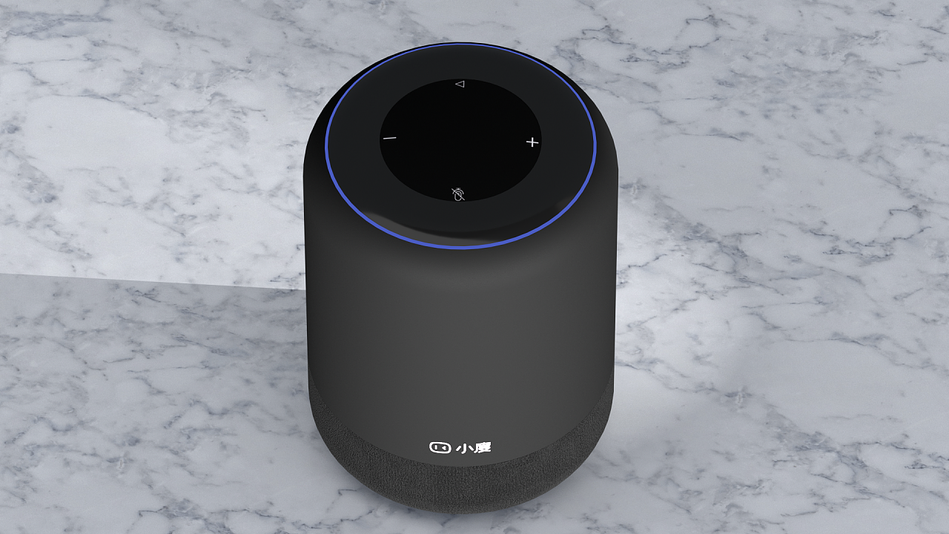
How to control Modbus devices using Xiaodu smart speakers?

freeFree Technical Resource

This content is free to read, suitable for basic learning and search traffic.

How to control Modbus devices using Xiaodu smart speakers?

Step 1: Register an account

https://iot.modbus.cn

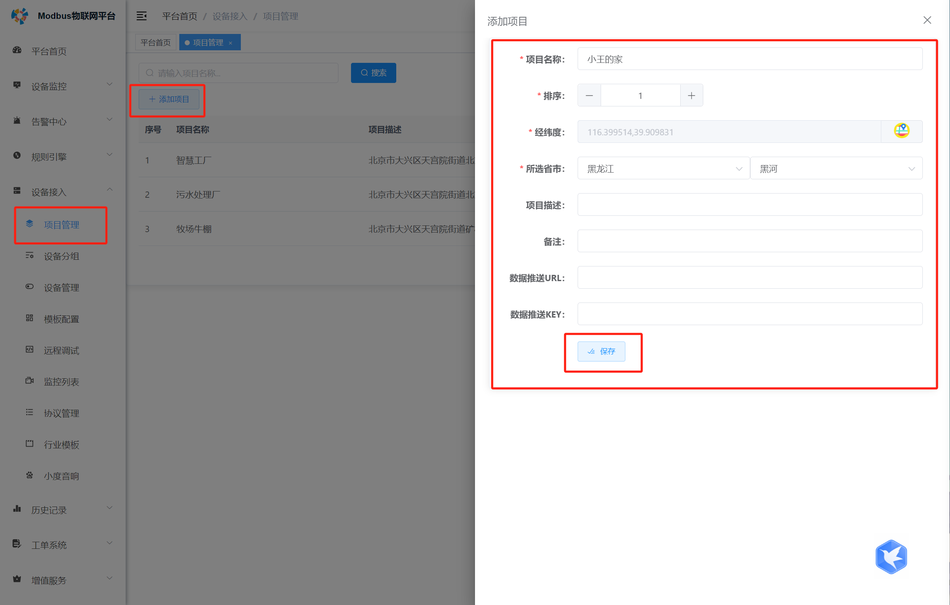
Step 2: Create a project

How to control Modbus devices using Xiaodu smart speakers?Figure

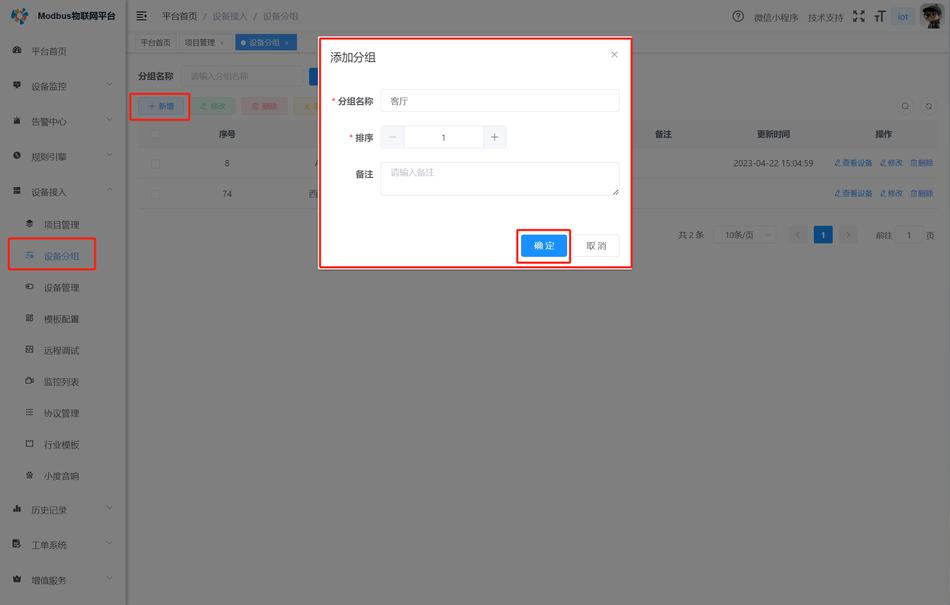
Step 3: Create a group

How to control Modbus devices using Xiaodu smart speakers?Figure1

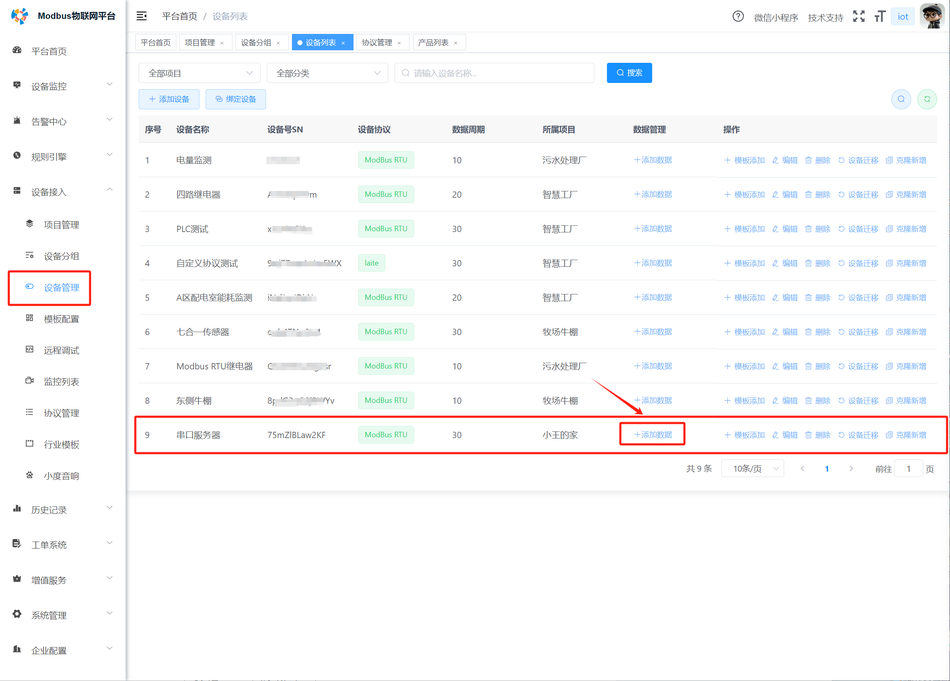
Step 4: Create a device

How to control Modbus devices using Xiaodu smart speakers?Figure2

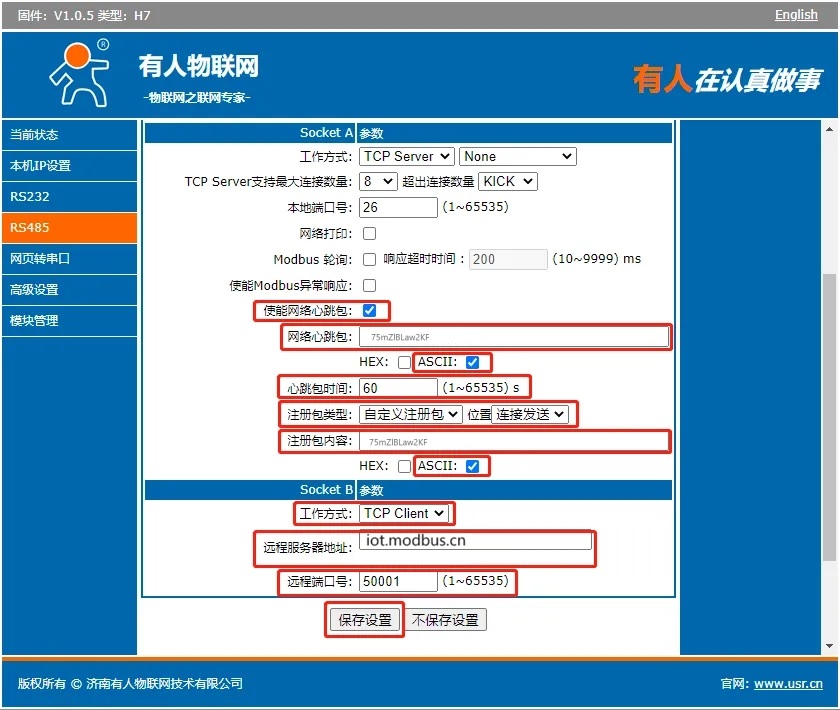
Note:The device numberis both theheartbeat packetand theregistration packet

Step 5: Configure the serial server/4G DTU

Below, we will demonstrate the:

  • working mode using a serial port server with someone as an example:TCP Client
  • Remote server address:iot.modbus.cn
  • Remote port number:50001
  • Save settings (Save)
    as shown below:
How to control Modbus devices using Xiaodu smart speakers?Figure3

After saving the settings, restart the device!

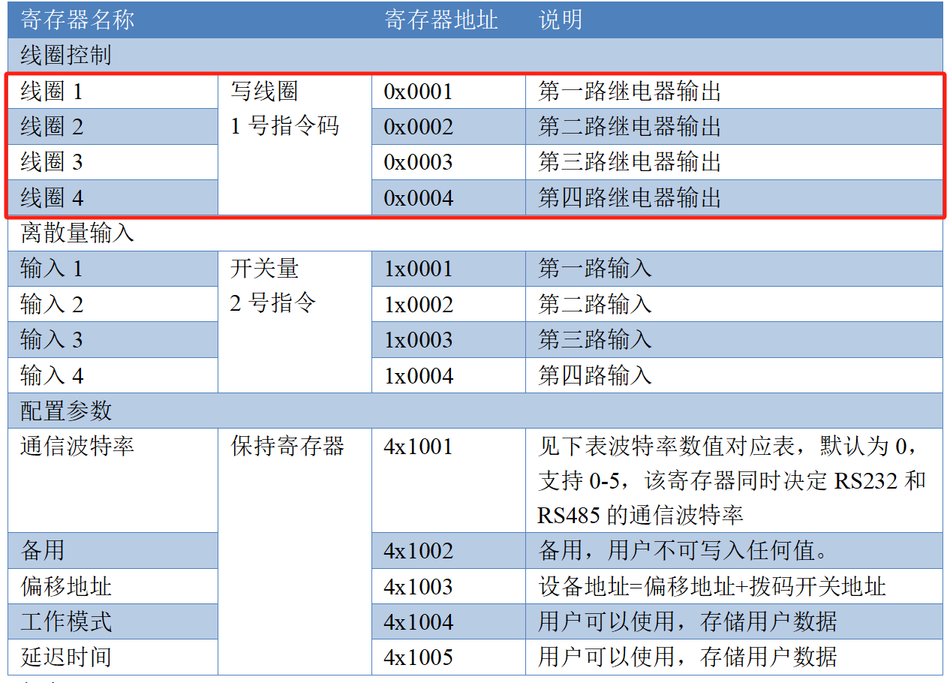
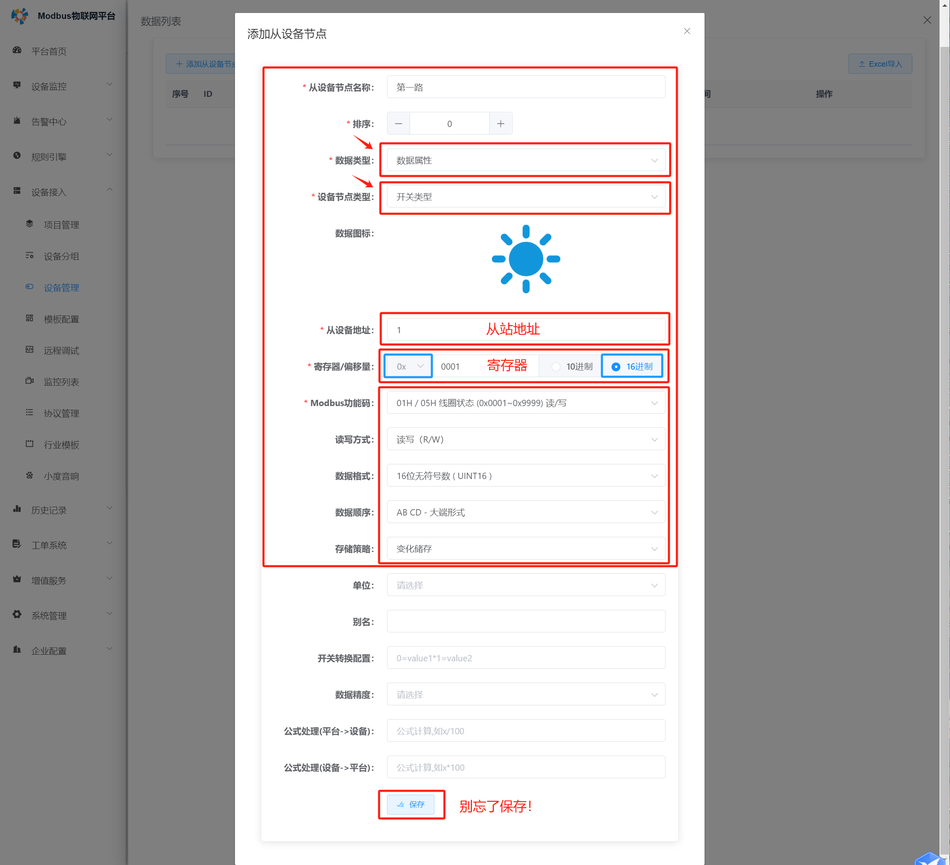
Step 6: Add registers

Below, we will demonstrate using the 4-channel relay from Juying Electronics as an example:
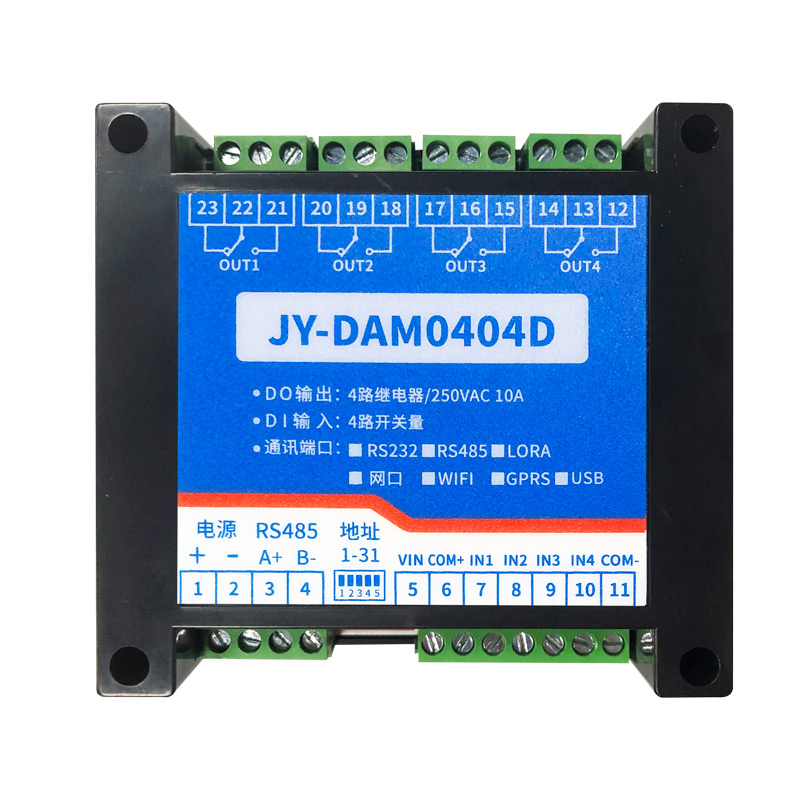
How to control Modbus devices using Xiaodu smart speakers?Figure4
How to control Modbus devices using Xiaodu smart speakers?Figure5

Add data

How to control Modbus devices using Xiaodu smart speakers?Figure6

Add registers

How to control Modbus devices using Xiaodu smart speakers?Figure7

And so on, add several other registers!

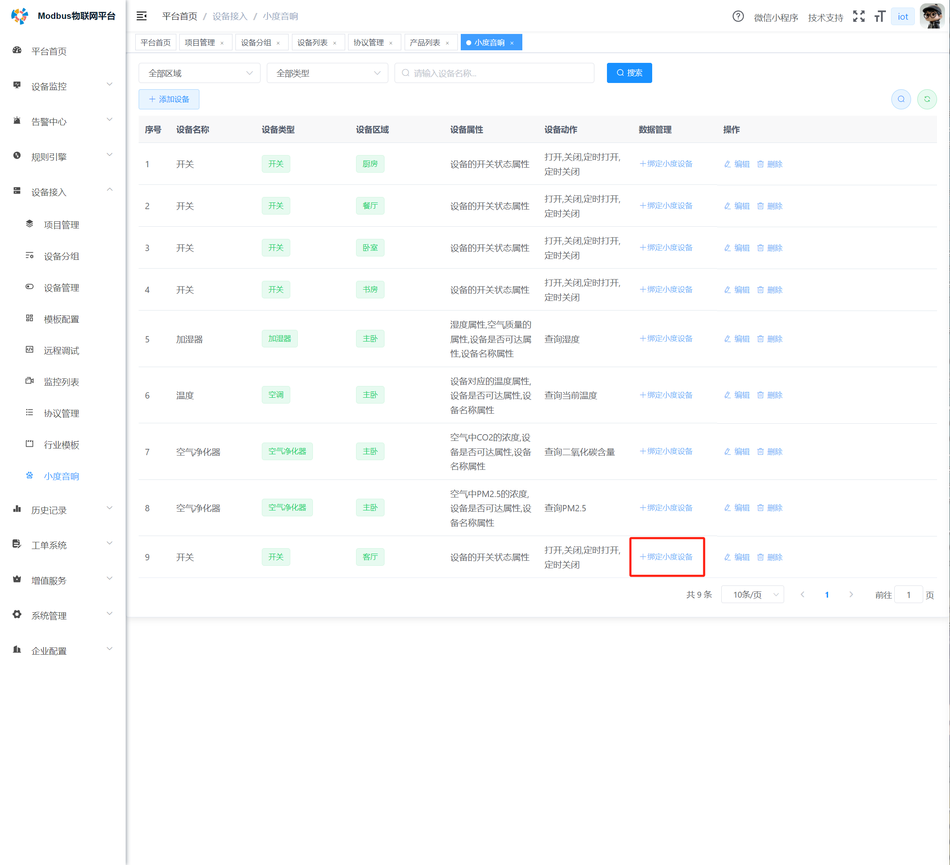
Step 7: Bind the register with Xiaodu
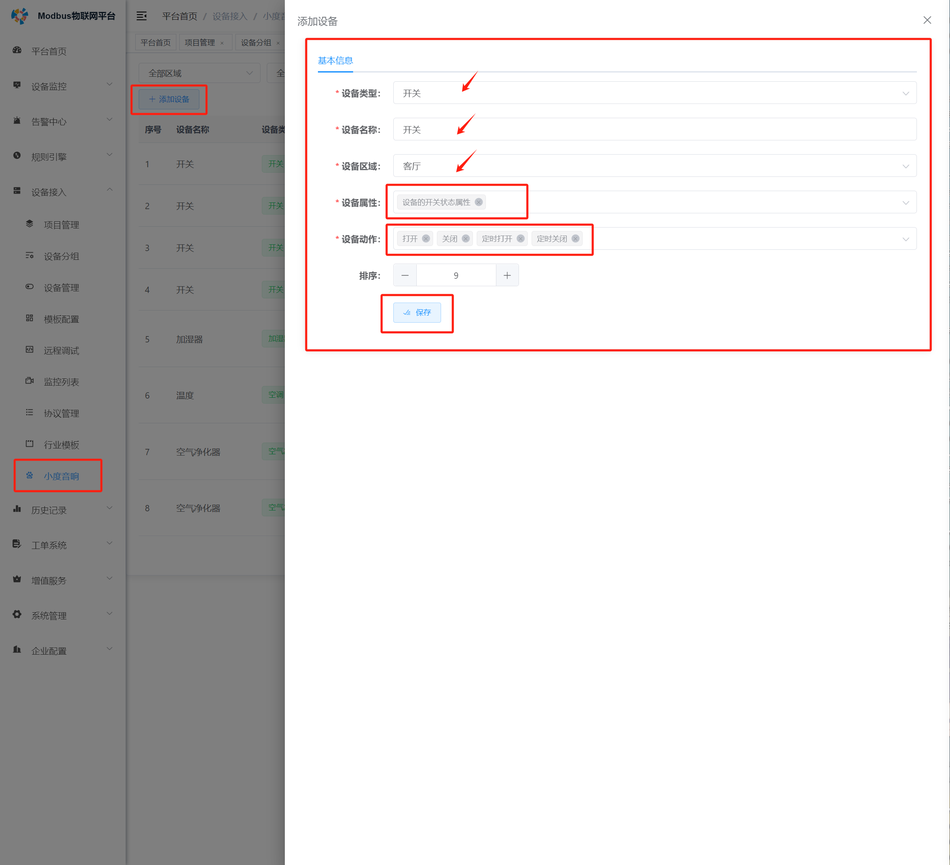
How to control Modbus devices using Xiaodu smart speakers?Figure8

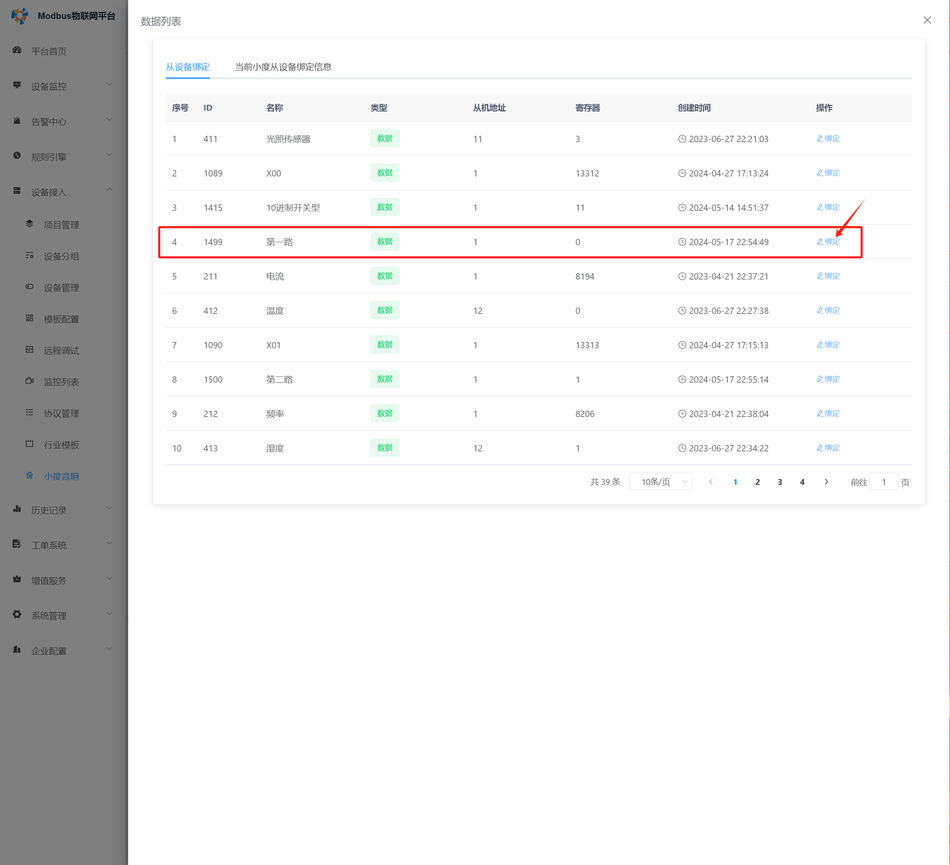
Bind the register

How to control Modbus devices using Xiaodu smart speakers?Figure9
How to control Modbus devices using Xiaodu smart speakers?Figure10

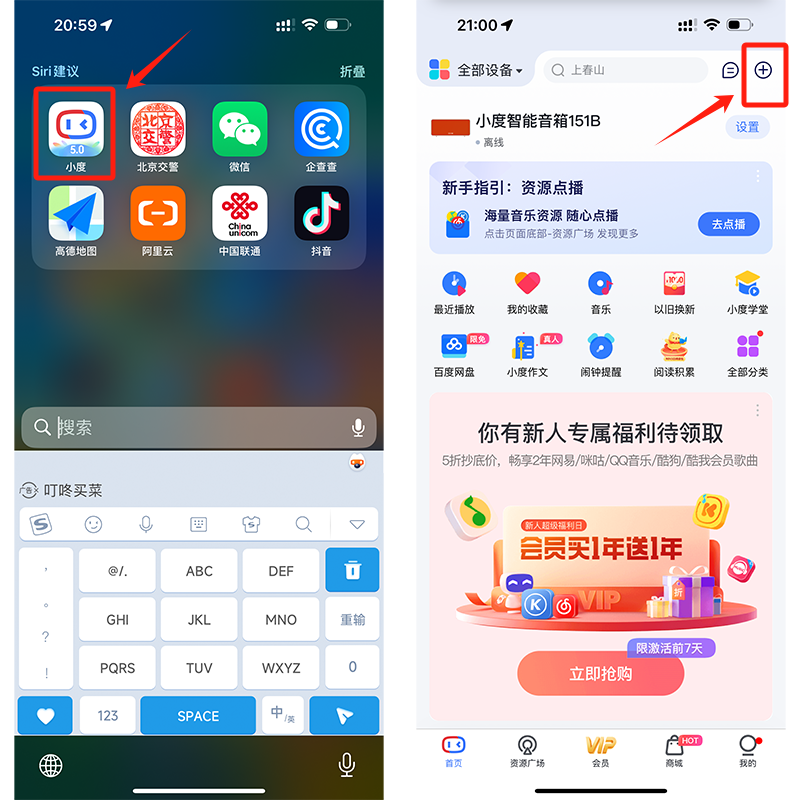
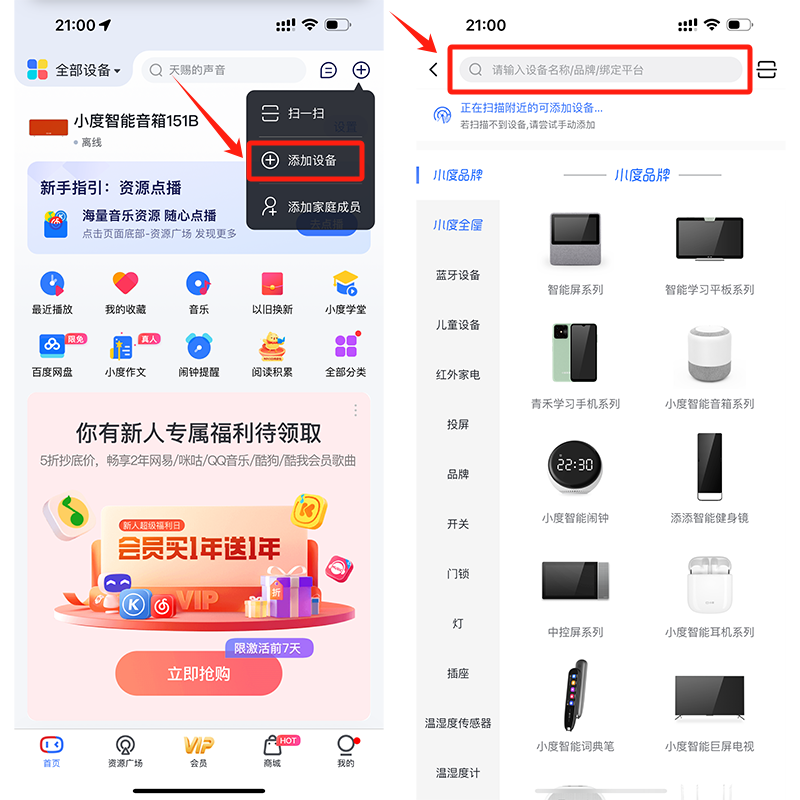
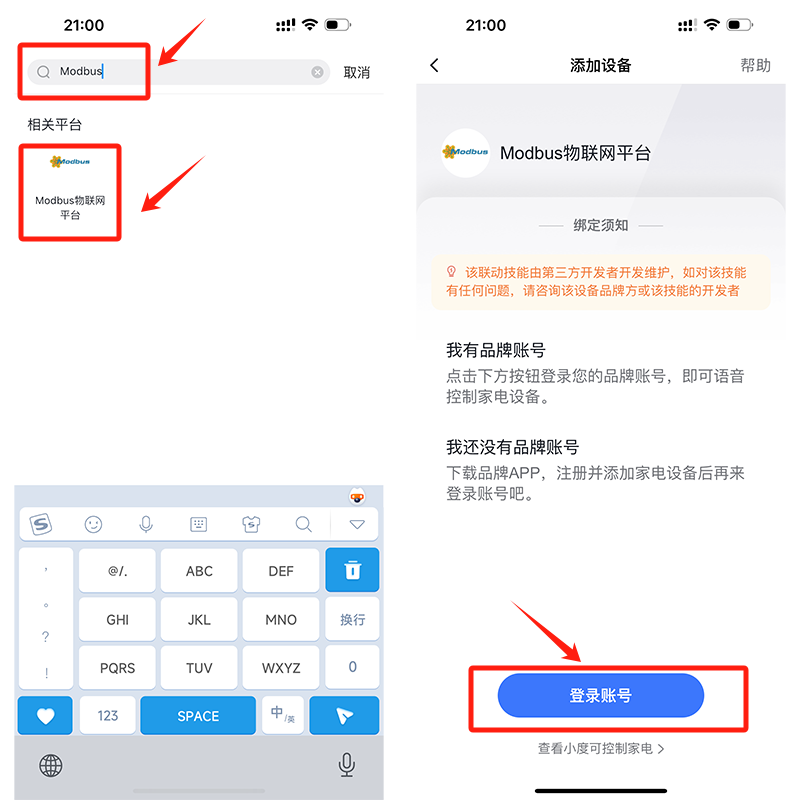
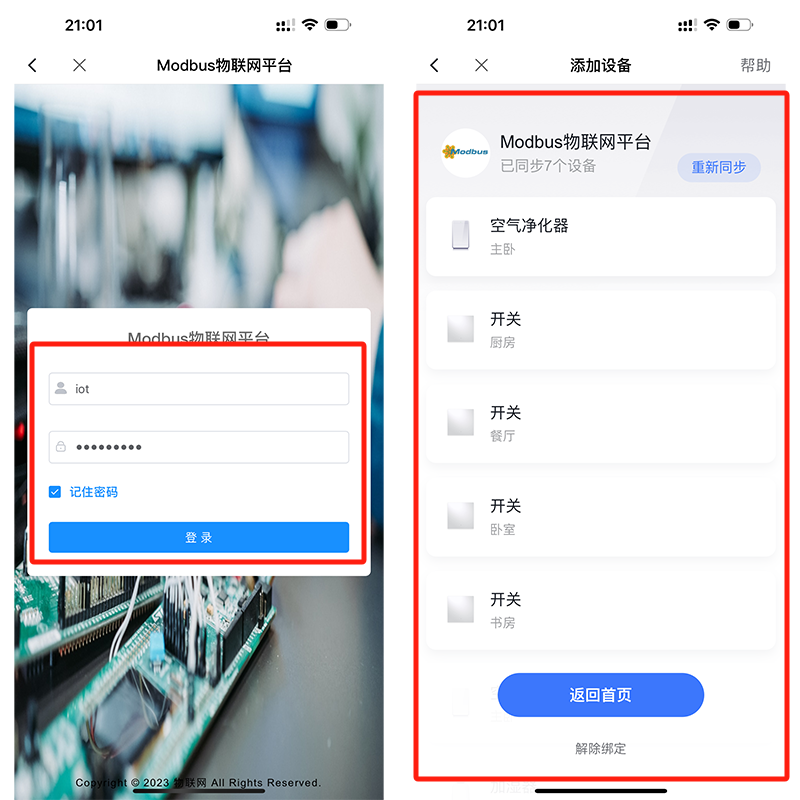
Step 8: Connect Xiaodu speaker to the Modbus IoT platform
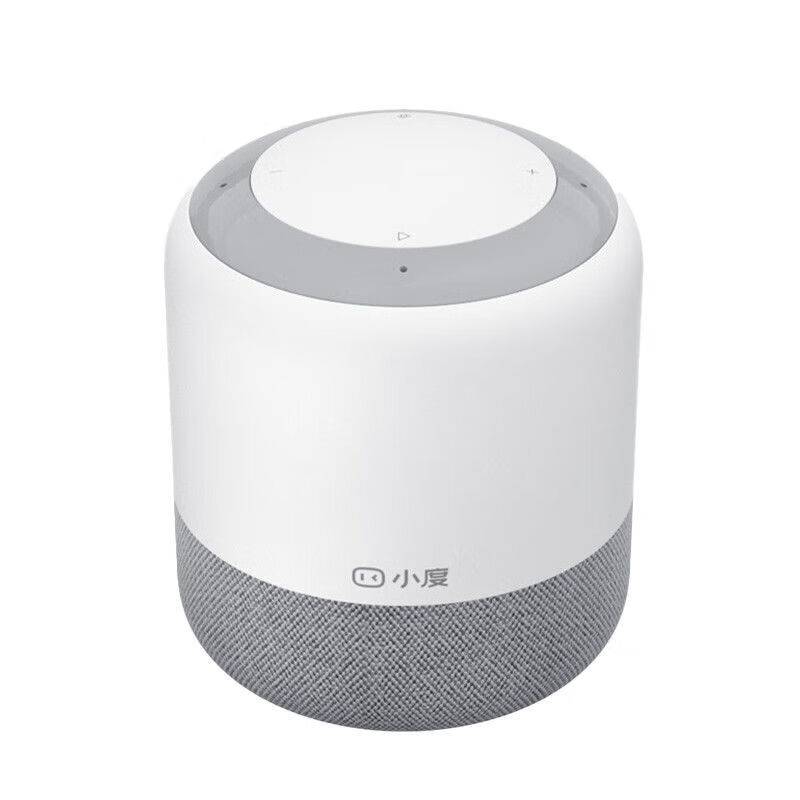
How to control Modbus devices using Xiaodu smart speakers?Figure11
How to control Modbus devices using Xiaodu smart speakers?Figure12
How to control Modbus devices using Xiaodu smart speakers?Figure13
How to control Modbus devices using Xiaodu smart speakers?Figure14
How to control Modbus devices using Xiaodu smart speakers?Figure15

Now try controlling the Modbus device with Xiaodu speaker!

Put this resource to use in a real project?

Go to the Tool Center for message parsing, CRC verification and device debugging, or submit your requirements for selection and integration advice.

Engineer Membership

Turn this article into actionable debugging resources

After activation, you can use advanced message parsing, resource pack downloads, code examples, engineering cases and priority technical support, suitable for real project delivery.

Unlimited Advanced Tools
Resource & Code Packs
Complete Engineering Case Library
Priority Technical Support

《“How to control Modbus devices using Xiaodu smart speakers?”》 有 1 条评论

Leave a Reply

Your email address will not be published. Required fields are marked *.