
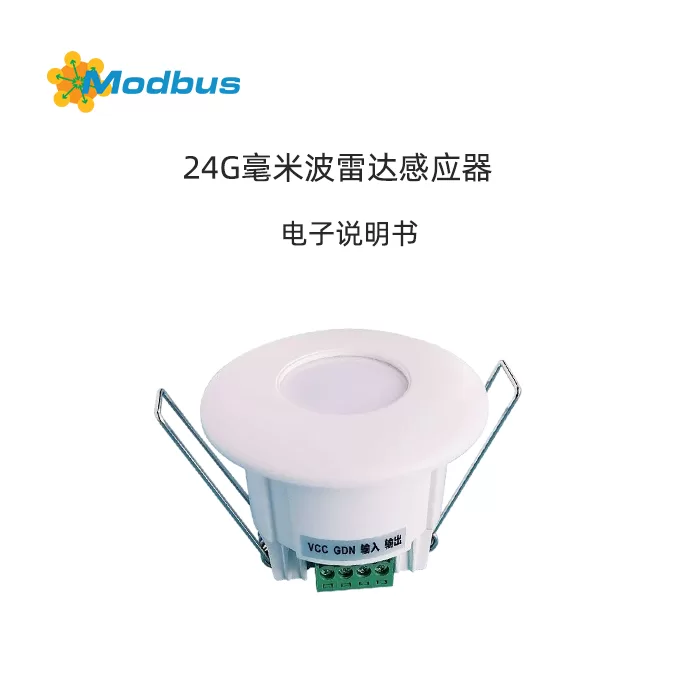
Product Introduction and Technical Specifications
Core Functions
- Supports MODBUS RTU communication protocol, easy to integrate into intelligent systems
- Dual sensing technology: infrared+radar detection, more accurate detection
- Register read-write, flexible configuration of ID, delay, induction mode, etc.
- Easy to install, suitable for engineering batch deployment
Communication Parameters
- Baud Rate: 9600bps
- Data bits: 8-bit
- Stop bit: 1-bit
- checksum: none
- Instruction interval: ≥ 100ms
Installation and use instructions
Power on self-test
After the device is powered on, it automatically performs a 10 second self-test. If the line is correct, it sends a series of data codes (example:02 03 02 00 FC 44) The first two digits are the current ID address.
Get ID address
After powering on again, the first two digits of the self sending data are the current ID. For example, if the data starts with "02", then ID=2.
Parameter configuration and register description
The following are the key parameters supported by the sensor and their register addresses (in HEX format):
| register address | parameter name | attribute | Explanation | Value range |
|---|---|---|---|---|
| 0001 | Sensor ID | R/W | Device address, default 1 | 1-255 |
| 0002 | Someone keeps time | R/W | Hold time after sensing a person, default is 3 seconds | 1-255 seconds |
| 0003 | induction method | R/W | 0=OR, 1=AND | 0 or 1 |
| 0004 | LED status | R/W | 0=off, 1=on | 0 or 1 |
| 0005 | Delivery method | R/W | 0=query, 1=active | 0 or 1 |
| 0006 | Infrared status | R | 0=No one, 1=Someone | - |
| 0007 | Radar status | R | 0=No one, 1=Someone | - |
| 0008 | Existence status | R | 0=No one, 1=Someone | - |
| 0009 | detection range | R/W | The larger the value, the smaller the range, default 2 | 1-10 |
Operation command:
- 03HRead register data
- 06HWrite data to a single register
ID modification method (simple operation)
Button method
- Press and hold the S1 or ON/OFF button for about 3 seconds, and the LED will enter a flashing state
- Send setting instructions through 485 serial assistant (example):
- ID 2 changed to 1:
B4 C4 05 00 01 00 01 55 - ID 2 changed to 3:
B4 C4 05 00 03 00 03 55 - ID 2 changed to 5:
B4 C4 05 00 05 00 05 55
- ID 2 changed to 1:
Instruction mode (MODBUS)
Use 06H command code, for example, change ID2 to 5:
发送:02 06 00 01 00 05 CHL CHH
返回:02 06 00 01 00 05 CHL CHH
(CHL/CHH is CRC check code, LED flashes for 5 seconds after successful device setting)
Practical application example
Query induction status (default ID=2)
- Host sends:
02 03 00 06 00 01 64 38 - Someone responds code:
02 03 02 00 01 3D 84 - No response code:
02 03 02 00 00 FC 44
Modified someone hold time
from 3 seconds to 9 seconds:
发送:02 06 00 04 00 09 08 3ESwitch sending method
- Change to active sending:
02 06 00 05 00 01 58 38 - Change to query mode:
02 06 00 05 00 00 99 F8
Frequently asked questions (FAQ)
Q1: How to restore factory ID?A1: Use a simple ID modification method to set the ID to 2.
Q2: What should I do if the sensor is unresponsive?A2: Check the 485 wiring, baud rate settings, and confirm that the instruction format and checksum are correct.
Q3: How to adjust the sensing range?A3: Set through register 0009, the larger the value, the smaller the sensing range.
VII. Conclusion
The 24G millimeter wave radar human presence sensor is an intelligent sensing device with rich functions and stable communication. Supports MODBUS RTU protocol, compatible with most industrial control and IoT systems, suitable for various automation scenarios. If you need technical support, please contact Zetai Intelligent Customer Service.


Leave a Reply