

Modbus-related product recommendation: peidianxiang.taobao.com
I. Connection products
1.RS485or RS232Connection
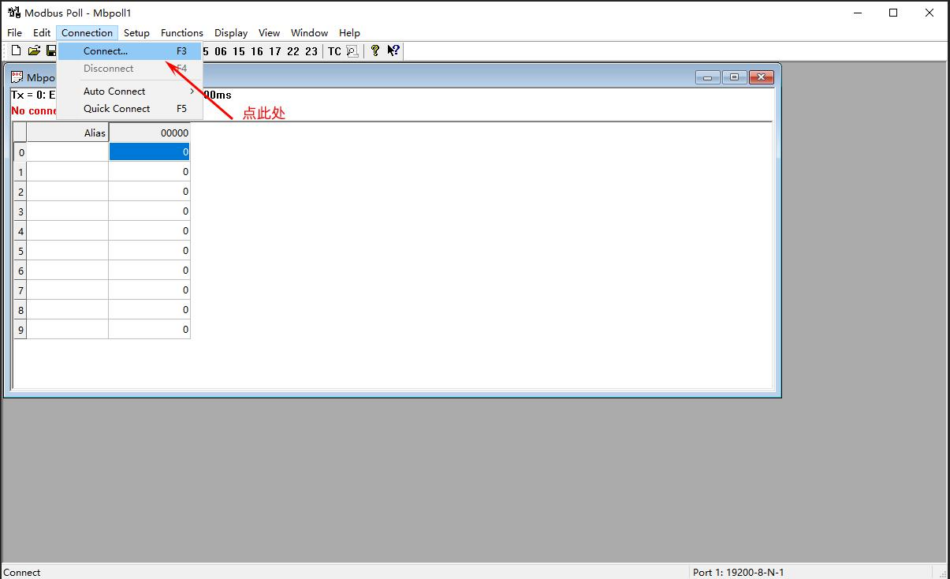
A. Open the software and click on the Connection→Connect.. menu
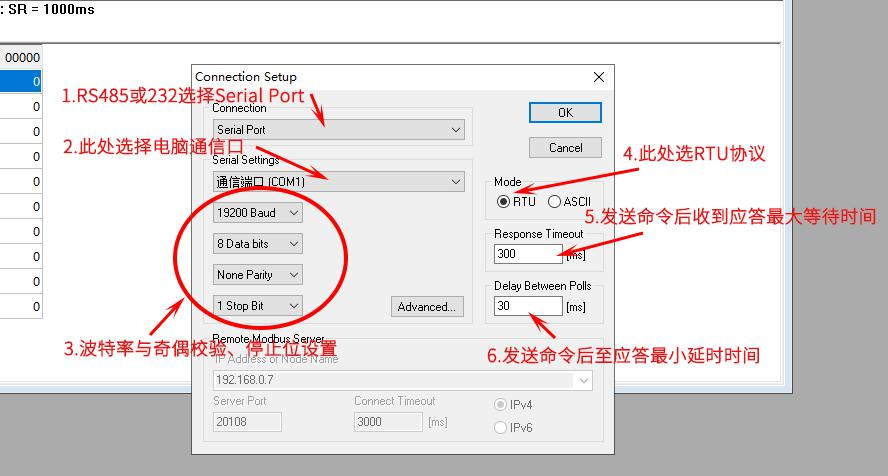
B. A connection settings window will pop up
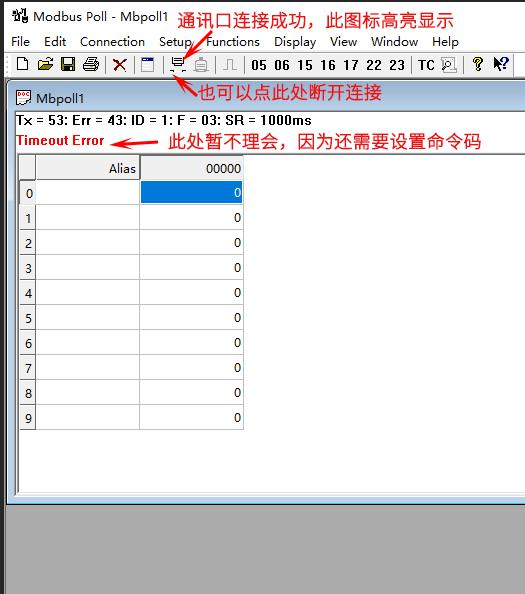
C. After setting up, it will generally display that the connection is successful.
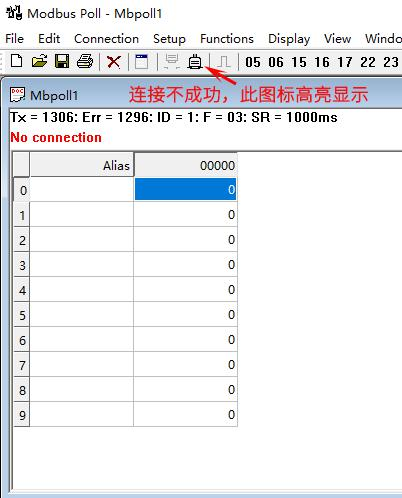
D. If the settings are incorrect, such as the serial port being occupied by other programs, it will display that the connection is unsuccessful
2.Ethernet connection
Ethernet connection requires setting an IP address and a remote port for normal connection
A. First, use

this software to read the product's Ethernet port parameters. For reading and setting methods, see the "IO Port Module Modbus-TCP Protocol Description". When testing the product with Modbus-Poll, the product's Ethernet port needs to be set to TCP Server mode;
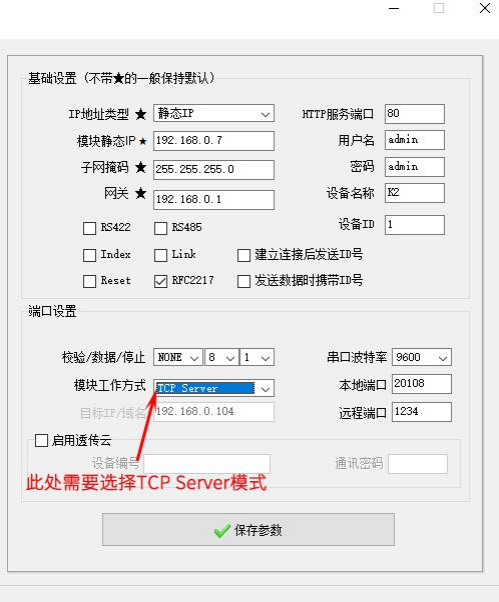
B. Open the software, click on the Connection→Connect.. menu, and the communication port settings will pop up.
Note: When using Ethernet connection, you can use either Modbus-TCP or Modbus-RTU protocols, which differ in the selection of communication
ports.
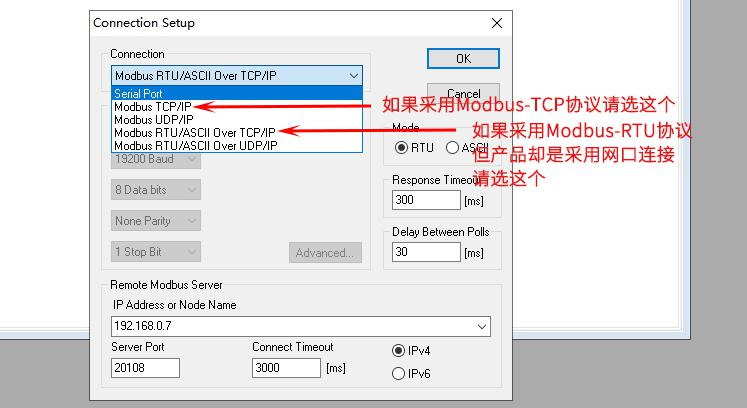
C. Ethernet Port Settings
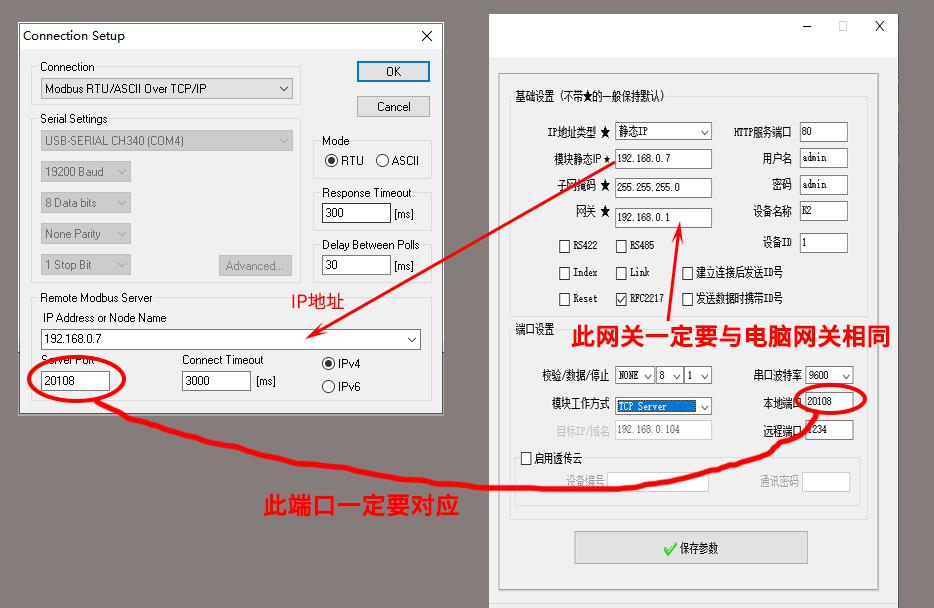
D. After setting, if correct, it will display "Connection Successful".
II. Reading Command Settings
Modbus commands such as 01, 02, 03, 04, and other read-type function codes can be sent in a loop through Modbus Poll, and
verify whether the commands are correct or whether data such as digital and analog values are refreshed and displayed.
A. Click on the menu setup→Read/Write Dfinition.. to enter the settings interface
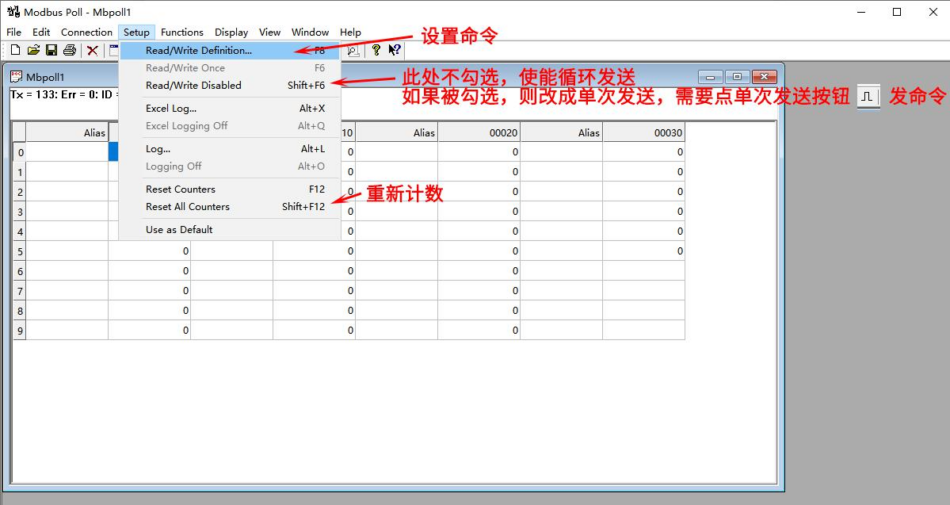
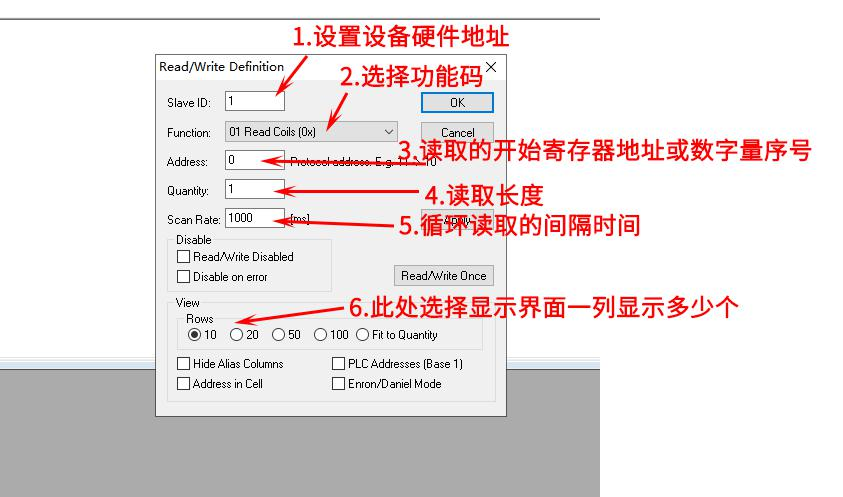
B. After setting, if there are no errors, it will display normally.
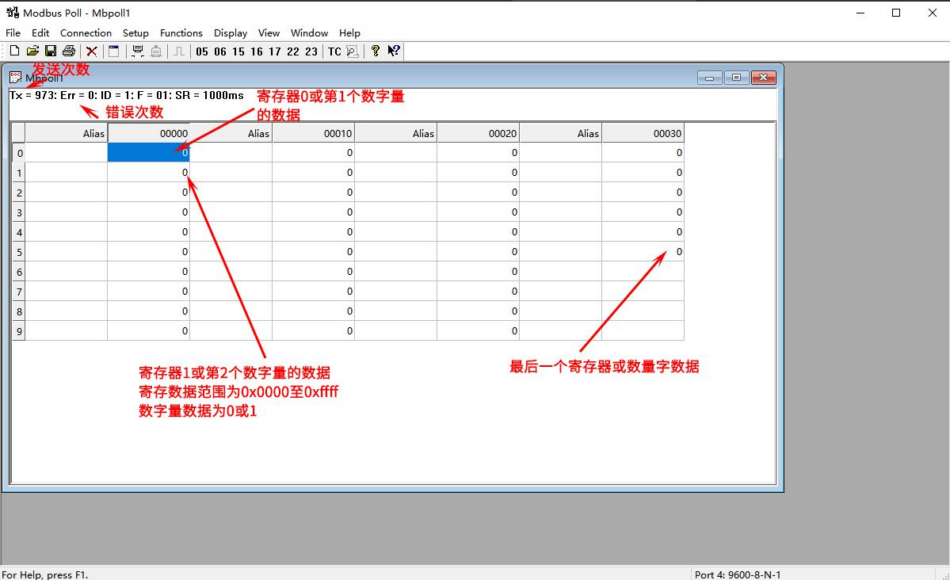
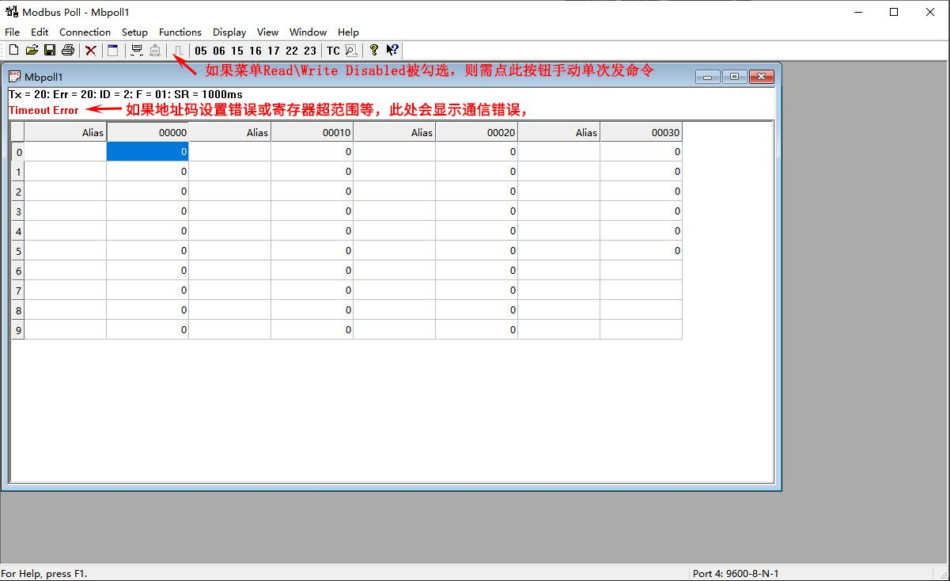
III. Rewrite and Control Commands
Modbus Commands 05, 06, 15, 16, and other rewrite or control-type function codes can be manually sent individually through the toolbar of the Modbus Poll display interface
(they can also be set to be sent repeatedly as described in Section 2, but this is not commonly used).
A. Click the command button in the toolbar to pop up the command settings
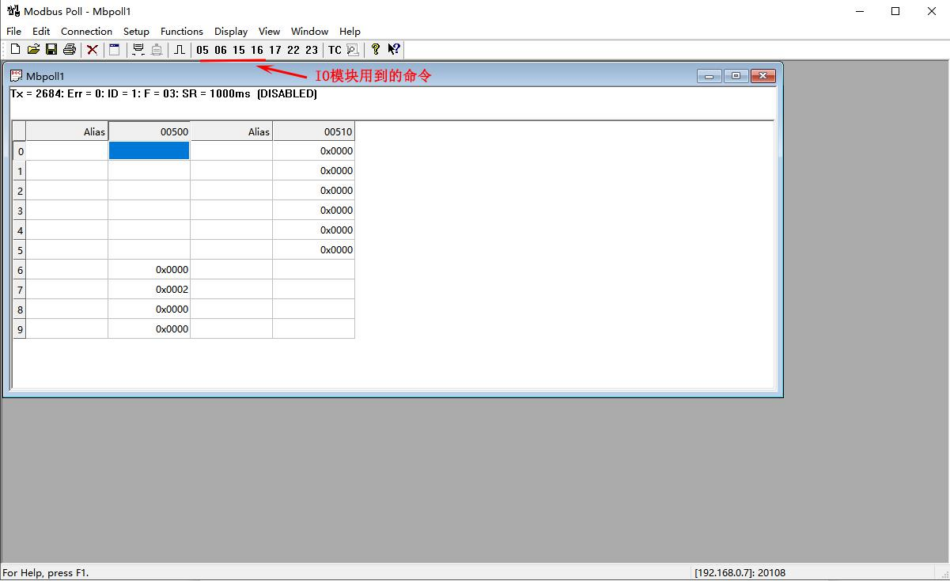
B. 05 Function Code Settings
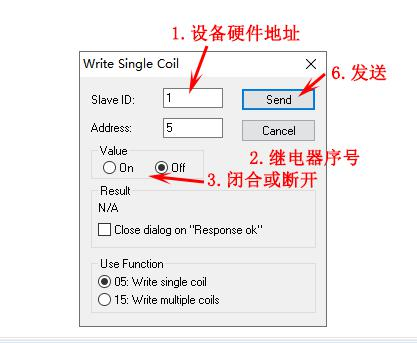
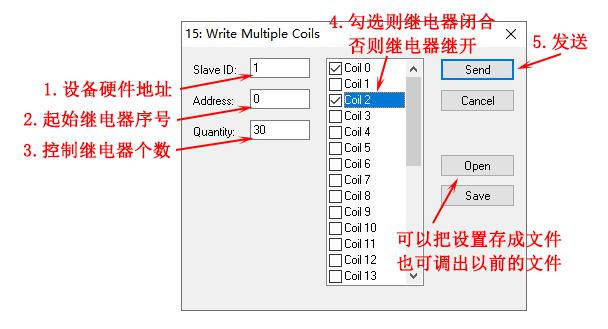
C. 15 Function Code Settings
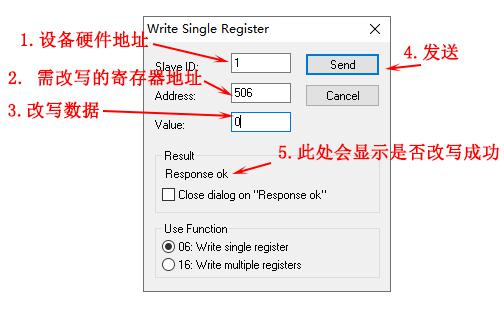
D. 06 Function Code Settings
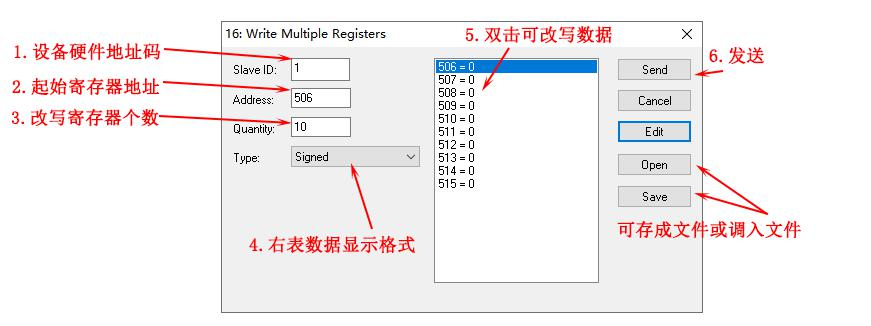
E. 16 Function Code Settings
The software version is Modbus Poll 9.9.2.1690 Chinese version. Please comment and then download!!!



测试
测试
Download
牛逼
很详细
hao
1
111
111
666
66666666666666
1111
非常详细,好资料
写得很详细,666
好
66
111
试试看
YY
二
hh da
hh
初次接触
快快滴
Download
h
试试看
赞赞赞
Like
Like
很棒的软件
Download
haoyong