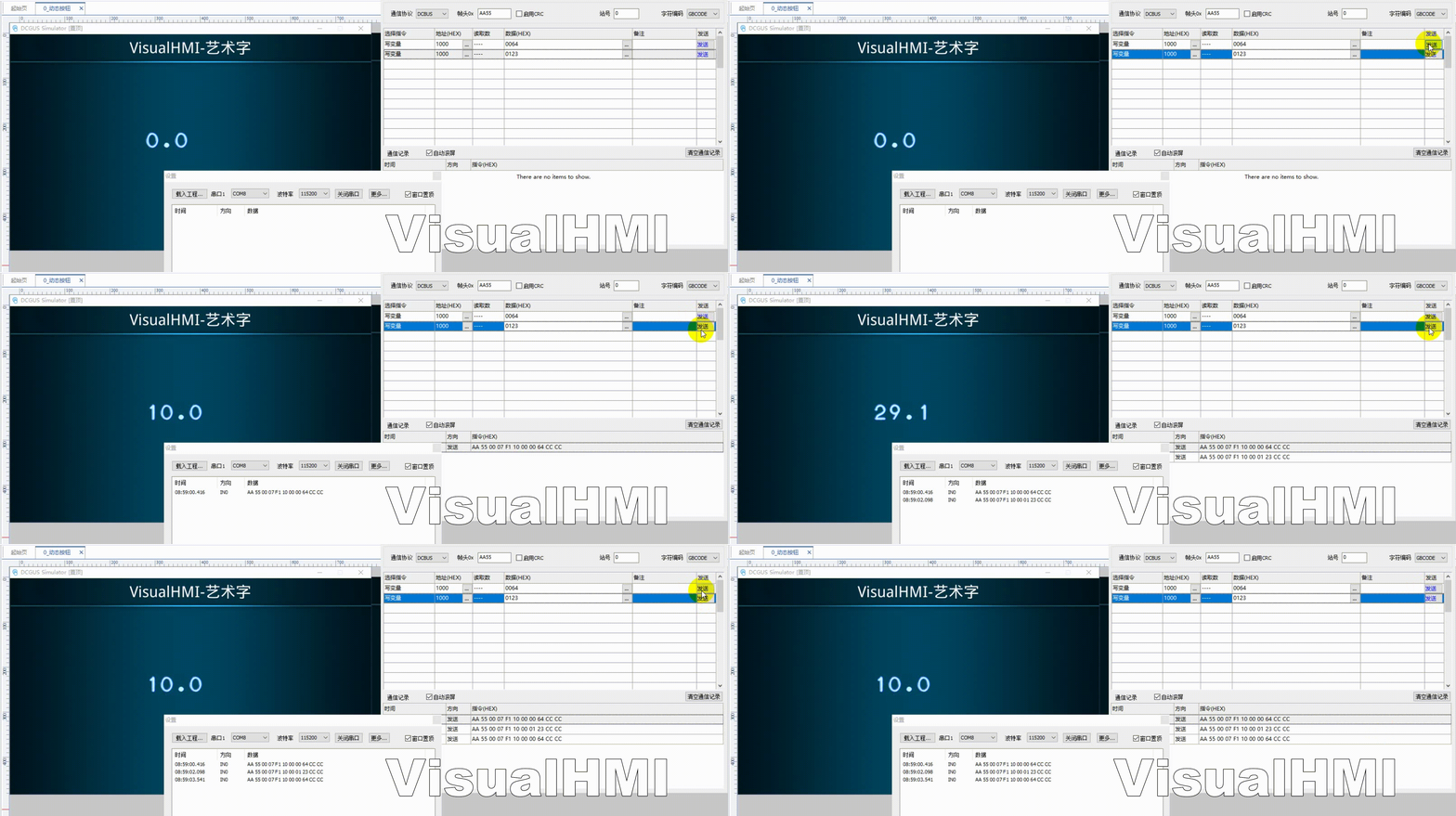
VisualHMI 艺术字:特效数字显示、0123456789-. 图片顺序

freeFree Technical Resource

This content is free to read, suitable for basic learning and search traffic.

艺术字显示带特殊效果、自定义字体的文字:立体/3D、渐变填充、描边。相比矢量/点阵字库,界面更有质感。适合品牌展示、装饰性数字。

⚠️ 艺术字控件不支持弹出键盘输入,纯显示控件。

1. 属性介绍

1.1 功能设置

属性说明
读取地址绑定的变量地址
데이터 typeUINT16/INT16/UINT32/INT32/UINT64/INT64/FLOAT/DOUBLE
整数位数整数部分个数,可前补零
decimal places整数类型表达小数(1234 设 2 位显示 12.34);浮点保留小数位;可显示无效零(100 设 2 位显示 1.00)

VisualHMI 艺术字:特效数字显示、0123456789-. 图片顺序插图

1.2 外观设置

  • 对齐:左/右/居中
  • Image:艺术字的图片,严格按照 "0123456789-." 顺序排列(图库里按数字顺序放帧)
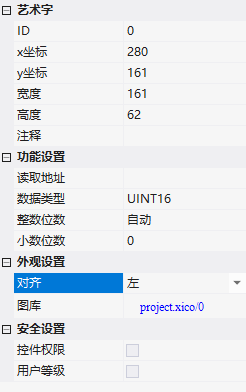
VisualHMI 艺术字:特效数字显示、0123456789-. 图片顺序插图1

2. 应用案例

读写 LW1000(INT16),整数位数自动、decimal places 1(后补零),对齐居中,图片关联图库(按 0123456789-. 顺序)。PLC 写值,艺术字按位显示。
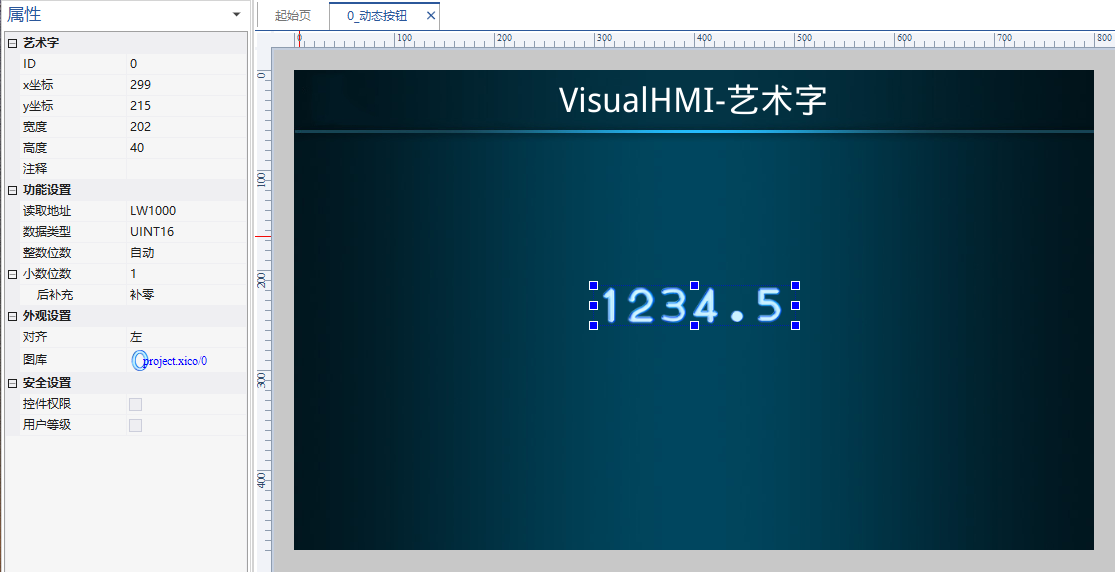
VisualHMI 艺术字:特效数字显示、0123456789-. 图片顺序插图2

VisualHMI 艺术字:特效数字显示、0123456789-. 图片顺序插图3

艺术字图片必须严格按 0-9、-、. 的顺序排帧,控件按字符值取对应帧。顺序排错,显示的数字全乱。做「大屏数字」(产量、temperature)时比矢量字库更有冲击力。

整理自 广州大彩科技 VisualHMI 开发文档(hmi-doc.gz-dc.com)组态控件教程「艺术字」,版权归大彩科技所有。

Put this resource to use in a real project?

Go to the Tool Center for message parsing, CRC 검증 and device debugging, or submit your requirements for selection and integration advice.

Engineer Membership

Turn this article into actionable debugging resources

After activation, you can use advanced message parsing, resource pack downloads, code examples, engineering cases and priority technical support, suitable for real project delivery.

Unlimited Advanced Tools
Resource & Code Packs
Complete Engineering Case Library
Priority Technical Support

Leave a Reply

Your email 주소 will not be published. Required fields are marked *.