VisualHMI 控件权限:条件付き表示非表示与使能禁止

freeFree Technical Resource

This content is free to read, suitable for basic learning and search traffic.

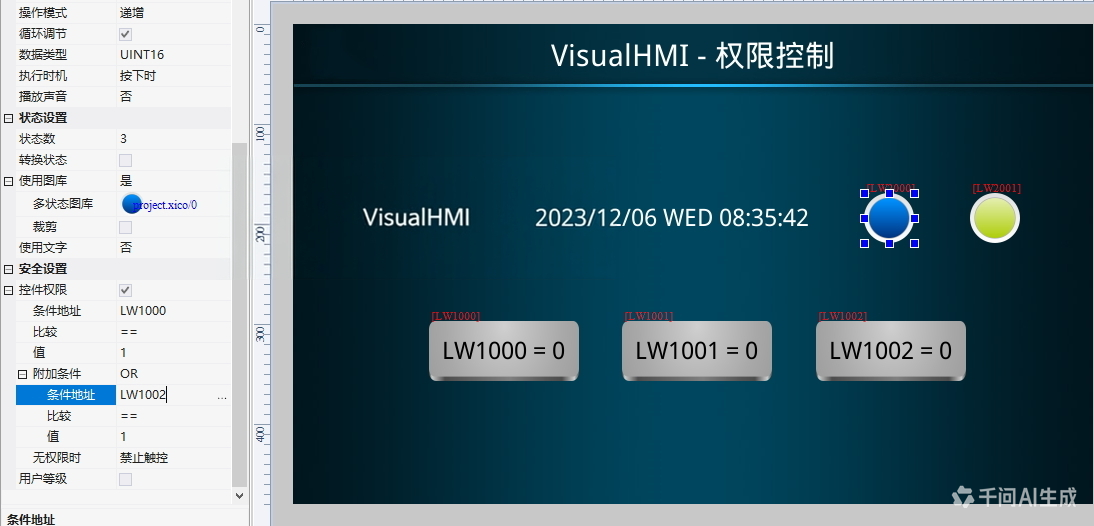
控件权限:满足条件才表示/可触控,最多2つ条件组合(AND/OR)。比逐个画面叠控件干净得多。

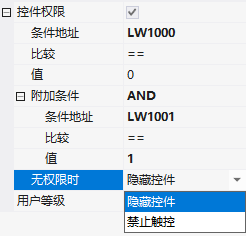
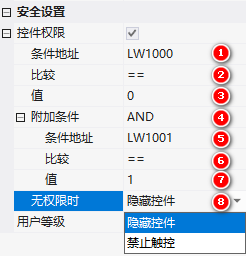
1. 属性

field説明
条件アドレス判断用レジスタ
比较==、!=、<=、>=、<、>、IN(範囲内含边界)、OUT(範囲外不含边界)
比较值;IN/OUT 时需填下限+上限
附加条件AND / OR,第二个条件
无权限时非表示控件 / 禁止触控

VisualHMI 控件权限:条件付き表示非表示与使能禁止イラスト

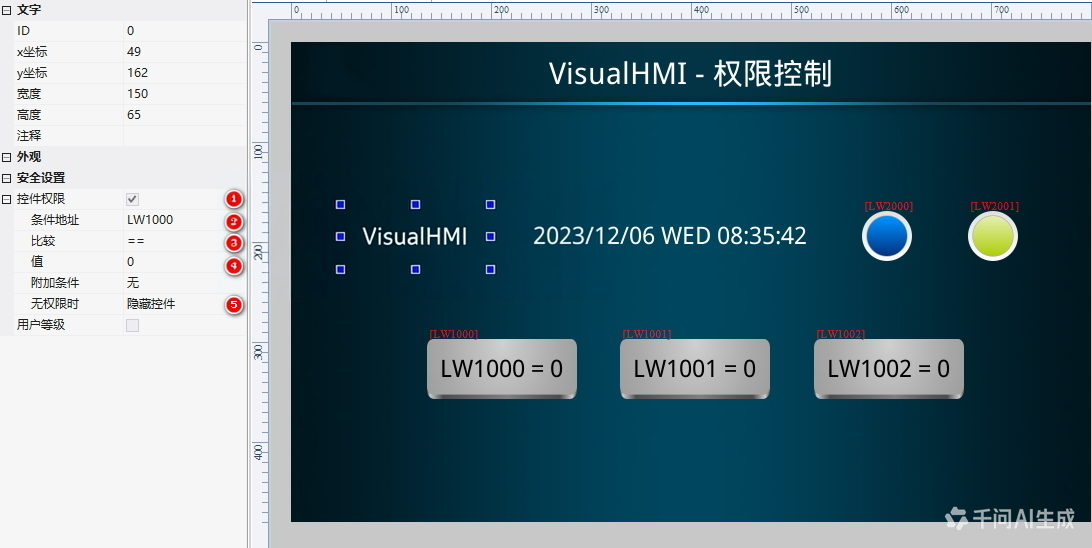
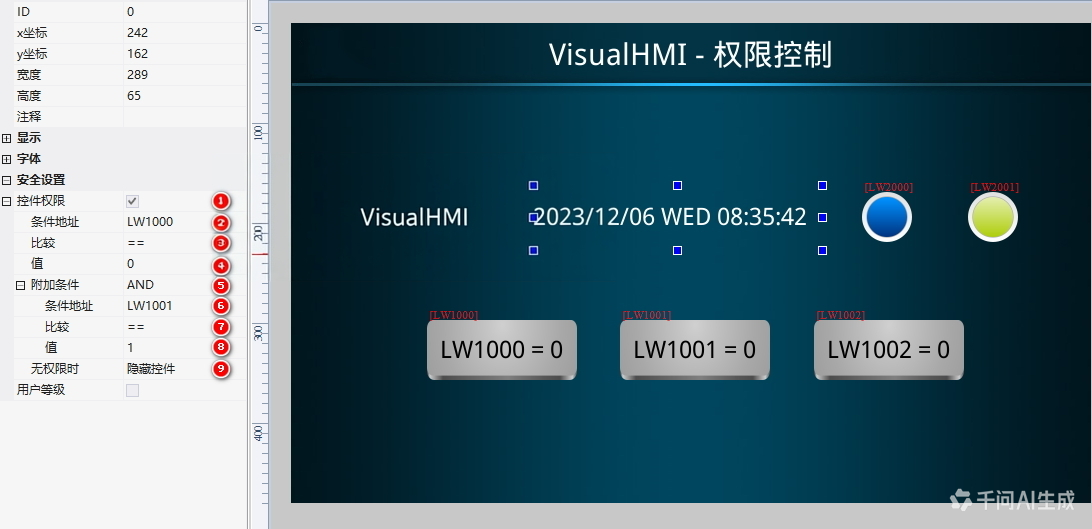
2. 单/双条件

单条件:LW1000==1 表示。双条件 AND:LW1000==1 且 LW1001==1 表示;双条件 OR:LW1000==1 或 LW1002==1 可触控。

VisualHMI 控件权限:条件付き表示非表示与使能禁止イラスト1

VisualHMI 控件权限:条件付き表示非表示与使能禁止イラスト2

VisualHMI 控件权限:条件付き表示非表示与使能禁止イラスト3

3. 多条件(>2 个)

权限最多 2 个条件,3 个以上用 Lua 把多条件算成 1 个结果写回某レジスタ,控件权限判这1つのレジスタ:

function on_run()
  local v1 = get_uint16(VT_RW, 0x1000)
  local v2 = get_uint16(VT_RW, 0x1001)
  local v3 = get_uint16(VT_RW, 0x1002)
  if v1 == 1 and v2 == 1 and v3 == 1 then
    set_uint16(VT_RW, 0x1100, 1)
  else
    set_uint16(VT_RW, 0x1100, 0)
  end
end
VisualHMI 控件权限:条件付き表示非表示与使能禁止イラスト4

控件权限最多 2 条件——别想着在界面里配 3 个 AND。超过就用 Lua 在 on_run 里算好写回一1つのレジスタ,控件权限判那一个。注意 on_run 是周期回调,逻辑要轻。

整理自 广州大彩科技 VisualHMI 开发ドキュメント(hmi-doc.gz-dc.com)其他技术チュートリアル「控件权限」,著作権は大彩科技すべての。

Put this resource to use in a real project?

Go to the Tool Center for message parsing, CRC verification and device debugging, or submit your requirements for selection and integration advice.

Engineer Membership

Turn this article into actionable debugging resources

After activation, you can use advanced message parsing, resource pack downloads, code examples, engineering cases and priority technical support, suitable for real project delivery.

Unlimited Advanced Tools
Resource & Code Packs
Complete Engineering Case Library
Priority Technical Support

Leave a Reply

Your email address will not be published. Required fields are marked *.