
Control permission: Display/Touchable only when conditions are met, with a maximum of two condition combinations (AND/OR). Much cleaner than overlaying controls on each screen one by one.
1. Attribute
| Field | Description |
|---|---|
| Condition Address | Judgment Register |
| Comparison | ==, !=, <=, >=, <, >, IN (within range including boundaries), OUT (outside range excluding boundaries) |
| Value | Comparison value; for IN/OUT, lower limit + upper limit are required to be filled in |
| Additional condition | AND/OR, second condition |
| When no permission | Hidden control / No touch allowed |
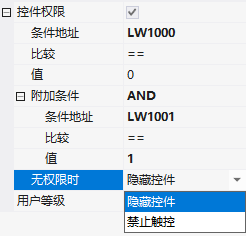
2. Single/Double conditions
Single condition: Display if LW1000 == 1. Double condition AND: Display if LW1000 == 1 and LW1001 == 1. Double condition OR: Display if LW1000 == 1 or LW1002 == 1 and touchable.
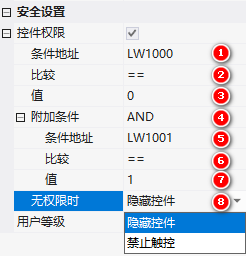
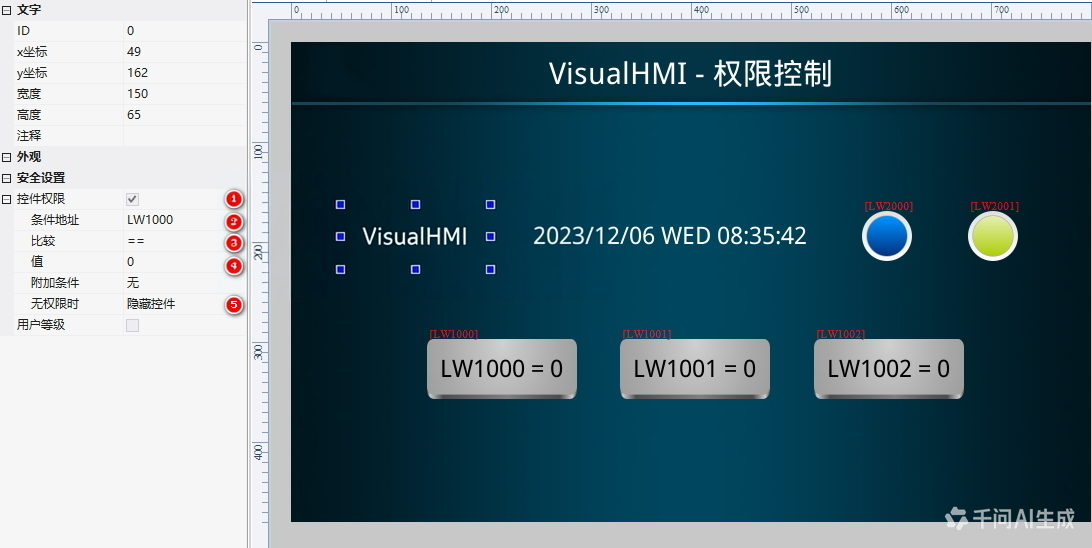
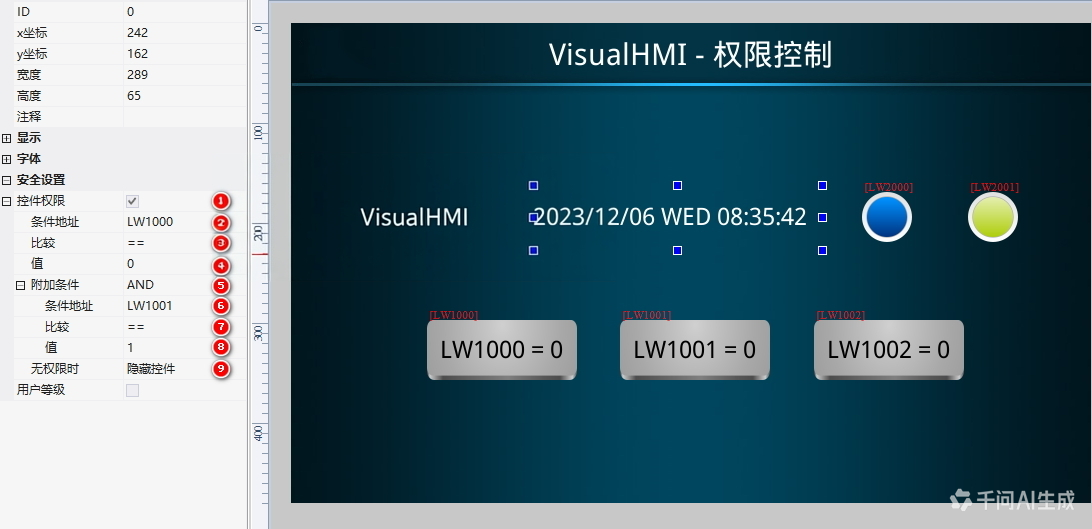
3. Multiple conditions (more than 2)
Permissions can have up to 2 conditions. For more than 2 conditions, use Lua to calculate the multiple conditions into a single result and write it back to a certain register. The control permissions are determined by this register:
function on_run()
  local v1 = get_uint16(VT_RW, 0x1000)
  local v2 = get_uint16(VT_RW, 0x1001)
  local v3 = get_uint16(VT_RW, 0x1002)
  if v1 == 1 and v2 == 1 and v3 == 1 then
    set_uint16(VT_RW, 0x1100, 1)
  else
    set_uint16(VT_RW, 0x1100, 0)
  end
end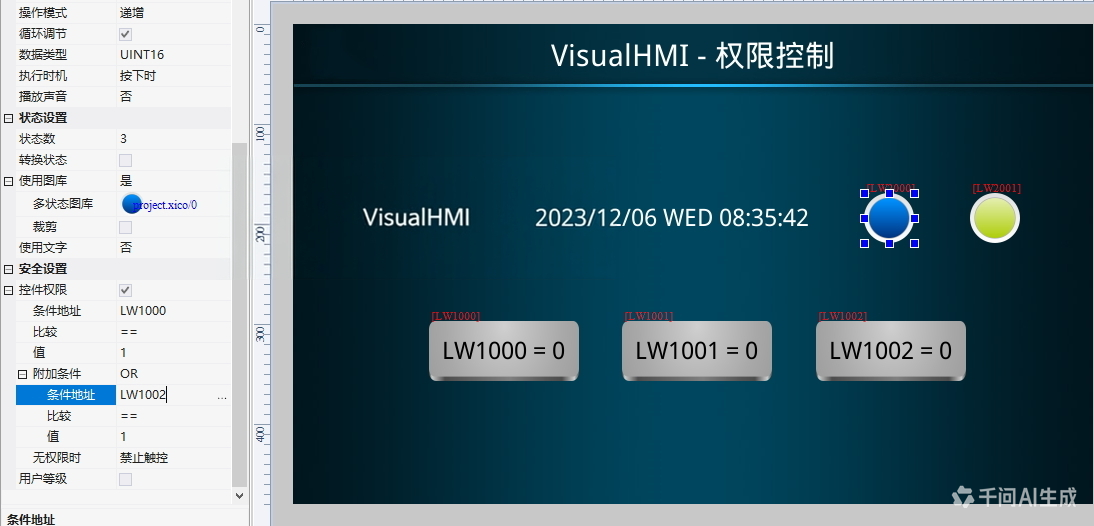
Compiled from Guangzhou Dacai Technology VisualHMI development documentation (hmi-doc.gz-dc.com) and other technical tutorials "Control Permissions", copyright belongs to Dacai Technology.


Leave a Reply