VisualHMI 流动块:模拟管道流体流动与动态速度控制

freeFree Technical Resource

This content is free to read, suitable for basic learning and search traffic.

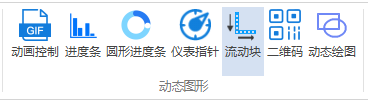
流动块用来模拟流体(液体/气体)在管道、风道中的流动:色块/图片在指定区块位移,直观表示デバイス工作ステータス和运动特性。泵、风机、循环系统画面里的"活"元素。

1. 属性介绍

1.1 功能設定

属性説明
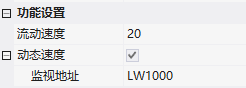
流动速度每秒移動像素
动态速度勾选后速度由监视アドレス决定:值为 0 不流动;动态速度 = 流动速度 × 监视值

VisualHMI 流动块:模拟管道流体流动与动态速度控制イラスト

1.2 外观設定

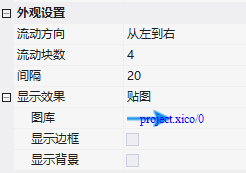
  • 流动方向:从左到右/从右到左/从上到下/从下到上
  • 流动块数:纯色效果时的块数;間隔:块间空白長さ比例
  • 表示效果:纯色(流动块颜色)/ Image(图库)
  • 表示边框/表示背景:边框开关及颜色;纯色时背景开关及颜色(デフォルト白)

VisualHMI 流动块:模拟管道流体流动与动态速度控制イラスト1

2. 応用ケース

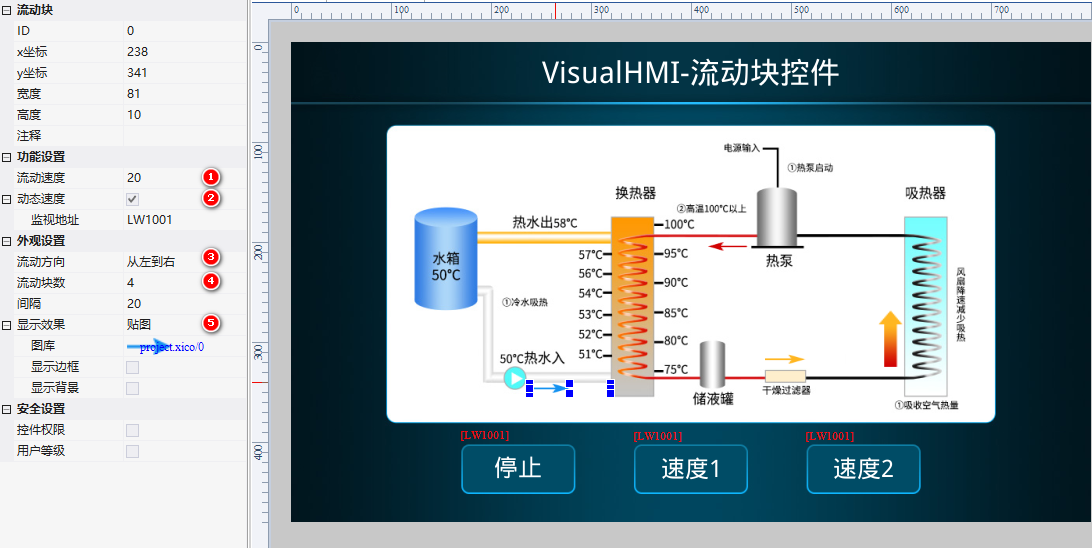
流动速度 20,动态速度勾选(监视 LW1001),方向从左到右,块数 4,間隔 20,贴图效果。配字設定按钮控制速度:LW1001=2 慢速、=5 快速、=0 Stop。

VisualHMI 流动块:模拟管道流体流动与动态速度控制イラスト2

run:改 LW1001 值,流动速度随之变化,0 时静止。

VisualHMI 流动块:模拟管道流体流动与动态速度控制イラスト3

动态速度 = 流动速度 × 监视值:监视值就是倍率。想用「速度档位」(0停/1慢/2快),把流动速度设成基础速度、监视值存档位即可。0 值自动停,不用额外控制。

整理自 广州大彩科技 VisualHMI 开发ドキュメント(hmi-doc.gz-dc.com)组态控件チュートリアル「流动块」,著作権は大彩科技すべての。

Put this resource to use in a real project?

Go to the Tool Center for message parsing, CRC verification and device debugging, or submit your requirements for selection and integration advice.

Engineer Membership

Turn this article into actionable debugging resources

After activation, you can use advanced message parsing, resource pack downloads, code examples, engineering cases and priority technical support, suitable for real project delivery.

Unlimited Advanced Tools
Resource & Code Packs
Complete Engineering Case Library
Priority Technical Support

Leave a Reply

Your email address will not be published. Required fields are marked *.