Introduction
In previous articles, we introduced how to add annotations to a method in Monaco, either through codelen or by using markers to display the documentation of a variable, constant, or method. However, this method is not suitable for large-scale libraries, such as a JavaScript library with hundreds of methods. As a lazy programmer, it is impossible to add every method to Monaco. In this article, we will introduce a method using TypeScript's type declaration files to enhance the editor experience. This not only displays detailed documentation for a method but also provides auto-completion for the method.
There is only one core methodaddExtraLib()
addExtraLib
Since Monaco does not integrate with VSCode's Language Server Protocol (LSP), implementing auto-completion and method annotations in large quantities is cumbersome. However, Monaco has added the `addExtraLib` method, which allows the passing of a type declaration string.
declare class Facts {
  /**
   * Returns the next fact
   */
  static next(): string
}
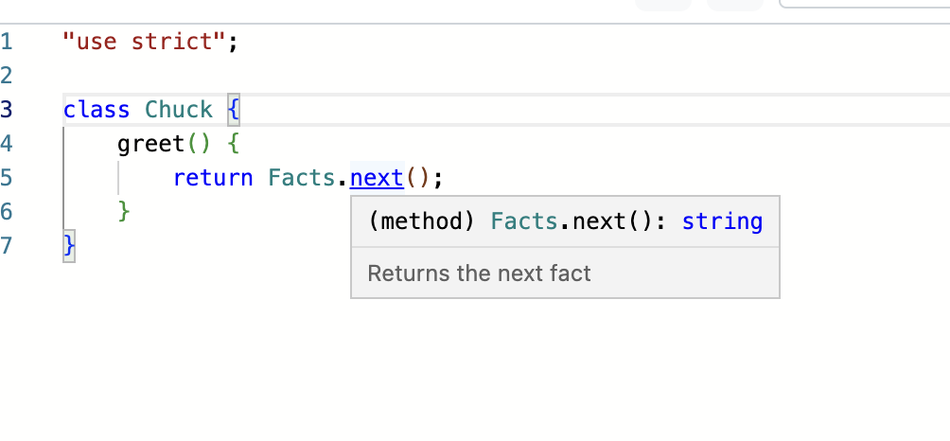
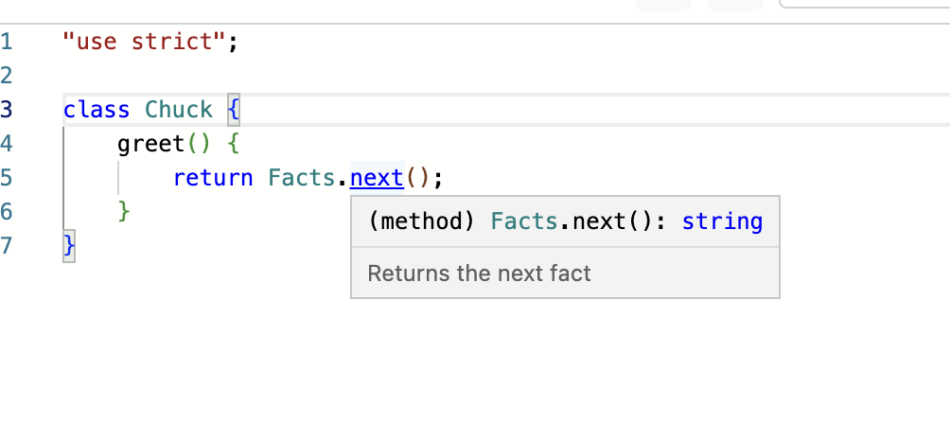
By adding this text to Monaco's language service using `addExtraLib`, users can achieve auto-completion when writingFacts.next(), and the comment for the `next` method will be displayed, as shown below
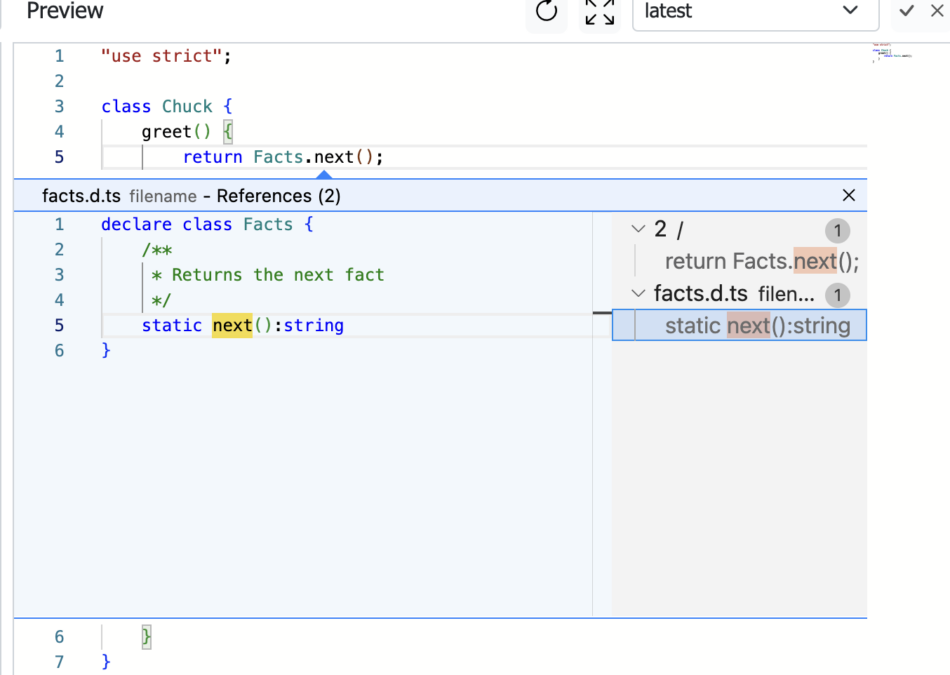
. If you create a language model using TS type declarations, you can view the specific declaration on the method, as shown below:
This scenario has many benefits, especially for novice programmers who are unfamiliar with a method. They can hover over the method name to view the documentation, which is very user-friendly and convenient.
When using JavaScript libraries such as lodash or jQuery, sometimes you may forget the complete name of a method or the parameter order of a method. This is where method documentation comes in.
Next, I will take lodash and jQuery libraries as examples to add them to Monaco.
Integrating the lodash library into the Monaco editor
First, we need to obtain the TS declaration file for lodash. After a simple search, I found this git repository, https://github.com/DefinitelyTyped/DefinitelyTyped
This repository stores a vast collection of TypeScript declarations for our commonly used libraries.
We are aware of the TypeScript declarations for lodash. You can obtain them from
https://github.com/DefinitelyTyped/DefinitelyTyped/blob/master/types/lodash/v3/index.d.ts.
Note that some libraries'index.d.tsare just shells, with the actual content scattered across various sub-files.
We save the content from the above link to alodash.d.tsfile
and then use fetch in HTML to retrieve the specific content of that file. The core code is as follows
const monacoTypesUrl = './lodash.d.ts'
const libSource = await (await fetch(monacoTypesUrl)).text();
console.log(libSource)

var libUri = "ts:filename/lodash.d.ts";
monaco.languages.typescript.javascriptDefaults.addExtraLib(libSource, libUri);
// When resolving definitions and references, the editor will try to use created models.
// Creating a model for the library allows "peek definition/references" commands to work with the library.
monaco.editor.createModel(libSource, "typescript", monaco.Uri.parse(libUri));
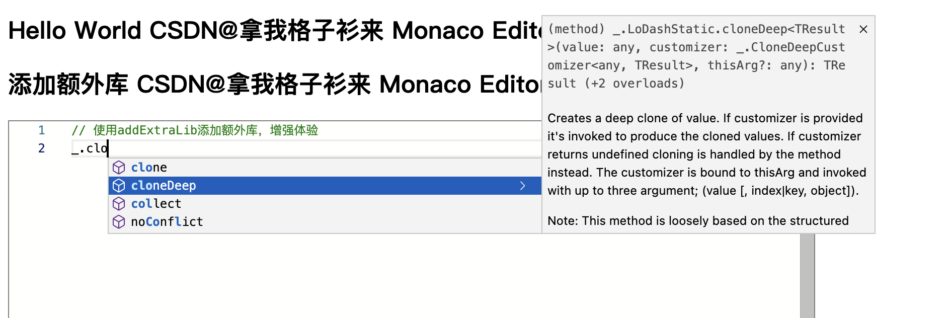
. After integrating this, let's see how it performs in the editor when we type the namespacelodashNamespace of_.
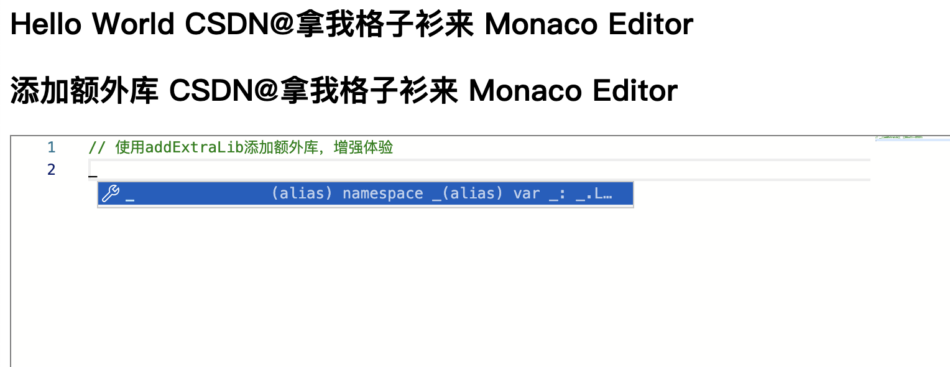
Then we call its cloneDeep method, and the display is as follows:
Isn't it amazing?
Next, let's take a look at the integration of the jQuery library.
Integrating the jQuery library into the Monaco editor.
Following the steps above, we first need to obtain the TypeScript declaration file for jQuery.
You can obtain the TypeScript declaration for jQuery v2 from the following link.
https://github.com/DefinitelyTyped/DefinitelyTyped/blob/master/types/jquery/v2/index.d.ts
Copy the file content and place it in the local file jquery.d.ts.
Modify themonacoTypesUrlvariable to'./jquery.d.ts'
. Let's take a look at the auto-completion of calling jQuery Ajax.
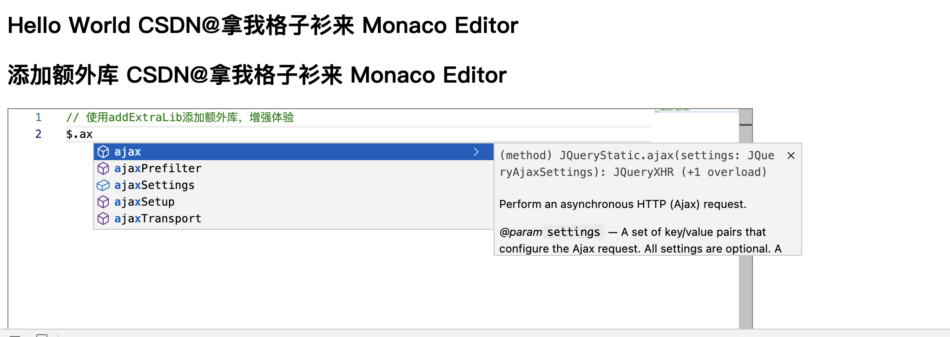
For reference, check out the methods of Ajax.
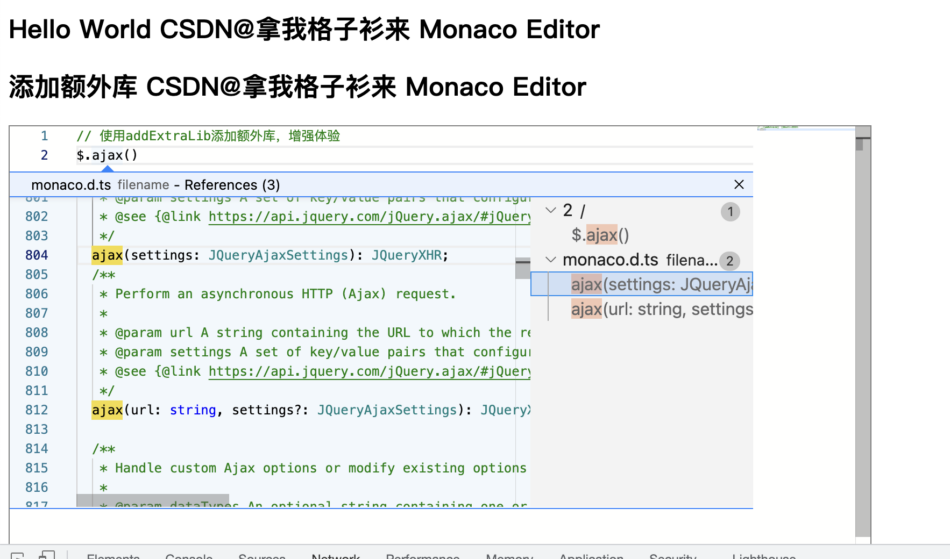
This is an excellent experience of integrating additional libraries in Monaco, which greatly enhances the user experience of the editor.
In addition, you can inject multiple TypeScript declaration libraries simultaneously, or write your own TypeScript declaration library to achieve automatic prompts and completion.
Summary
An editor is a highly complex software product, and any feature that can enhance user experience deserves attention.
The development experience directly determines the success of the product.


Leave a Reply