
Description
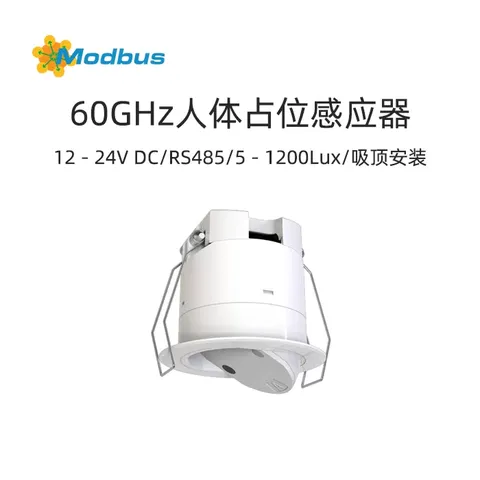
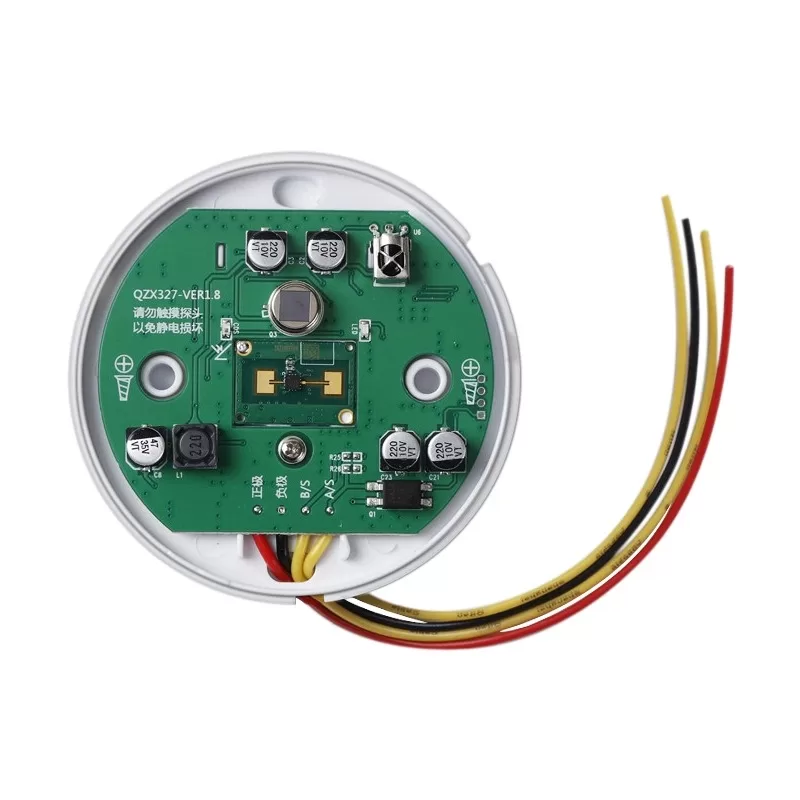
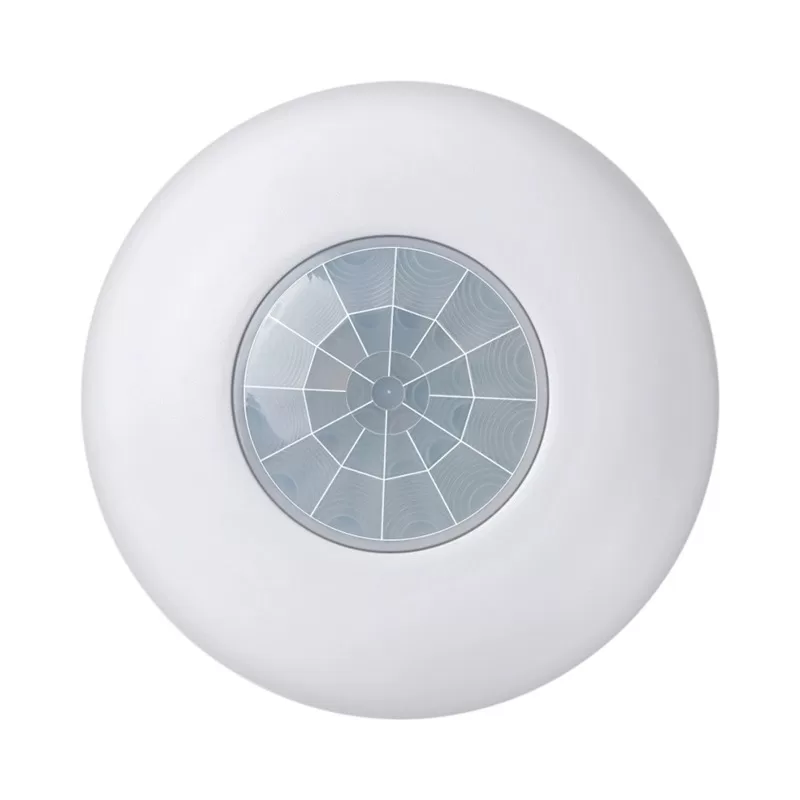
This sensor is a device that can accurately detect the presence of static human bodies in an area. By capturing small movements of the human body, it determines whether the human body exists or not. The detection result data can be output through dry contacts or bus protocols.
3, Selection suggestions
Widely applicable to users with human presence detection needs such as homes, office buildings, hotels, banks, hospitals, schools, airports, museums, laboratories, factories, agriculture, etc. It is also suitable for professionals in equipment manufacturing, robot manufacturing, security manufacturing, etc.
IV. Product Parameters
- Product Name: Micro motion Human Presence Sensor
- Product Model: MBS10
- Appearance Dimensions: 75 * 25mm
- Communication Method: Passive Dry Contact and Bus RS485
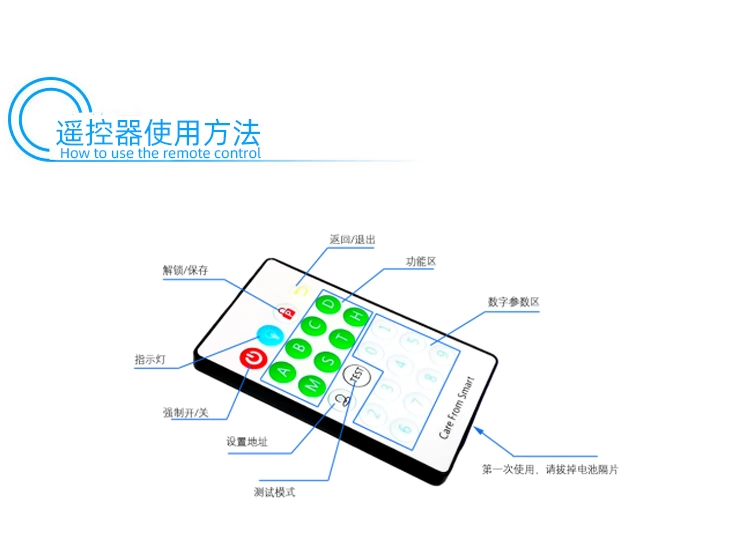
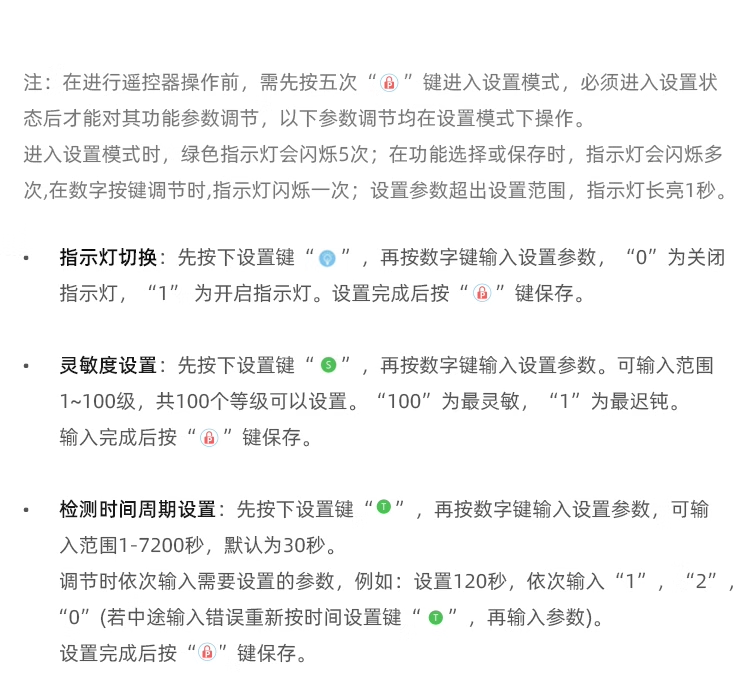
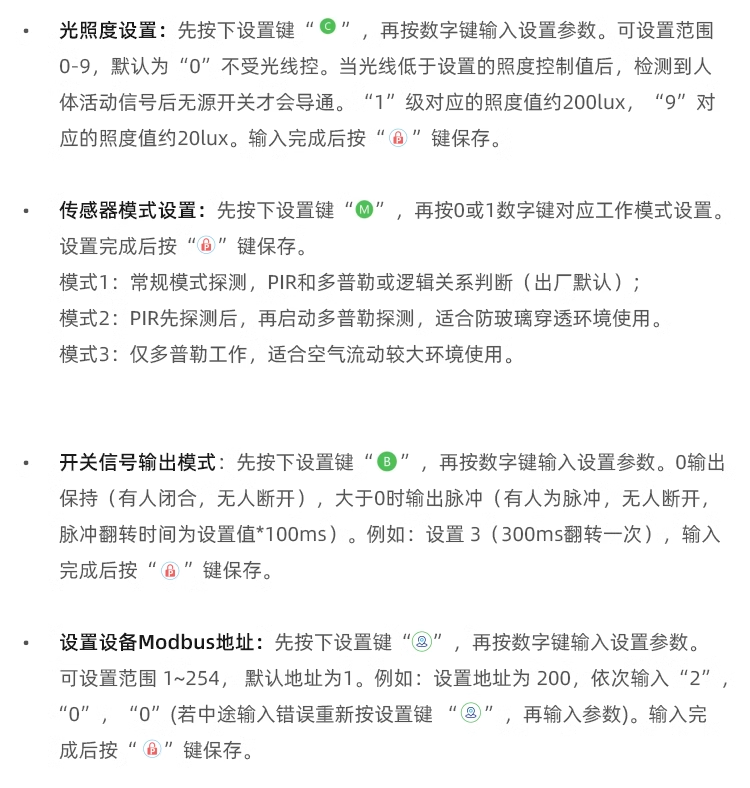
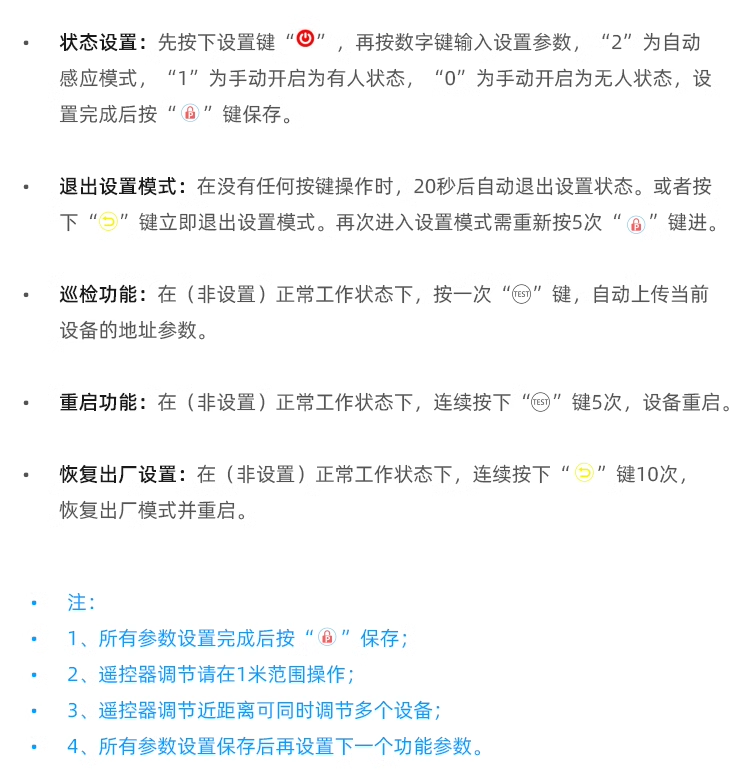
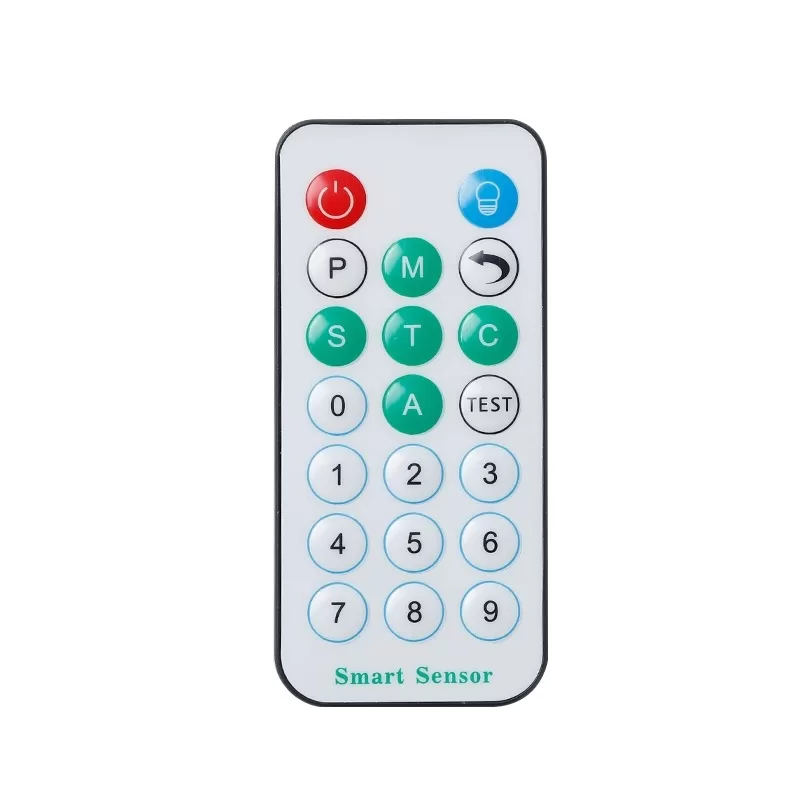
- Infrared Remote Control Configuration: Supports
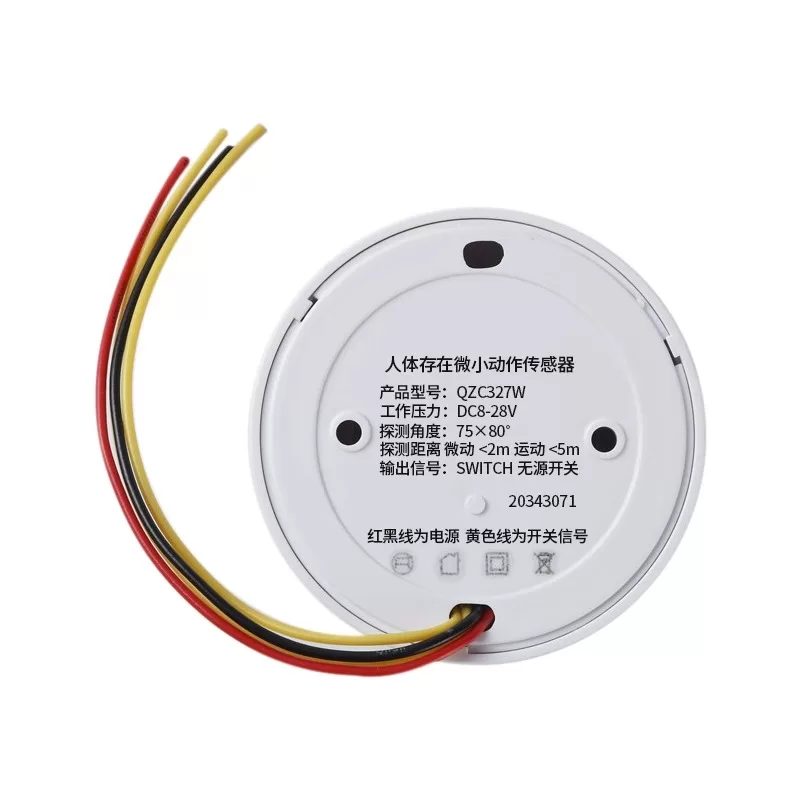
- Input Voltage: DC12-36V
- Operating Current:<90mA
- Detection Distance: Dynamic (limb movement)<5 meters, Static (device aligned with chest position and breathing action)<2 meters
- Detection Angle: 80 * 75 FOV
- Operating Temperature: -10-50 ℃
- Installation method: Ceiling installation/Side wall installation/Machine equipment side installation
- output modeCustomize 485 instructions or Modbus protocol
- Baud rateDefault 9600 8N1, supports modifying 19200 57600 115200
- Equipment wiringPower supply: red and black lines; Dry contact output: yellow wire, passive dry contact; Bus Green A White B
- Expand communication (requires conversion module): KNX, CAN, LORA, WIFI, ZIGBEE, BLUETOOTH, 4G, CAT1
5, Product Features
- Adopting dual sensors of pyroelectric infrared PIR sensor and microwave sensor, the recognition accuracy is high and the misjudgment rate is low.
- Paired with multiple intelligent accessories to achieve personalized scene control.
- supports setting indicator light switches, light intensity, sensitivity, detection time periods, etc.
- Remote control, on/off at any time (needs to be used in conjunction with an intelligent control system).
- Supports anti disassembly function, sends bus commands when powered off (needs to be used in conjunction with power on/off detection X166).
- Support timed power on/off (to be used in conjunction with an intelligent control system).
- Support voice control (requires the use of an intelligent control system or an offline voice control module).
- Network disconnection does not affect control and display within the bus range.
- Support remote control and bus protocol configuration.
- A sensor that integrates ultra wide spectrum radar technology and biomedical engineering to accurately detect the static state of the human body in the area.
- uses pulsed microwave beams to irradiate the human body and detect human life parameters. Due to the presence of limb movements, breathing, heartbeat, etc. in human life activities, the repetition period of the echo pulse sequence reflected by the human body changes. After demodulation, integration, amplification, filtering and other processing of the echo pulse sequence reflected by the human body, and inputting it into the microcomputer system for data processing and analysis, the data parameters of the measured human body are obtained. When the human body is completely still breathing, the surface of the abdomen will fluctuate and change according to the breathing movements. Microwave sensors can capture the breathing movements of the chest and abdomen of the human body, accurately identifying the small movements. The most sensitive location for microwave detection when the human body is completely stationary is in the chest and abdomen. If the position of the chest and abdomen is not aligned during the detection of small movements in a stationary human body, the detection distance will be reduced.
- When the human body is completely still breathing, the surface of the abdomen will fluctuate and change with the movement of breathing. Microwave sensors can capture the breathing movements of the chest and abdomen of the human body, accurately identifying the small movements.
- The most sensitive location for microwave detection when the human body is completely stationary is the chest and abdomen. If the position of the chest and abdomen is not aligned during the detection of small movements in a stationary human body, the detection distance will be reduced.
- Microwave sensors aimed at the chest position of the human body can detect tiny movements of breathing within 2 meters of a stationary body and movements of limbs within 5 meters.
VI. Bus Control Usage
(1) Address Modification
- After the device is powered on, it will automatically provide a 5-byte address feedback (for example, if the address is 1A 13 24 56 91, it will be replaced with XX XX XX XX XX in the following text).
- Send: XX XX XX XX XX (old address) F8 E7 D6 (fixed) XX XX XX XX XX XX XX (new address).
- Feedback: Feedback on successful operation to BC BC. Example: 1A 13 24 56 91 F8 E7 D6 2A 33 57 26 81 Change the old address 1A 13 24 56 91 to the new address 2A 33 57 26 81.
- Example: 1A 13 24 56 91 F8 E7 D6 2A 33 57 26 81 Change the old address 1A 13 24 56 91 to the new address 2A 33 57 26 81.
(II) Sensor switch protocol
- Send: XX XX XX XX XX (address) 00 00 (fixed) 00 (00 closed/01 open) 0F.
- Feedback: Operation successful feedback BC BC.
- Example: XX XX XX XX 00 00 01 0F Turn on the sensor.
(III) Status Query Instruction
- Send: XX XX XX XX (address) 86 86 86 0F.
- Feedback: XX XX XX XX XX (address) 00 (human signal) 00 (working mode) 00 00 (counting times) 0F (end).
- Human signal: 00 unmanned/01 manned.
- Working mode: 1, 2, 3 correspond to sensor working modes.
- Count times: 00 00-FF FF The number of times a person is detected.
- Example: Sending XX XX XX XX 86 86 0F Feedback: XX XX XX XX XX 01 00 05 0F indicates that the sensor has been turned on and detected the presence of a human body, working mode 01, has detected 5 times (the detection times are reset after power failure).
(IV) Detection Time Cycle
- Send: XX XX XX XX XX (Address) 9E (Fixed) 00 08 (Detection Time) 0F (End).
- Detection time period: 00 05-03 E7 corresponds to 5-9999 seconds, default is 30 seconds.
- Feedback: Successful operation feedback BC BC.
- Example: XX XX XX XX 9E 00 08 0F detects the presence of a human body within an 8-second time range.
(V)IlluminanceAdjustment Protocol
- Send: XX XX XX XX XX (Address) 9D (Fixed) 00 XX (Sensitivity) 0F.
- Sensitivity: 00 is not controlled by light.
- 00-00-00 09 correspond to the weakest and strongest illuminance, respectively. The illuminance value corresponding to 00 00 is about 200lux, and the illuminance value corresponding to 00 09 is about 20lux.
- The illuminance value corresponding to 00 00 is about 200lux, and the illuminance value corresponding to 00 09 is about 20lux.
- Feedback: Feedback on successful operation to BC BC.
- Example: XX XX XX XX 9D 00 00 0F is set to non sensitive, and recognition is not controlled by light.
(VI) Sensitivity Adjustment Protocol
- Send: XX XX XX XX XX (Address) 9F (Fixed) 00 XX (Sensitivity) 0F.
- Sensitivity: 01 Not sensitive.
- 00 01-00 64 correspond to insensitivity to maximum sensitivity, respectively.
- Feedback: Successful operation feedback BC BC.
- Example: XX XX XX XX 9F 00 64 0F adjusts the sensor sensitivity to be the highest.
(VII) Parameter query instruction
- Send: XX XX XX XX XX (address) 86 86 87 0F.
- Feedback: XX XX XX XX XX (address) 00 12 (detection time interval) 64 (sensitivity) 00 (photosensitive intensity) 0F.
- Detection time interval: 00 12 corresponds to 18 seconds.
- Sensitivity: 64 Very sensitive.
- Sensitivity intensity: 00 is not controlled by light.
- 01-09 correspond to the weakest and strongest illuminance, respectively.
(VIII) Indicator light switch protocol
- Send: XX XX XX XX XX (address) 9C 00 (fixed) 00 (00 off/01 on) 0F.
- Feedback: Operation successful feedback BC BC.
- Example: XX XX XX XX 9C 00 00 0F Turn off the indicator light on the sensor.
(Nine) Sensor Mode Setting
- Send: XX XX XX XX XX (Address) 9A (Fixed) 00 01 (Mode) 0F.
- Feedback: Operation success feedback BC BC.
- Mode: 01 Mode 1; 02 Mode 2; 03 Mode 3.
- Mode 1: Normal mode detection, PIR and Doppler or logical relationship judgment (factory default).
- Mode 2: PIR detects first and then starts Doppler detection, suitable for use in anti glass penetration environments.
- Mode 3: Doppler only operation, suitable for use in environments with high air flow.
- Example: XX XX XX XX 9A 00 01 0F Enable Mode 2.
(X) Custom Bus Data Instruction
- Send:XX XX XX XX XX XX (Address) 56 56 0F
- SendA1 00 (fixed) 00 (00 unmanned/01 manned) YY YY YY YY YY YY YY YY YY YY YY YY (custom bus data) 0F
- Close configuration:XX XX XX XX XX XX (address) 46 46 0F
- Clear configuration:XX XX XX XX XX XX (address) EE EE EE 0F
- Feedback: Operation successful feedback BC
- Example: XX XX XX XX 56 56 0F Enable configuration.
- A1 00 00 12 35 03 01 FC 4A 0F Set unmanned status to send curtain belt bus data 12 35 03 01 FC 4A 0F, open the curtains.
- A1 00 01 12 35 03 02 BC 4B 0F Set to send curtain belt bus data in human status 12 35 03 02 BC 4B 0F, close the curtains.
- XX XX XX XX XX 46 46 0F Close configuration.
(XI) Custom Bus Data Transmission Times
- Send: XX XX XX XX XX (Address) 98 00 02 (Bus Instruction Repeat Transmission Count) 0F.
- Bus Instruction Repeat Transmission Count: Range 00-FD.
- Feedback: Operation Successful Feedback BC BC.
- Example: XX XX XX XX 98 00 02 0F Configure custom bus instructions to be sent twice.
(Twelve) Custom Bus Data Transmission Interval Configuration Protocol
- Transmission: XX XX XX XX XX (Address) 97 00 04 (Custom Bus Instruction Transmission Interval Unit: 0.1S) 0F.
- Custom Bus Instruction Sending Interval: Unit: 0.1S Range: 01-FD.
- Feedback: Feedback on Successful Operation: BC BC.
- Example: XX XX XX XX 97 00 04 0F Configure custom command sending time interval of 0.4 seconds.
(13) Baud Rate Configuration Protocol
- Send: XX XX XX XX XX (Address) 99 00 09 (Baud Rate) 0F.
- Baud Rate: 00 13 corresponds to 19200; 00 09 corresponds to 9600; 00 39 corresponds to 57600; 00 73 corresponds to 115200.
- Feedback: If the operation is successful, it will be reported to BC BC and take effect immediately.
- Example: The bus baud rate of the XX XX XX XX XX 99 00 09 0F configuration device is 9600.
(Fourteen) Factory Reset
- Send: XX XX XX XX XX (Address) EE EE EE (Fixed) 0F.
- Feedback: Successful operation feedback BC BC. Example: XX XX XX XX XX EE EE 0F Factory Reset.
- Example: XX XX XX XX EE EE 0F Restore to factory settings.
(Fifteen) Modbus Protocol Switching
- FF 1F 01 (Modbus Address) 09 01 FF Switch to Modbus Protocol.
- FF 1F 01 (Modbus address) 09 02 FF Switch to custom protocol.
- Feedback: The operation was successful and the address was re uploaded.
7. Modbus Protocol
(1) Register Address and Function Description
- 00 00: Read only, human signal, 0 No one, there is one person.
- 00 01: Read/write, working mode, mode 1: normal mode detection, PIR and Doppler or logical relationship judgment (factory default); Mode 2: PIR detects first and then activates Doppler detection, suitable for use in anti glass penetration environments; Mode 3: Doppler only operation, suitable for use in environments with high air flow.
- 00 02: Read/write, delay time, 1-7200S, the time when the output is judged as unmanned after the human body leaves.
- 00 03: Read/write, illumination level, 0-9 levels, 0 means not activating illumination function (default).
- 00 04: Read/write, sensitivity setting, sensitivity levels 1-100, 100 bit most sensitive (default), 1 bit least sensitive.
- 00 05: Read/write, indicator light switch, status indicator light on/off, 0 off, 1 on.
- 00 06: Read/write, active upload mode, 0 Turn off automatic upload; 1. Proactively upload once when the signal changes; 2. Actively upload after signal changes (up to 10 uploads, with a 3-second interval between each upload, and end the upload after the host responds (up to 10 uploads, with a 3-second interval between each upload, the content returned by the host is the content uploaded by the sensor, and the active upload stops after receiving the data returned by the host); 3. Proactively upload custom data formats when the signal changes.
- 00 07: Read/write, switch count statistics, maximum count up to 65535, can be reset through the 06 function code.
- 00 08: Read/write, forced output mode, 0 forced off, 1 forced on, 2 automatic sensing mode.
- 00 09: Read/write, motion amplitude, human body motion amplitude within the sensor range.
- 00 0A: Read only, supply power voltage, equipment supply power voltage (unit: mV).
- 00 FA: Read only, fault signal, 0 no abnormalities, 1 power supply abnormality, 2 sensor abnormalities.
- 00 FB: Write only, modify the address, and modify the new address of the known device address on the bus.
- 00 FC: Write only, modify baud rate, and modify the baud rate of known device addresses on the bus.
- 00 FD: Write only, restart the device, set parameters FF FF to restart the device.
- 00 FE: Write only, restore factory settings, set parameters FF FF to restore factory settings.
(II) Modbus Active Upload Protocol Format
- Address: 01
- Function Code: 46
- Length: 02
- Human Status: 00 01
- Verification Code: 6C 88
(III) Modbus Protocol Example
- Example 1: Read the human presence signal value at device address 0x01.
- Inquiry frame (hexadecimal): 01 03 00 00 01 84 0A
- Response frame (hexadecimal): 01 03 02 00 01 B9 84
- Example 2: Set the delay time value for device address 0x01 to 5 seconds.
- Set frame (hexadecimal): 01 06 00 02 00 05 E8 09
- Response frame (hexadecimal): 01 06 00 02 00 05 E8 09
- Example 3: Set the new address and baud rate of the device.
- Set frame (hexadecimal): FF 1F 0A 73 00 FF
- Write code: 0xff
- Fixed code: 0x1f
- New address: 0x0a
- New baud rate: 0x73
- Default: 0x00
- Fixed: 0xff
8. Installation precautions
- Cannot be used outdoors.
- Do not install on ventilation openings or unstable objects.
- Reduce the number of moving objects within the detection range and improve the accuracy of human recognition.
- Correctly input stable rated voltage.
- Cannot work in damp, high temperature environments.
- The touch probe cannot be disassembled from the casing.