
Recipe: A set of product parameters (temperature, time, speed, etc.) is packaged into a single record, allowing for one-click loading when switching products, eliminating the need to manually change each parameter individually. Up to 10 recipes, each containing 1000 sets of parameters and 2000 ingredients, cover most production line changeover scenarios.
1. Recipe Settings
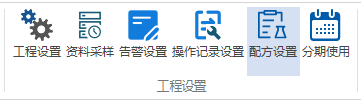
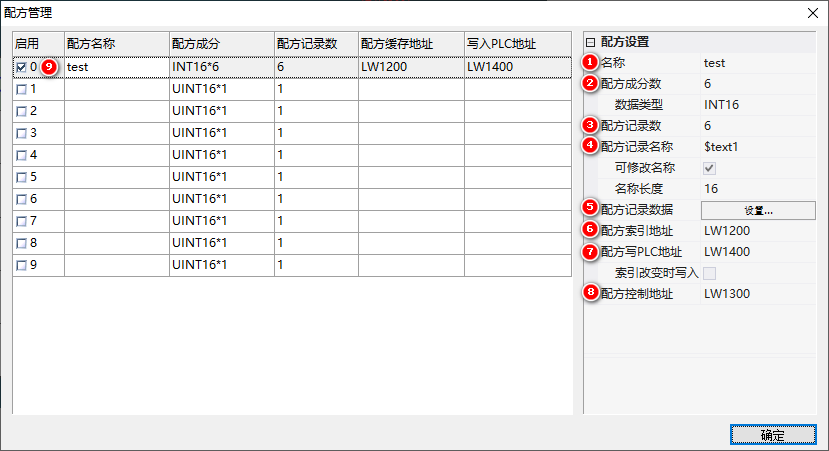
Project → Recipe Settings, core fields:
| Field | Description |
|---|---|
| Recipe Name | Notes (optional) |
| Number of Recipe Ingredients | Number of Parameters, up to 2000 |
| Data Type | INT16/INT16/INT32/INT32/INT64/INT64/FLOAT/DOUBLE |
| Number of Recipe Records | Record count, max 1000 |
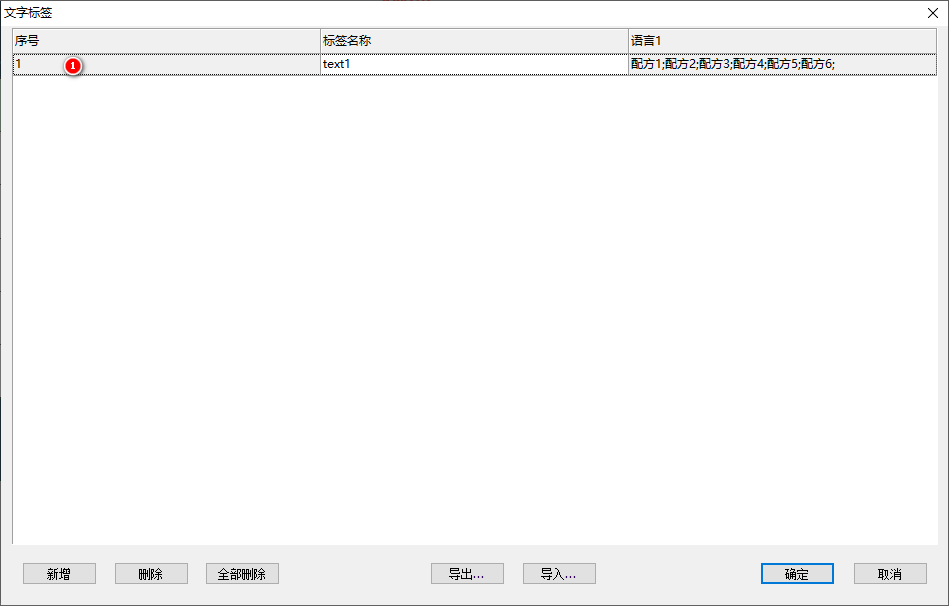
| Recipe record name | Associated tags, separated by semicolons, such as "Recipe 1; Recipe 2; Recipe 3" |
| Name length | N bytes occupied per recipe |
| Recipe index address | Control address, with the index value followed by the data of each component |
| Recipe write PLC address | Target device starting address, continuously issued when the index changes |
| Recipe control address | Write 1=Write to PLC / 2=Modify and save / 3=Save file / 4=Delete selected row / 5=Modify without saving and reset |
2. Application: Recipe selection and switching
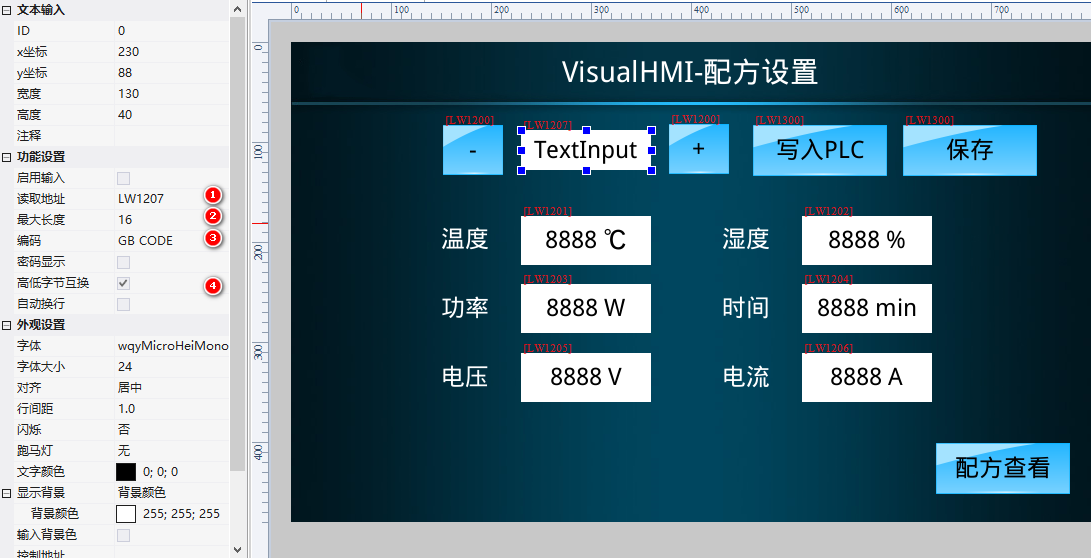
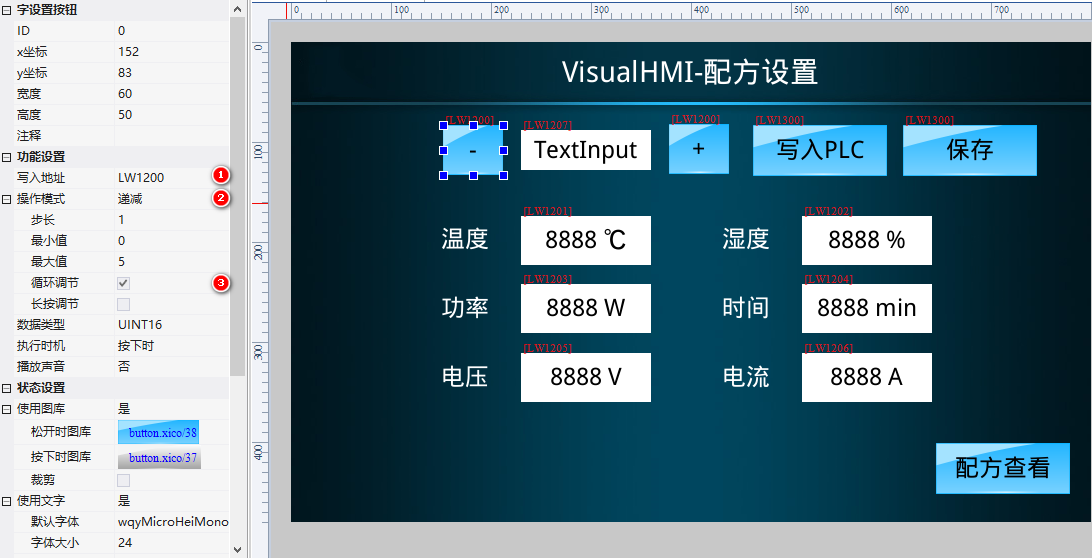
The text control is bound to display the name (GBK encoding, high and low byte swapped) of "Recipe Index Address + 1". The two-character setting button is used for index increment/decrement (step size 1, looping, range 0~5). When switching indexes, the underlying system automatically loads the corresponding data from the recipe file to refresh the control.
3. Save while changing.
After modifying the parameters, write "Recipe Control Address=2" to save. In LUA, triggering the component register will automatically save:
function on_update(slave,vtype,addr)
  if vtype == VT_LW then
    if addr >= 0x1201 and addr <= 0x1206 then  -- 配方数据寄存器
      set_uint16(VT_LW, 0x1300, 2)  -- 配方控制地址写2
      update_system()               -- 立刻写入系统参数
    end
  end
end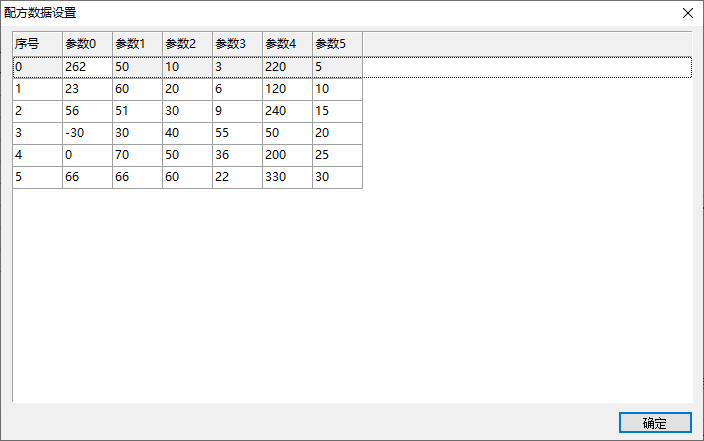
4. Issue to PLC and display in file.
Write "Recipe Control Address=1" to issue LW1201~1206 to LW1400~1405 of the PLC. The recipe file can also be directly displayed and edited in the data record control table (select "Recipe Data" as the data source and select the corresponding recipe as the index).
Compiled from VisualHMI development documentation of Guangzhou Dacai Technology (hmi-doc.gz-dc.com) and other technical tutorials on "Recipe Application". Copyright belongs to Dacai Technology.


Leave a Reply