
Data sampling is the foundation of the entire "recording function": historical curves, data recording, and date selection through dropdown menus all rely on it to collect data first. It is configured in [Project] → [Data Sampling], and the collected data is displayed as curves or tables.
1. Sampling Mode
1.1 Timed Sampling
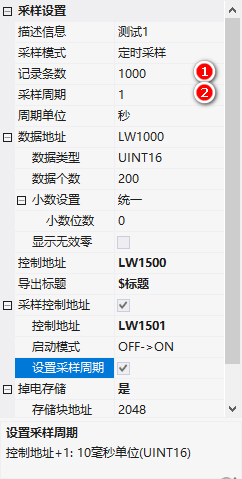
Collect data once at a fixed time. Sampling Period + Period Unit (seconds/milliseconds).
1.2 Triggered Sampling
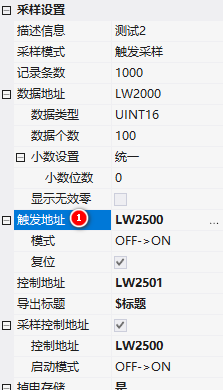
Triggered by a change in a register value:
- Trigger Address: Address of the trigger register
- Mode: OFF→ON rising edge trigger (value 0→1); ON→OFF falling edge (1→0); ON<->OFF both edges
- reset: automatically overwrite the register value
2. Record count
: maximum record count, automatically overwrite when full. Supports10~10000000 records.
3. Data address
- data type: INT16, INT32, FLOAT, DOUBLE, STRING
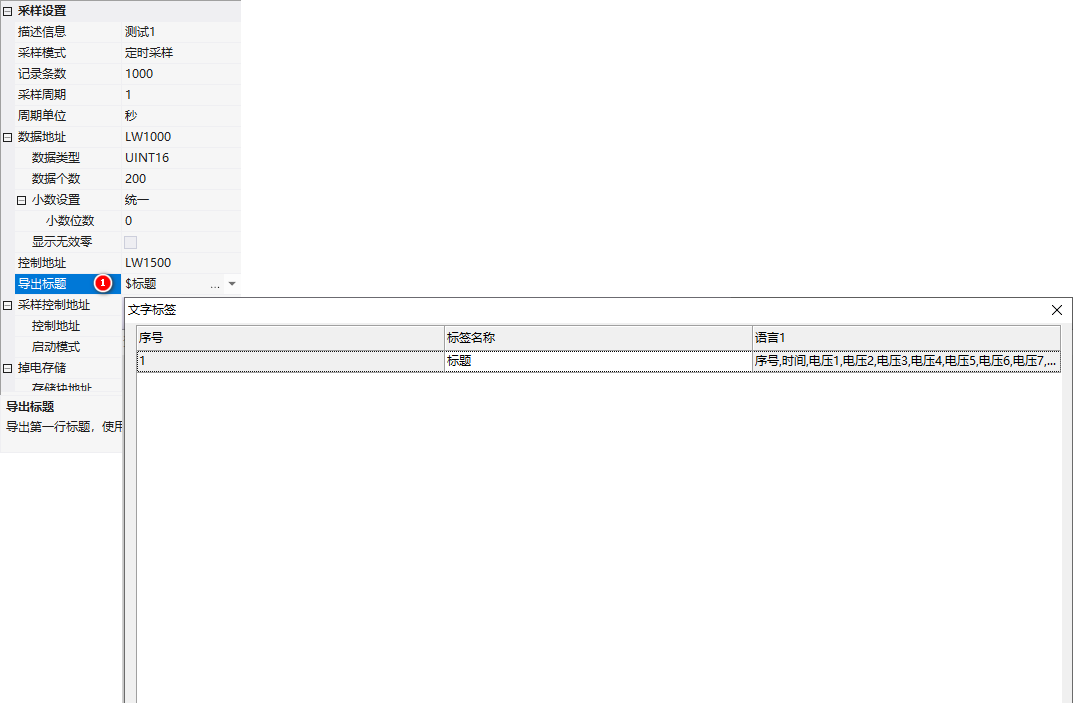
- number of data: the number of data collected for this record (continuous addresses), range 1~2000
- decimal digits: Unified or Separate (separated by semicolons "0.1;0.2;0.3"). Transmission value 100, decimal place 1 → displayed as 10
- Display invalid zeros: After checking, transmission value 100, decimal place 1 → displayed as 10.0
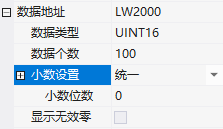
Example: Data address = LW1001, INT16, channel number 10 → collects data from LW1001 to LW100A.
4. Control address / Sampling control address
| Address | Function |
|---|---|
| Control address | Write 0x0001=export data to SD card/U disk; write 0x0055=clear data |
| Sampling control address | Control sampling enable general switch; start mode OFF→ON/ON→OFF; start mode address +1: sampling rate (in 10ms units, INT16) |
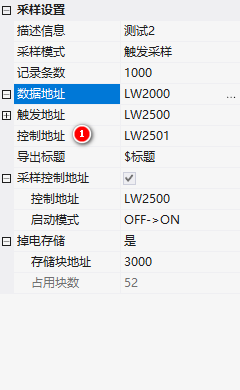
Export title: When exporting to CSV, the first row should be the header, with text labels separated by commas, such as "Sequence Number, Time, Voltage1, Voltage2, ..., Voltage10".
5. Power-off Storage
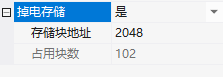
Data is stored in Flash block addresses. By default, the M series color screen Flash has 16M, with one block being 4K.The default storage block address is 2048 (starting from the 8M position). The number of occupied blocks is automatically calculated by the system: for example, if the maximum number of entries is 1000 and there are 200 pieces of UINT16 data, it requires 102 blocks and 408K.
In practical applications, it is necessary to consider the compiled resource size: the compiled resource package is 10.1M, and the storage address should be separated from the download file - starting from 11M for storage. The block address = (11×1024)/4 =2816, and the remaining 102 blocks do not exceed 16M.
This content is adapted from the "Data Sampling" tutorial in the VisualHMI development documentation of Guangzhou Dacai Technology (hmi-doc.gz-dc.com), and the copyright belongs to Dacai Technology.


Leave a Reply