
M series serial port screens support video playback: boot logo with video, embedded video in the picture, and controlled playback. Please note that format requirements are strict. For transcoding tools, Freemake Video Converter is recommended.
1. Video format requirements
| Project | requirements |
|---|---|
| File format | MP4, H264 encoding |
| Audio stream | MP3 or AAC |
| Maximum resolution | <1280×768 |
| Maximum frame rate | <30fps |
| Maximum bit rate | <1400kbps |
2. Attribute Introduction
| Attribute | Description |
|---|---|
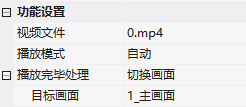
| Video File | Add video files, which will be automatically loaded into the project video directory |
| Playback Mode | Automatic (automatically play when entering the screen, stop when exiting)/Controlled (control address) |
| Control address (controlled) | Addr+0: 0-Stop, 1-Play, 2-Pause |
| Processing after playback | Stop playback (only play once) / Replay (loop) / Switch screen |
3. Application case
3.1 Boot Logo video
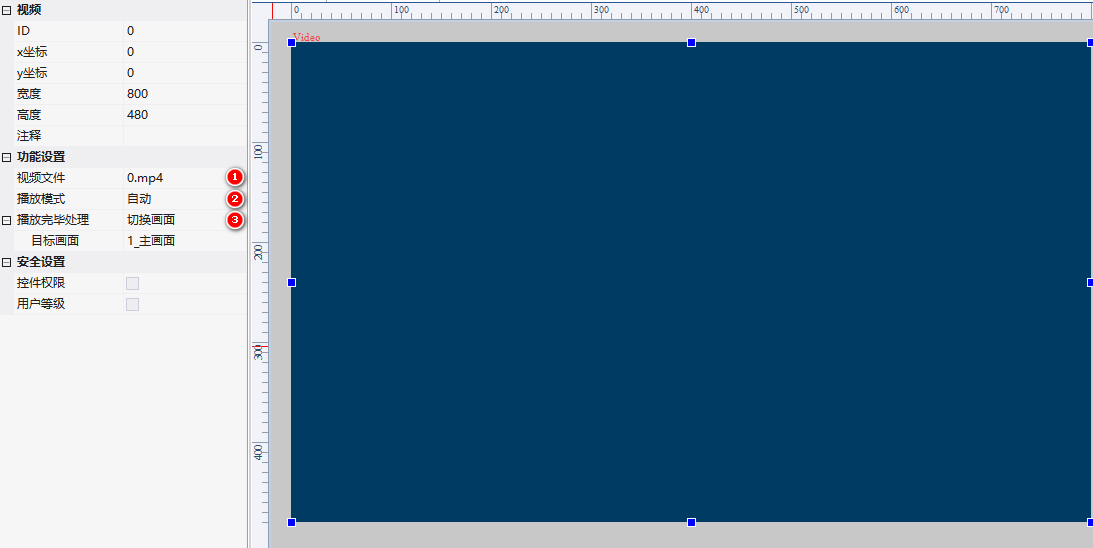
Video file 0.mp4, playback mode automatic, processing after playback=switch screen, target screen=main screen. Power on and play 0.mp4, automatically enter main screen after playback.
3.2 Controlled playback
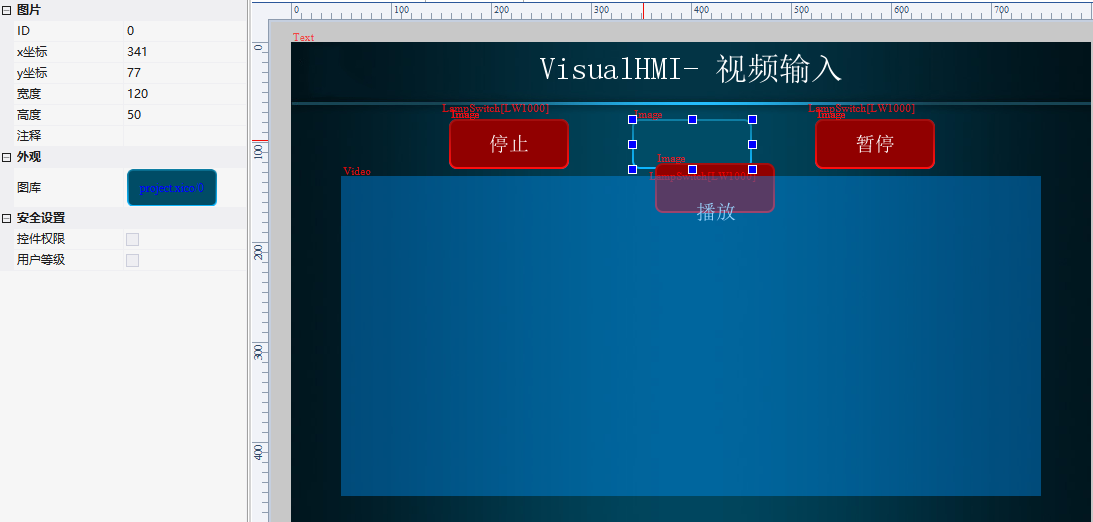
Video file 1.mp4, playback mode controlled, controlled addressLW1000, processing after playback=replay (loop). Set button text to LW1000=1 for playback; image control (permission LW1000==0) displays unselected effect.
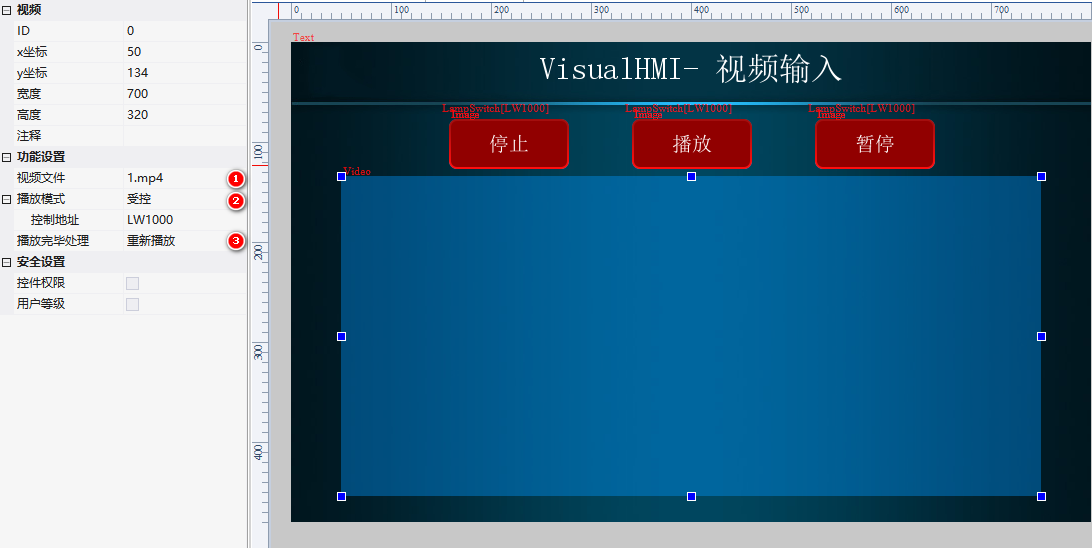
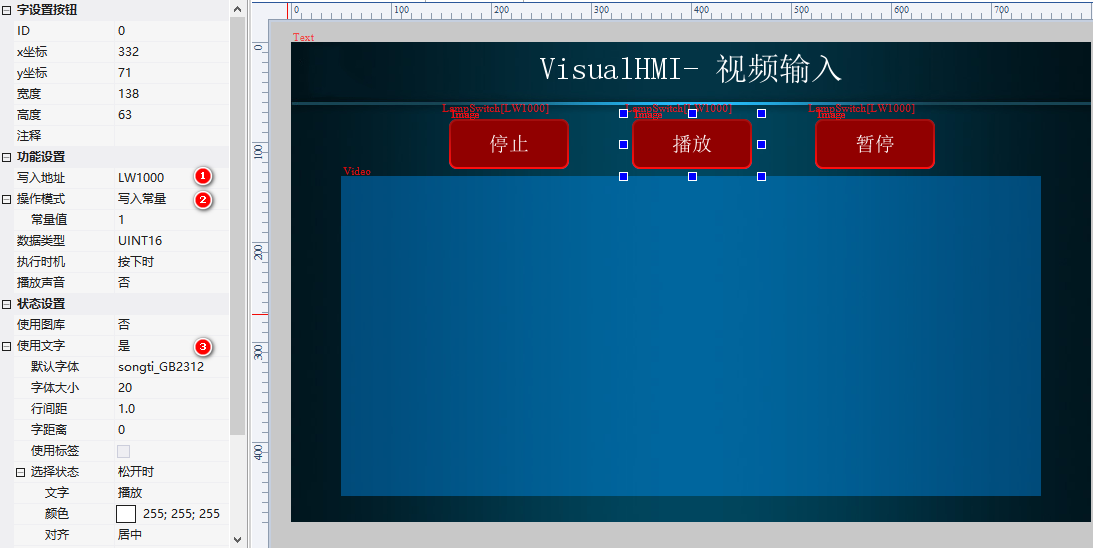
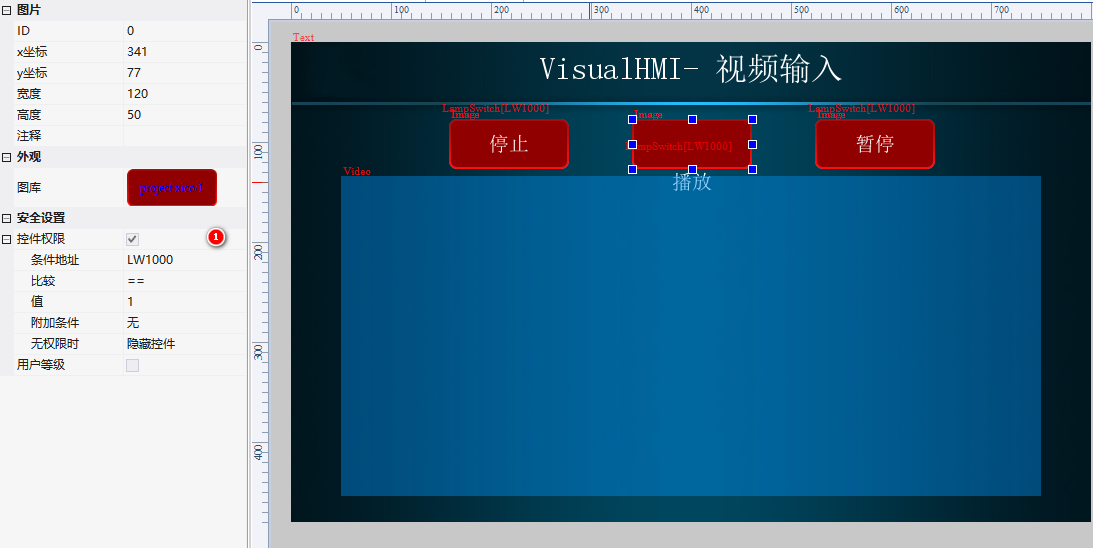
Operation: Physical screen test, control video by clicking play/stop/pause buttons.
Compiled from the VisualHMI development documentation of Guangzhou Dacai Technology (hmi-doc.gz-dc.com), the configuration control tutorial "Video Playback", copyright belongs to Dacai Technology.


Leave a Reply