
The scroll wheel control is agesture-based sliding selectioncomponent: it allows for scrolling up and down/left and right to select values from preset options, simulating a mechanical dial. Time/date settings (such as scheduled start/stop and planned tasks) are typical scenarios, which are intuitive and have low touch error rates.
1. Attribute Introduction
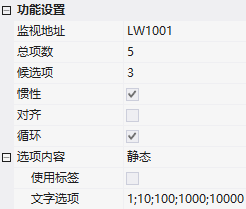
1.1 Function Settings
| Attributes | Description |
|---|---|
| Monitoring Address | Bound Variable Address |
| Total Items | Total items selected by scrolling the wheel |
| Candidates | Default display items: 3 or 5 items |
| Inertia | After sliding and releasing, there is an inertial scrolling effect |
| Alignment/Looping | Whether the option content is aligned; whether it loops and scrolls |
| Option content | Static (fixed text, available tags)/Dynamic (variable address + maximum length, UTF-8, separated by semicolons) |
1.2 Appearance settings
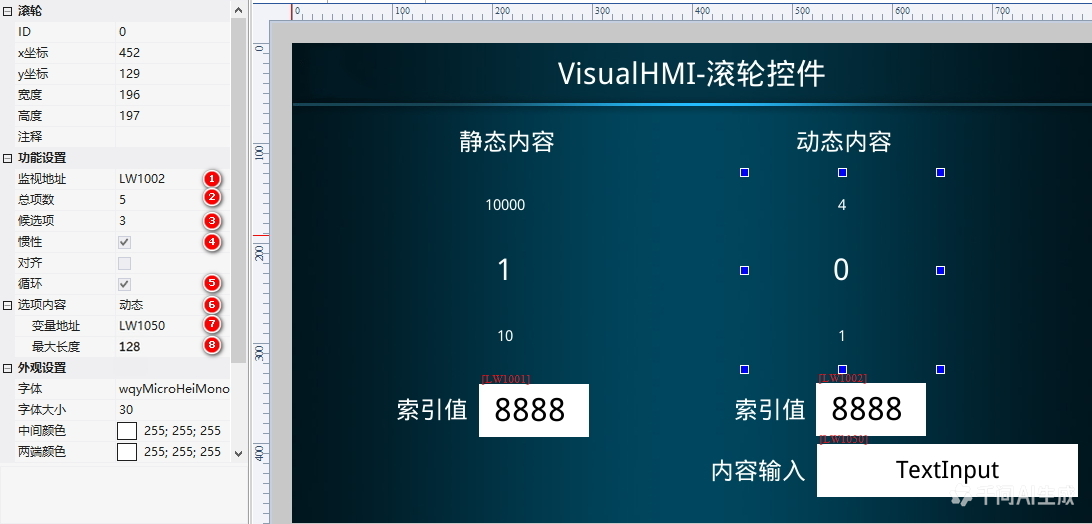
- Font/Font size
- Middle color: Text color of the selected item in the middle;End color: Text color of options at both ends
- Shrink at both ends: Scaling ratio of options text at both ends
2. Application cases
2.1 Static content
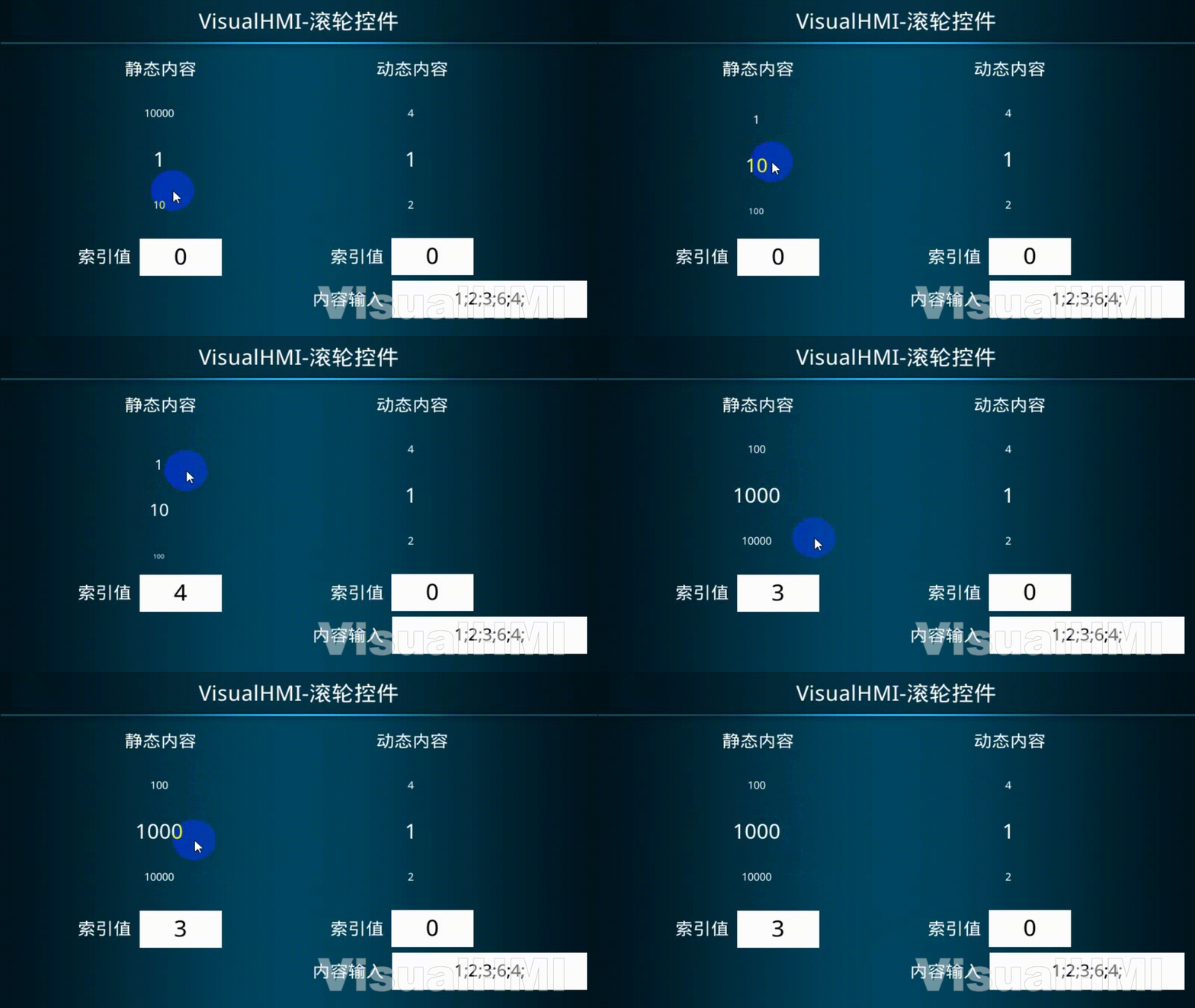
MonitoringLW1001, 5 items, candidate items 3, inertia + loop, text 1;
2.2 Dynamic content
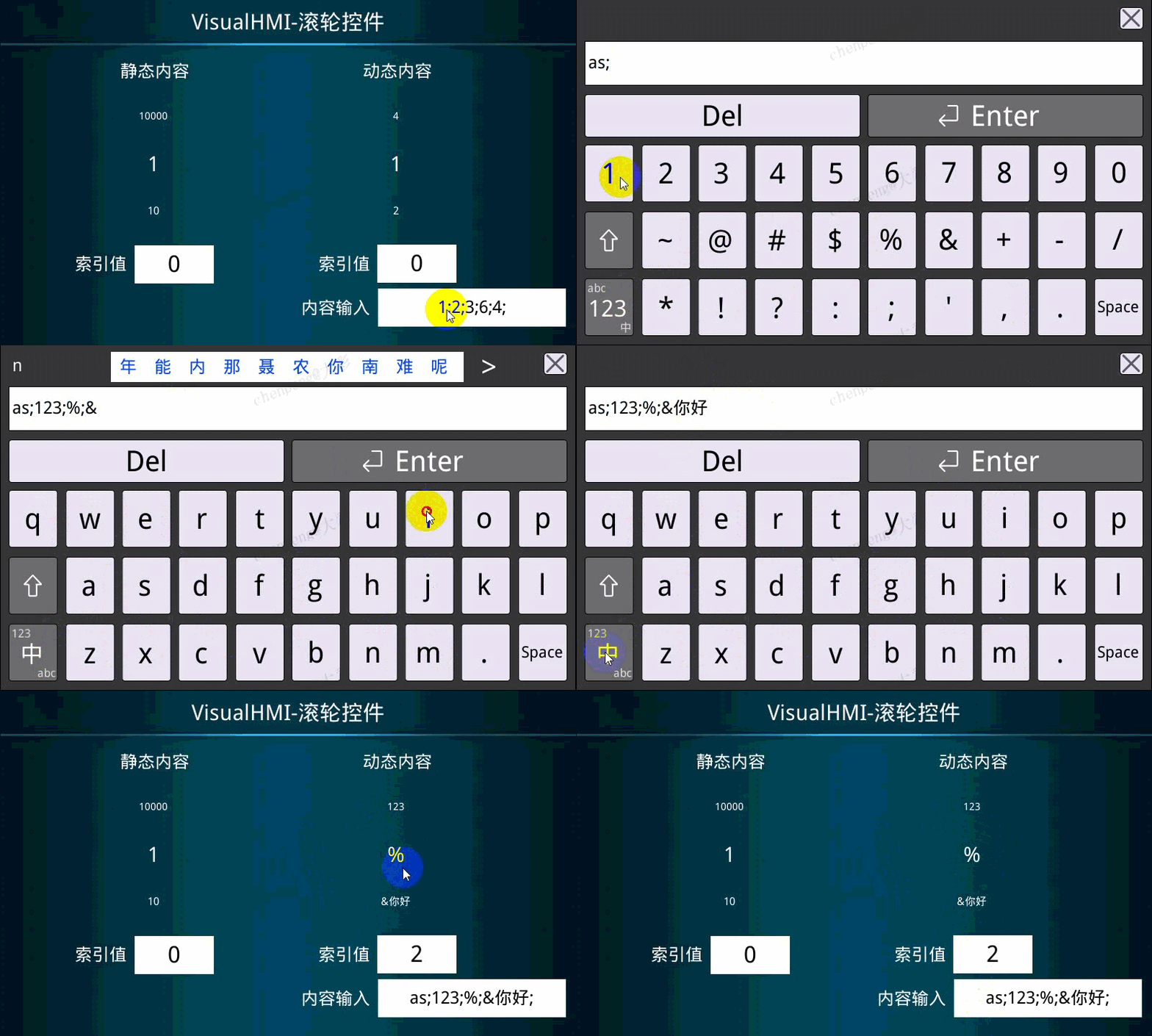
monitorLW1002Option dynamics, variable addressLW1050, maximum length 256. After writing options (UTF-8, semicolon-separated) with LUA set_string, the scroll wheel displays.
Compiled from the VisualHMI development documentation of Guangzhou Dacai Technology (hmi-doc.gz-dc.com), the configuration control tutorial "Scroll Wheel", copyright belongs to Dacai Technology.


Leave a Reply