
The sliding screen is acontainer-type control: Define a rectangular window on the main screen, allowing users to slide their fingers left/right/up/down to switch between a set of preset screens, similar to the paging of a mobile phone desktop. It supports three modes: fixed range, dynamic range, and arbitrary screen collection.
1. Three sliding range
| modes | description | address layout |
|---|---|---|
| fixed | sliding within a fixed range (starting screen ~ ending screen) | addr=current screen ID, addr+1=start, addr+2=end |
| dynamic | continuous screen range can be changed during runtime (e.g. 5~7, 8~11) | Ditto (start/end can be changed) |
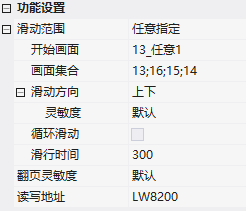
| Any | Any set of screens (e.g. {13,16,15,14}) | addr=current ID, addr+1=quantity N, addr+2~addr+N=each screen ID |
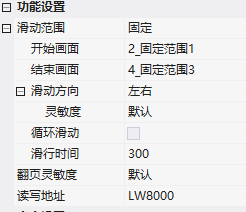
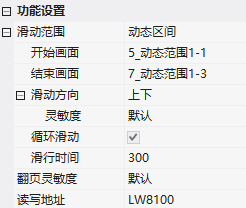
Other attributes: sliding direction (left/right/up/down), circular sliding (can return to the beginning when reaching the end), sliding duration (automatically slide for ms after released).
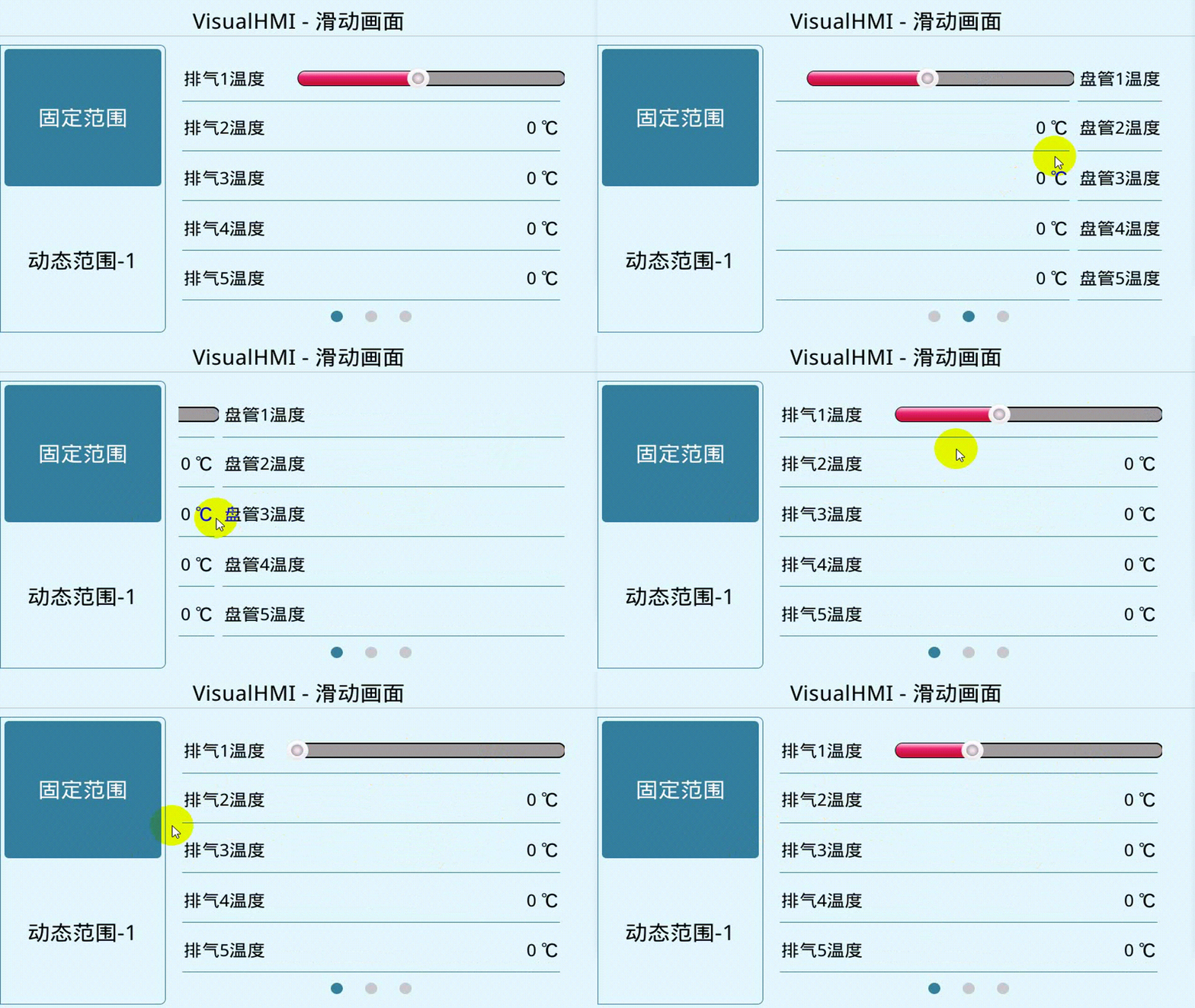
2. Application Cases
2.1 Fixed Range + Navigation Points
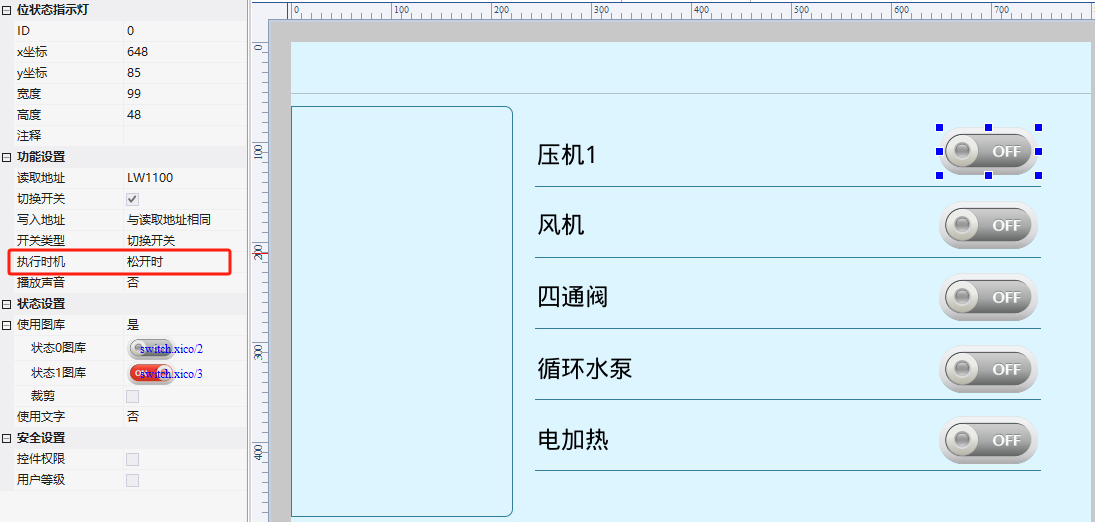
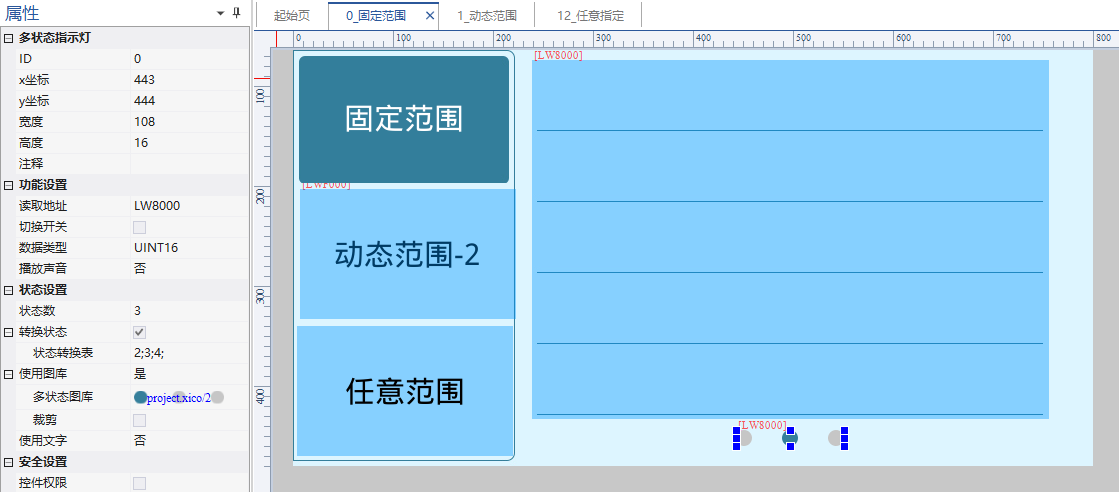
Fixed sliding range (2_fixed range 1 ~ 4_fixed range 3), direction left/right, read/write addressesLW8000. Equipped with multi-state indicator lights as navigation points: read LW8000, state number 3, conversion table 2;3;4 (corresponding to screens 2~4). Navigation points follow during sliding.
2.2 Dynamic range (LUA change range)
Sliding range dynamics, starting with 5_dynamic range 1, ending with 7_dynamic range 3, direction up and down, looping, read and writeLW8100(8100=current, 8101=start, 8102=end). The bit status indicator (LWF000) switches between two sets of ranges, and the register is modified in LUA on_update:
if key == 0 then
  set_uint16(VT_LW, 0x8100, 5)  -- 当前页
  set_uint16(VT_LW, 0x8101, 5)  -- 开始
  set_uint16(VT_LW, 0x8102, 7)  -- 结束
elseif key == 1 then
  set_uint16(VT_LW, 0x8100, 8)
  set_uint16(VT_LW, 0x8101, 8)
  set_uint16(VT_LW, 0x8102, 11)
end
Two navigation multi-state indicators display according to the value condition of LWF000 (==0 displays range 1 navigation, ==1 displays range 2 navigation).
2.3 Arbitrary screen collection
Sliding range arbitrary, screen collection 13;LW8200(8200=current, 8201=quantity, 8202+ =each screen ID). LUA uses set_array to modify the collection:
set_uint16(VT_LW, 0x8200, 13)
set_array(VT_LW, 0x8201, {4, 13, 16, 15, 14})  -- 数量4 + 各画面ID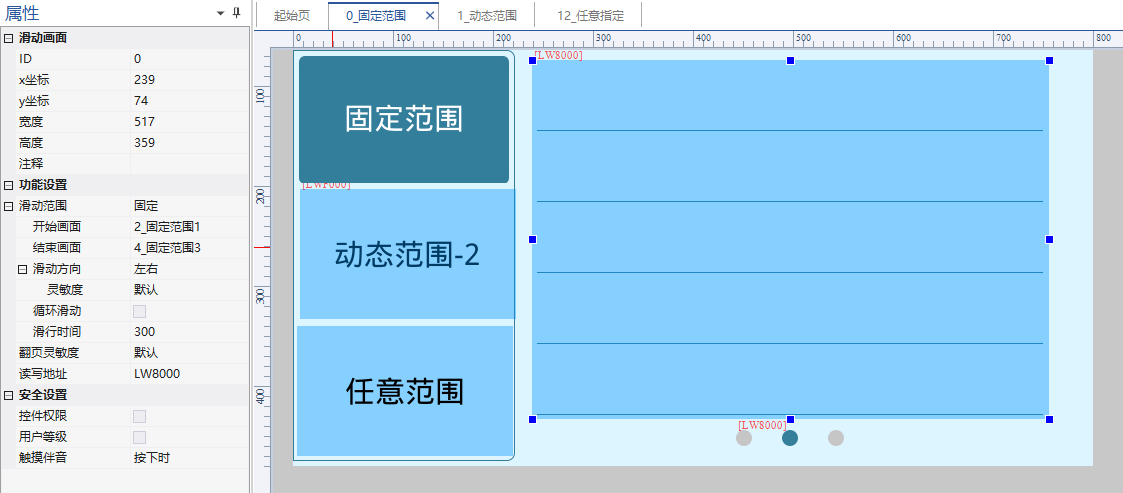
Compiled from the VisualHMI development documentation of Guangzhou Dacai Technology (hmi-doc.gz-dc.com), the configuration control tutorial "Sliding Screen" is owned by Dacai Technology.


Leave a Reply