
The slider is acontinuous value adjustmentcontrol: drag the slider or point on the track to adjust parameters. Volume, screen brightness, target temperature/speed/pressure settings all rely on it.
1. Attribute introduction
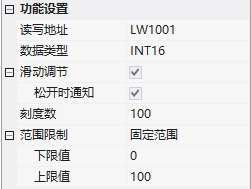
1.1 Function settings
| Attribute | Description |
|---|---|
| Read-write address | Bound variable address |
| Data type | UINT16/INT16/UINT32/INT32/UINT64/INT64/FLOAT/DOUBLE |
| Slider adjustment | Drag the progress bar to adjust the value; when released, the notification can be checked |
| and read the same | whether the written address is the same as the read |
| scale number | total readable quantity of the control |
| range limit | None / Fixed range (fixed upper and lower limits) / Variable range (upper and lower limits dynamically adjusted) |
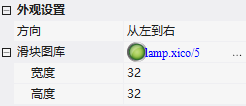
1.2 Appearance settings
- Direction: From left to right / From right to left / From top to bottom / From bottom to top
- Slider gallery: Slider image;Width/Height: Slider Size
2. Application Cases
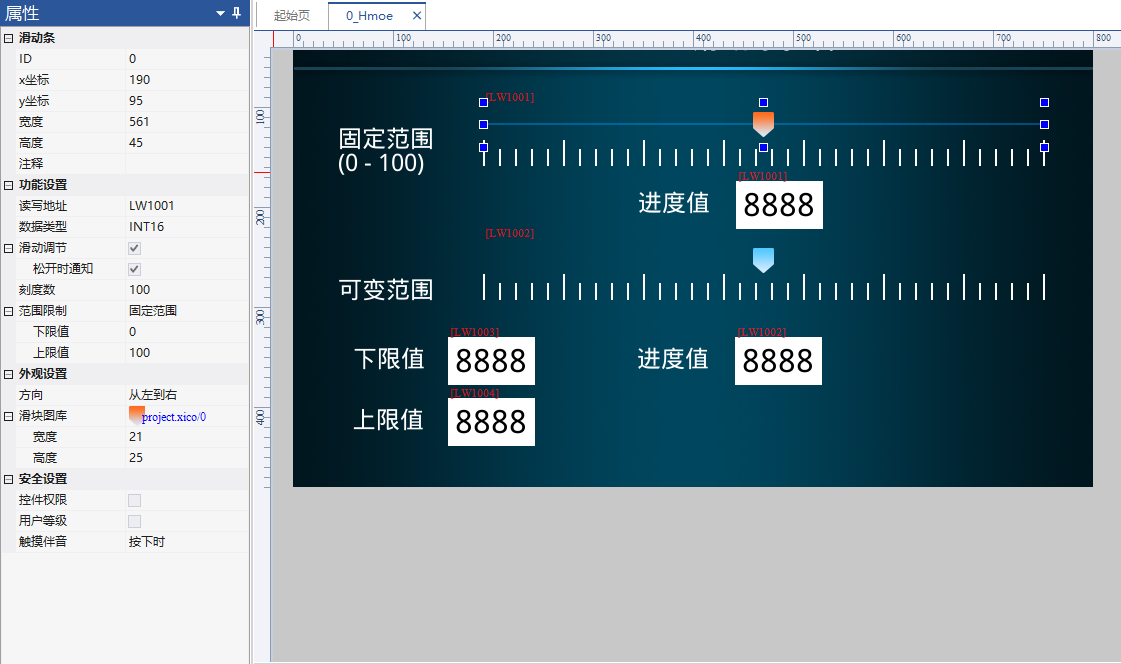
2.1 Fixed Range
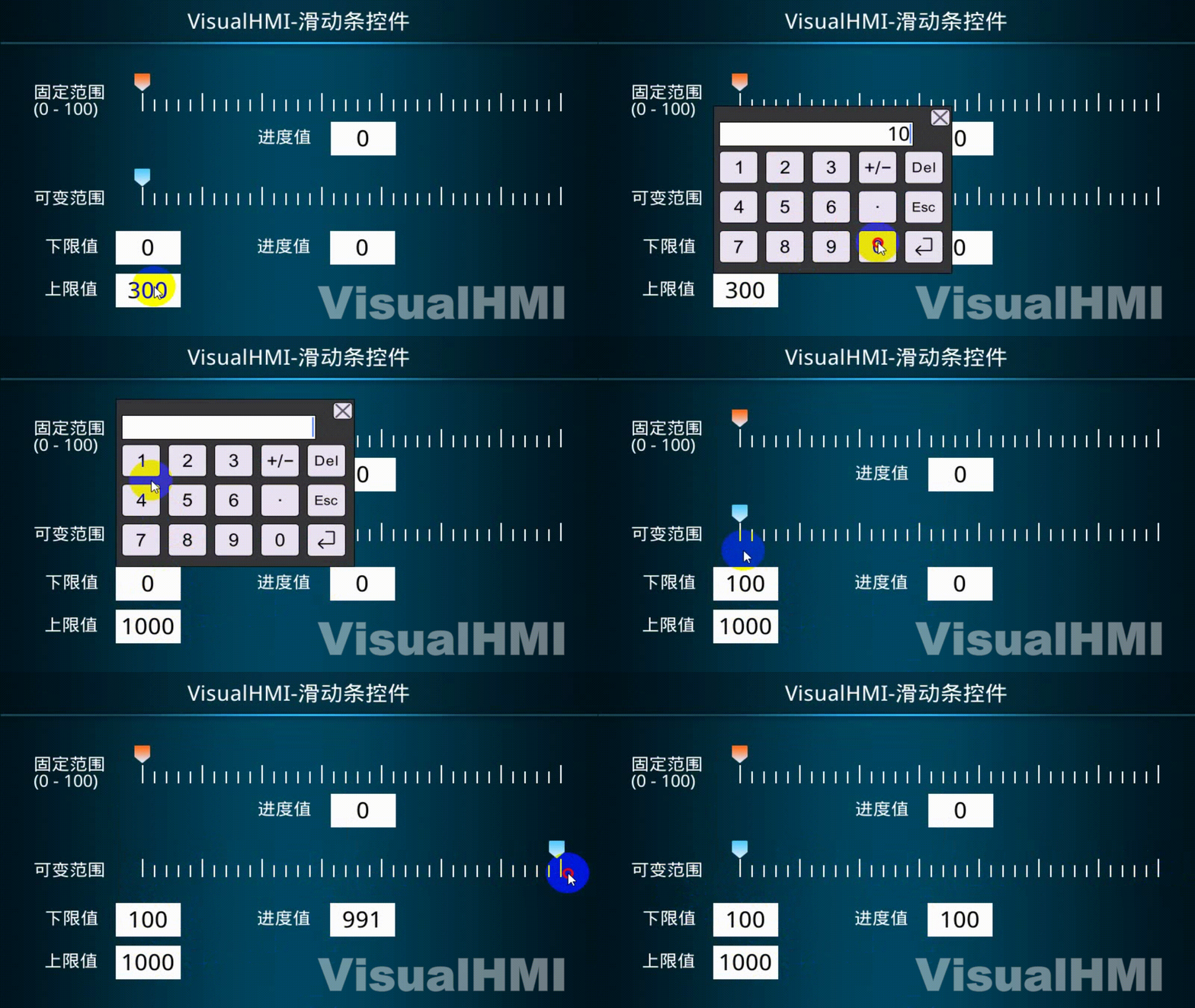
Read-WriteLW1001(UINT16), Slider Adjustment + Notification on Release, Fixed Range 0~100, Direction from Left to Right. Equipped with a Numeric Control to Display the Slider Value. The value changes in real-time when dragged and is limited to 0~100.
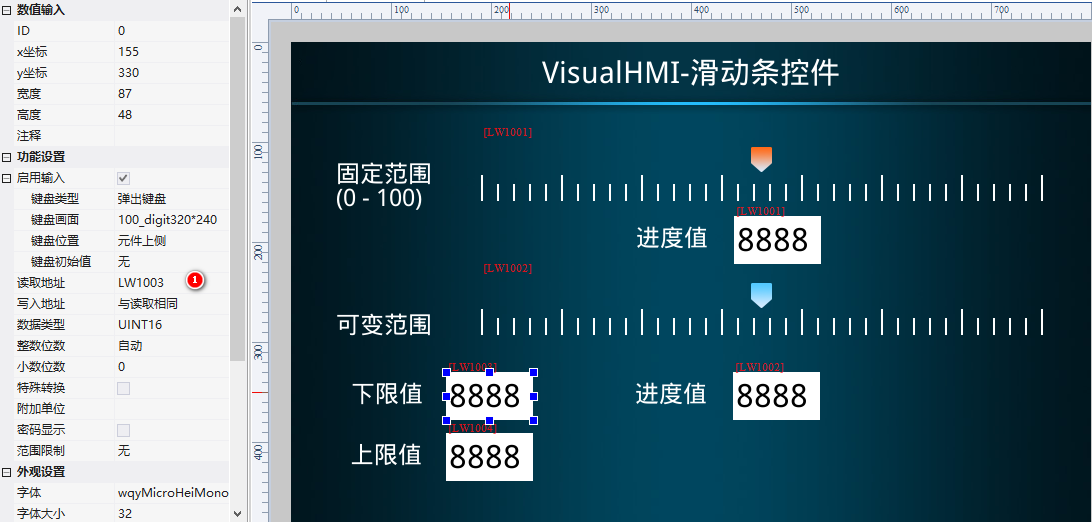
2.2 Variable Range
Read-WriteLW1002(UINT16), Scale Count 100, Variable Range: Lower LimitLW1003, Upper LimitLW1004. Equipped with 3 Numeric Controls to Display the Slider Value, Lower Limit, and Upper Limit Respectively. When running, change LW1003=100 and LW1004=1000, and the slider range dynamically changes.
This content is compiled from the "Slider" tutorial in the VisualHMI development documentation of Guangzhou Dacai Technology (hmi-doc.gz-dc.com). The copyright belongs to Dacai Technology.


Leave a Reply